 drew-sec/evilslackbot
Un framework di phishing per bot Slack per esercizi di Red Teaming

Un framework di attacco Slack per condurre esercitazioni Red Team e phishing all'interno degli spazi di lavoro Slack.
Questo strumento è destinato esclusivamente ai professionisti della sicurezza. Non utilizzare questo strumento contro un'area di lavoro Slack senza esplicita autorizzazione per il test. Utilizzo a proprio rischio.
Migliaia di organizzazioni utilizzano Slack per aiutare i propri dipendenti a comunicare, collaborare e interagire. Molti di questi spazi di lavoro Slack installano app o bot che possono essere utilizzati per automatizzare diverse attività all'interno di Slack. A questi bot vengono assegnate singolarmente delle autorizzazioni che determinano quali operazioni il bot è autorizzato a richiedere tramite l'API di Slack. Per autenticarsi all'API di Slack, a ogni bot viene assegnato un token API che inizia con xoxb o xoxp. Spesso questi token vengono divulgati da qualche parte. Quando questi token vengono esfiltrati durante un'esercitazione Red Team, può essere complicato utilizzarli correttamente. Ora EvilSlackbot è qui per automatizzare e snellire questo processo. Puoi usare EvilSlackbot per inviare messaggi Slack contraffatti, link di phishing, file e cercare segreti divulgati in Slack.
Oltre al red teaming, EvilSlackbot è stato sviluppato anche pensando alle simulazioni di phishing su Slack. Per utilizzare EvilSlackbot per condurre un esercizio di phishing su Slack, crea semplicemente un bot all'interno di Slack, assegna al tuo bot le autorizzazioni necessarie per il test previsto e fornisci a EvilSlackbot un elenco di email dei dipendenti che desideri testare con phish simulati (link, file, messaggi contraffatti).
EvilSlackbot richiede python3 e Slackclient.
pip3 install slackclient
usage: EvilSlackbot.py [-h] -t TOKEN [-sP] [-m] [-s] [-a] [-f FILE] [-e EMAIL]
                       [-cH CHANNEL] [-eL EMAIL_LIST] [-c] [-o OUTFILE] [-cL]

options:
  -h, --help            show this help message and exit

Required:
  -t TOKEN, --token TOKEN
                        Slack Oauth token

Attacks:
  -sP, --spoof          Spoof a Slack message, customizing your name, icon, etc
                        (Requires -e,-eL, or -cH)
  -m, --message         Send a message as the bot associated with your token
                        (Requires -e,-eL, or -cH)
  -s, --search          Search slack for secrets with a keyword
  -a, --attach          Send a message containing a malicious attachment (Requires -f
                        and -e,-eL, or -cH)

Arguments:
  -f FILE, --file FILE  Path to file attachment
  -e EMAIL, --email EMAIL
                        Email of target
  -cH CHANNEL, --channel CHANNEL
                        Target Slack Channel (Do not include #)
  -eL EMAIL_LIST, --email_list EMAIL_LIST
                        Path to list of emails separated by newline
  -c, --check           Lookup and display the permissions and available attacks
                        associated with your provided token.
  -o OUTFILE, --outfile OUTFILE
                        Outfile to store search results
  -cL, --channel_list   List all public Slack channels
Per utilizzare questo strumento, devi fornire un token xoxb o xoxp.
Required:
  -t TOKEN, --token TOKEN  (Slack xoxb/xoxp token)
python3 EvilSlackbot.py -t <token>
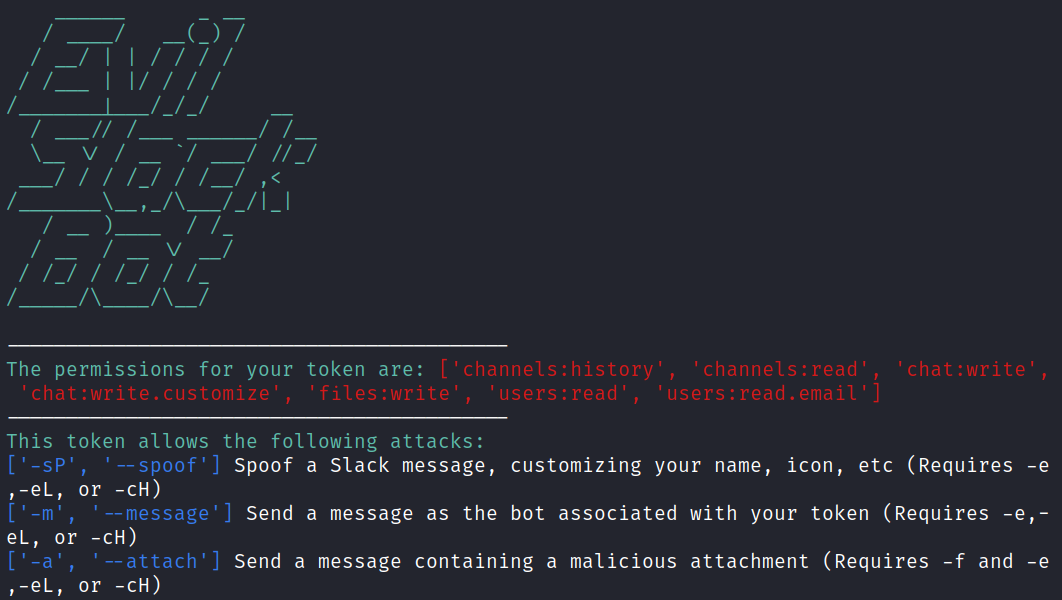
A seconda delle autorizzazioni associate al tuo token, ci sono diversi attacchi che EvilSlackbot può condurre. EvilSlackbot controllerà automaticamente quali autorizzazioni possiede il tuo token e le visualizzerà insieme a qualsiasi attacco che puoi eseguire con il token fornito.

Attacks:
  -sP, --spoof   Spoof a Slack message, customizing your name, icon, etc (Requires -e,-eL, or -cH)

  -m, --message  Send a message as the bot associated with your token (Requires -e,-eL, or -cH)

  -s, --search   Search slack for secrets with a keyword

  -a, --attach   Send a message containing a malicious attachment (Requires -f and -e,-eL, or -cH)
Con le autorizzazioni corrette del token, EvilSlackbot ti permette di inviare messaggi di phishing impersonando il nome del bot e la sua foto. Questo attacco richiede anche l'indirizzo email (-e) del target, un elenco di email target (-eL), o il nome di un canale Slack (-cH). EvilSlackbot utilizzerà questi argomenti per cercare lo SlackID dell'utente associato alle email o al nome del canale forniti. Per automatizzare il tuo attacco, utilizza un elenco di email.
python3 EvilSlackbot.py -t <xoxb token> -sP -e <email address>

python3 EvilSlackbot.py -t <xoxb token> -sP -eL <email list>

python3 EvilSlackbot.py -t <xoxb token> -sP -cH <Channel name>
Con le autorizzazioni corrette del token, EvilSlackbot ti permette di inviare messaggi di phishing contenenti link di phishing. Ciò che distingue questo attacco dall'attacco spoofato è che questo metodo invierà il messaggio come il bot associato al token fornito. Non potrai scegliere il nome o l'immagine del bot che invia il phish. Questo attacco richiede anche l'indirizzo email (-e) del target, un elenco di email target (-eL), o il nome di un canale Slack (-cH). EvilSlackbot utilizzerà questi argomenti per cercare lo SlackID dell'utente associato alle email o al nome del canale forniti. Per automatizzare il tuo attacco, utilizza un elenco di email.
python3 EvilSlackbot.py -t <xoxb token> -m -e <email address>

python3 EvilSlackbot.py -t <xoxb token> -m -eL <email list>

python3 EvilSlackbot.py -t <xoxb token> -m -cH <Channel name>
Con le autorizzazioni corrette del token, EvilSlackbot ti permette di cercare segreti in Slack tramite una ricerca per parola chiave. Al momento, questo attacco richiede un token xoxp, poiché ai token xoxb non possono essere concesse le autorizzazioni necessarie per la ricerca per parola chiave all'interno di Slack. Usa l'argomento -o per scrivere i risultati della ricerca in un file di output.
python3 EvilSlackbot.py -t <xoxp token> -s -o <outfile.txt>
Con le autorizzazioni corrette del token, EvilSlackbot ti permette di inviare allegati di file. L'attacco con allegato richiede un percorso al file (-f) che desideri inviare. Questo attacco richiede anche l'indirizzo email (-e) del target, un elenco di email target (-eL), o il nome di un canale Slack (-cH). EvilSlackbot utilizzerà questi argomenti per cercare lo SlackID dell'utente associato alle email o al nome del canale forniti. Per automatizzare il tuo attacco, utilizza un elenco di email.
python3 EvilSlackbot.py -t <xoxb token> -a -f <path to file> -e <email address>

python3 EvilSlackbot.py -t <xoxb token> -a -f <path to file> -eL <email list>

python3 EvilSlackbot.py -t <xoxb token> -a -f <path to file> -cH <Channel name>
