 ga0/netgraph
एक क्रॉस-प्लेटफ़ॉर्म HTTP स्निफ़र जिसमें वेब UI है




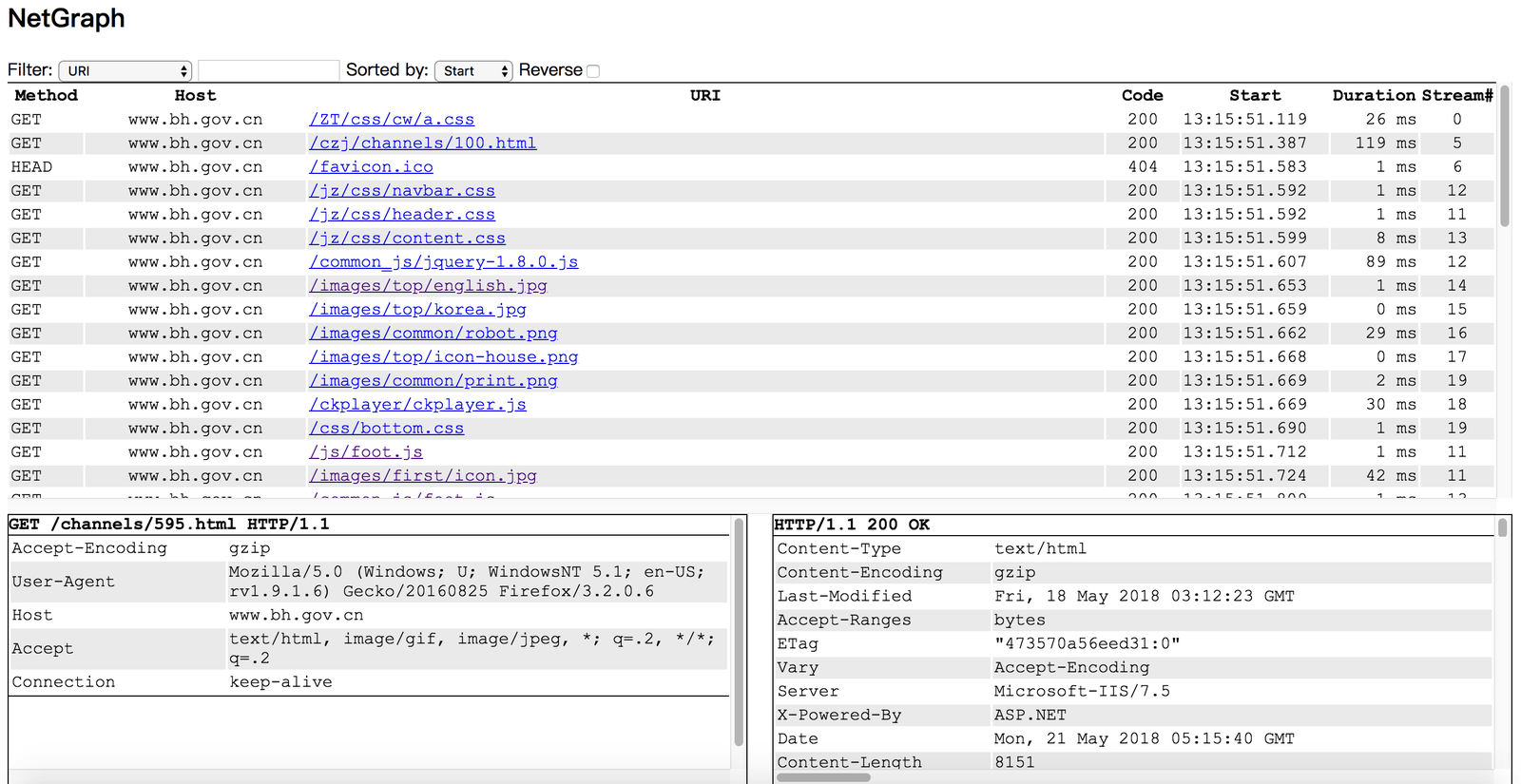
Netgraph एक पैकेट स्निफ़र टूल है जो सभी HTTP अनुरोधों/प्रतिक्रियाओं को कैप्चर करता है और उन्हें वेब पेज में प्रदर्शित करता है।
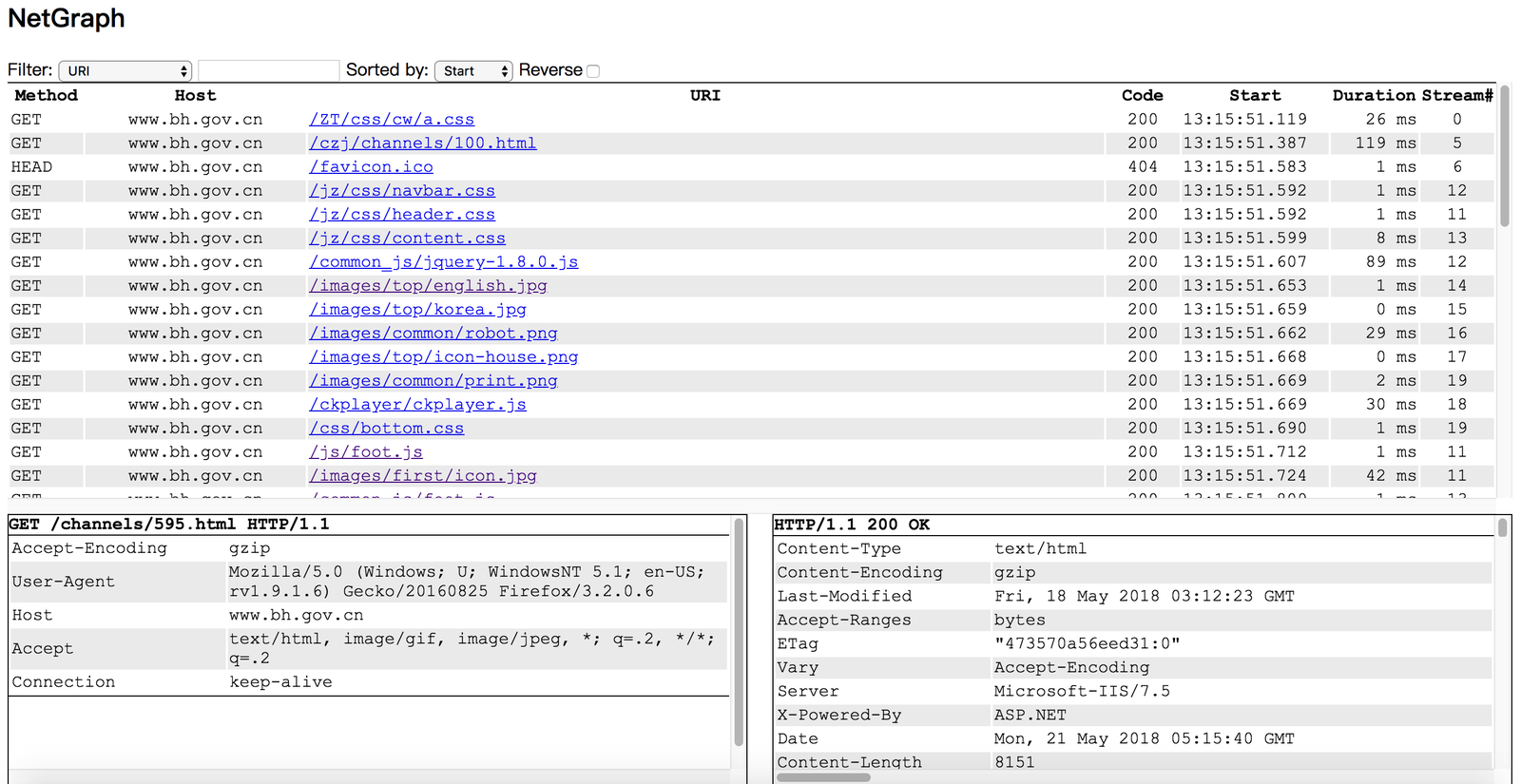
आप Netgraph को अपने लिनक्स सर्वर पर बिना डेस्कटॉप एनवायरनमेंट इंस्टॉल किए चला सकते हैं, और अपने लैपटॉप के ब्राउज़र में http अनुरोधों/प्रतिक्रियाओं की निगरानी कर सकते हैं।
  1. go get github.com/ga0/netgraph
  2. run $GOPATH/bin/netgraph -i INTERFACE -p PORT
  3. open the netgraph web page in your browser (for example: http://localhost:9000, 9000 is the PORT set in step 2)

  Windows उपयोगकर्ता को पहले winpcap लाइब्रेरी इंस्टॉल करनी होगी।
  -bpf string
        Set berkeley packet filter (default "tcp port 80")
  -i string
        Listen on interface, auto select one if no interface is provided
  -input-pcap string
        Open a pcap file
  -o string
        Write HTTP requests/responses to file, set value "stdout" to print to console
  -output-pcap string
        Write captured packet to a pcap file
  -output-request-only
	      Write only HTTP request to file, drop response. Only used when option "-o" is present. (default true)
  -p int
        Web server port. If the port is set to '0', the server will not run.  (default 9000)
  -s	Save HTTP event in server
  -v	Show verbose message (default true)
उदाहरण: कैप्चर किए गए अनुरोधों को stdout पर प्रिंट करें:
  $ ./netgraph -i en0 -o=stdout
  2018/07/26 10:33:24 open live on device "en0", bpf "tcp port 80"
  [2018-07-26 10:33:34.873] #0 Request 192.168.1.50:60448->93.184.216.34:80
  GET / HTTP/1.1
  Host: www.example.com
  Connection: keep-alive
  Pragma: no-cache
  Cache-Control: no-cache
  Upgrade-Insecure-Requests: 1
  User-Agent: Mozilla/5.0 (Macintosh; Intel Mac OS X 10_13_6) AppleWebKit/537.36 (KHTML, like Gecko) Chrome/67.0.3396.99 Safari/537.36
  Accept: text/html,application/xhtml+xml,application/xml;q=0.9,image/webp,image/apng,*/*;q=0.8
  Accept-Encoding: gzip, deflate
  Accept-Language: zh-CN,zh;q=0.9,en;q=0.8,zh-TW;q=0.7

  content(0)
