
osmedeus v5.1.2
एक आधुनिक ऑर्केस्ट्रेशन इंजन सुरक्षा के लिए
Osmedeus

Osmedeus - सुरक्षा के लिए एक आधुनिक ऑर्केस्ट्रेशन इंजन





Osmedeus क्या है?
Osmedeus एक सुरक्षा-केंद्रित डिक्लेरेटिव ऑर्केस्ट्रेशन इंजन है जो जटिल वर्कफ़्लो ऑटोमेशन को ऑडिट-योग्य YAML परिभाषाओं में सरल बनाता है, साथ ही एन्क्रिप्टेड डेटा हैंडलिंग, सुरक्षित क्रेडेंशियल प्रबंधन और सैंडबॉक्स्ड निष्पादन प्रदान करता है।
शुरुआती और विशेषज्ञ दोनों के लिए बनाया गया, यह आपके इंफ्रास्ट्रक्चर की अखंडता और सुरक्षा से समझौता किए बिना शक्तिशाली, कंपोज़ेबल ऑटोमेशन प्रदान करता है।
मुख्य विशेषताएँ
- डिक्लेरेटिव YAML वर्कफ़्लो - हुक, निर्णय राउटिंग, मॉड्यूल एक्सक्लूज़न और कई रनर (host, Docker, SSH) में सशर्त ब्रांचिंग के साथ पाइपलाइन परिभाषित करें
- वितरित निष्पादन - क्यू सिस्टम, वेबहुक ट्रिगर और वर्कर्स में फ़ाइल सिंक के साथ Redis-आधारित मास्टर-वर्कर पैटर्न
- समृद्ध फ़ंक्शन लाइब्रेरी - nmap एकीकरण, tmux सत्र, SSH निष्पादन, TypeScript/Python स्क्रिप्टिंग, SARIF पार्सिंग और CDN/WAF वर्गीकरण सहित 80+ उपयोगिता फ़ंक्शन
- इवेंट-ड्रिवन शेड्यूलिंग - फ़िल्टरिंग, डीडुप्लिकेशन और विलंबित कार्य क्यू के साथ Cron, फ़ाइल-वॉच और इवेंट ट्रिगर
- एजेंटिक LLM चरण - सब-एजेंट ऑर्केस्ट्रेशन, मेमोरी प्रबंधन और संरचित आउटपुट के साथ टूल-कॉलिंग एजेंट लूप; साथ ही ACP सबप्रोसेस एजेंट (Claude Code, Codex, OpenCode, Gemini)
- क्लाउड इंफ्रास्ट्रक्चर - लागत नियंत्रण और स्वचालित सफ़ाई के साथ DigitalOcean, AWS, GCP, Linode और Azure पर स्कैन प्रोविज़न और चलाएँ
- समृद्ध CLI इंटरफ़ेस - इंटरैक्टिव डेटाबेस क्वेरी, बल्क फ़ंक्शन मूल्यांकन, वर्कफ़्लो लिंटिंग, प्रगति बार और व्यापक उपयोग उदाहरण
- REST API और Web UI - वेबहुक ट्रिगर, डेटाबेस क्वेरी और विज़ुअलाइज़ेशन के लिए एम्बेडेड डैशबोर्ड के साथ पूर्ण API सर्वर
अधिक जानकारी के लिए दस्तावेज़ीकरण पृष्ठ देखें।
इंस्टॉलेशन
curl -sSL http://www.osmedeus.org/install.sh | bash
npm
npm install -g @j3ssie/osmedeus
linux और macOS पर x64/arm64 के लिए पहले से बने बाइनरीज़ उपलब्ध हैं।
त्वरित सेटअप के लिए Quickstart देखें और उन्नत कॉन्फ़िगरेशन के लिए Installation देखें।
| CLI उपयोग | Web UI एसेट्स |
|---|---|
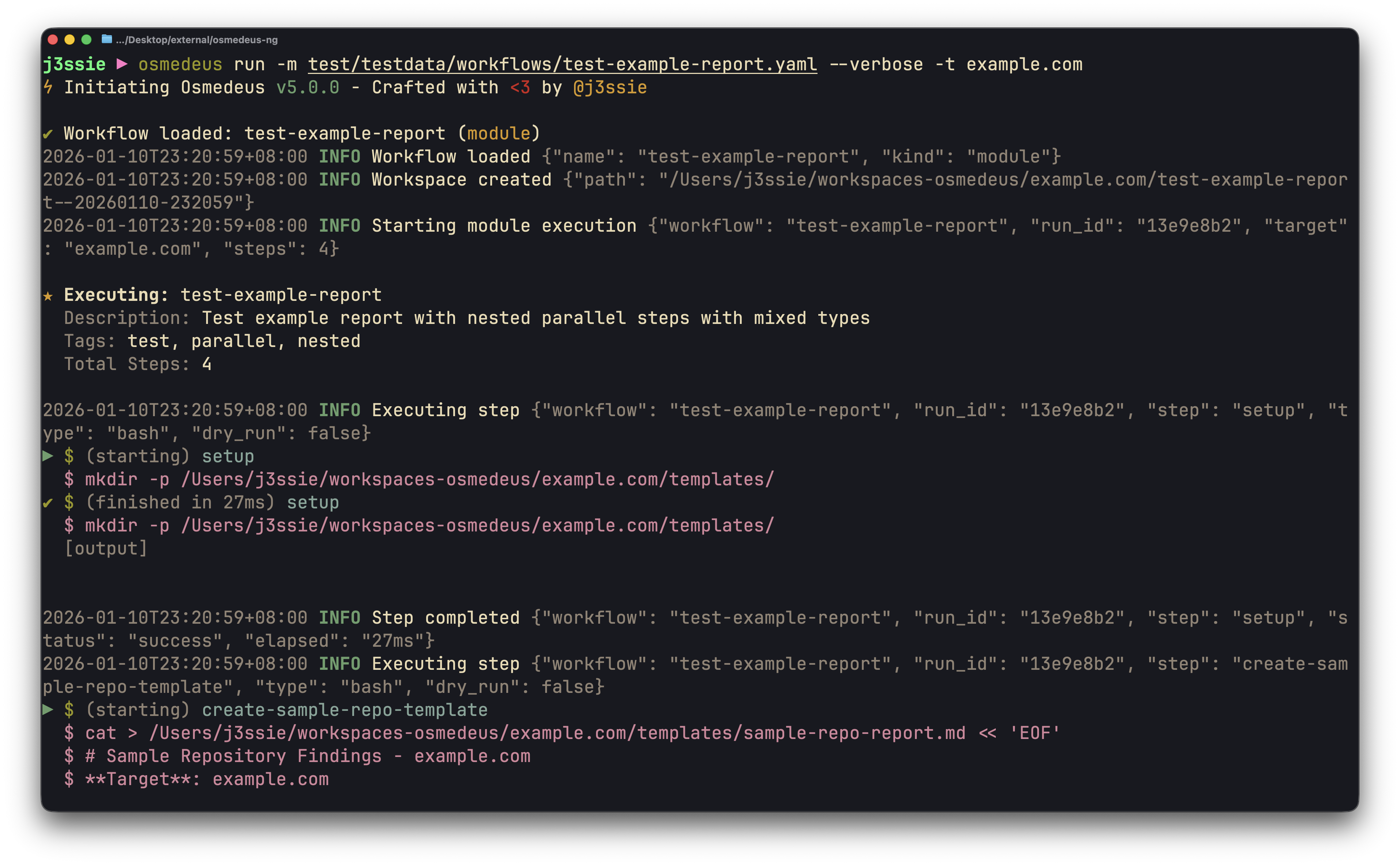 | 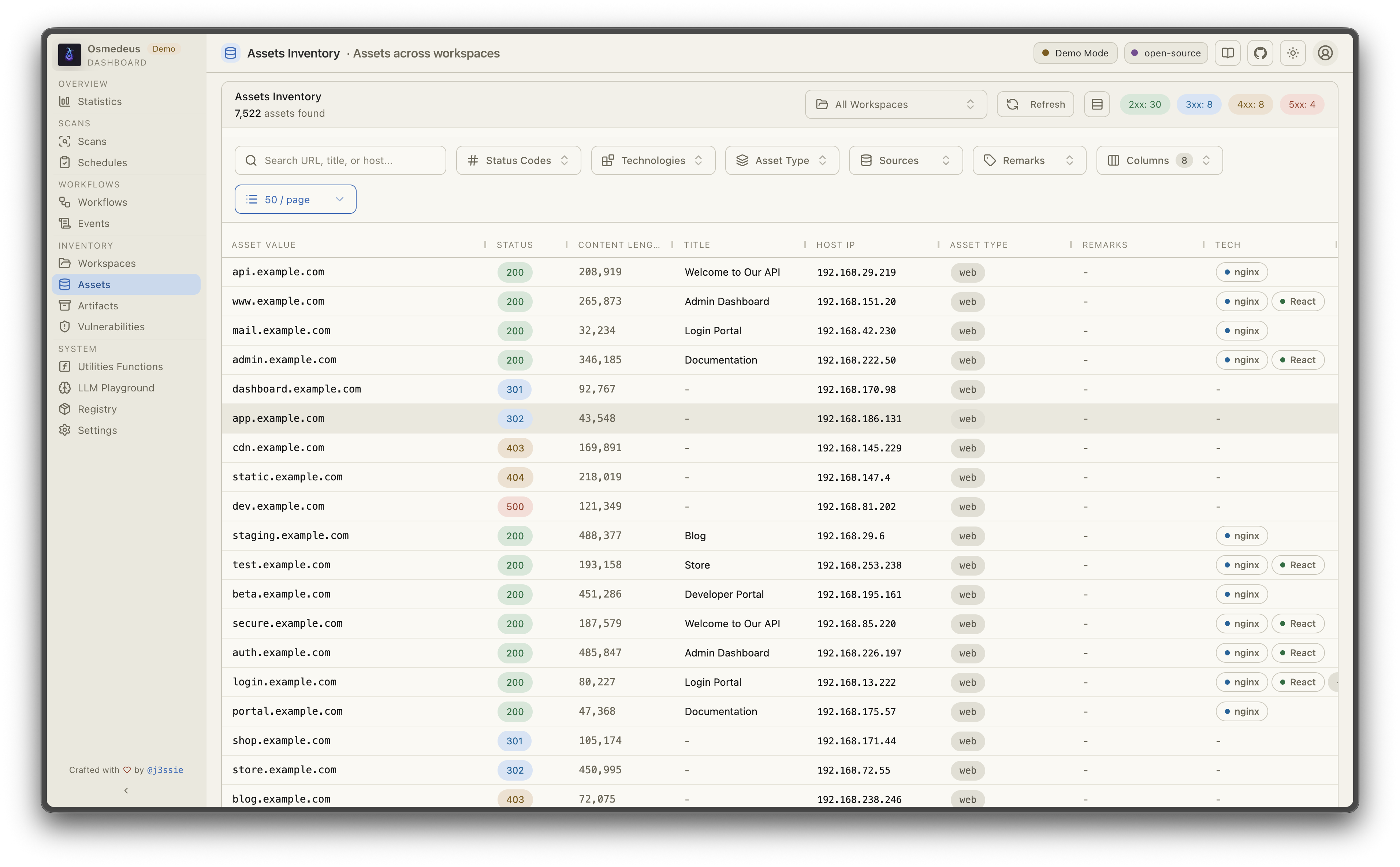 |
| वर्कफ़्लो विज़ुअलाइज़ेशन | कमज़ोरियाँ |
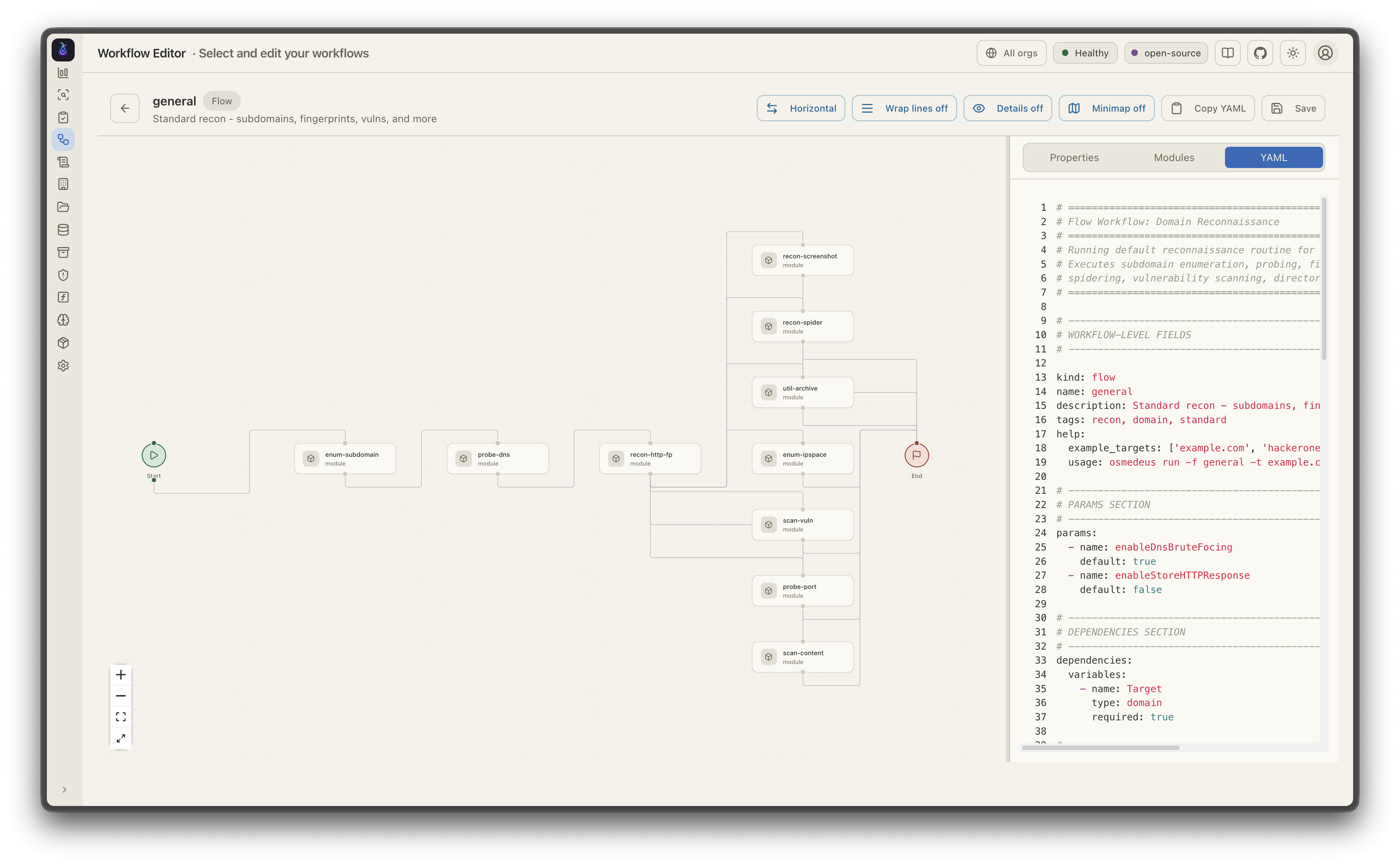 | 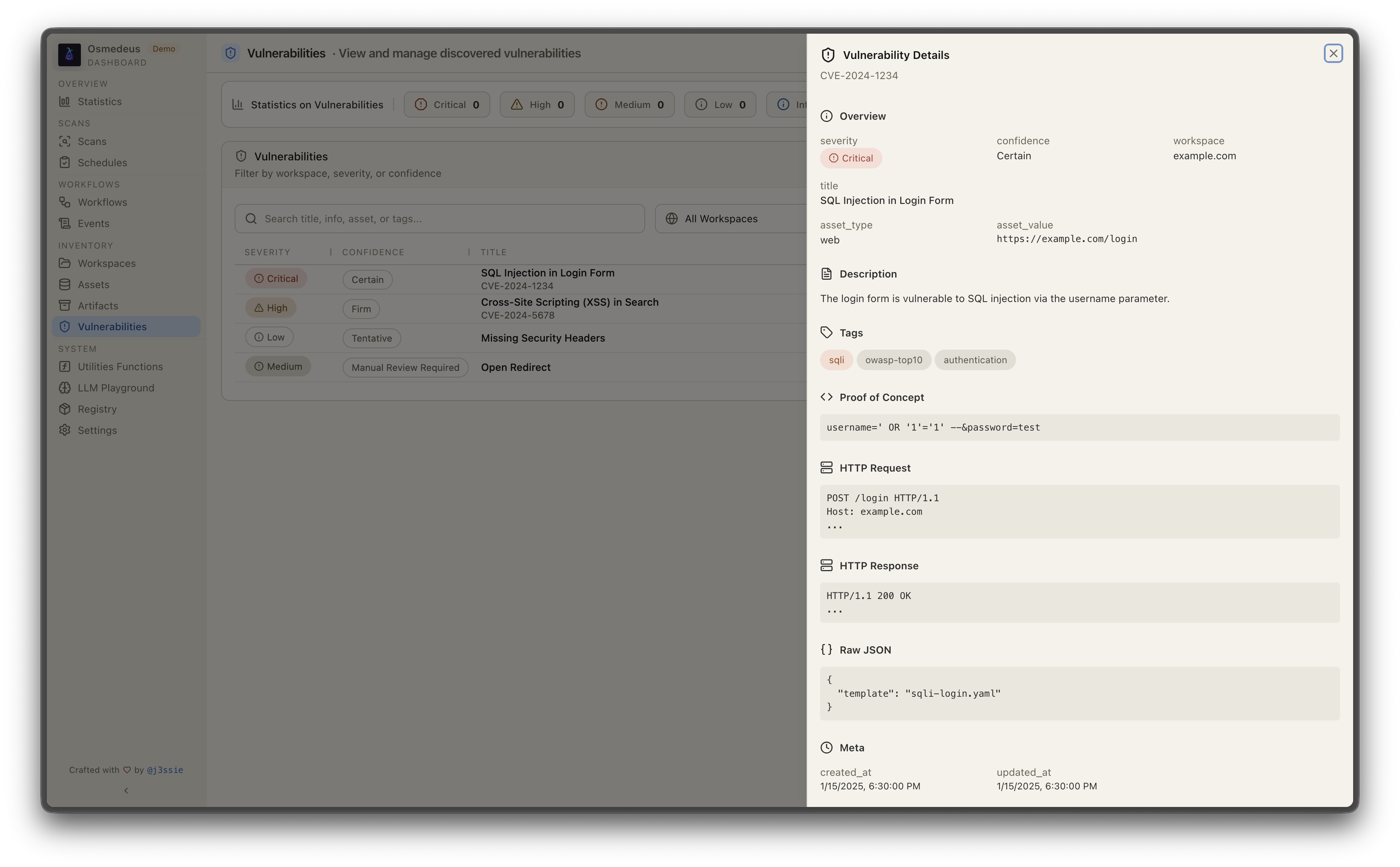 |
☁️ प्रायोजक — Bloome

Osmedeus के साथ रेकॉन को स्वचालित कर रहे हैं? Bloome उसी टीम-ऑफ़-एजेंट्स मानसिकता को आपके बाकी वर्कफ़्लो में लाता है: कई AI एजेंट्स (Claude, ChatGPT, DeepSeek और अन्य) एक साझा चैट में जो काम बाँटते हैं, कार्य एक-दूसरे को सौंपते हैं, एक-दूसरे की जाँच करते हैं, और आउटपुट को सही होने तक परिष्कृत करते हैं — निष्कर्षों की ट्राइएज करना, रिपोर्ट का मसौदा तैयार करना, और निर्धारित जाँचें एक साथ चलाना। शून्य सेटअप, क्लाउड में, वेब और मोबाइल पर, और आपकी टीम के साथ साझा करने योग्य। 👉 Bloome आज़माएँ
त्वरित शुरुआत
# Run a module workflow
osmedeus run -m recon -t example.com

# Run a flow workflow
osmedeus run -f general -t example.com

# Multiple targets with concurrency
osmedeus run -m recon -T targets.txt -c 5

# Dry-run mode (preview)
osmedeus run -f general -t example.com --dry-run

# Start API server
osmedeus serve

# List available workflows
osmedeus workflow list

# Query discovered assets
osmedeus assets -w example.com                          # List assets for workspace
osmedeus assets --stats                                 # Show unique technologies, sources, types
osmedeus assets --source httpx --type web --json        # Filter and output as JSON

# Query vulnerabilities, runs, and steps
osmedeus query vulns --severity high --workspace example.com
osmedeus query runs --status running
osmedeus query steps --run <run-uuid>

# Query database tables
osmedeus db list --table runs
osmedeus db list --table event_logs --search "nuclei"

# Evaluate utility functions
osmedeus func eval 'log_info("hello")'
osmedeus func eval -e 'http_get("https://example.com")' -T targets.txt -c 10

# Platform variables available in eval
osmedeus func eval 'log_info("OS: " + PlatformOS + ", Arch: " + PlatformArch)'

# Install from preset repositories
osmedeus install base --preset
osmedeus install base --preset --keep-setting   # preserve existing osm-settings.yaml
osmedeus install workflow --preset

# Exclude modules from flow execution
osmedeus run -f general -t example.com -x portscan
osmedeus run -f general -t example.com -X vuln    # Fuzzy exclude by substring

# Worker queue system
osmedeus worker queue new -f general -t example.com   # Queue for later
osmedeus worker queue run --concurrency 5              # Process queue

# Worker management
osmedeus worker status                          # Show workers
osmedeus worker eval -e 'ssh_exec("host", "whoami")'  # Eval with distributed hooks

# Run an ACP agent interactively
osmedeus agent "analyze this codebase"
osmedeus agent --agent codex "explain main.go"
osmedeus agent --list

# Cloud infrastructure management
osmedeus cloud create --instances 3                    # Provision cloud machines
osmedeus cloud setup 1.2.3.4 5.6.7.8                  # Setup existing machines
osmedeus cloud list                                    # List active infrastructure
osmedeus cloud run -f general -t example.com --instances 3

# Show all usage examples
osmedeus --usage-example
Docker
# Show help
docker run --rm j3ssie/osmedeus:latest --help

# Run a scan
docker run --rm -v $(pwd)/output:/root/workspaces-osmedeus \
    j3ssie/osmedeus:latest run -f general -t example.com
अधिक CLI उपयोग और उदाहरण कमांड के लिए, CLI Reference देखें।