
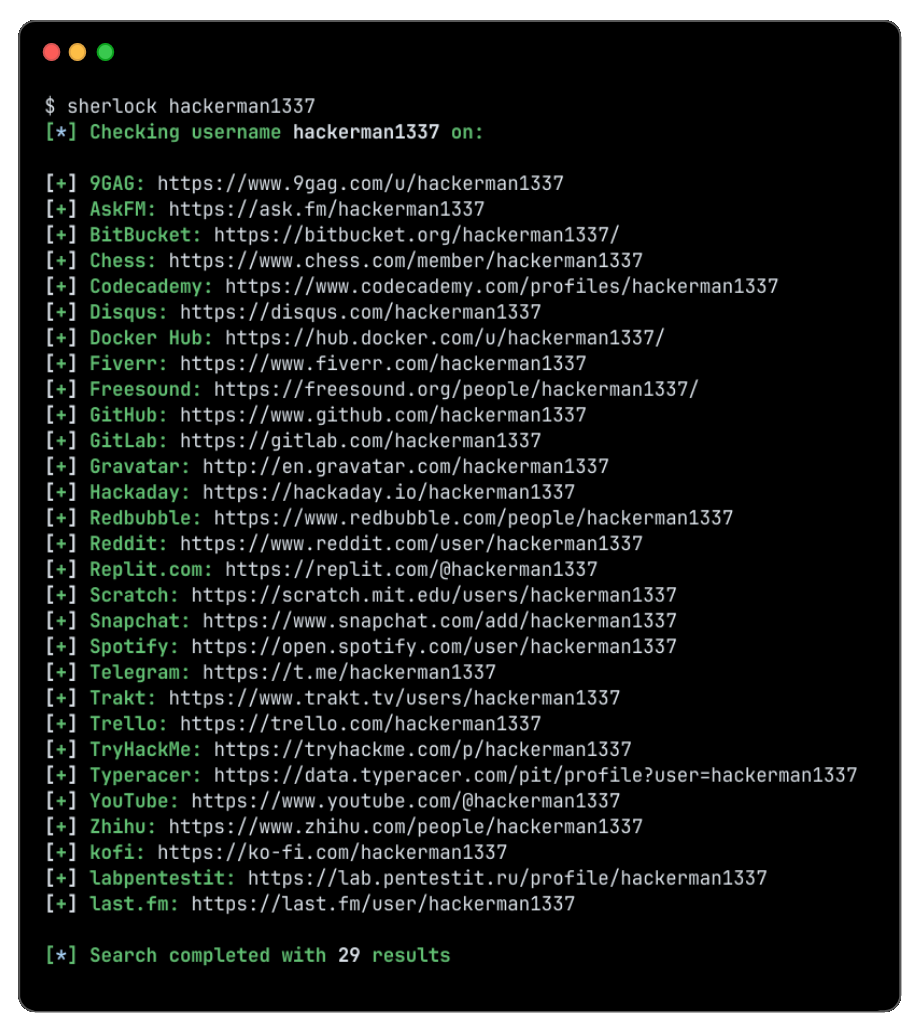
sherlock v0.16.2
Traquez les comptes de médias sociaux par nom d'utilisateur à travers différents réseaux sociaux

Traquez les comptes de réseaux sociaux par nom d'utilisateur sur plus de 400 réseaux sociaux
Installation • Utilisation • Contribution
Installation


[!WARNING]
Les paquets pour ParrotOS et Ubuntu 24.04, maintenus par un tiers, semblent être cassés.
Les utilisateurs de ces systèmes devraient privilégieruv/pipx/pipou Docker.
| Méthode | Notes |
|---|---|
pipx install sherlock-project | pip ou uv peuvent être utilisés à la place de pipx |
docker run -it --rm sherlock/sherlock | |
dnf install sherlock-project |
Des paquets maintenus par la communauté sont disponibles pour Debian (>= 13), Ubuntu (>= 22.10), Homebrew, Kali et BlackArch. Ces paquets ne sont pas directement pris en charge ni maintenus par le Sherlock Project.
Voir toutes les méthodes d'installation alternatives ici.
Utilisation générale
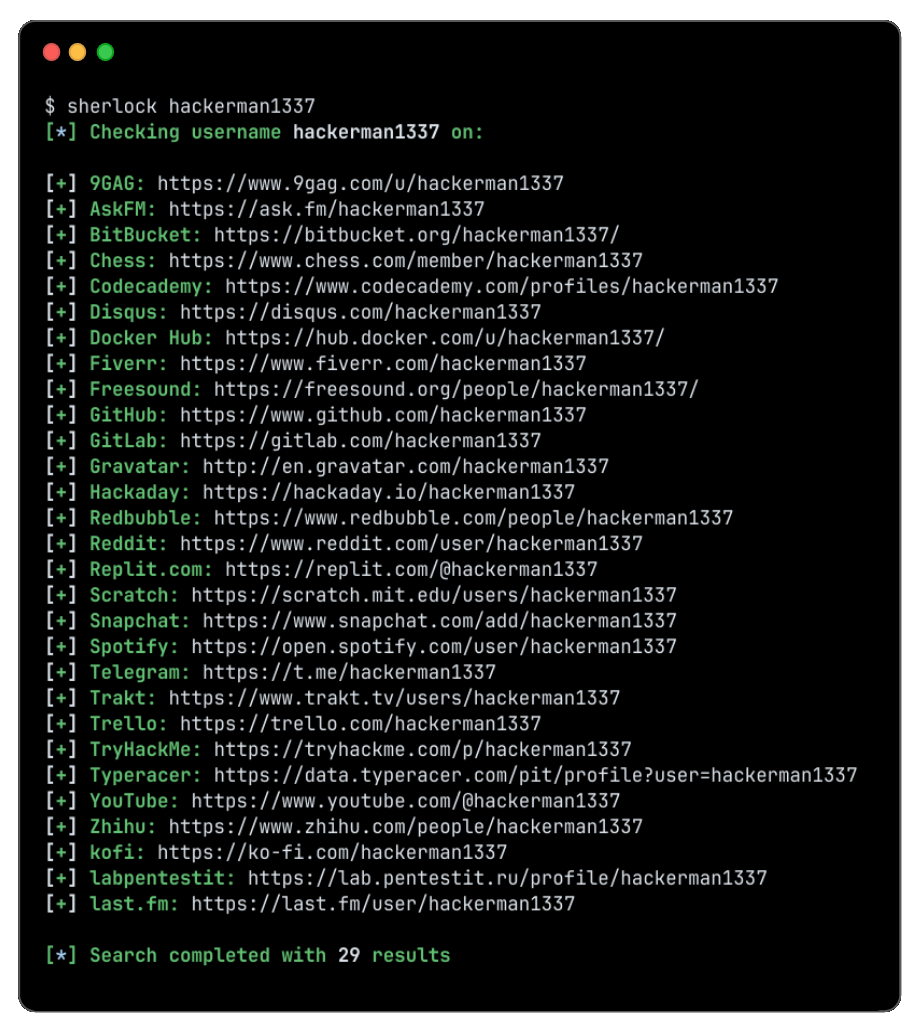
Pour rechercher un seul utilisateur :
sherlock user123
Pour rechercher plusieurs utilisateurs :
sherlock user1 user2 user3
Les comptes trouvés seront enregistrés dans un fichier texte individuel portant le nom d'utilisateur correspondant (par ex. user123.txt).
$ sherlock --help
usage: sherlock [-h] [--version] [--verbose] [--folderoutput FOLDEROUTPUT] [--output OUTPUT] [--csv] [--xlsx] [--site SITE_NAME] [--proxy PROXY_URL] [--dump-response]
                [--json JSON_FILE] [--timeout TIMEOUT] [--print-all] [--print-found] [--no-color] [--browse] [--local] [--nsfw] [--txt] [--ignore-exclusions]
                USERNAMES [USERNAMES ...]

Sherlock: Find Usernames Across Social Networks (Version 0.16.0)

positional arguments:
  USERNAMES             One or more usernames to check with social networks. Check similar usernames using {?} (replace to '_', '-', '.').

options:
  -h, --help            show this help message and exit
  --version             Display version information and dependencies.
  --verbose, -v, -d, --debug
                        Display extra debugging information and metrics.
  --folderoutput FOLDEROUTPUT, -fo FOLDEROUTPUT
                        If using multiple usernames, the output of the results will be saved to this folder.
  --output OUTPUT, -o OUTPUT
                        If using single username, the output of the result will be saved to this file.
  --csv                 Create Comma-Separated Values (CSV) File.
  --xlsx                Create the standard file for the modern Microsoft Excel spreadsheet (xlsx).
  --site SITE_NAME      Limit analysis to just the listed sites. Add multiple options to specify more than one site.
  --proxy PROXY_URL, -p PROXY_URL
                        Make requests over a proxy. e.g. socks5://127.0.0.1:1080
  --dump-response       Dump the HTTP response to stdout for targeted debugging.
  --json JSON_FILE, -j JSON_FILE
                        Load data from a JSON file or an online, valid, JSON file. Upstream PR numbers also accepted.
  --timeout TIMEOUT     Time (in seconds) to wait for response to requests (Default: 60)
  --print-all           Output sites where the username was not found.
  --print-found         Output sites where the username was found (also if exported as file).
  --no-color            Don't color terminal output
  --browse, -b          Browse to all results on default browser.
  --local, -l           Force the use of the local data.json file.
  --nsfw                Include checking of NSFW sites from default list.
  --txt                 Enable creation of a txt file
  --ignore-exclusions   Ignore upstream exclusions (may return more false positives)
Crédits
Merci à toutes les personnes qui ont contribué à Sherlock ! ❤️
Historique des étoiles
Licence
MIT © Sherlock Project
Créateur - Siddharth Dushantha