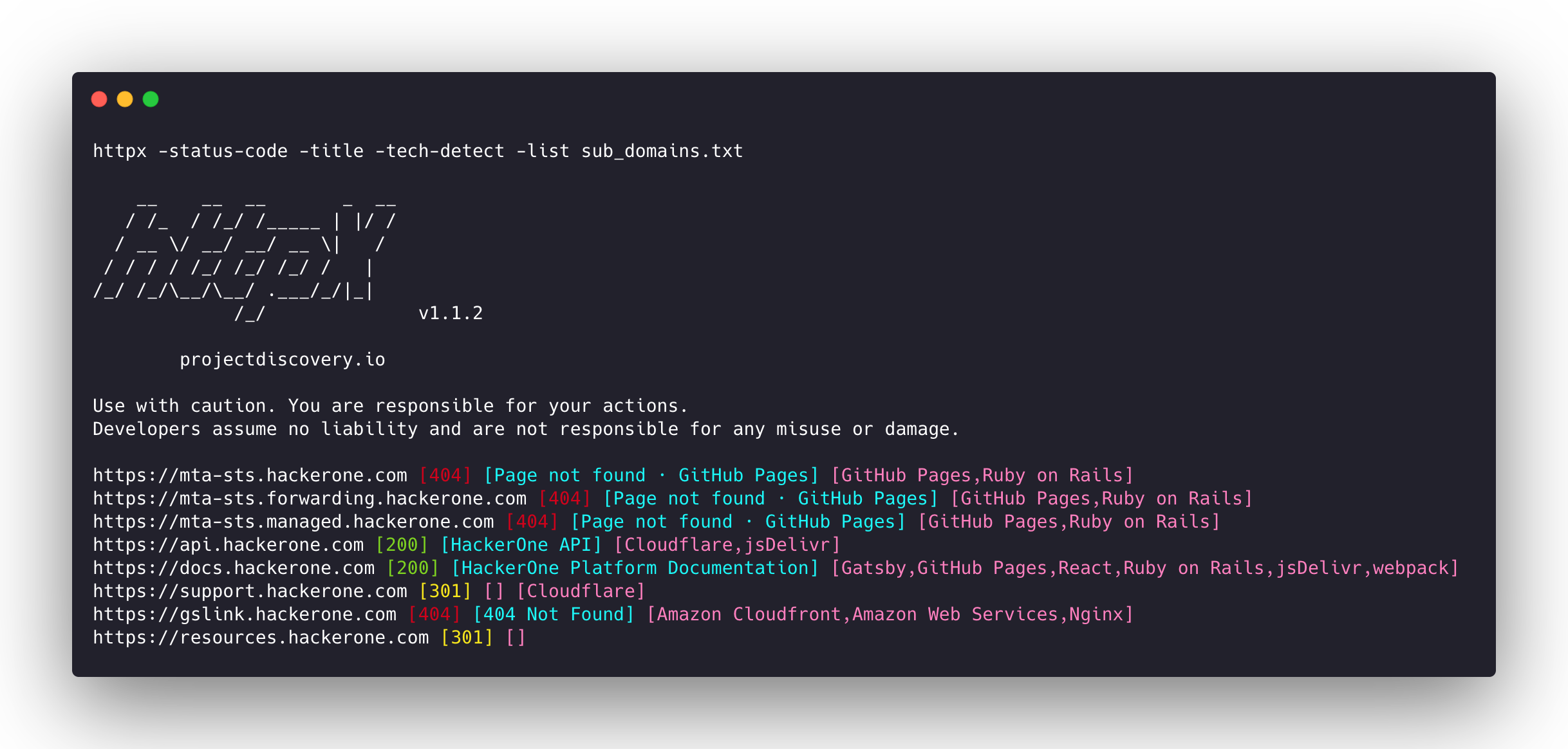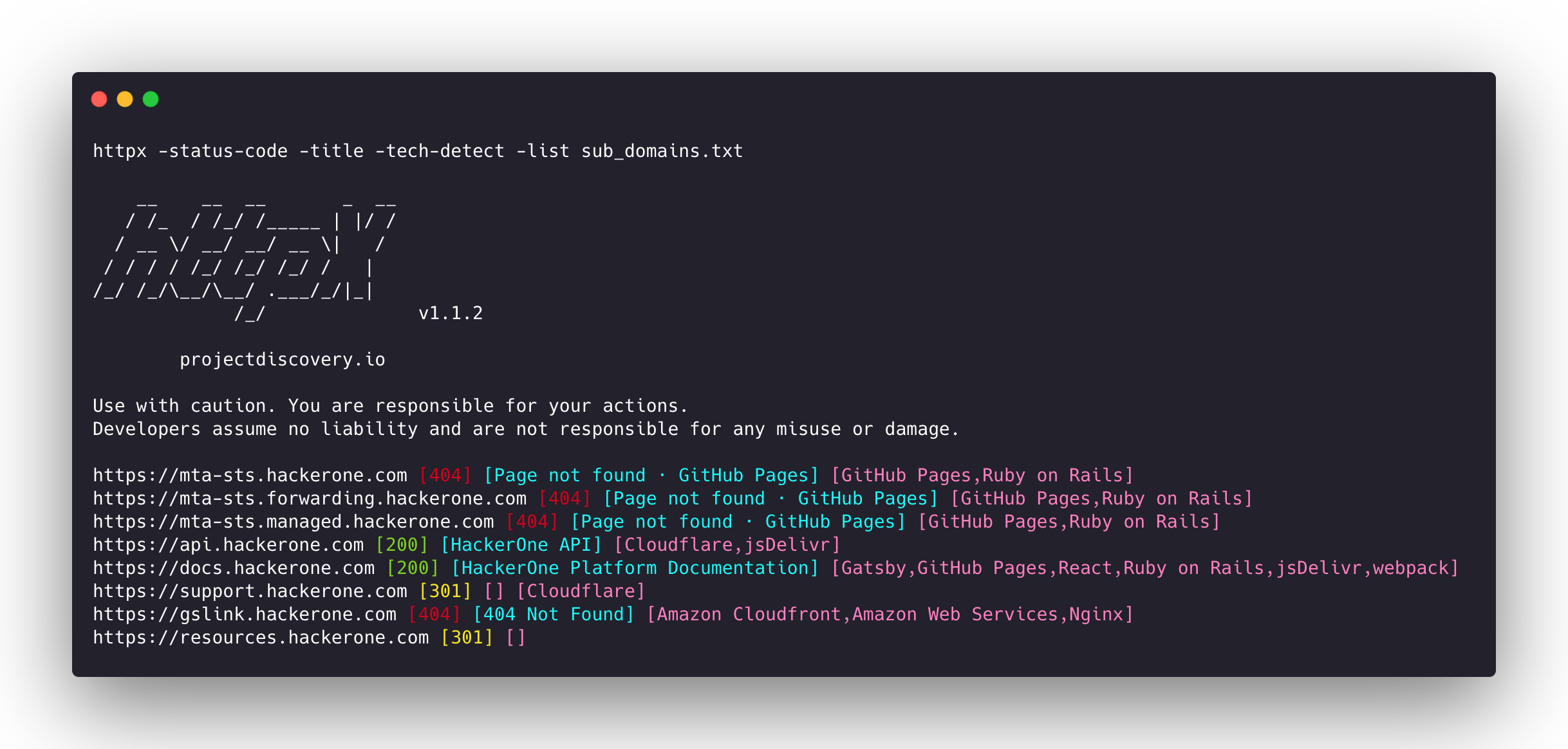
httpx v1.11.0
Boîte à outils HTTP rapide et multi-sonde pour la reconnaissance et la collecte d'informations. Sonde TLS, CSP, en-têtes, pile technologique et CDN. Prend en charge les matchers, les filtres et la sortie JSON pour les tests de sécurité automatisés.

Fonctionnalités • Installation • Utilisation • Documentation • Remarques • Rejoindre Discord
httpx est un toolkit HTTP rapide et polyvalent qui permet d'exécuter plusieurs sondes en utilisant la bibliothèque retryablehttp. Il est conçu pour maintenir la fiabilité des résultats avec un nombre accru de threads.
Fonctionnalités
- Base de code simple et modulaire facilitant les contributions.
- Options rapides et entièrement configurables pour sonder plusieurs éléments.
- Prend en charge plusieurs sondages basés sur HTTP.
- Basculement automatique intelligent de https vers http par défaut.
- Prend en charge les hôtes, les URL et CIDR en entrée.
- Gère les cas particuliers avec des tentatives, des backoffs, etc. pour les WAF.
Sondes prises en charge
| Sondes | Vérification par défaut | Sondes | Vérification par défaut |
|---|---|---|---|
| URL | true | IP | true |
| Titre | true | CNAME | true |
| Code statut | true | HTTP brut | false |
| Longueur contenu | true | HTTP2 | false |
| Certificat TLS | true | Pipeline HTTP | false |
| En-tête CSP | true | Hôte virtuel | false |
| Nombre lignes | true | Compteur mots | true |
| En-tête location | true | CDN | false |
| Serveur web | true | Chemins | false |
| WebSocket | true | Ports | false |
| Temps réponse | true | Méthode requête | true |
| Empreinte favicon | false | Statut sonde | false |
| Empreinte corps | true | Empreinte en-tête | true |
| Chaîne redirection | false | Schéma URL | true |
| Empreinte JARM | false | ASN | false |
Instructions d'installation
httpx nécessite go >=1.25.0 pour être installé correctement. Exécutez la commande suivante pour obtenir le dépôt :
go install -v github.com/projectdiscovery/httpx/cmd/httpx@latest
Pour en savoir plus sur l'installation de httpx, consultez https://docs.projectdiscovery.io/tools/httpx/install.
| ❗ Avertissement |
|---|
| Ce projet est en développement actif. Attendez-vous à des changements cassants lors des versions. Consultez le journal des modifications avant de mettre à jour. |
| Ce projet a été principalement conçu pour être utilisé comme outil CLI autonome. L'exécuter en tant que service peut présenter des risques de sécurité. Il est recommandé de l'utiliser avec prudence et des mesures de sécurité supplémentaires. |
Utilisation
httpx -h
Ceci affichera l'aide de l'outil. Voici tous les commutateurs qu'il prend en charge.
httpx is a fast and multi-purpose HTTP toolkit that allows running multiple probes using the retryablehttp library.
Usage:
./httpx [flags]
Flags:
INPUT:
-l, -list string input file containing list of hosts to process
-rr, -request string file containing raw request
-u, -target string[] input target host(s) to probe
-im, -input-mode string mode of input file (burp)
PROBES:
-sc, -status-code display response status-code
-cl, -content-length display response content-length
-ct, -content-type display response content-type
-location display response redirect location
-favicon display mmh3 hash for '/favicon.ico' file
-hash string display response body hash (supported: md5,mmh3,simhash,sha1,sha256,sha512)
-jarm display jarm fingerprint hash
-rt, -response-time display response time
-lc, -line-count display response body line count
-wc, -word-count display response body word count
-title display page title
-bp, -body-preview display first N characters of response body (default 100)
-server, -web-server display server name
-td, -tech-detect display technology in use based on wappalyzer dataset
-cff, -custom-fingerprint-file string path to a custom fingerprint file for technology detection
-method display http request method
-ws, -websocket display server using websocket
-ip display host ip
-cname display host cname
-extract-fqdn, -efqdn get domain and subdomains from response body and header in jsonl/csv output
-asn display host asn information
-cdn display cdn/waf in use (default true)
-probe display probe status
HEADLESS:
-ss, -screenshot enable saving screenshot of the page using headless browser
-system-chrome enable using local installed chrome for screenshot
-ho, -headless-options string[] start headless chrome with additional options
-esb, -exclude-screenshot-bytes enable excluding screenshot bytes from json output
-ehb, -exclude-headless-body enable excluding headless header from json output
-no-screenshot-full-page disable saving full page screenshot
-st, -screenshot-timeout value set timeout for screenshot in seconds (default 10s)
-sid, -screenshot-idle value set idle time before taking screenshot in seconds (default 1s)
-jsc, -javascript-code string[] execute JavaScript code after navigation
MATCHERS:
-mc, -match-code string match response with specified status code (-mc 200,302)
-ml, -match-length string match response with specified content length (-ml 100,102)
-mlc, -match-line-count string match response body with specified line count (-mlc 423,532)
-mwc, -match-word-count string match response body with specified word count (-mwc 43,55)
-mfc, -match-favicon string[] match response with specified favicon hash (-mfc 1494302000)
-ms, -match-string string[] match response with specified string (-ms admin)
-mr, -match-regex string[] match response with specified regex (-mr admin)
-mcdn, -match-cdn string[] match host with specified cdn provider (cloudfront, fastly, google, etc.)
-mrt, -match-response-time string match response with specified response time in seconds (-mrt '< 1')
-mdc, -match-condition string match response with dsl expression condition
EXTRACTOR:
-er, -extract-regex string[] display response content with matched regex
-ep, -extract-preset string[] display response content matched by a pre-defined regex (url,ipv4,mail)
FILTERS:
-fc, -filter-code string filter response with specified status code (-fc 403,401)
-fpt, -filter-page-type string[] filter response with specified page type (e.g. -fpt login,captcha,parked)
-fep, -filter-error-page [DEPRECATED: use -fpt] filter response with ML based error page detection
-fd, -filter-duplicates filter out near-duplicate responses (only first response is retained)
-fl, -filter-length string filter response with specified content length (-fl 23,33)
-flc, -filter-line-count string filter response body with specified line count (-flc 423,532)
-fwc, -filter-word-count string filter response body with specified word count (-fwc 423,532)
-ffc, -filter-favicon string[] filter response with specified favicon hash (-ffc 1494302000)
-fs, -filter-string string[] filter response with specified string (-fs admin)
-fe, -filter-regex string[] filter response with specified regex (-fe admin)
-fcdn, -filter-cdn string[] filter host with specified cdn provider (cloudfront, fastly, google, etc.)
-frt, -filter-response-time string filter response with specified response time in seconds (-frt '> 1')
-fdc, -filter-condition string filter response with dsl expression condition
-strip strips all tags in response. supported formats: html,xml (default html)
-lof, -list-output-fields list of fields to output (comma separated)
-eof, -exclude-output-fields string[] exclude output fields output based on a condition
RATE-LIMIT:
-t, -threads int number of threads to use (default 50)
-rl, -rate-limit int maximum requests to send per second (default 150)
-rlm, -rate-limit-minute int maximum number of requests to send per minute
MISCELLANEOUS:
-pa, -probe-all-ips probe all the ips associated with same host
-p, -ports string[] ports to probe (nmap syntax: eg http:1,2-10,11,https:80)
-path string path or list of paths to probe (comma-separated, file)
-tls-probe send http probes on the extracted TLS domains (dns_name)
-csp-probe send http probes on the extracted CSP domains
-tls-grab perform TLS(SSL) data grabbing
-pipeline probe and display server supporting HTTP1.1 pipeline
-http2 probe and display server supporting HTTP2
-vhost probe and display server supporting VHOST
-ldv, -list-dsl-variables list json output field keys name that support dsl matcher/filter
UPDATE:
-up, -update update httpx to latest version
-duc, -disable-update-check disable automatic httpx update check
OUTPUT:
-o, -output string file to write output results
-oa, -output-all filename to write output results in all formats
-sr, -store-response store http response to output directory
-srd, -store-response-dir string store http response to custom directory
-ob, -omit-body omit response body in output
-csv store output in csv format
-csvo, -csv-output-encoding string define output encoding
-j, -json store output in JSONL(ines) format
-irh, -include-response-header include http response (headers) in JSON output (-json only)
-irr, -include-response include http request/response (headers + body) in JSON output (-json only)
-irrb, -include-response-base64 include base64 encoded http request/response in JSON output (-json only)
-include-chain include redirect http chain in JSON output (-json only)
-store-chain include http redirect chain in responses (-sr only)
-svrc, -store-vision-recon-cluster include visual recon clusters (-ss and -sr only)
-pr, -protocol string protocol to use (unknown, http11, http2, http3)
-fepp, -filter-error-page-path string path to store filtered error pages (default "filtered_error_page.json")
-rdb, -result-db store results in database
-rdbc, -result-db-config string path to database config file
-rdbt, -result-db-type string database type (mongodb, postgres, mysql)
-rdbcs, -result-db-conn string database connection string (env: HTTPX_DB_CONNECTION_STRING)
-rdbn, -result-db-name string database name (default "httpx")
-rdbtb, -result-db-table string table/collection name (default "results")
-rdbbs, -result-db-batch-size int batch size for database inserts (default 100)
-rdbor, -result-db-omit-raw omit raw request/response data from database
CONFIGURATIONS:
-config string path to the httpx configuration file (default $HOME/.config/httpx/config.yaml)
-r, -resolvers string[] list of custom resolver (file or comma separated)
-allow string[] allowed list of IP/CIDR's to process (file or comma separated)
-deny string[] denied list of IP/CIDR's to process (file or comma separated)
-sni, -sni-name string custom TLS SNI name
-random-agent enable Random User-Agent to use (default true)
-auto-referer set the Referer header to the current URL
-H, -header string[] custom http headers to send with request
-http-proxy, -proxy string proxy (http|socks) to use (eg http://127.0.0.1:8080)
-unsafe send raw requests skipping golang normalization
-resume resume scan using resume.cfg
-fr, -follow-redirects follow http redirects
-maxr, -max-redirects int max number of redirects to follow per host (default 10)
-fhr, -follow-host-redirects follow redirects on the same host
-rhsts, -respect-hsts respect HSTS response headers for redirect requests
-vhost-input get a list of vhosts as input
-x string request methods to probe, use 'all' to probe all HTTP methods
-body string post body to include in http request
-s, -stream stream mode - start elaborating input targets without sorting
-sd, -skip-dedupe disable dedupe input items (only used with stream mode)
-ldp, -leave-default-ports leave default http/https ports in host header (eg. http://host:80 - https://host:443
-ztls use ztls library with autofallback to standard one for tls13
-no-decode avoid decoding body
-tlsi, -tls-impersonate enable experimental client hello (ja3) tls randomization
-no-stdin Disable Stdin processing
-hae, -http-api-endpoint string experimental http api endpoint
-sf, -secret-file string path to secret file for authentication
DEBUG:
-health-check, -hc run diagnostic check up
-debug display request/response content in cli
-debug-req display request content in cli
-debug-resp display response content in cli
-version display httpx version
-stats display scan statistic
-profile-mem string optional httpx memory profile dump file
-silent silent mode
-v, -verbose verbose mode
-si, -stats-interval int number of seconds to wait between showing a statistics update (default: 5)
-nc, -no-color disable colors in cli output
-tr, -trace trace
OPTIMIZATIONS:
-nf, -no-fallback display both probed protocol (HTTPS and HTTP)
-nfs, -no-fallback-scheme probe with protocol scheme specified in input
-maxhr, -max-host-error int max error count per host before skipping remaining path/s (default 30)
-e, -exclude string[] exclude host matching specified filter ('cdn', 'private-ips', cidr, ip, regex)
-retries int number of retries
-timeout int timeout in seconds (default 10)
-delay value duration between each http request (eg: 200ms, 1s) (default -1ns)
-rsts, -response-size-to-save int max response size to save in bytes (default 50000000)
-rstr, -response-size-to-read int max response size to read in bytes (default 50000000)
CLOUD:
-auth configure projectdiscovery cloud (pdcp) api key (default true)
-ac, -auth-config string configure projectdiscovery cloud (pdcp) api key credential file
-pd, -dashboard upload / view output in projectdiscovery cloud (pdcp) UI dashboard
-tid, -team-id string upload asset results to given team id (optional)
-aid, -asset-id string upload new assets to existing asset id (optional)
-aname, -asset-name string assets group name to set (optional)
-pdu, -dashboard-upload string upload httpx output file (jsonl) in projectdiscovery cloud (pdcp) UI dashboard
Exécuter httpx
Pour plus de détails sur l'exécution de httpx, consultez https://docs.projectdiscovery.io/tools/httpx/running.
Utiliser httpx comme bibliothèque
httpx peut être utilisé comme bibliothèque en créant une instance de la structure Option et en la remplissant avec les mêmes options que celles spécifiées via la CLI. Une fois validée, la structure doit être passée à une instance de runner (à fermer à la fin du programme) et la méthode RunEnumeration doit être appelée. Un exemple minimal est disponible dans le dossier examples.
Remarques
- Par défaut,
httpxsonde avec le schéma HTTPS et bascule vers HTTP uniquement si HTTPS n'est pas joignable. - Les exports XML de Burp Suite peuvent être utilisés comme entrée avec
-l burp-export.xml -im burp. - Le drapeau
-no-fallbackpermet de sonder et d'afficher les résultats HTTP et HTTPS. - Un schéma personnalisé pour les ports peut être défini, par exemple
-ports http:443,http:80,https:8443. - Le résolveur personnalisé prend en charge plusieurs protocoles (doh|tcp|udp) sous la forme
protocol:resolver:port(ex.udp:127.0.0.1:53). - Les fichiers secrets peuvent être utilisés pour l'authentification basée sur le domaine via
-sf secrets.yaml. Types d'authentification pris en charge :BasicAuth,BearerToken,Header,Cookie,Query. Exemple :id: example-auth info: name: Example Auth Config static: - type: Header domains: - api.example.com headers: - key: X-API-Key value: secret-key-here - type: BasicAuth domains-regex: - ".*\\.internal\\.com$" username: admin password: secret - Les drapeaux suivants doivent être utilisés pour des cas d'utilisation spécifiques plutôt que par défaut avec d'autres sondes :
-ports-path-vhost-screenshot-csp-probe-tls-probe-favicon-http2-pipeline-tls-impersonate
Remerciements
La fonctionnalité de sondage est inspirée du travail de @tomnomnom/httprobe ❤️
httpx est fait avec 💙 par l'équipe projectdiscovery et distribué sous licence MIT.