 safedep/gryph
Security layer for AI coding agents. Works with Claude Code, Cursor, Windsurf, Gemini CLI, OpenCode, Pi Agent and more.


Everyone runs YOLO mode. Gryph enforces guardrails and keeps the audit trail.
Quick Start · Demo · Supported Agents · Use Cases · Security Policy







AI coding agents (Claude Code, Cursor, Windsurf, Gemini CLI, OpenCode) can read any file, write anywhere, and execute arbitrary commands on a developer's machine. They run dozens of tool calls per session. There are no boundaries on what they can do and no audit trail when something goes wrong.
Gryph fixes that. It hooks into agents, enforces YAML policy rules that block, warn, or guide actions in real time, and logs every event to a local SQLite database for review and audit. All data stays local. No cloud, no telemetry.
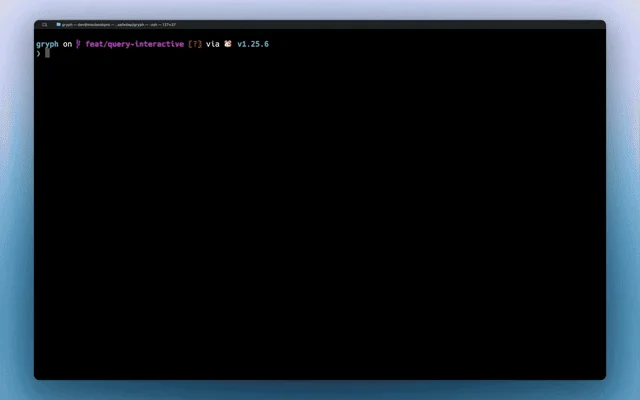
A developer asks Claude Code to refactor a module. It runs 47 tool calls in 90 seconds. Then the tests fail.
Without Gryph, developers are left guessing. With Gryph, gryph logs shows everything.
# Install Gryph with one command
curl -fsSL https://raw.githubusercontent.com/safedep/gryph/main/install.sh | sh

# Setup gryph for available agents
gryph install                    # hooks into all detected agents
gryph status                     # verify setup

# ... use your AI agent normally ...
gryph logs                       # see what happened
# Homebrew (macOS/Linux)
brew install safedep/tap/gryph

# npm
npm install -g @safedep/gryph

# Go
go install github.com/safedep/gryph/cmd/gryph@latest
Pre-built binaries for macOS, Linux, and Windows are available on the GitHub Releases page.
Tip: Set
logging.leveltofullto see file diffs and raw events:gryph config set logging.level full. See Configuration for details.
| Agent | Hook Support |
|---|---|
| Claude Code | Full (PreToolUse, PostToolUse, Notification) |
| Codex | Full (PreToolUse, PostToolUse, SessionStart, UserPromptSubmit, Stop) |
| Command Code | Full (PreToolUse, PostToolUse, Stop, SessionStart) |
| Cursor | Full (file read/write, shell execution, MCP tools) |
| Devin CLI | Full (PreToolUse, PostToolUse, SessionStart, UserPromptSubmit, Stop, SessionEnd) |
| Gemini CLI | Full (BeforeTool, AfterTool, Notification) |
| OpenCode | Full (tool.execute, session events) |
| Pi Agent | Full (tool_call, tool_result, session events) |
| Windsurf | Full (file read/write, commands, MCP tools) |
Note: Codex hooks require enabling the
codex_hooksfeature flag in your Codex configuration (~/.codex/config.toml):[features] codex_hooks = true
Note: Devin CLI also loads Claude Code hooks from
~/.claude/settings.jsonby default (read_config_from.claude). When gryph hooks are installed for both agents, one Devin session emits devin events and claude-code events. Disableread_config_from.claudein the Devin user config to keep one stream.
One command installs hooks for all detected agents. No per-agent setup required.
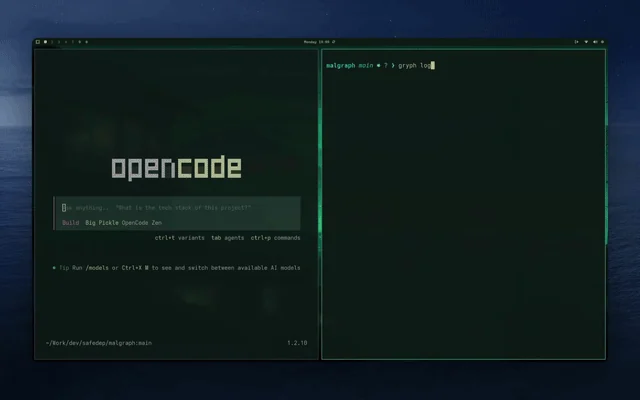
Live streaming of agent actions as they happen with gryph logs --live:
| Scenario | How Gryph Helps |
|---|---|
| Replay the full session | git diff shows final changes. Gryph shows the full sequence: what the agent read, what it ran, what it wrote and reverted, and in what order. |
| Catch invisible side effects | Agents run shell commands that leave no trace in git (npm install, curl, rm). gryph query --action exec surfaces them all. |
| Sensitive file access | Gryph flags access to .env, *.pem, *.key, and similar files automatically. Actions are logged but content is never stored. |
| Block risky agent actions | Author YAML rules to block destructive commands, refuse writes that leak credentials, or scope behavior per agent or project. See Security Policy. |
| Security review | Export events to your SIEM, or use the OpenSearch observability example for centralized dashboards and threat detection alerts. |
| Cost and token tracking | Track per-session token usage and estimated costs across models and agents. See docs |
| Compare agents | Filter by --agent to see how different agents approach the same task: which reads more, which runs more commands, which costs more. |

Gryph installs lightweight hooks into AI coding agents. When an agent reads a file, writes a file, or executes a command, the hook sends a JSON event to Gryph. Events are stored in a local SQLite database and can be queried anytime. Because Gryph hooks into both pre-tool and post-tool events, it captures the full lifecycle of every agent action.
Descubre las herramientas más usadas por nuestra comunidad.
Sin datos de popularidad aún.

