
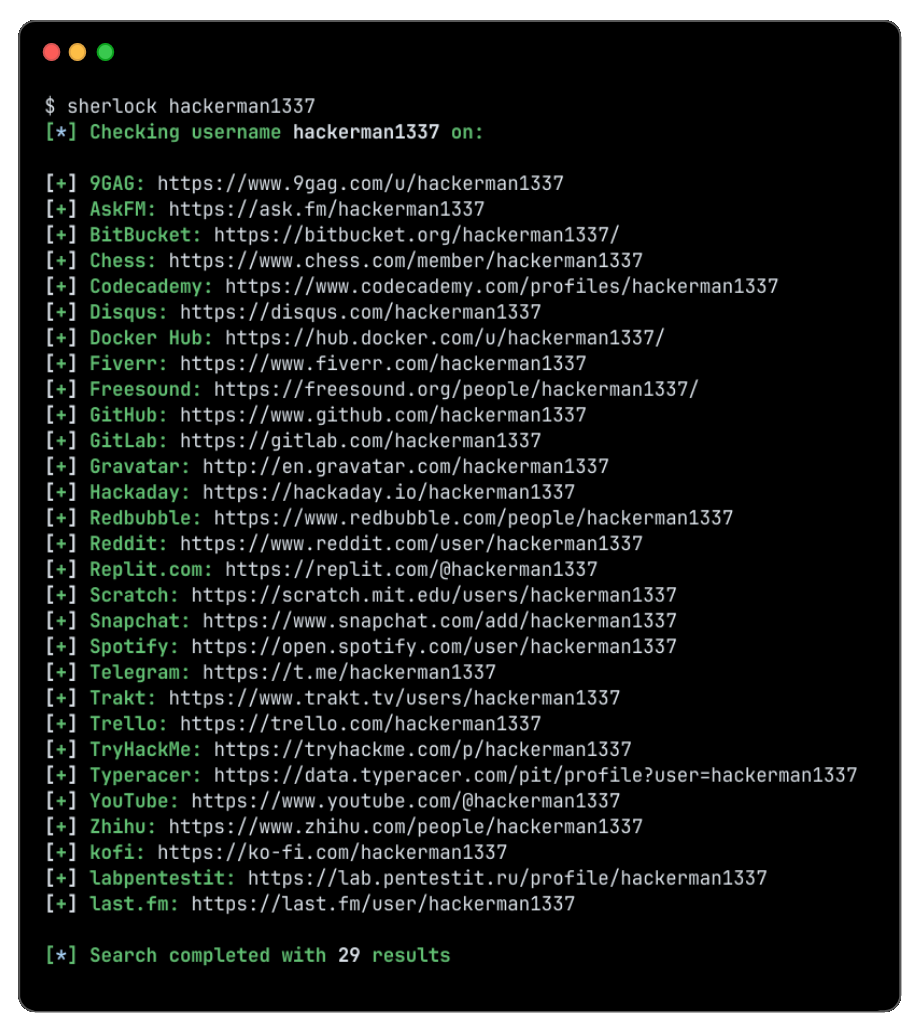
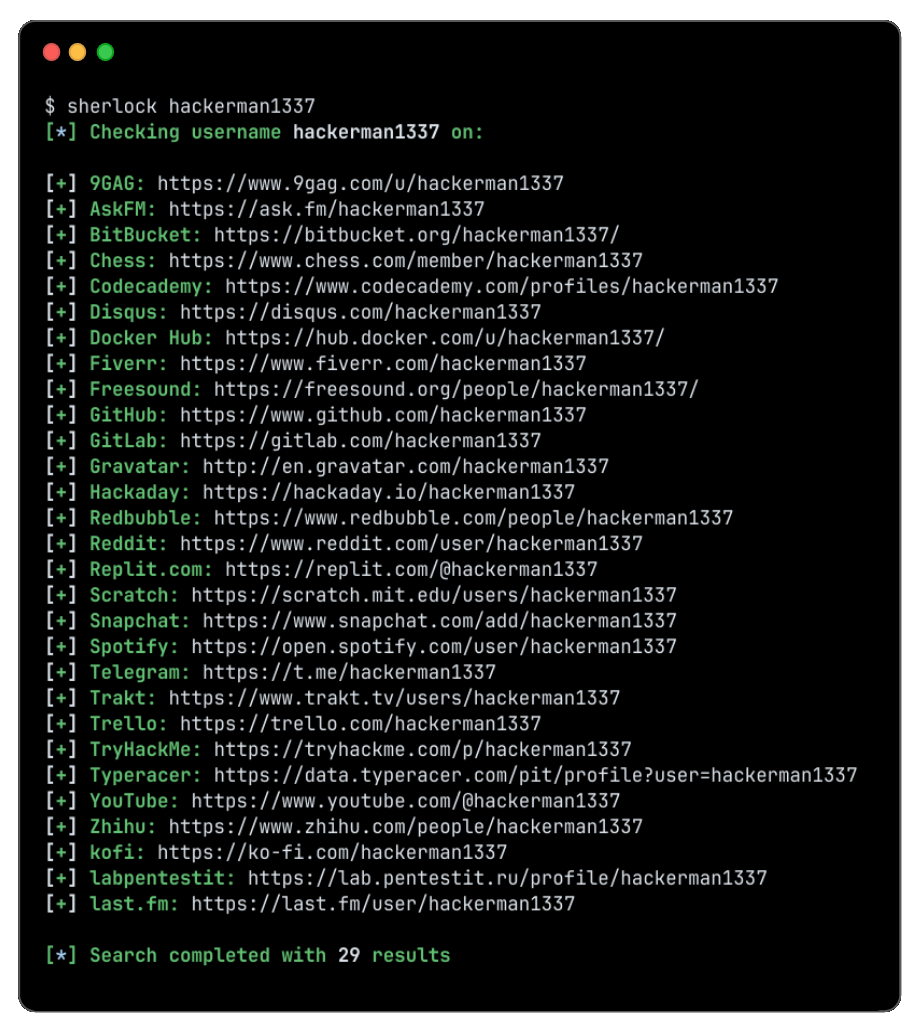
sherlock v0.16.2
Localiza cuentas de redes sociales por nombre de usuario en distintas redes sociales.

Rastrea cuentas de redes sociales por nombre de usuario en más de 400 redes sociales
Instalación • Uso • Contribuir
Instalación


[!WARNING]
Los paquetes para ParrotOS y Ubuntu 24.04, mantenidos por un tercero, parecen estar rotos.
Los usuarios de estos sistemas deben recurrir auv/pipx/pipo Docker.
| Método | Notas |
|---|---|
pipx install sherlock-project | Se puede usar pip o uv en lugar de pipx |
docker run -it --rm sherlock/sherlock | |
dnf install sherlock-project |
Hay paquetes mantenidos por la comunidad disponibles para Debian (>= 13), Ubuntu (>= 22.10), Homebrew, Kali y BlackArch. Estos paquetes no están soportados ni mantenidos directamente por Sherlock Project.
Consulta todos los métodos de instalación alternativos aquí.
Uso general
Para buscar solo un usuario:
sherlock user123
Para buscar más de un usuario:
sherlock user1 user2 user3
Las cuentas encontradas se guardarán en un archivo de texto individual con el nombre de usuario correspondiente (p. ej. user123.txt).
$ sherlock --help
usage: sherlock [-h] [--version] [--verbose] [--folderoutput FOLDEROUTPUT] [--output OUTPUT] [--csv] [--xlsx] [--site SITE_NAME] [--proxy PROXY_URL] [--dump-response]
                [--json JSON_FILE] [--timeout TIMEOUT] [--print-all] [--print-found] [--no-color] [--browse] [--local] [--nsfw] [--txt] [--ignore-exclusions]
                USERNAMES [USERNAMES ...]

Sherlock: Find Usernames Across Social Networks (Version 0.16.0)

positional arguments:
  USERNAMES             One or more usernames to check with social networks. Check similar usernames using {?} (replace to '_', '-', '.').

options:
  -h, --help            show this help message and exit
  --version             Display version information and dependencies.
  --verbose, -v, -d, --debug
                        Display extra debugging information and metrics.
  --folderoutput FOLDEROUTPUT, -fo FOLDEROUTPUT
                        If using multiple usernames, the output of the results will be saved to this folder.
  --output OUTPUT, -o OUTPUT
                        If using single username, the output of the result will be saved to this file.
  --csv                 Create Comma-Separated Values (CSV) File.
  --xlsx                Create the standard file for the modern Microsoft Excel spreadsheet (xlsx).
  --site SITE_NAME      Limit analysis to just the listed sites. Add multiple options to specify more than one site.
  --proxy PROXY_URL, -p PROXY_URL
                        Make requests over a proxy. e.g. socks5://127.0.0.1:1080
  --dump-response       Dump the HTTP response to stdout for targeted debugging.
  --json JSON_FILE, -j JSON_FILE
                        Load data from a JSON file or an online, valid, JSON file. Upstream PR numbers also accepted.
  --timeout TIMEOUT     Time (in seconds) to wait for response to requests (Default: 60)
  --print-all           Output sites where the username was not found.
  --print-found         Output sites where the username was found (also if exported as file).
  --no-color            Don't color terminal output
  --browse, -b          Browse to all results on default browser.
  --local, -l           Force the use of the local data.json file.
  --nsfw                Include checking of NSFW sites from default list.
  --txt                 Enable creation of a txt file
  --ignore-exclusions   Ignore upstream exclusions (may return more false positives)
Créditos
¡Gracias a todos los que han contribuido a Sherlock! ❤️
Historial de estrellas
Licencia
MIT © Sherlock Project
Creador - Siddharth Dushantha