
Skip to content
KitploitKITPLOIT
ToolsBlog
Submit
ToolsBlog
Submit

Hacking, PenTest, and Cybersecurity Tools for Your Security Arsenal!

Kitploit is a directory of hacking, cybersecurity, and pentesting tools. Discover the latest project updates to find vulnerabilities, analyze systems, automate testing, and strengthen your security.

··Feeds·Contact·Privacy·© 2026 Kitploit

Tool Directory

Categories

View all categories
Loading categories
RedactKit — https://addons.mozilla.org/addon/redactkit/ A Firefox extension that redacts sensitive words (e.g., names, emails, phone no.) in real-time across web pages and tab titles. | Kitploit
Tools/GitLabGitLab/iqlip/redactkit
Defensive ToolsPrivacy
GitLabiqlip/redactkit

RedactKit

https://addons.mozilla.org/addon/redactkit/ A Firefox extension that redacts sensitive words (e.g., names, emails, phone no.) in real-time across web pages and tab titles.


View Repository
1 year agoNot yet reviewed

Most Popular

View all →

Discover the most used tools by our community.

Explore all tools

Browse our collection of tools

View all tools →
Share

RedactKit Icon

RedactKit — Redact It All, Protect It All

RedactKit is a Firefox extension that helps you protect your privacy by automatically hiding sensitive or personal words on any webpage. Whether it’s your name, email, or anything else, RedactKit replaces those words with [REDACTED] in real-time — even in form fields and the browser tab title.

Perfect for streamers 🎮, screen-sharers 💻, or anyone tired of manually blurring out their personal info 🔒.


🔧 What It Brings to the Table

  • Instant redaction of chosen words on any website
  • Covers everything — page text, input fields, tab titles, and more
  • Keeps up with live page changes — no refresh needed
  • Fully customizable word list
  • Clean, simple popup interface with save + toggle buttons
  • 100% local – doesn’t ping a single external server

🛠️ Real-Life Uses

  • Going live? 🎥 Keep names, emails, or passwords off your stream 🚫
  • Sharing your screen at work? 💼 Hide sensitive client or internal terms 📄

🚀 Getting Started

  1. Tap the RedactKit icon in your Firefox toolbar
  2. Drop in the words you want to block (comma-separated)
    Example: email, John, confidential
  3. Hit 💾 Save
  4. Flip the switch to turn redaction on
  5. That’s it — surf as usual. We’ll handle the hiding

📸 Screenshots

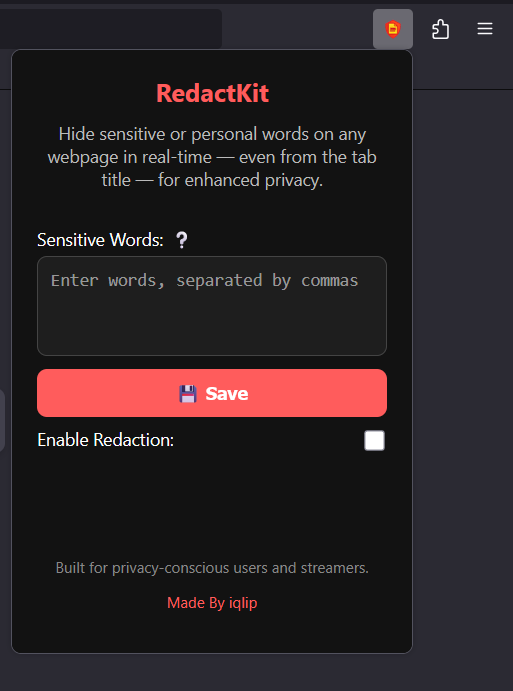
🔍 First Look – Extension Overview

Here’s what the extension looks like when you first open it:
Extension First Look

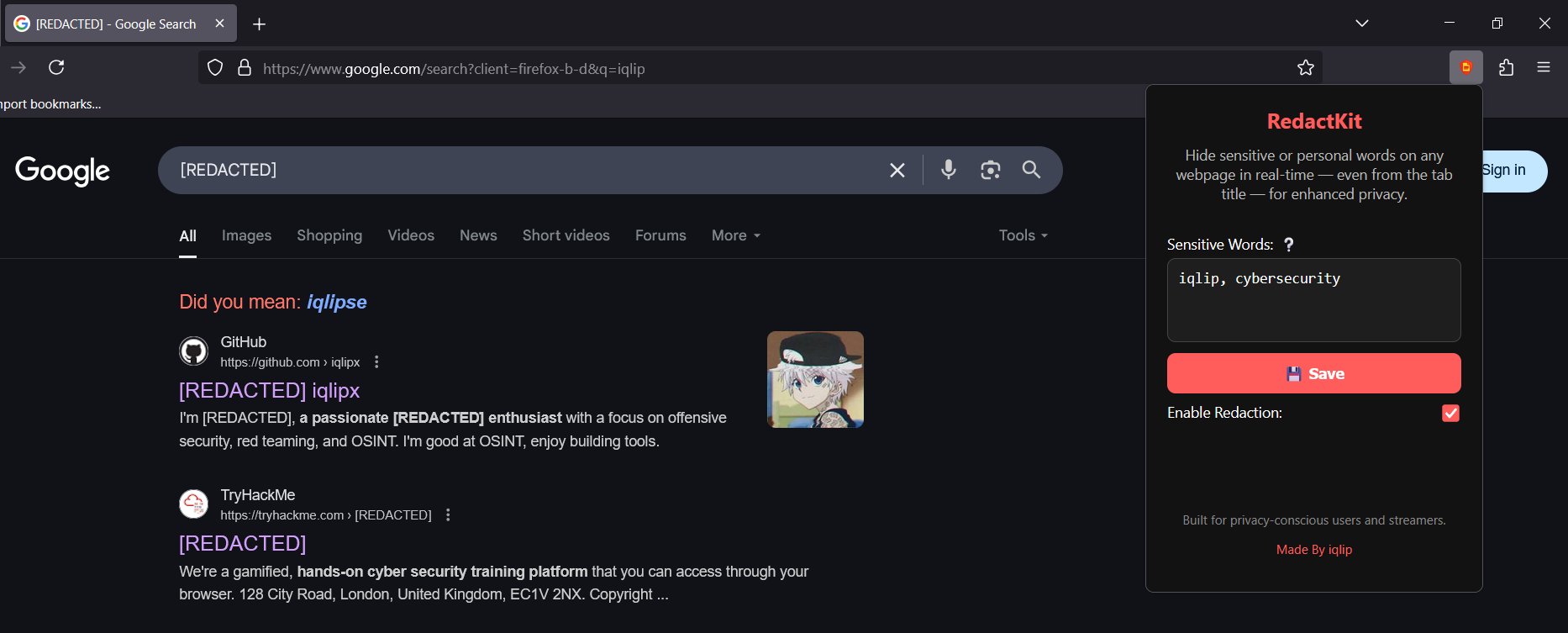
🕶️ Redaction in Action

Watch how your selected words are replaced instantly across the webpage:
Redaction Example

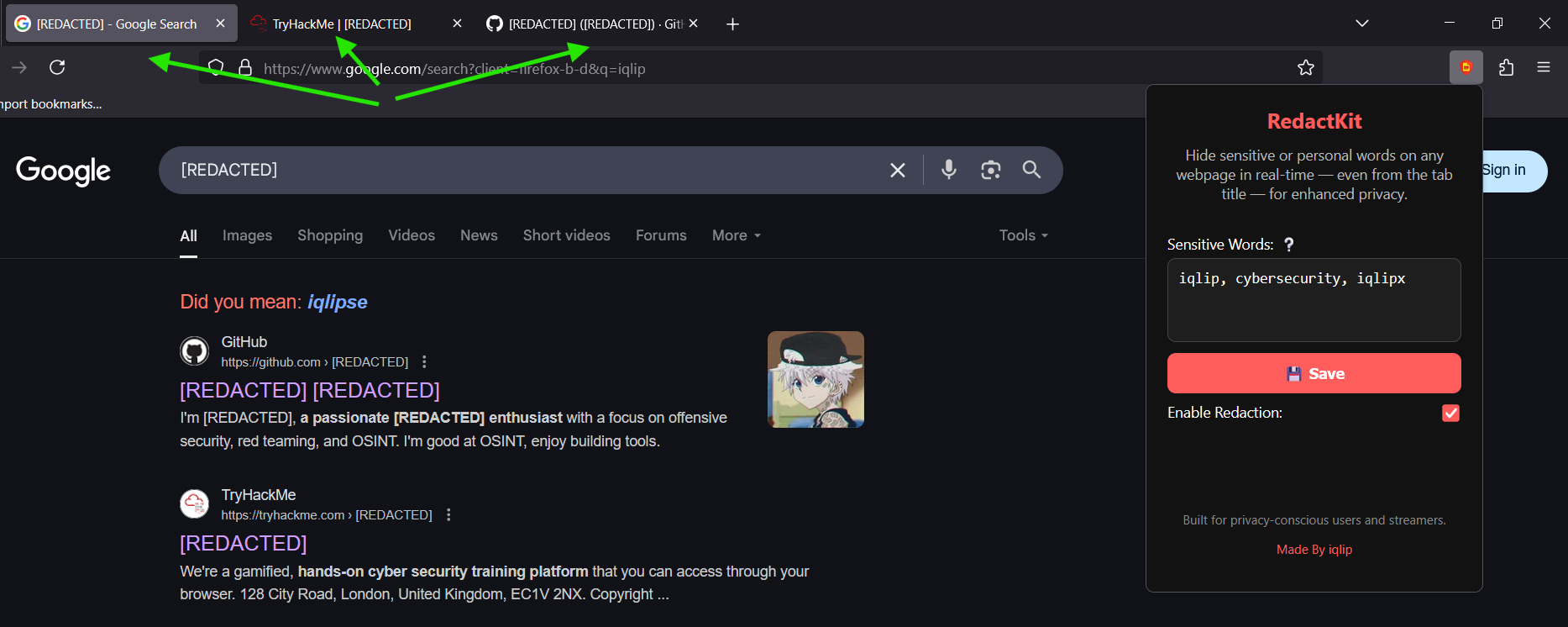
🧼 Tab Title Redacted

Even the browser tab title gets scrubbed for extra privacy:
Tab Title Redacted


🔐 Privacy That Respects Yours

  • No logs. No trackers. No cloud.
  • Everything runs locally, right in your browser
  • It’s privacy-enhancing — not privacy-invasive

💡 Pro Tip

Need to tweak your list? Just open the extension, update your keywords, and save — changes go live instantly.


🧑‍💻 Crafted By

Made with privacy in mind by iqlip.
Because your screen should only show what you choose to share.

Download Tool