Samuraizer — Cyber‑Security Knowledge Base Engine
💡 Why Samuraizer?
Every security researcher knows the feeling — you find an interesting GitHub repo, a fresh CVE writeup, a blog post about a new exploitation technique. You forward it to yourself on WhatsApp. It immediately drowns in the chat. Weeks later you actually need that article — and it's gone.
Stop sending yourself links you'll never find again — send them to Samuraizer once, and they're summarized, tagged, and searchable forever.
| Before 😵 |
After 🗡️ |
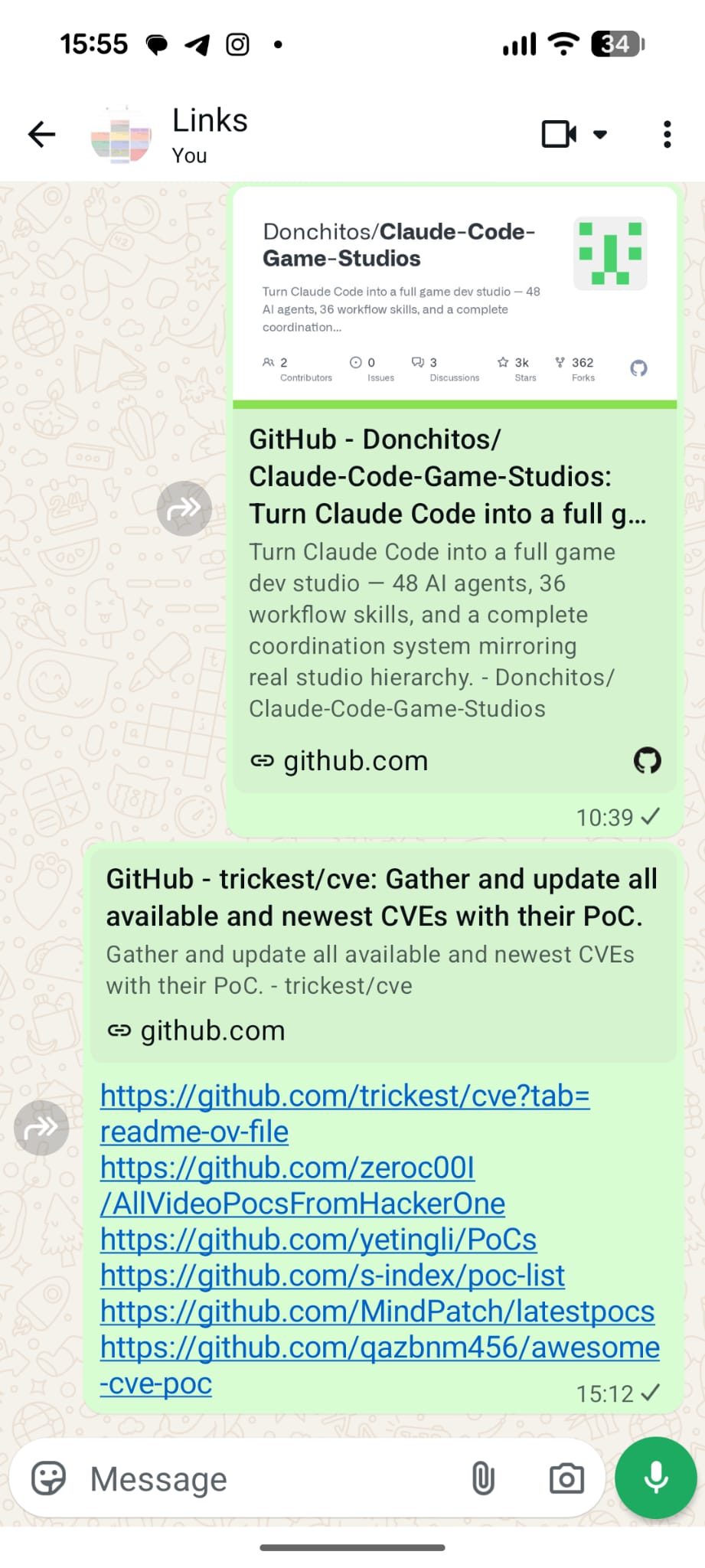
Scattered links drowning in chat history |
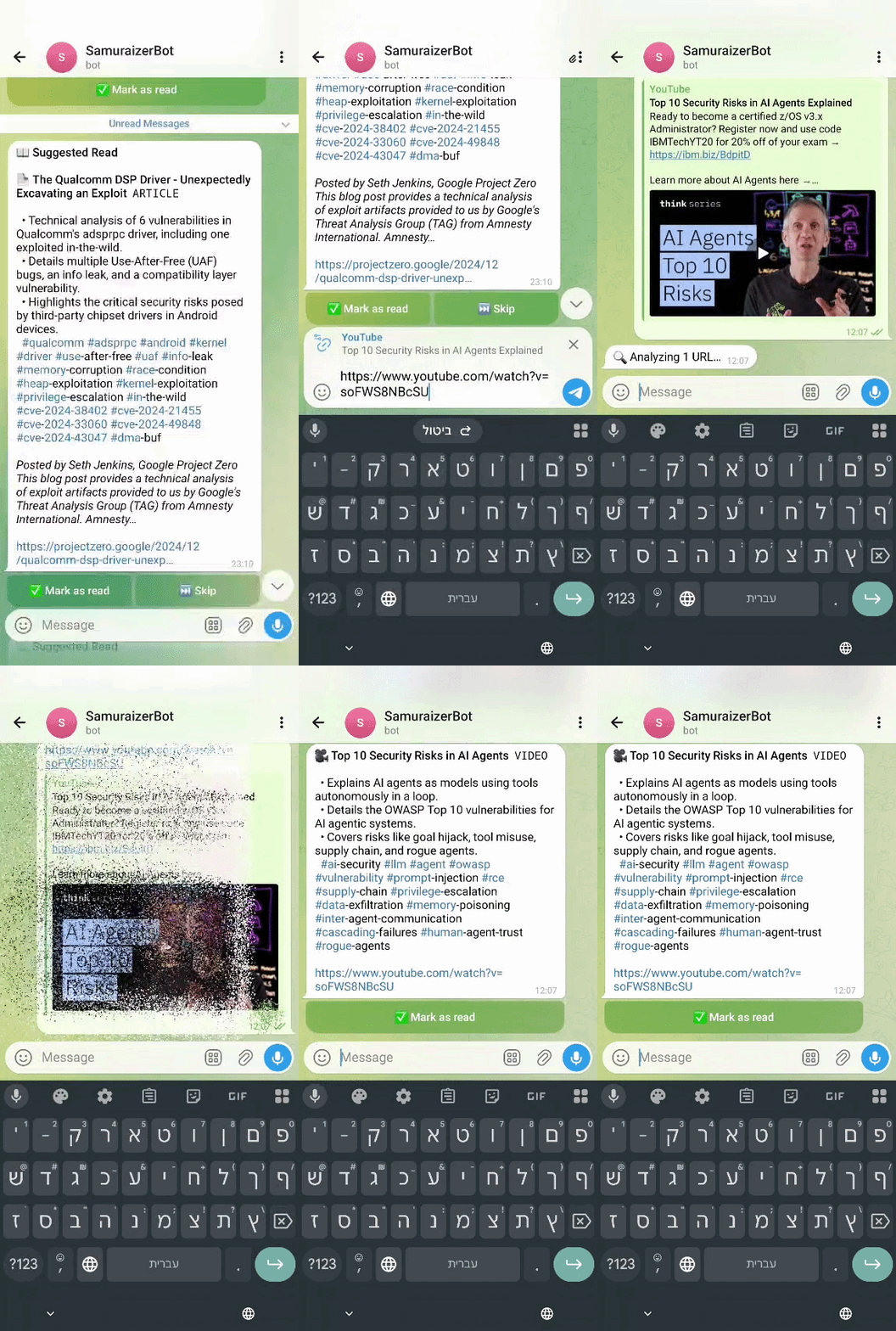
Analyzed, tagged, and ready to be found |
🔐 Local-first privacy (local-only feature)
🎯 Extra privacy mode (local only) — run with ollama, all data stays on your machine.
- 🗄️ Local vector storage in
samuraizer.db + local AI embeddings via Ollama.
- ⚡ Works fully offline once models are pulled (
ollama pull qwen3:4b, ollama pull qwen3-embedding:8b).
- ✅ Great for security teams and researchers who require air-gapped/isolated setups.
🧩 What you get (at-a-glance)
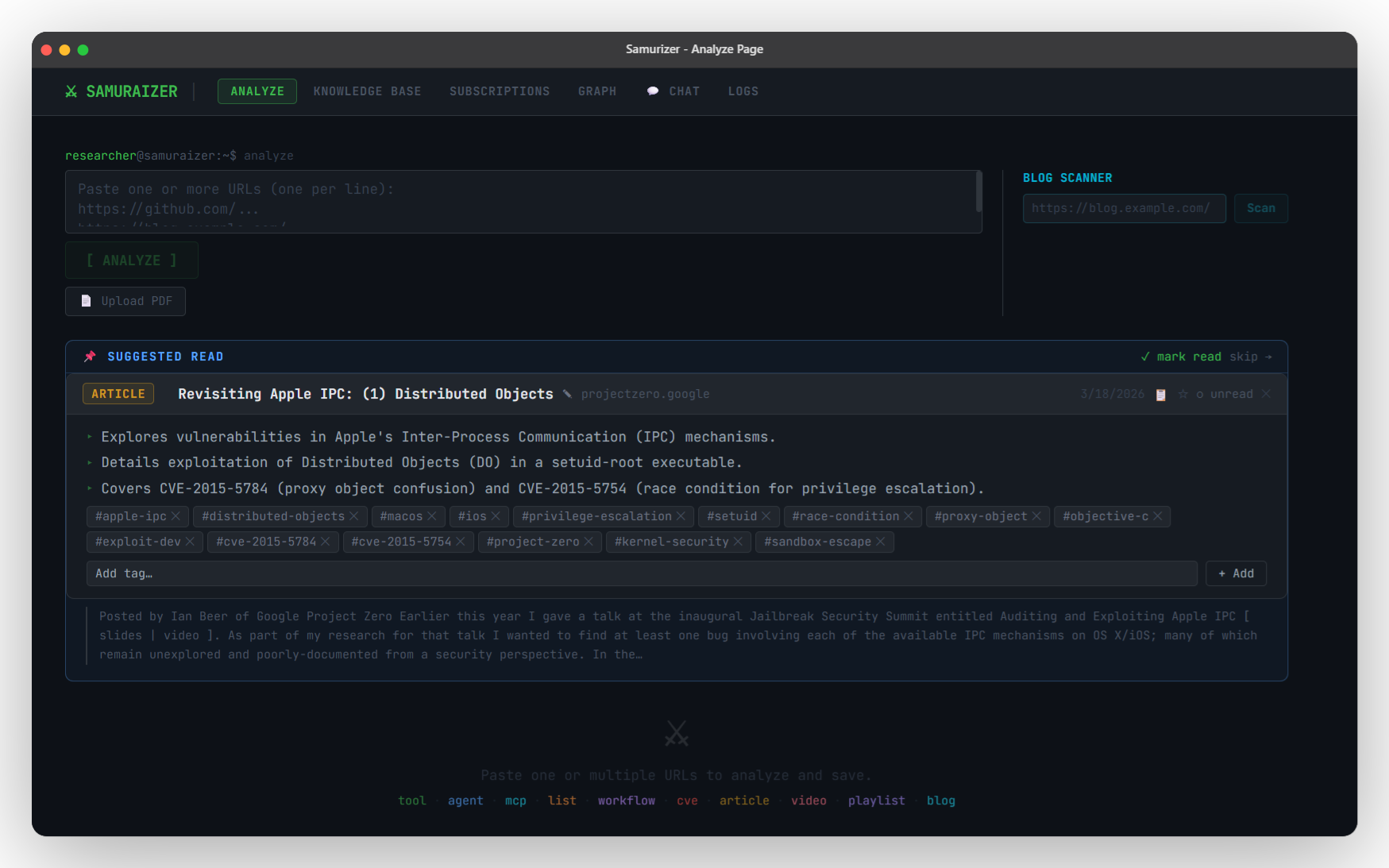
🔍 Analyze — Paste URLs, watch results stream
- 📝 Paste one or more URLs (GitHub repos, CVE writeups, blog posts, YouTube videos) — results stream back in real time
- 📄 Upload files directly from the browser or Telegram — full text extracted, analyzed, stored, and viewable in the UI
- supported formats:
.pdf, .docx, .pptx, .txt, .md
- 🗞️ Blog scanner: paste a blog homepage and extract all article links for batch analysis in one click
- ✨ Suggested Read: a relevant unread entry is surfaced on the Analyze tab each session to keep your queue moving
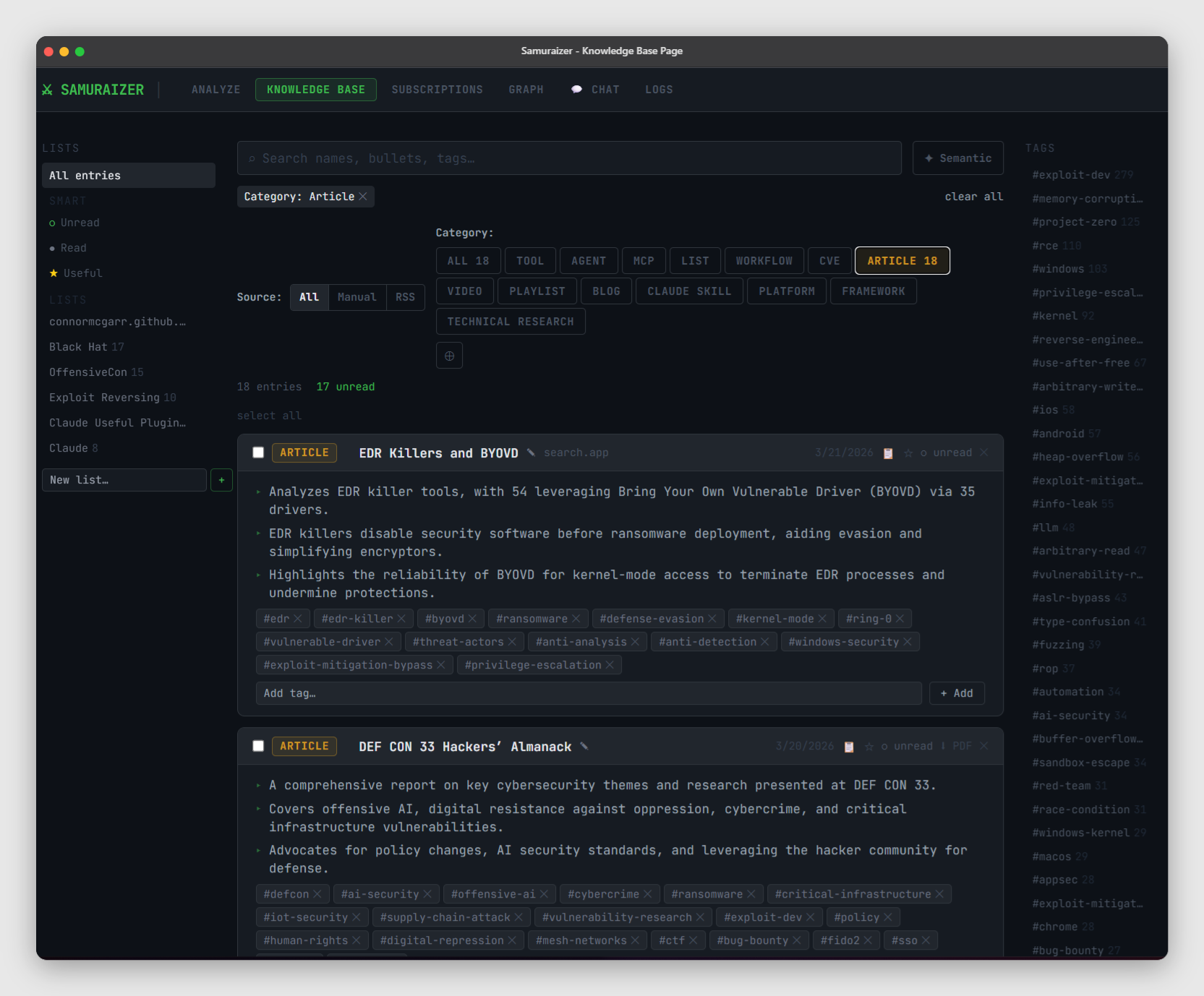
🗂️ Knowledge Base
- ✏️ Inline tag editing (add/remove tags on entries, feeds, and list items)
- 🔎 Semantic search (vector search via Gemini embeddings) + classic full-text search
- 🧩 Tag cloud + multi-filtering (by tag, category, source, list, read/useful)
- 📚 List management — group entries into manual lists, RSS lists, or channel lists
- 👁️🗨️ Hover preview (summary cards) and quick copy buttons
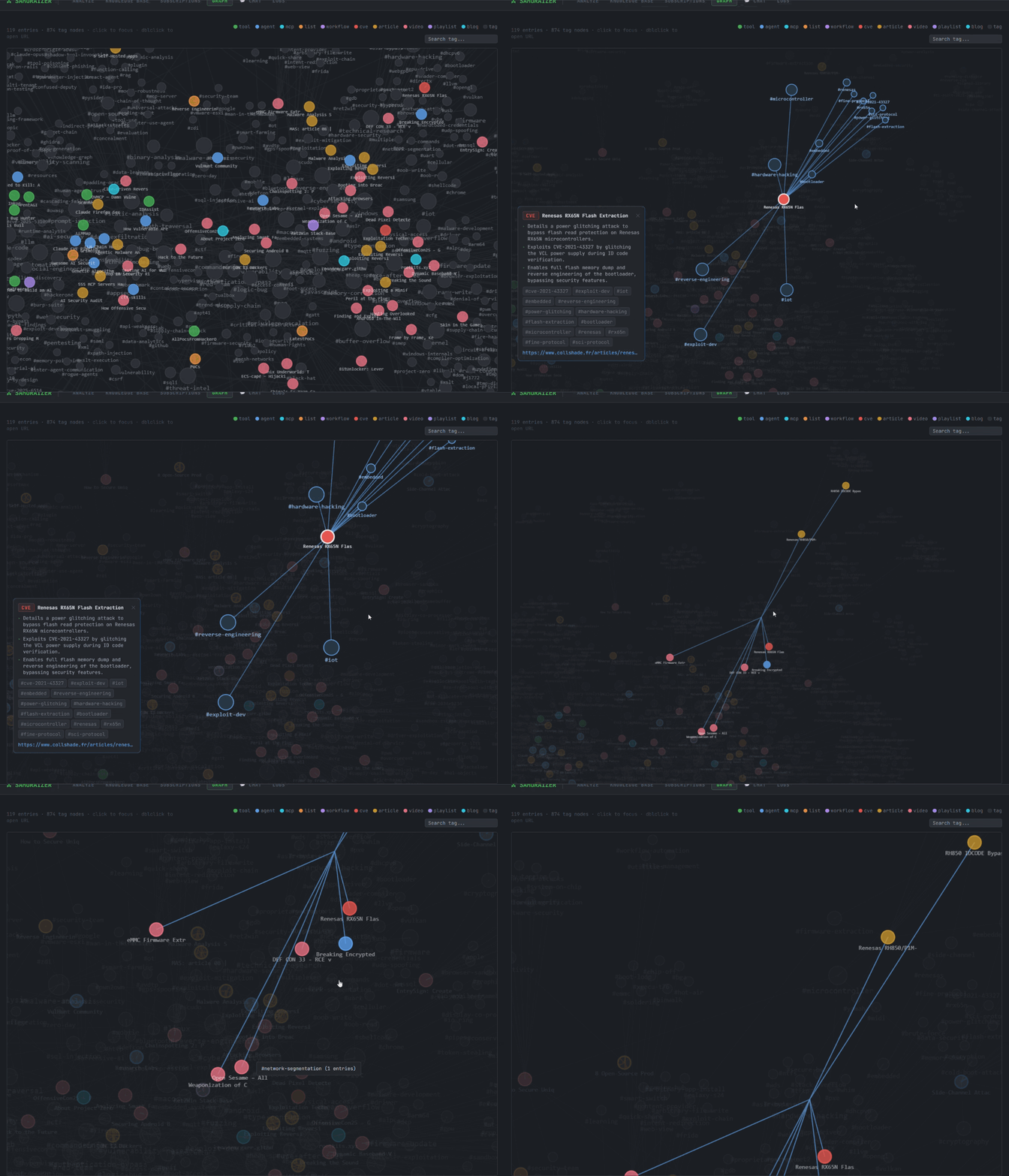
🗺️ Knowledge Graph
- Visualize your entire knowledge base as an interactive force-directed graph
- Entries and tags are nodes — edges show which tags link to which articles
- Click to preview an entry; double-click to open the original URL
- Color-coded by category (CVE, article, tool, video, blog, etc.)
- Search tags to highlight related clusters across the graph
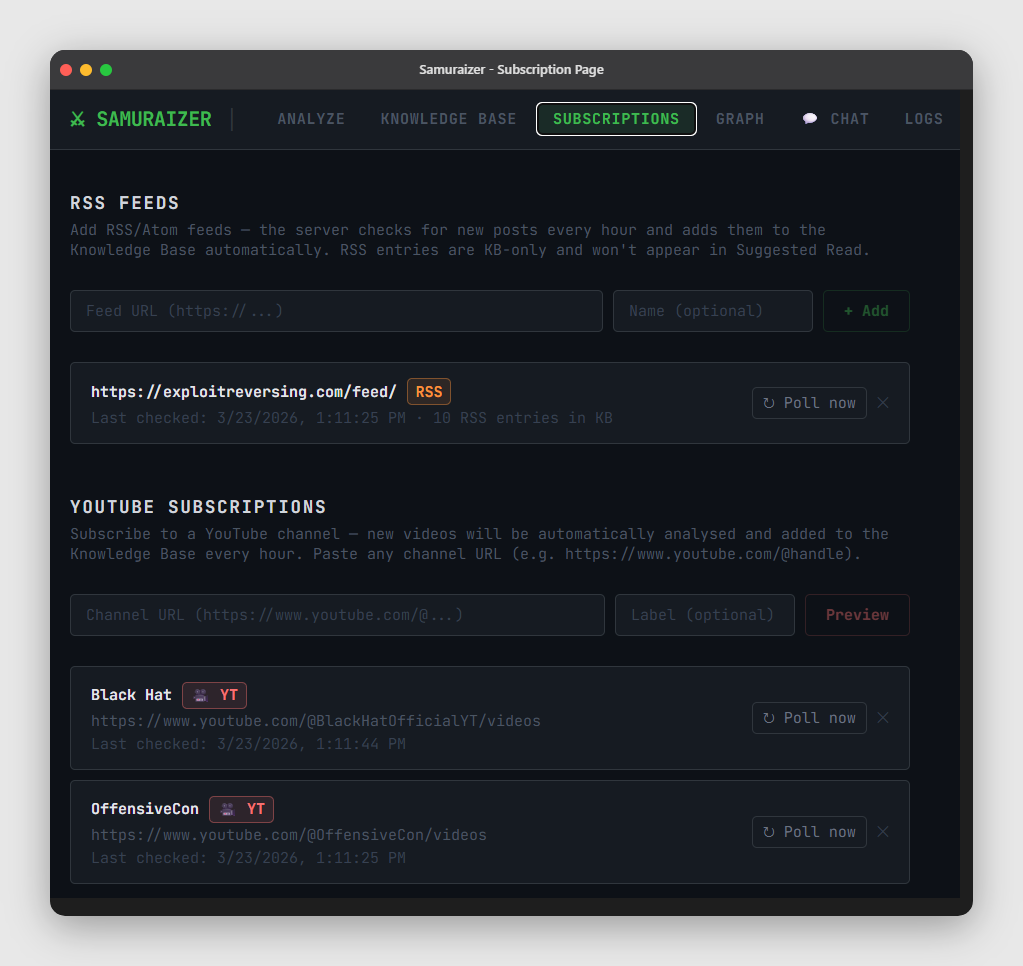
- Add RSS/Atom feeds — the server polls hourly and auto-ingests and summarizes new posts
- New posts are automatically added to the Knowledge Base
- Each feed becomes its own list, making it easy to batch-review
- Feed items show source metadata and can be tagged/filtered like any entry
🎥 YouTube Channel Subscriptions
- Subscribe to YouTube channels via URL (e.g. https://www.youtube.com/@handle, /channel/UCxxx)
- Preview latest videos before subscribing and select which videos to analyze
- On subscribe, selected videos are analyzed immediately; future uploads are auto-polled hourly
- Runs via
/yt-channels API and appears in the UI under RSS/YT sections
🤖 Telegram Bot (Optional)
- Send any URL to the bot — it analyzes it through the same backend and returns a formatted card
- Send a PDF file — it downloads, analyzes, and returns a result card with a link to view/download the file
- Live progress updates streamed as the analysis runs
- Receives a Suggested Read notification — the bot proactively surfaces unread entries
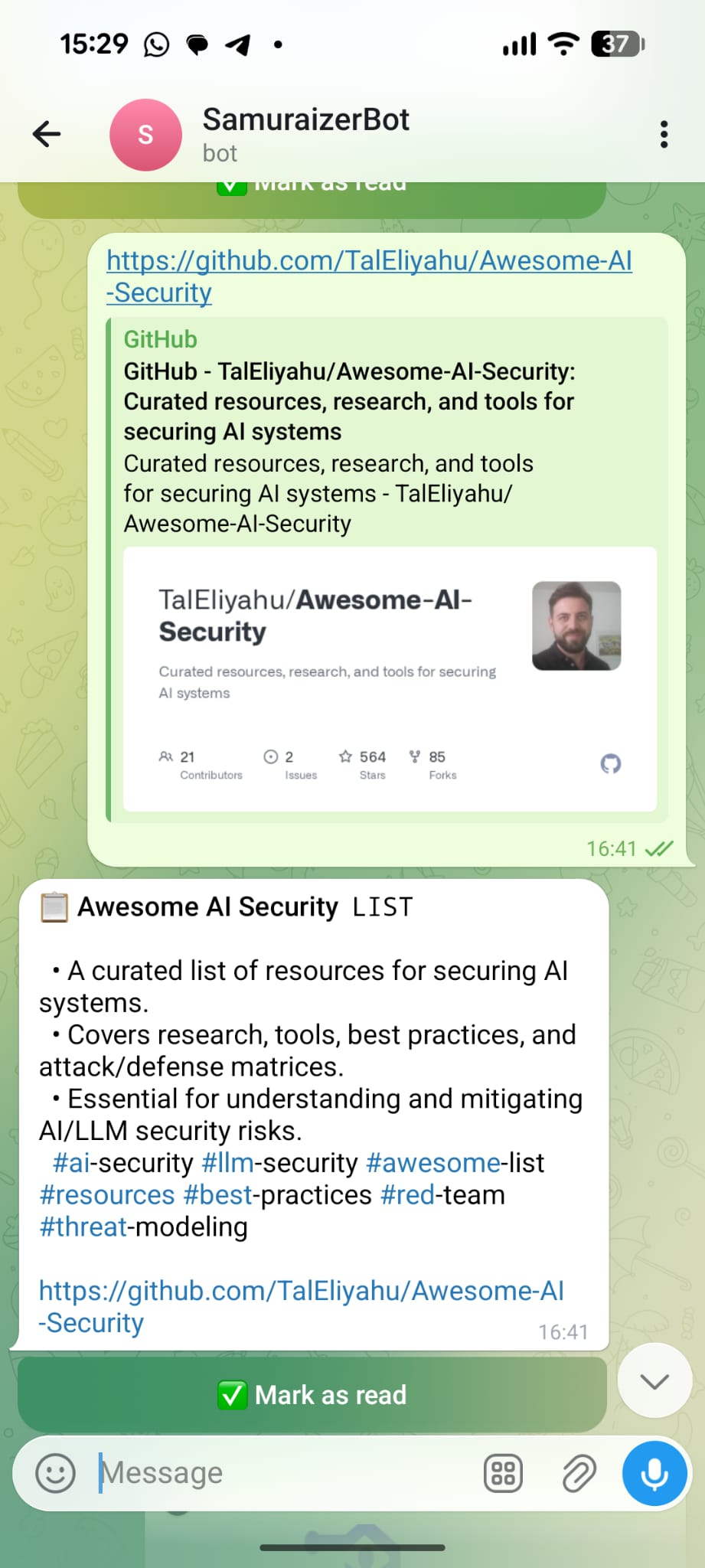
Analyzing a URL |
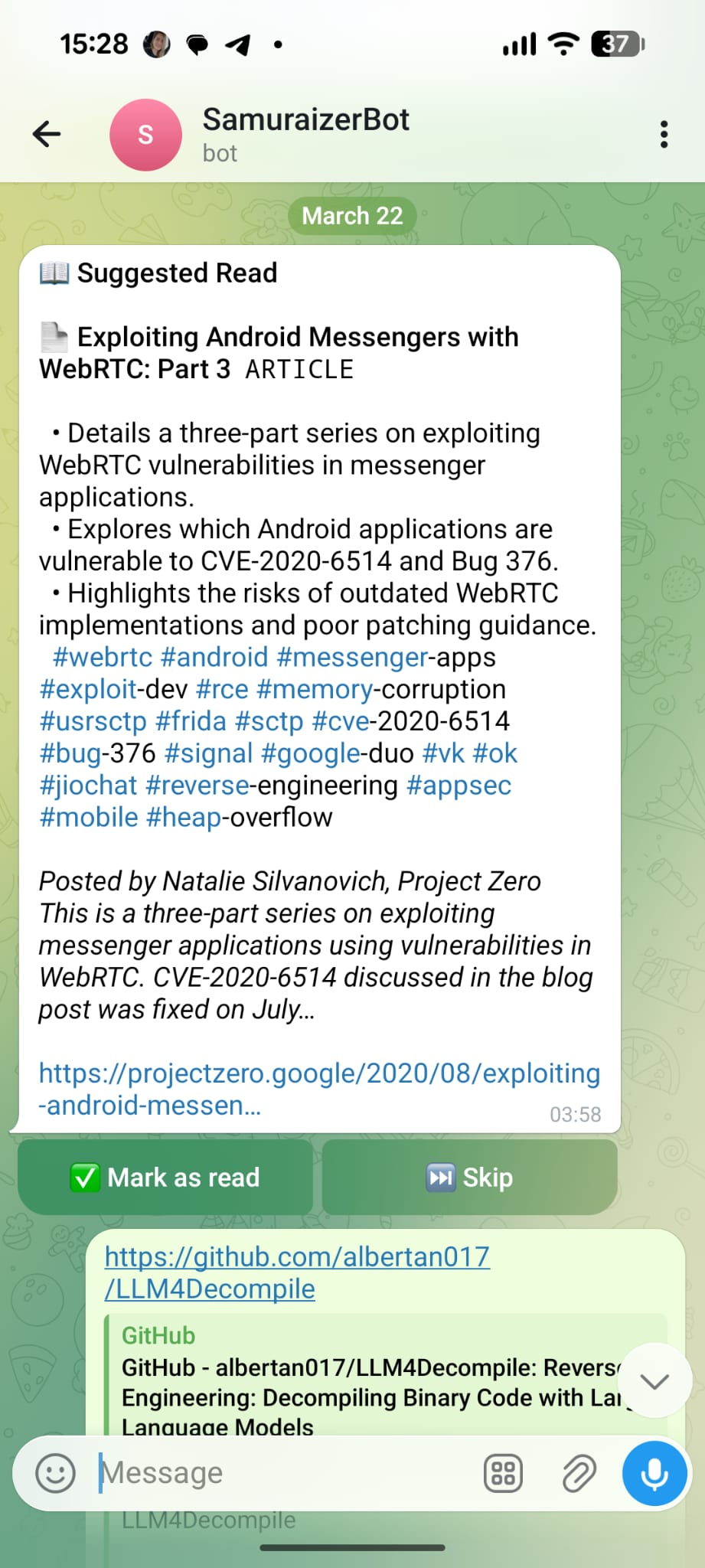
Daily Suggested Read |
💬 Chat (RAG + streaming + pinned context)
- Ask questions over your knowledge base — answers are cited from the best matching entries
- ⚡ Streaming responses with live typing and per-source relevance scores
- 🗂️ Multiple chat sessions with saved history and model selection
- 📌 Pin specific articles as context — type
@ for autocomplete or use the @ browse button
- When entries are pinned, Gemini answers only from those articles — no RAG noise
- Pinned entries appear as chips above the input; sources show a 📌 badge instead of a score
- Perfect for deep-diving a specific PDF, writeup, or CVE
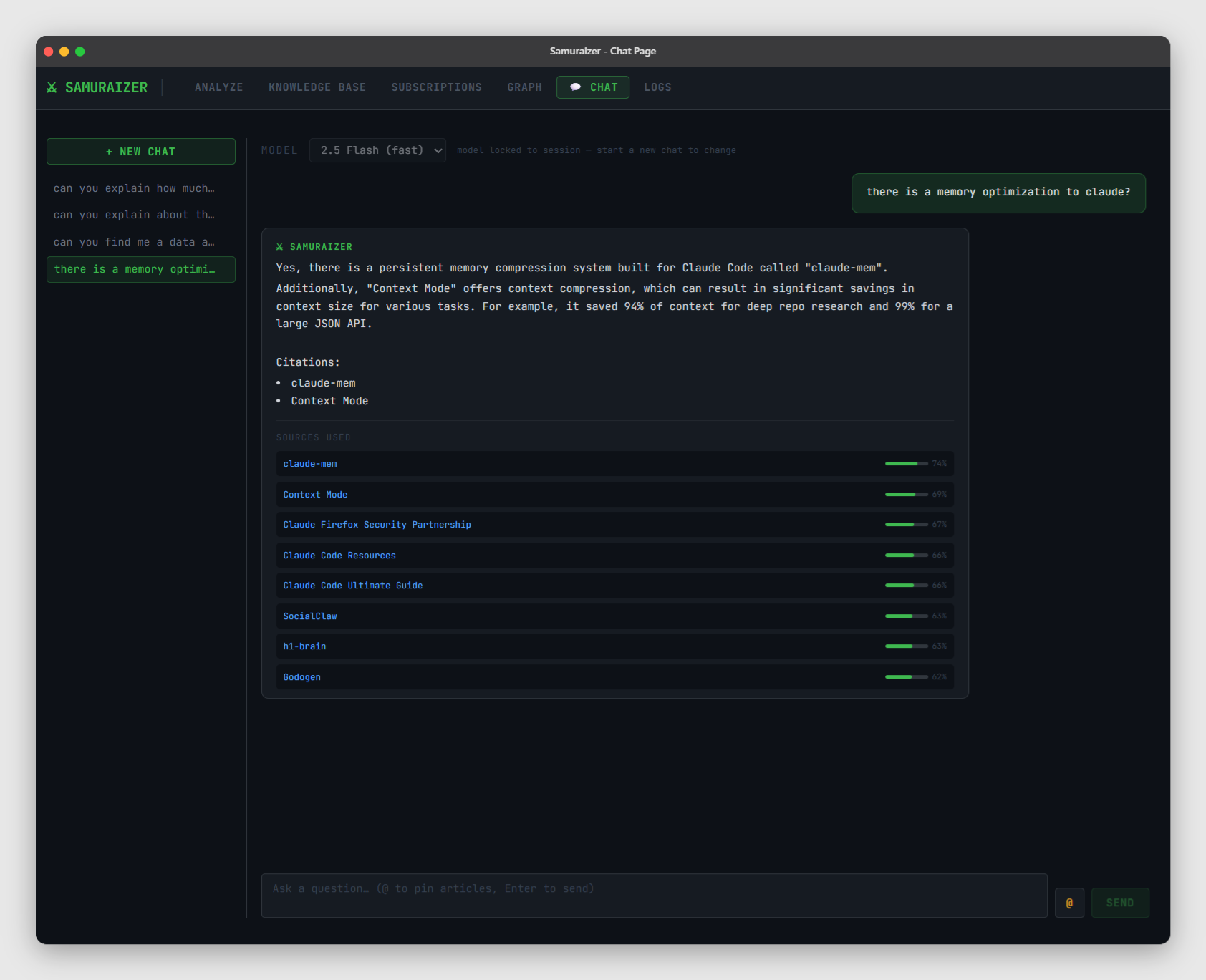
RAG chat with source scores |
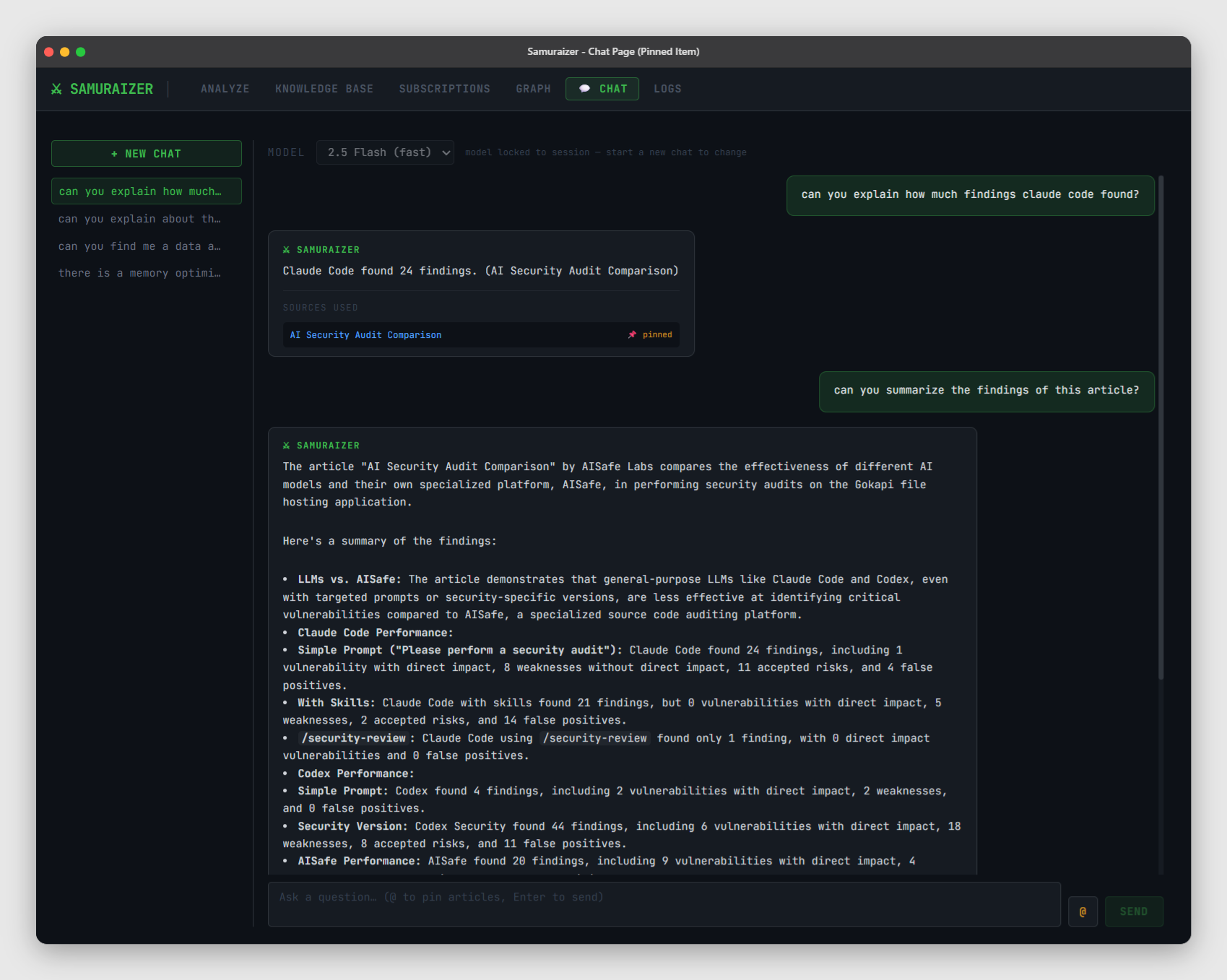
Pinned-context chat |
[!IMPORTANT]
Shape the Future of Samuraizer! We are currently voting on new features like Local LLMs and Obsidian export.
Cast your vote here!
🏗 Architecture (high-level)
flowchart LR
  Browser[Browser UI] -->|HTTP| Frontend[React Frontend]
  Frontend -->|REST/NDJSON| Backend[Flask API]
  Backend -->|SQL| SQLite[(samuraizer.db)]
  Backend -->|API| Gemini[Gemini 2.5 Flash]
  Backend -->|local API| Ollama[Ollama - Local LLM]
  Backend -->|GitHub API| GitHub[GitHub]
  Backend -->|RSS| RSS[RSS feeds]
  Telegram[Telegram Bot] -->|HTTP| Backend
🧠 How it works (end-to-end)
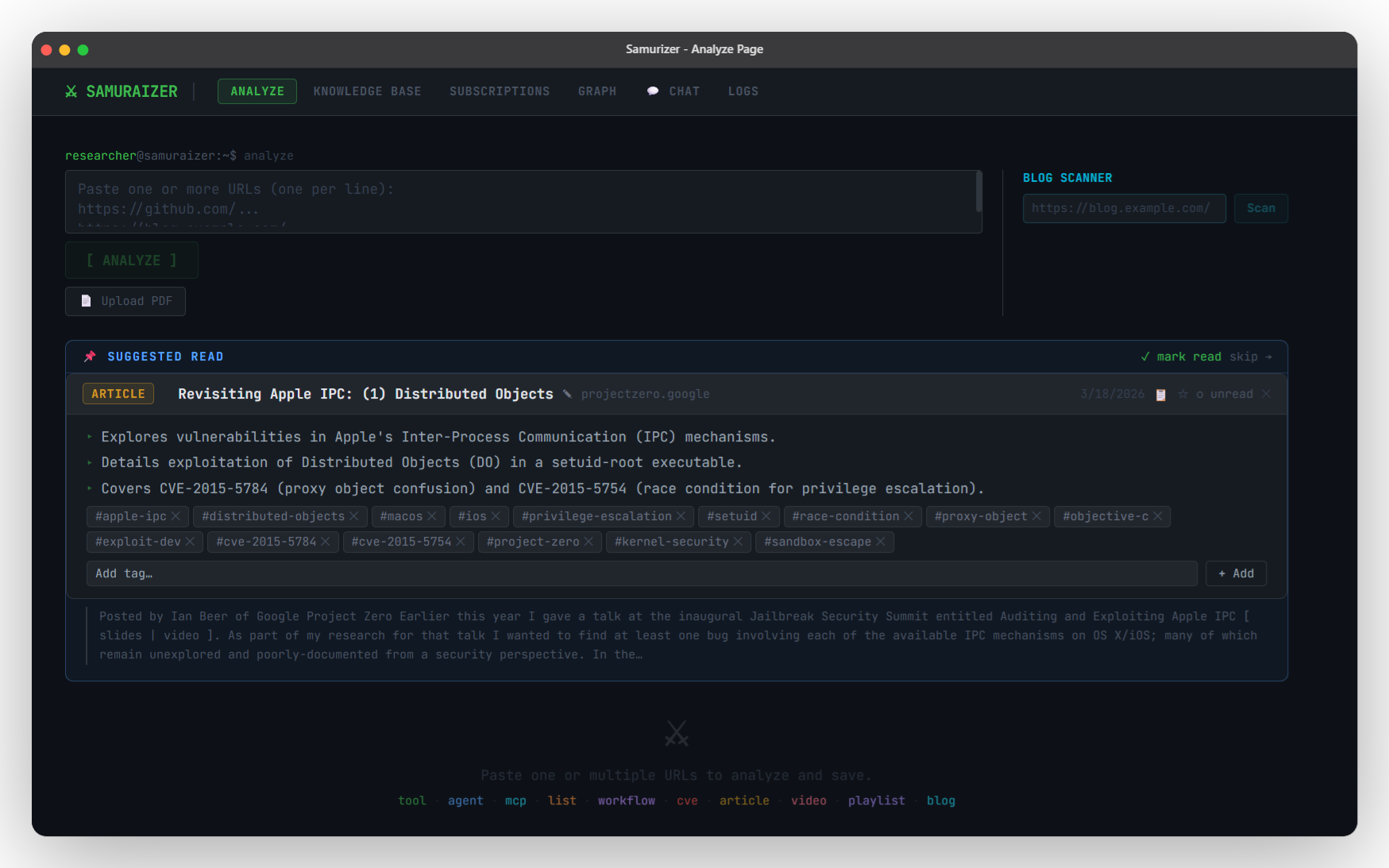
 zomry1/samuraizer