 umair9747/bucky
An S3 account ID enumeration and bucket discovery tool

An S3 account ID enumeration and bucket discovery tool
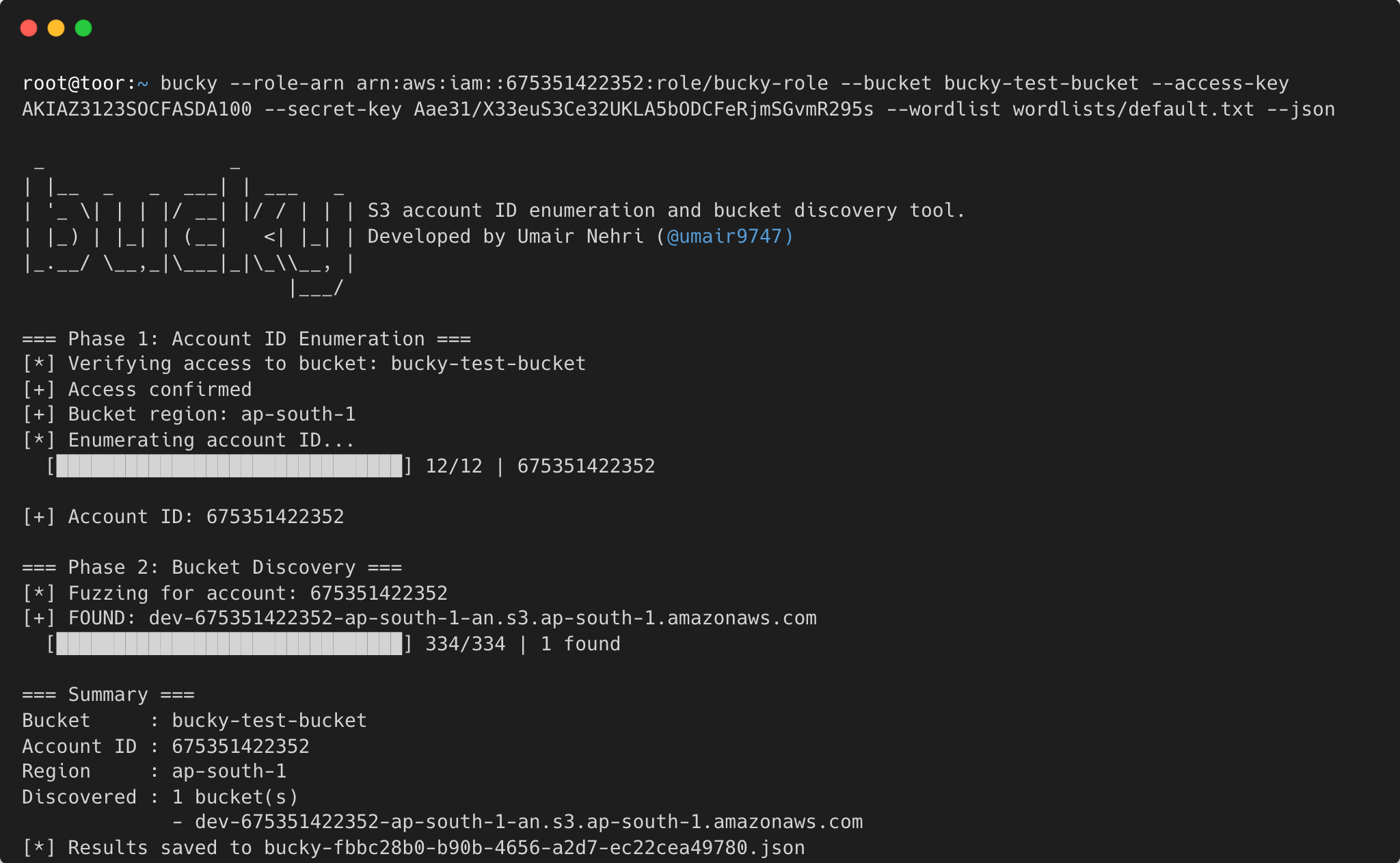
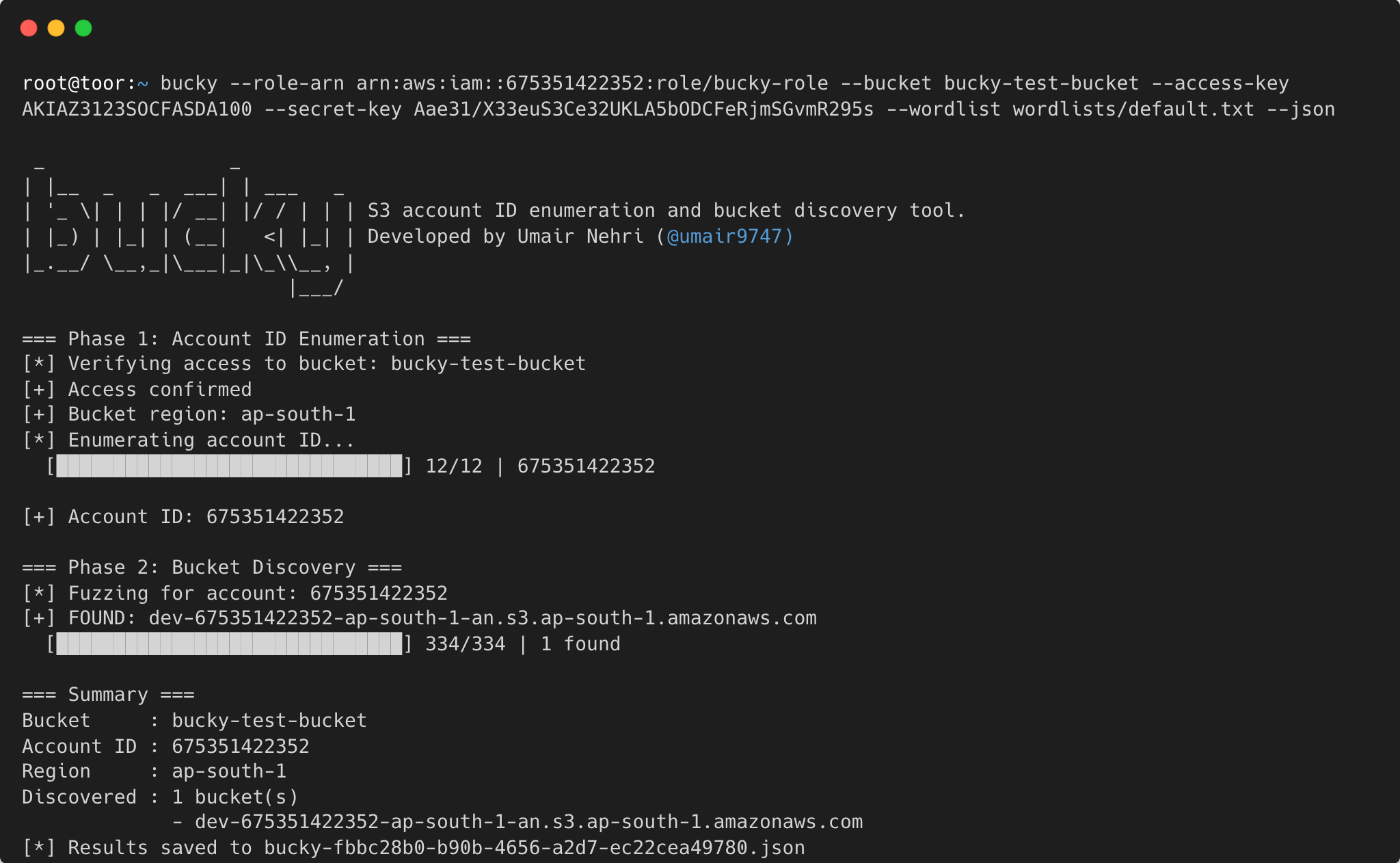
Given a single accessible S3 bucket, bucky extracts the 12-digit AWS account ID that owns it, then discovers additional buckets belonging to the same account by fuzzing bucket names against a wordlist — all in one command.
s3:ResourceAccount IAM condition key to brute-force the 12-digit AWS account ID one digit at a time through inline STS session policiesS3 bucket names originally shared a single global namespace, which gave rise to bucketsquatting — attackers could squat on names they expected organizations to create. AWS addressed this by rolling out account-regional namespaces, a naming scheme that ties each bucket to its owning account and region:
{name}-{accountID}-{region}-an
A bucket called myapp-123456789123-eu-north-1-an would live at https://myapp-123456789123-eu-north-1-an.s3.eu-north-1.amazonaws.com. AWS now recommends this format for new buckets, though it is not yet the default. (For background on how the new namespace kills bucketsquatting, see One Cloud Please.)
The trade-off is that the account ID and region are now baked into the bucket name itself. Once an attacker obtains a target's account ID, they can pair it with a wordlist and systematically construct valid bucket URLs — and S3 will confirm whether each one exists, even if the bucket is private. That response alone is useful reconnaissance.
Bucky exploits exactly this. Drawing on research from Pwned Labs, it first recovers the 12-digit account ID from any accessible bucket using the s3-account-search technique, then brute-forces the {name}-{accountID}-{region}-an pattern to uncover the target's broader S3 footprint.
s3:ListBucket or s3:GetObject on the target bucketsts:AssumeRole on that role, passing an inline session policy with a s3:ResourceAccount condition like "1*"1, the HeadBucket call succeeds; otherwise it returns 403This requires at most 120 API calls (12 positions × 10 digits) and typically completes in under a minute.
go installgo install github.com/umair9747/bucky@latest
git clone https://github.com/umair9747/bucky.git
cd bucky
go build -o bucky .
sudo mv bucky /usr/local/bin/
bucky --update
This pulls and installs the latest version from the repository.
Before using bucky, you need an IAM role in your own AWS account that can access the target S3 bucket. The target bucket must be publicly accessible or have a bucket policy that allows access from your account.
Create trust-policy.json — this allows your IAM user to assume the role:
{
  "Version": "2012-10-17",
  "Statement": [
    {
      "Effect": "Allow",
      "Principal": {
        "AWS": "arn:aws:iam::<YOUR_ACCOUNT_ID>:root"
      },
      "Action": "sts:AssumeRole"
    }
  ]
}
Replace
<YOUR_ACCOUNT_ID>with your 12-digit AWS account ID. You can scope the principal down to a specific IAM user or role ARN instead of:root.
Create s3-policy.json — the role needs broad S3 read access (the s3:ResourceAccount condition in bucky's inline session policy handles account-level filtering):
{
  "Version": "2012-10-17",
  "Statement": [
    {
      "Effect": "Allow",
      "Action": [
        "s3:ListBucket",
        "s3:GetObject"
      ],
      "Resource": "*"
    }
  ]
}
aws iam create-role \
  --role-name bucky-role \
  --assume-role-policy-document file://trust-policy.json

aws iam put-role-policy \
  --role-name bucky-role \
  --policy-name S3ReadAccess \
  --policy-document file://s3-policy.json
aws iam get-role --role-name bucky-role --query 'Role.Arn' --output text
# Output: arn:aws:iam::123456789012:role/bucky-role
If your IAM user doesn't already have sts:AssumeRole permission, attach it:
{
  "Version": "2012-10-17",
  "Statement": [
    {
      "Effect": "Allow",
      "Action": "sts:AssumeRole",
      "Resource": "arn:aws:iam::<YOUR_ACCOUNT_ID>:role/bucky-role"
    }
  ]
}
The primary way to use bucky — enumerate the account ID from a known bucket, then fuzz for more buckets in one shot:
bucky \
  --role-arn arn:aws:iam::123456789012:role/bucky-role \
  --bucket target-bucket \
  --wordlist wordlists/default.txt \
  --access-key AKIA... \
  --secret-key wJal...
With a known object key (improves reliability):
bucky \
  --role-arn arn:aws:iam::123456789012:role/bucky-role \
  --bucket s3://target-bucket/index.html \
  --wordlist wordlists/default.txt \
  --workers 20
Multiple buckets (comma-separated):
bucky \
  --role-arn arn:aws:iam::123456789012:role/bucky-role \
  --bucket bucket1,bucket2,bucket3 \
  --wordlist wordlists/default.txt
Multiple buckets from a file:
bucky \
  --role-arn arn:aws:iam::123456789012:role/bucky-role \
  --bucket-file targets.txt \
  --wordlist wordlists/default.txt
Save results to JSON:
bucky --bucket target-bucket --wordlist wordlists/default.txt --json
bucky --bucket target-bucket --wordlist wordlists/default.txt --json --output results.json
Output:
=== Phase 1: Account ID Enumeration ===
[*] Verifying access to bucket: target-bucket
[+] Access confirmed
[+] Bucket region: us-west-2
[*] Enumerating account ID...
  [██████████████████████████████] 12/12 | 675351422352

[+] Account ID: 675351422352

=== Phase 2: Bucket Discovery ===
[*] Fuzzing buckets for account: 675351422352
[*] Loaded 312 candidates from wordlist
[+] FOUND: target-backups
[+] FOUND: target-logs
  [██████████████████████████████] 312/312 | 2 found

=== Summary ===
Account ID : 675351422352
Source     : target-bucket
Region     : us-west-2
Discovered : 2 additional bucket(s)
             - target-backups
             - target-logs
If you only need the account ID:
bucky enum \
  --role-arn arn:aws:iam::123456789012:role/bucky-role \
  --bucket target-bucket
Multiple buckets and JSON output work with subcommands too:
bucky enum --bucket bucket1,bucket2 --json
bucky enum --bucket-file targets.txt --json --output results.json
If you already have an account ID and want to discover buckets:
bucky fuzz \
  --role-arn arn:aws:iam::123456789012:role/bucky-role \
  --account-id 675351422352 \
  --wordlist wordlists/default.txt \
  --workers 20
All flags can be set via environment variables. Flags take precedence when both are set.
