 smolfiddle/sentinelnav
SentinelNav: zero-dependency, pure Python binary visualization and forensics tool.

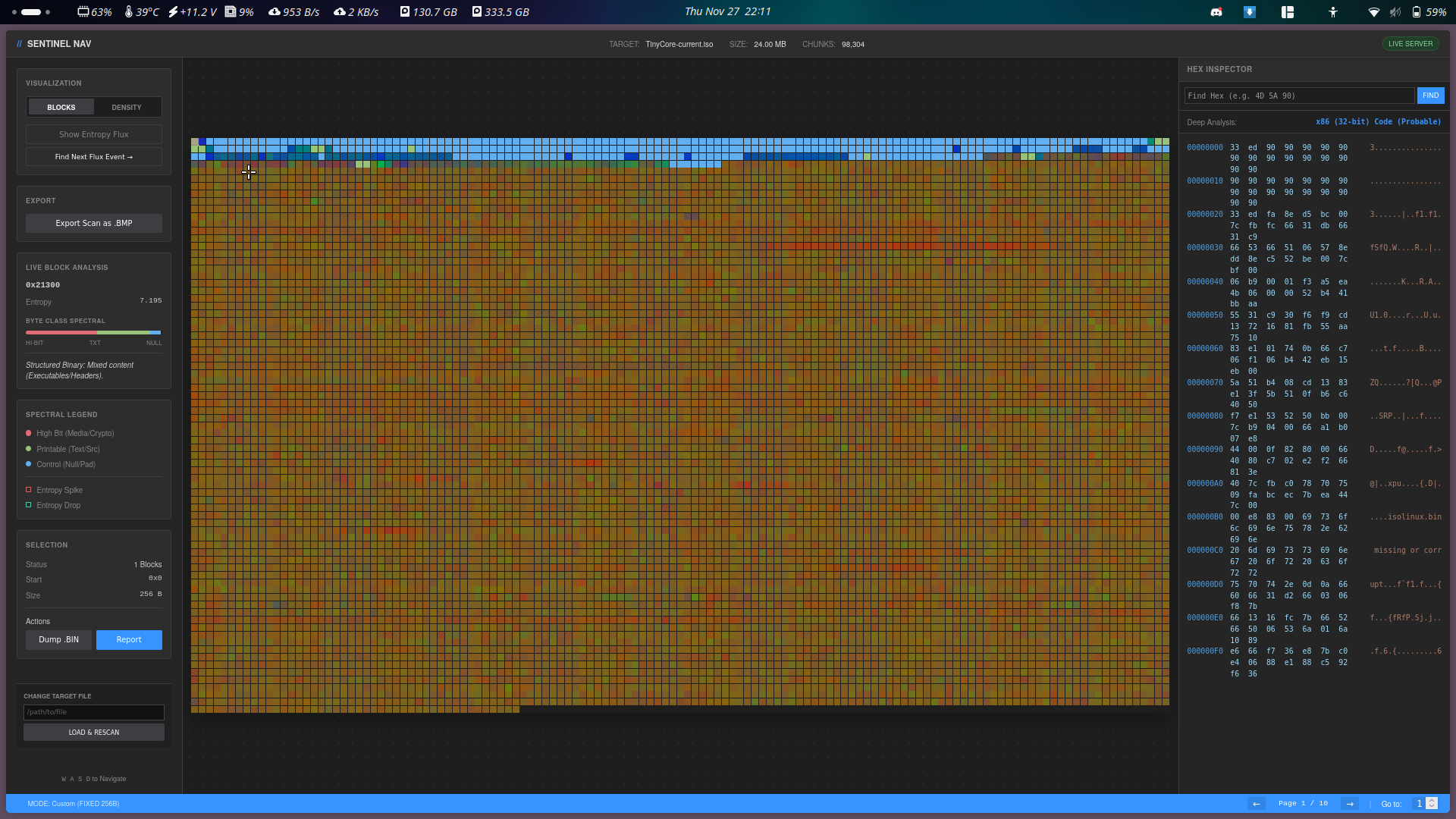
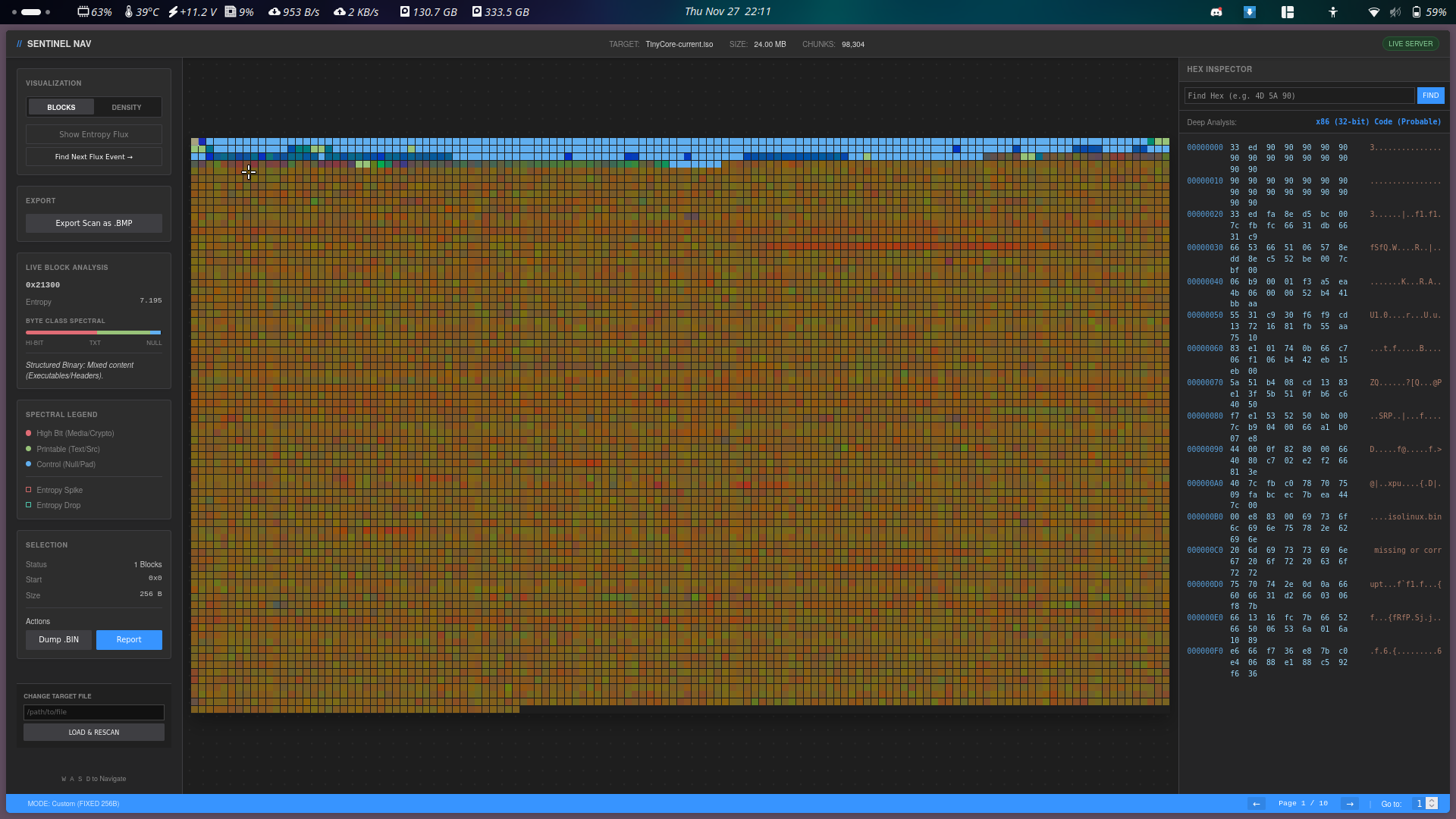
SentinelNav is a zero-dependency, pure Python binary visualization and forensics tool. It transforms binary data into an interactive spectral map, allowing analysts to visually identify file structures, entropy anomalies, code sections, and potential cryptographic blobs.
It combines a multiprocessing backend for fast file scanning with a local web-based frontend for interactive exploration, hex inspection, and architecture fingerprinting.
Since SentinelNav relies only on the Python Standard Library, no installation of external packages is required.
sentinelnav.py.python3 sentinelnav.py
http://localhost:8000.pip install.0x0A for logs or text-based protocols).concurrent.futures.ProcessPoolExecutor to utilize all CPU cores during scanning.SentinelNav follows a Producer-Consumer architecture with a Client-Server interface.
N bytes iteratively.Processor spawns a pool of workers based on CPU count.sqlite3 database creates a structured index of the binary file.http.server.ThreadingMixIn for concurrent handling of HTTP requests./data: Returns JSON pages of chunk data (Color + Entropy)./read: specific hex dumps for the Inspector panel./search: Scans the physical file for hex sequences./download: Extracts raw binary blobs or generates the BMP visualization.The tool uses a specific RGB algorithm to represent binary data types.
Common Patterns:
No libraries need to be installed. Simply download the file.
# Clone or download the script
wget https://raw.githubusercontent.com/smolfiddle/SentinelNav/main/sentinelnav.py
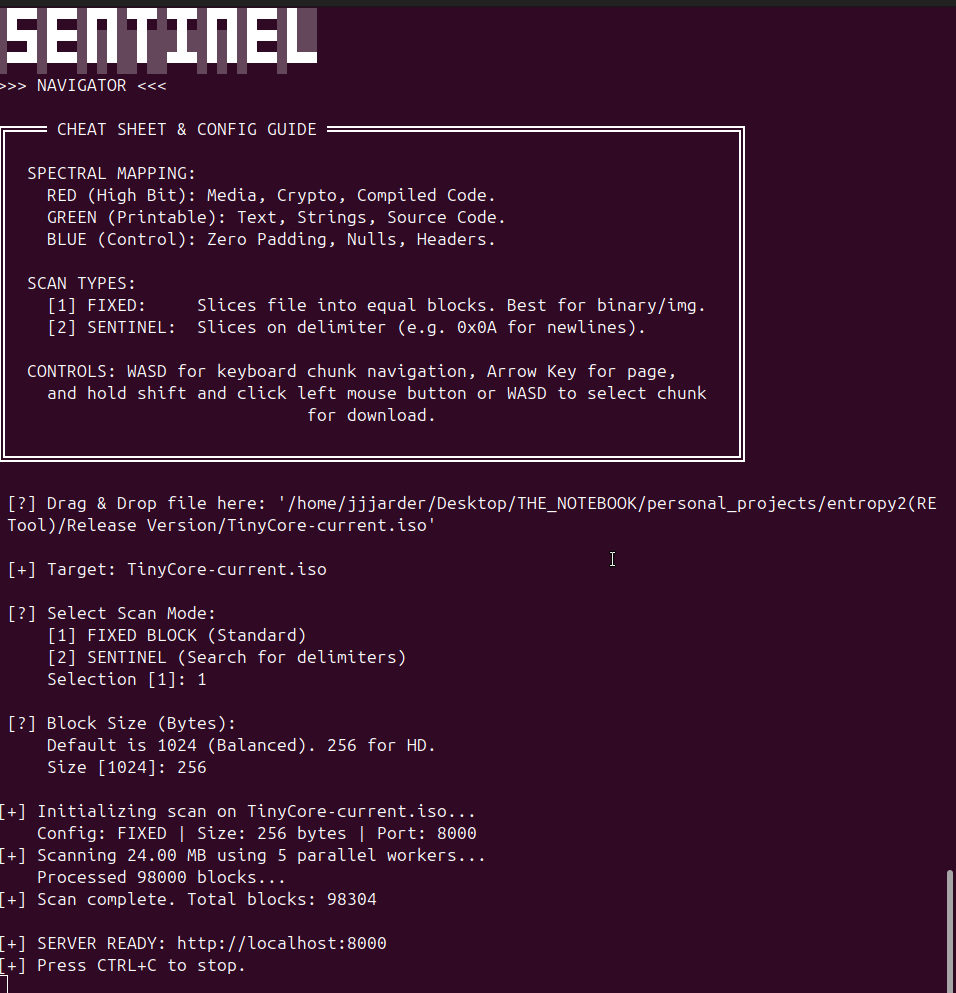
You can run the tool interactively or via command-line arguments.
Running without arguments launches the wizard:
python3 sentinelnav.py
For automation or power users, use flags to skip the wizard.
python3 sentinelnav.py <target_file> [options]
Example: Scan a firmware image with a 256-byte resolution on port 8080:
python3 sentinelnav.py firmware.bin --size 256 --port 8080
Once the web interface is loaded, the following controls are available:
| Color | Component | Meaning |
|---|
| RED | High Bit | Bytes 0x80 - 0xFF. Indicates compiled machine code, compressed data, encrypted blobs, or image data. |
| GREEN | ASCII | Bytes 0x20 - 0x7E. Indicates plain text, source code, JSON, XML, or logs. |
| BLUE | Control | Bytes 0x00 - 0x1F. Indicates null padding, headers, or protocol control characters. |
| Argument | Description | Default |
|---|
--mode | Scan mode: fixed or sentinel. | fixed |
--size | Block size (in bytes) for fixed mode, or max buffer for sentinel. | 1024 |
--hex | The delimiter byte for sentinel mode (e.g., 0A for newline). | 00 |
--port | The web server port. | 8000 |
--window | Sliding window size for anomaly detection calculations. | 5 |
| Key | Action |
|---|
| W / A / S / D | Move the selection cursor (Up/Left/Down/Right). |
| Arrow Left | Previous Page. |
| Arrow Right | Next Page. |
| Shift + WASD | Select a range of blocks (Multi-select). |
| Shift + Click | Select a range from the previous anchor to the clicked block. |
