

Skip to content
KitploitKITPLOIT
ToolsExploitsBlog
Log in
Submit
ToolsExploitsBlog
Submit

Hacking, PenTest, and Cybersecurity Tools for Your Security Arsenal!

Kitploit is a directory of hacking, cybersecurity, and pentesting tools. Discover the latest project updates to find vulnerabilities, analyze systems, automate testing, and strengthen your security.

FeedsContactPrivacy© 2026 Kitploit

Tool Directory

Categories

View all categories
Loading categories
gha-lab-d14c91f1bb — Security-research lab: reproduction of CVE-2025-58371 (GitHub Actions command injection via PR title in Discord PR Notifier), snapshot of RooCodeInc/Roo-Code @ 08a825f9bb0086a88cff5a79b9af4731bba7d076 | Kitploit
Tools/GitHubGitHub/pvharmo2/gha-lab-d14c91f1bb
Vulnerability AnalysisExploitationLearning & EducationCurated Resources
GitHubpvharmo2/gha-lab-d14c91f1bb

gha-lab-d14c91f1bb

Security-research lab: reproduction of CVE-2025-58371 (GitHub Actions command injection via PR title in Discord PR Notifier), snapshot of RooCodeInc/Roo-Code @ 08a825f9bb0086a88cff5a79b9af4731bba7d076

View Repository
141 month agoNot yet reviewed

Most Popular

View all →

Discover the most used tools by our community.

Explore all tools

Browse our collection of tools

View all tools →
Share

Automated research artifact — not the upstream project.

This repository is a disposable lab built by an automated harness for a master's thesis at Université Laval on reproducing published GitHub Actions workflow vulnerabilities. It is a verbatim snapshot of RooCodeInc/Roo-Code at commit 08a825f9bb0086a88cff5a79b9af4731bba7d076 (2025-09-04), redistributed under that project's own licence, whose file is included unchanged in this snapshot.

The upstream project is not involved, is never targeted, and the vulnerability studied here is already public. Every secret and variable in this repository is a randomly generated dummy value — no real credential is present. Action references and runner images are pinned to what they resolved to on 2025-09-04; see pinning.md in the harness output for every change made to the snapshot.

Questions or objections: [email protected]


English • Català • Deutsch • Español • Français • हिंदी • Bahasa Indonesia • Italiano • 日本語

한국어 • Nederlands • Polski • Português (BR) • Русский • Türkçe • Tiếng Việt • 简体中文 • 繁體中文

Roo Code

Connect with developers, contribute ideas, and stay ahead with the latest AI-powered coding tools.


Join Discord Join Reddit


Download on VS Marketplace Feature Requests Rate & Review Documentation

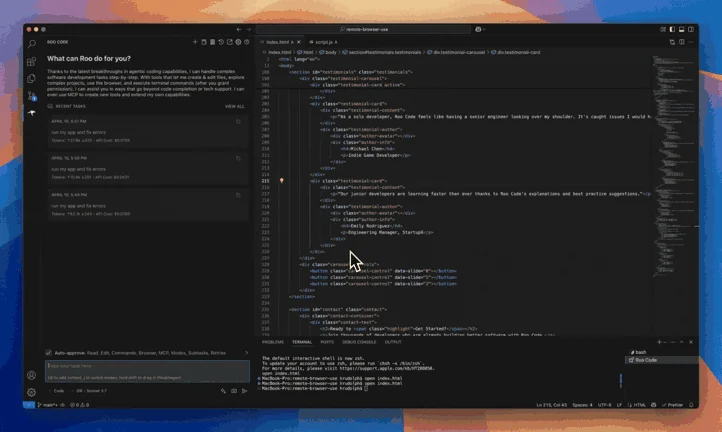
Roo Code is an AI-powered autonomous coding agent that lives in your editor. It can:

  • Communicate in natural language
  • Read and write files directly in your workspace
  • Run terminal commands
  • Automate browser actions
  • Integrate with any OpenAI-compatible or custom API/model
  • Adapt its “personality” and capabilities through Custom Modes

Whether you’re seeking a flexible coding partner, a system architect, or specialized roles like a QA engineer or product manager, Roo Code can help you build software more efficiently.

Check out the CHANGELOG for detailed updates and fixes.


🎉 Roo Code 3.25 Released

Roo Code 3.25 brings powerful new features and significant improvements to enhance your development workflow!

  • Message Queueing - Queue multiple messages while Roo is working, allowing you to continue planning your workflow without interruption.
  • Custom Slash Commands - Create personalized slash commands for quick access to frequently used prompts and workflows, with full UI management.
  • Enhanced Gemini Tools - New URL context and Google Search grounding capabilities provide Gemini models with real-time web information and enhanced research abilities.

What Can Roo Code Do?

  • 🚀 Generate Code from natural language descriptions
  • 🔧 Refactor & Debug existing code
  • 📝 Write & Update documentation
  • 🤔 Answer Questions about your codebase
  • 🔄 Automate repetitive tasks
  • 🏗️ Create new files and projects

Quick Start

  1. Install Roo Code
  2. Connect Your AI Provider
  3. Try Your First Task

Key Features

Multiple Modes

Roo Code adapts to your needs with specialized modes:

  • Code Mode: For general-purpose coding tasks
  • Architect Mode: For planning and technical leadership
  • Ask Mode: For answering questions and providing information
  • Debug Mode: For systematic problem diagnosis
  • Custom Modes: Create unlimited specialized personas for security auditing, performance optimization, documentation, or any other task

Smart Tools

Roo Code comes with powerful tools that can:

  • Read and write files in your project
  • Execute commands in your VS Code terminal
  • Control a web browser
  • Use external tools via MCP (Model Context Protocol)

MCP extends Roo Code's capabilities by allowing you to add unlimited custom tools. Integrate with external APIs, connect to databases, or create specialized development tools - MCP provides the framework to expand Roo Code's functionality to meet your specific needs.

Customization

Make Roo Code work your way with:

  • Custom Instructions for personalized behavior
  • Custom Modes for specialized tasks
  • Local Models for offline use
  • Auto-Approval Settings for faster workflows

Resources

Documentation

Download Tool