 pandaadir05/ghost
Detects process injection and memory manipulation used by malware. Finds RWX regions, shellcode patterns, API hooks, thread hijacking, and process hollowing. Built in Rust for speed. Includes CLI and TUI interfaces.


Ghost is a process injection detection tool written in Rust. It watches running processes and tries to catch suspicious stuff like code injection, memory manipulation, and other tricks that malware uses to hide.
The main idea is simple: scan processes and look for weird memory patterns, hooked functions, shellcode, and other signs that something's been tampered with. It works on Windows, Linux, and macOS (though Windows support is the most complete right now).
Some of the things it can detect:
It also maps detected behaviors to the MITRE ATT&CK framework, which is helpful if you're documenting threats or writing reports.
You'll need Rust installed (1.70 or newer). Then:
cargo build --release
On Windows, you'll also need the MSVC build tools. Linux needs basic dev tools (gcc, etc.). macOS needs Xcode command line tools.
There are two interfaces: a command-line tool and an interactive terminal UI.
CLI:
# Scan all processes
cargo run --bin ghost-cli --release

# Target one process
cargo run --bin ghost-cli --release -- --pid 1234

# Output results as JSON
cargo run --bin ghost-cli --release -- --format json

# Use a config file
cargo run --bin ghost-cli --release -- --config ghost.toml

# Continuous monitoring mode
cargo run --bin ghost-cli --release -- --watch

# Watch with custom interval (10 seconds)
cargo run --bin ghost-cli --release -- --watch --interval 10
TUI:
cargo run --bin ghost-tui --release
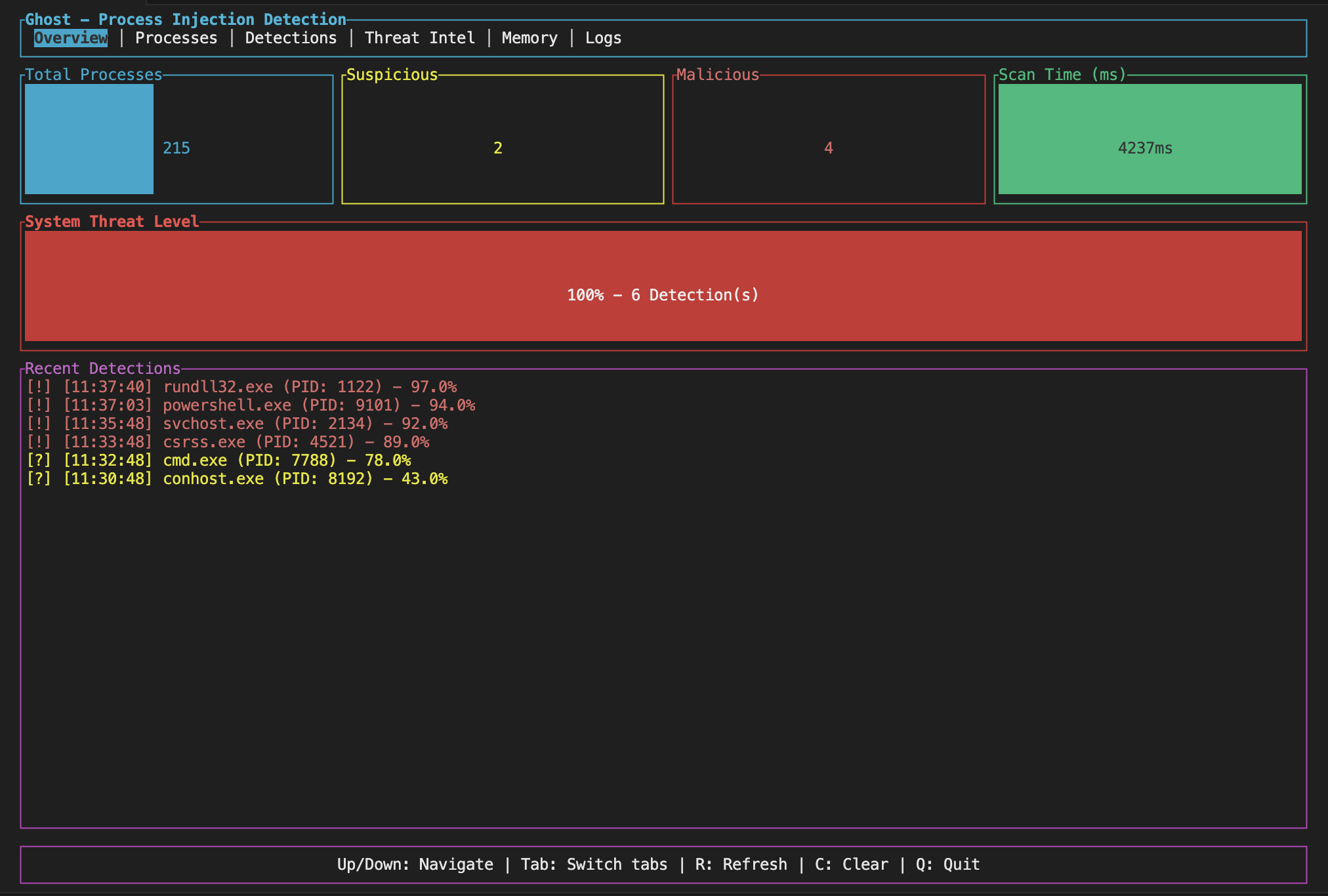
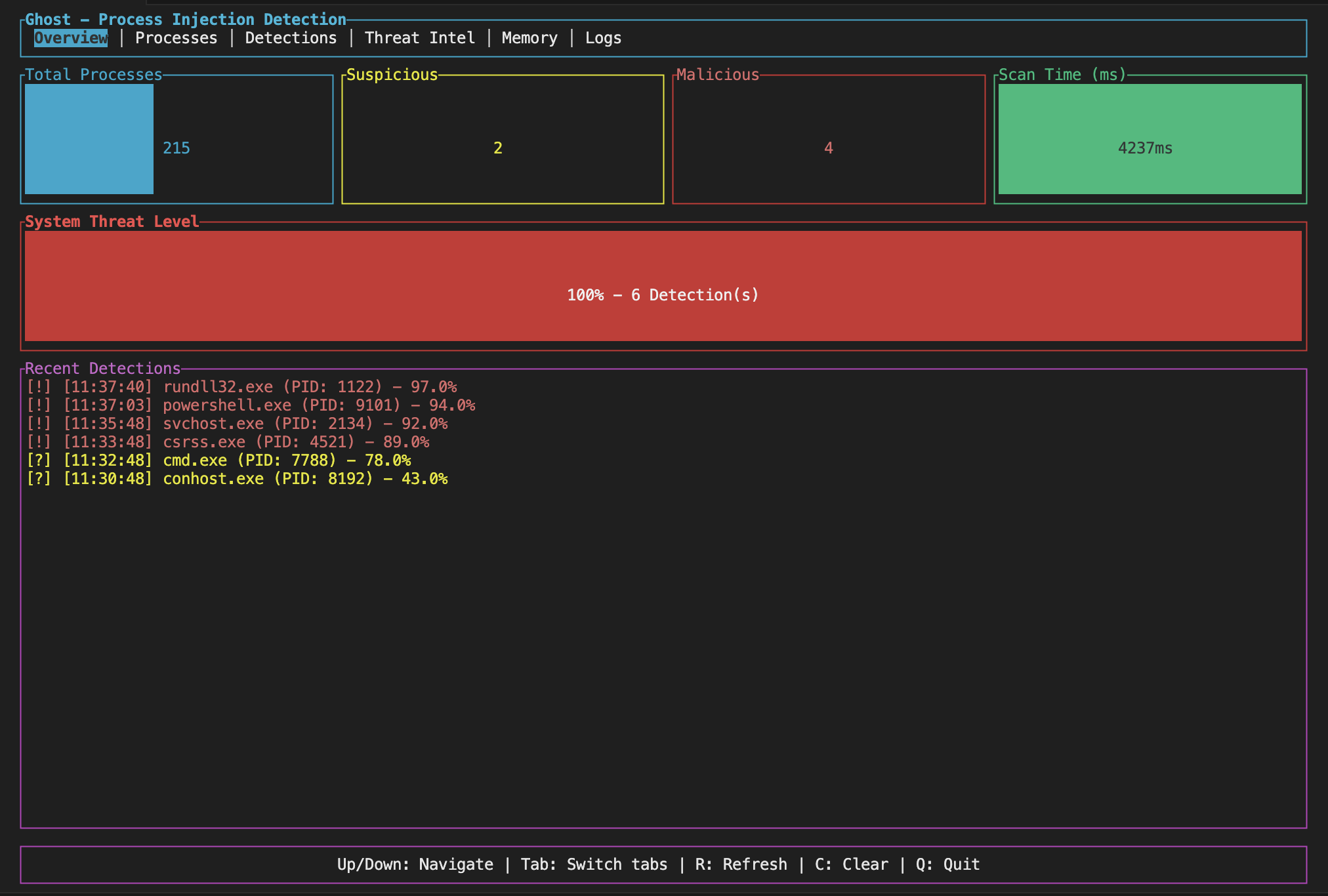
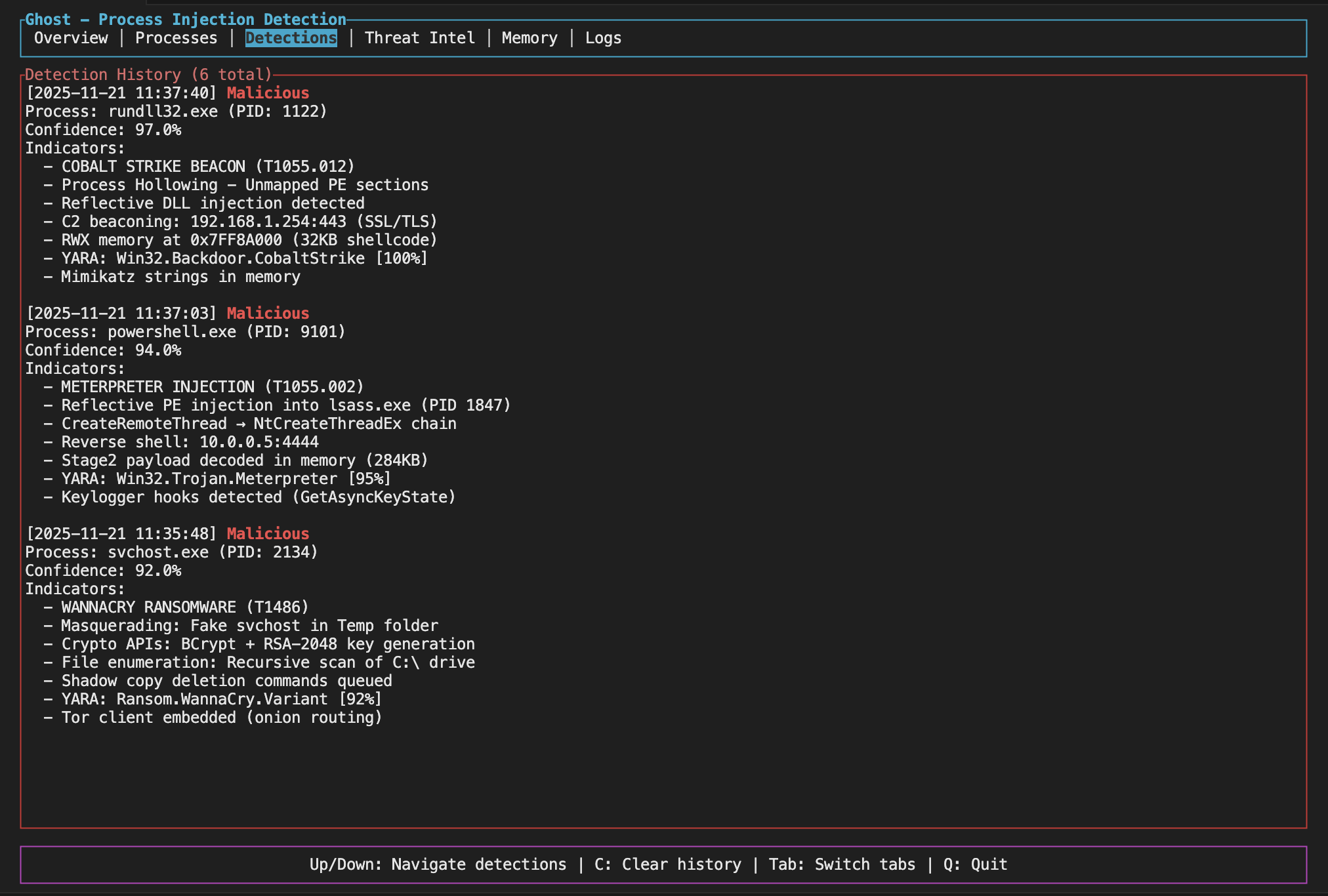
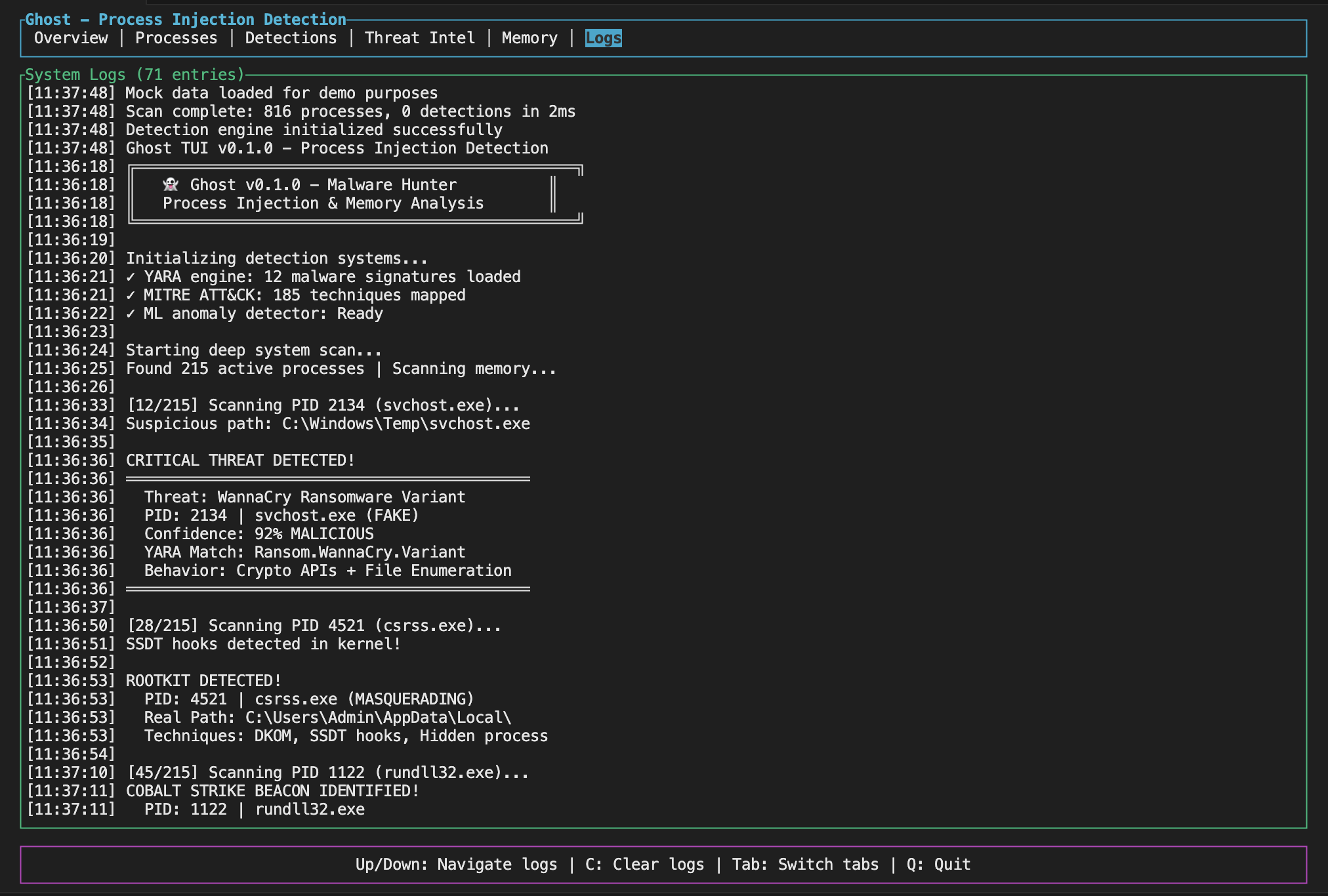
The TUI gives you a dashboard with live stats, detection history, and you can navigate around with keyboard shortcuts (Tab to switch views, Q to quit).
Ghost supports tab completion for Bash, Zsh, Fish, PowerShell, and Elvish.
# Generate completions for your shell
ghost completions bash > /etc/bash_completion.d/ghost
ghost completions zsh > ~/.zfunc/_ghost
ghost completions fish > ~/.config/fish/completions/ghost.fish

# Or use the install script
./completions/install.sh
See completions/README.md for detailed installation instructions.
Ghost supports optional features that can be enabled during build:
# YARA rule scanning (requires libyara)
cargo build --features yara-scanning

# Neural ML integration (requires Python and trained models)
cargo build --features neural-ml

# eBPF detection (Linux only, currently stub implementation)
cargo build --features ebpf-detection
Note: ML features require trained models to function. See ghost_ml/README.md for training instructions.
You can tweak behavior with a TOML config file. Check examples/ghost.toml for a starting point. You can enable/disable specific detection methods, set confidence thresholds, skip system processes, and control how often it scans.
Example config snippet:
shellcode_detection = true
hollowing_detection = true
hook_detection = true
confidence_threshold = 0.3
skip_system_processes = true
scan_interval_ms = 2000
By default, Ghost limits output to 10 indicators per detection and deduplicates similar findings. For large scans, you can further reduce output:
Command-line options:
# Summary mode - outputs statistics instead of full details
ghost-cli --summary

# Limit indicators per detection
ghost-cli --max-indicators 5

# Only report malicious detections
ghost-cli --min-threat-level malicious

# Combine for minimal output
ghost-cli --summary --quiet
Configuration file:
[output]
verbosity = "minimal"          # minimal, normal, or verbose
max_indicators_per_detection = 5
min_threat_level = "suspicious"
deduplicate_indicators = true
summary_mode = true
This is useful when scanning many processes or running continuous monitoring where output files would otherwise grow too large.
Watch mode lets you monitor your system continuously without having to run scans manually. It's useful for catching injection attempts as they happen.
# Start watching (default: 5 second interval)
ghost-cli --watch

# Custom interval
ghost-cli --watch --interval 10

# Watch specific process
ghost-cli --watch --pid 1234

# Quiet mode - only alerts on new detections
ghost-cli --watch --quiet
When running in watch mode, Ghost:
Example output:
[14:32:15] Scan #1: clean (142 processes, 89ms)
[14:32:20] Scan #2: 2 NEW detections! (2 total, 142 processes, 91ms)
  [MALICIOUS] suspicious.exe (PID: 4521) - 87% confidence
  [SUSPICIOUS] helper.dll (PID: 2201) - 54% confidence
[14:32:25] Scan #3: 2 known threats (142 processes, 88ms)
Baseline mode captures a snapshot of your system's current state. Later scans can compare against this baseline to detect changes - useful for finding new threats without wading through known issues.
# Save current state as baseline
ghost-cli --save-baseline baseline.json

# Later: compare against baseline
ghost-cli --baseline baseline.json

# Combine with watch mode
ghost-cli --watch --baseline baseline.json
When comparing against a baseline, Ghost reports:
Example output:
3 changes from baseline:

  New threats (1):
    injector.exe (PID: 8821) - Malicious

  Escalated threats (1):
    helper.dll (PID: 2201): Suspicious -> Malicious

  New indicators (1):
    svchost.exe (PID: 1024):
      - RWX memory region detected
      - Shellcode pattern match
Exit code is 1 if changes are detected, 0 if clean.
Ghost can send real-time alerts to Slack, Discord, or any HTTP endpoint when threats are detected. Perfect for SOC integration or getting notified on your phone.
# Slack webhook
ghost-cli --watch --webhook "https://hooks.slack.com/services/XXX/YYY/ZZZ"

# Discord webhook
ghost-cli --watch --webhook "https://discord.com/api/webhooks/123/abc"

# Generic HTTP POST (JSON payload)
ghost-cli --watch --webhook "https://your-siem.example.com/api/alerts"

# Override auto-detected type
ghost-cli --webhook "https://custom.url" --webhook-type slack
