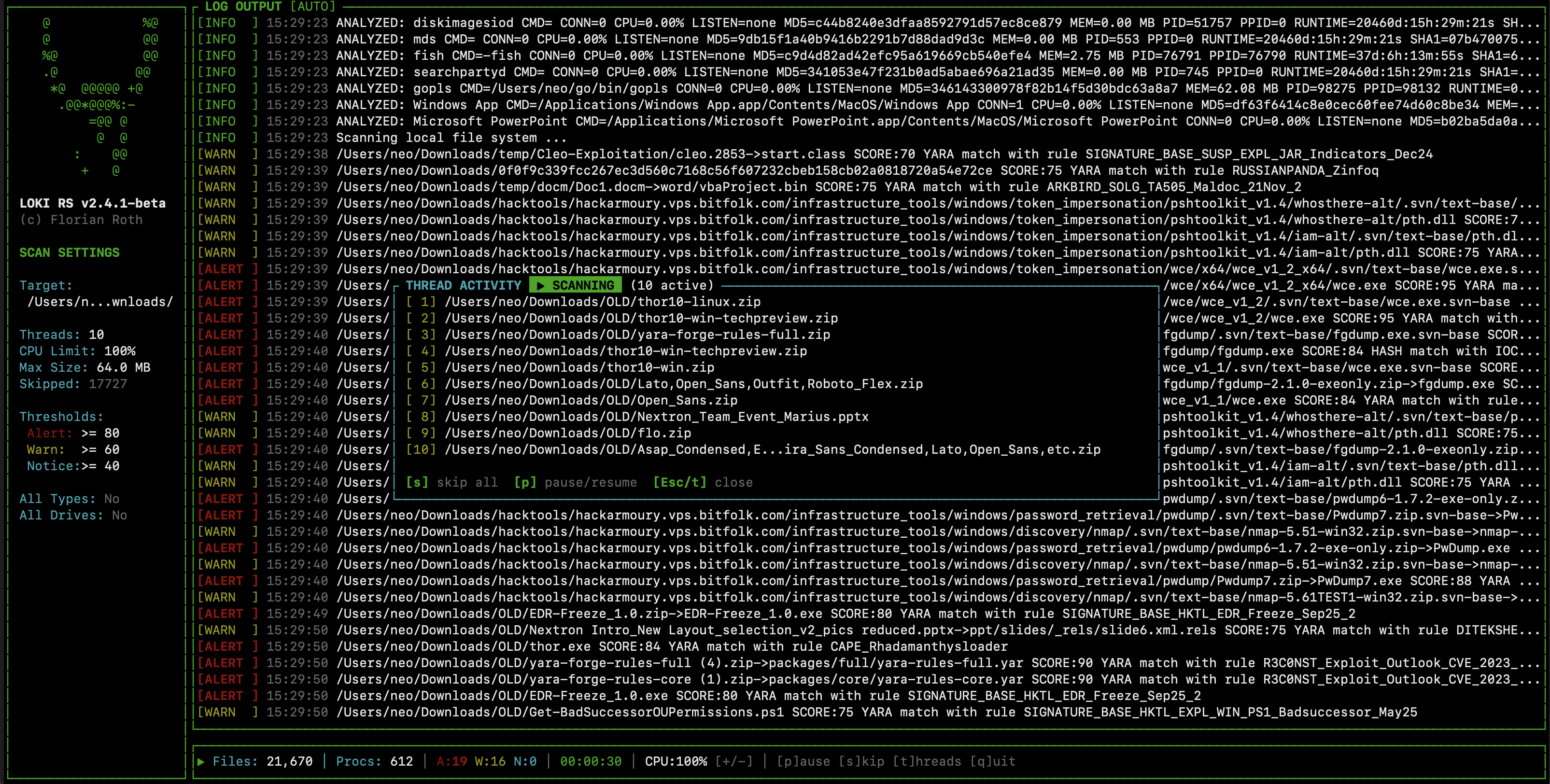

🐍 High-performance, multi-threaded YARA & IOC scanner

A rewrite of Loki in Rust. High-performance, multi-threaded YARA & IOC scanner in a single binary.
Status: Beta. Works, but still under active development.
Process memory scanning on macOS is best-effort and typically requires debugging entitlements or elevated privileges. Without those, Loki-RS will still scan files but will not be able to read most process memory. Use --no-procs to skip process scanning if needed.
On Linux, Loki-RS skips device-backed and kernel-special process mappings before reading /proc/<pid>/mem. This avoids known instability with some driver-managed VMAs while preserving normal anonymous, heap/stack, and regular file-backed memory scanning. If you still hit environment-specific issues, use --no-procs to disable process scanning.
Download the pre-compiled binary for your platform from the Releases Page.
# Extract
tar -xzvf loki-linux-*.tar.gz
cd loki-linux-*

# Update signatures (recommended)
./loki-util update

# Run
sudo ./loki --help
Signatures ship with the release but get stale quickly. Run loki-util update to fetch the latest YARA-Forge Core rules.
Loki-RS uses YARA Forge as its default signature source. Loki-RS ships and updates with the Core rule set (high accuracy, low false positives, optimized for performance). If you need broader coverage, you can swap in the Extended or Full sets from YARA Forge.
IOC files in signatures/iocs/ remain supported as optional local/custom content.
# Basic scan (TUI enabled by default)
sudo ./loki

# Scan specific folder
sudo ./loki --folder /tmp

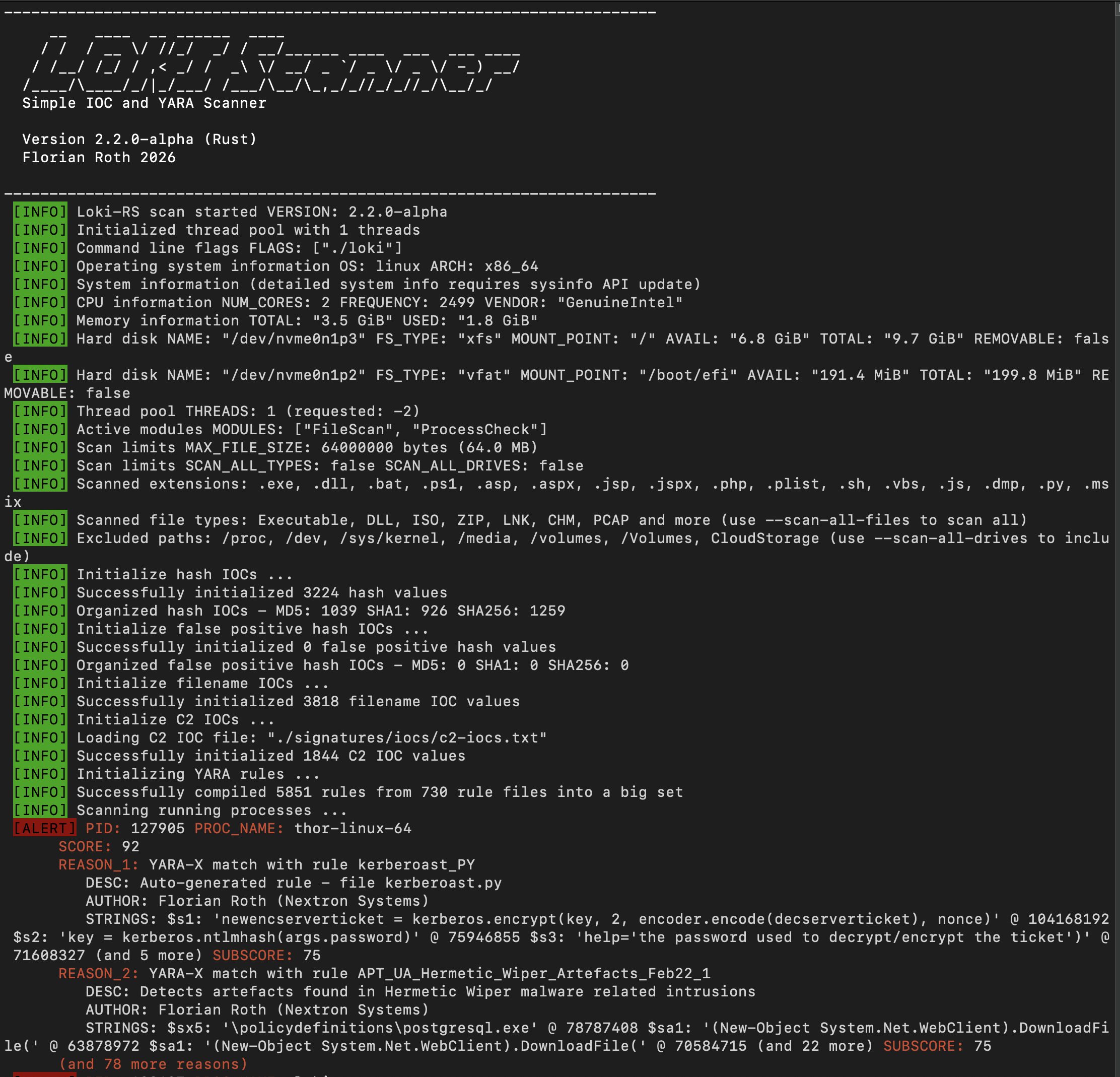
# Disable TUI, use standard command-line output
sudo ./loki --no-tui
# Scan a mounted image (skip process scanning, use all cores)
sudo ./loki --no-procs --folder ~/image1 --threads 0

# Slow and cautious scan (lower CPU limit, single thread)
sudo ./loki --cpu-limit 60 --threads 1

# Scan and send logs to remote syslog
sudo ./loki --remote syslog-host.internal:514 --remote-proto udp
| Option | Default | Description |
|---|---|---|
-f, --folder <PATH> | / | Folder to scan. Quote paths containing spaces, e.g. -f "J:\SteamLibrary\steamapps\common\SpaceCraft beta" |
| Option | Default | Description |
|---|---|---|
--no-procs | false | Skip process memory scanning |
--no-fs | false | Skip filesystem scanning |
--no-archive | false | Skip scanning inside archives (ZIP) |
--scan-all-drives | false | Scan all drives including mounted/network/cloud |
--scan-all-files | false | Scan all files regardless of extension/type |
| Option | Default | Description |
|---|---|---|
-l, --log <FILE> | auto | Plain text log file |
--no-log | false | Disable plaintext log output |
-j, --jsonl <FILE> | auto | JSONL output file |
--no-jsonl | false | Disable JSONL output |
--no-html | false | Disable HTML report generation |
--no-tui | false | Disable TUI, use standard command-line output |
-r, --remote <HOST:PORT> | none | Remote syslog destination |
-p, --remote-proto <PROTO> | udp | Remote protocol (udp/tcp) |
--remote-format <FMT> | syslog | Remote format (syslog/json) |
| Option | Default | Description |
|---|---|---|
--alert-level <SCORE> | 80 | Score threshold for ALERT |
--warning-level <SCORE> | 60 | Score threshold for WARNING |
--notice-level <SCORE> | 40 | Score threshold for NOTICE |
--max-reasons <NUM> | 2 | Max match reasons to display per finding |
-m, --max-file-size <BYTES> | 64000000 | Maximum file size to scan (64MB) |
--yara-timeout <SECONDS> | 10 | Maximum YARA scan time for each file or process-memory buffer (minimum: 1 second) |
-c, --cpu-limit <PERCENT> | 100 | CPU utilization limit (1-100) |
--threads <NUM> | -2 | Number of threads (0=all, -1=all-1, -2=all-2) |
| Option | Default | Description |
|---|---|---|
--version | - | Show version and exit |
-d, --debug | false | Show debug output |
--trace | false | Show verbose trace output |
--show-access-errors | false | Show file/process access errors |
Loki-RS provides multiple mechanisms for excluding files and folders from scans.
By default, Loki-RS automatically excludes:
System directories (Linux/macOS):
/proc, /dev, /sys/kernel/debug, /sys/kernel/slab, /sys/kernel/tracing, /sys/devices/run, /var/runCloud storage directories (unless --scan-all-drives is used):
Network and mounted drives (unless --scan-all-drives is used):
/media, /volumesProgram directory:
| Option | Description |
|---|---|
--scan-all-drives | Include mounted drives, network drives, and cloud storage |
--scan-all-files | Scan all files regardless of file type/extension (by default, only relevant file types are scanned) |
-m, --max-file-size <BYTES> | Skip files larger than this size (default: 64MB) |
--no-procs | Skip process memory scanning entirely |
--no-fs | Skip filesystem scanning entirely |
--no-archive | Skip scanning inside archive files (ZIP) |
You can exclude known good files by their hash. This is useful for whitelisting legitimate files that trigger false positives.
Setup:
Create a file in signatures/iocs/ with both hash and falsepositive in the filename
Example: hash-falsepositive-custom.txt
Add hashes (MD5, SHA1, or SHA256) with optional descriptions:
# Format: HASH;description
d41d8cd98f00b204e9800998ecf8427e;Empty file - known good
a7f5f35426b927411fc9231b56382173;Legitimate system utility
Files matching these hashes will be silently skipped during scanning.
When adding filename IOCs to signatures/iocs/filename-iocs.txt, you can specify a false positive exclusion regex in the third column:
# Format: REGEX;SCORE;FALSE_POSITIVE_REGEX
#
# This matches all .ps1 files, but excludes those in SysInternals directories
(?i)\\procdump(64)?\.(exe|zip);50;(?i)(SysInternals\\)
If a file matches both the main pattern AND the false positive regex, it will not be reported.

