mrexodia/ida-pro-mcp
AI-powered reverse engineering assistant that bridges IDA Pro with language models through MCP.
[!IMPORTANT] I recommend using the Official Hex-Rays IDA MCP Server instead!
See the announcement blog post for more information.
Simple MCP Server to allow vibe reversing in IDA Pro.
https://github.com/user-attachments/assets/6ebeaa92-a9db-43fa-b756-eececce2aca0
The binaries and prompt for the video are available in the mcp-reversing-dataset repository.
idapyswitch to switch to the newest Python versionida-pro-mcp --config to get the JSON config for your client.Note: This requires having idalib activated globally and uv installed:
# windows
uv run "C:\Program Files\IDA Professional 9.3\idalib\python\py-activate-idalib.py"
# macos
uv run "/Applications/IDA Professional 9.3.app/Contents/MacOS/idalib/python/py-activate-idalib.py"
# linux
uv run "/path/to/idapro-9.3/idalib/python/py-activate-idalib.py"
To install the latest IDA Pro MCP in Claude Code:
claude plugin marketplace add mrexodia/claude-marketplace
claude plugin uninstall ida-pro-mcp@mrexodia
claude plugin install ida-pro-mcp@mrexodia
To install the latest IDA Pro MCP in Codex:
codex plugin marketplace add mrexodia/codex-marketplace
codex plugin remove ida-pro-mcp@mrexodia
codex plugin add ida-pro-mcp@mrexodia
To install the latest IDA Pro MCP in Kimi Code, run this slash command in the chat:
/plugins install https://github.com/mrexodia/ida-pro-mcp/tree/main
/reload
This installs the idalib MCP server and the idapython skill. Plugins are copied to
$KIMI_CODE_HOME/plugins/managed/, so uv must be on your PATH. The first session after
installing is slower, because uv resolves the dependencies before the server responds.
Note: the MCP plugin is no longer recommended and will eventually be deprecated. Use idalib-mcp instead.
If you want to configure the MCP server manually from the IDA GUI:
pip uninstall ida-pro-mcp
pip install https://github.com/mrexodia/ida-pro-mcp/archive/refs/heads/main.zip
Configure the MCP servers and install the IDA Plugin:
ida-pro-mcp --install
Important: Make sure you completely restart IDA and your MCP client for the installation to take effect. Some clients (like Claude) run in the background and need to be quit from the tray icon.
LLMs are prone to hallucinations and you need to be specific with your prompting. For reverse engineering the conversion between integers and bytes are especially problematic. Below is a minimal example prompt, feel free to start a discussion or open an issue if you have good results with a different prompt:
Your task is to analyze a crackme in IDA Pro. You can use the MCP tools to retrieve information. In general use the following strategy:

- Inspect the decompilation and add comments with your findings
- Rename variables to more sensible names
- Change the variable and argument types if necessary (especially pointer and array types)
- Change function names to be more descriptive
- If more details are necessary, disassemble the function and add comments with your findings
- NEVER convert number bases yourself. Use the `int_convert` MCP tool if needed!
- Do not attempt brute forcing, derive any solutions purely from the disassembly and simple python scripts
- Create a report.md with your findings and steps taken at the end
- When you find a solution, prompt to user for feedback with the password you found
This prompt was just the first experiment, please share if you found ways to improve the output!
Another prompt by @can1357:
Your task is to create a complete and comprehensive reverse engineering analysis. Reference AGENTS.md to understand the project goals and ensure the analysis serves our purposes.

Use the following systematic methodology:

1. **Decompilation Analysis**
   - Thoroughly inspect the decompiler output
   - Add detailed comments documenting your findings
   - Focus on understanding the actual functionality and purpose of each component (do not rely on old, incorrect comments)

2. **Improve Readability in the Database**
   - Rename variables to sensible, descriptive names
   - Correct variable and argument types where necessary (especially pointers and array types)
   - Update function names to be descriptive of their actual purpose

3. **Deep Dive When Needed**
   - If more details are necessary, examine the disassembly and add comments with findings
   - Document any low-level behaviors that aren't clear from the decompilation alone
   - Use sub-agents to perform detailed analysis

4. **Important Constraints**
   - NEVER convert number bases yourself - use the int_convert MCP tool if needed
   - Use MCP tools to retrieve information as necessary
   - Derive all conclusions from actual analysis, not assumptions

5. **Documentation**
   - Produce comprehensive RE/*.md files with your findings
   - Document the steps taken and methodology used
   - When asked by the user, ensure accuracy over previous analysis file
   - Organize findings in a way that serves the project goals outlined in AGENTS.md or CLAUDE.md
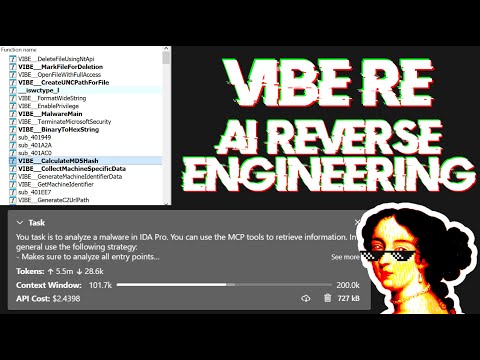
Live stream discussing prompting and showing some real-world malware analysis:
Large Language Models (LLMs) are powerful tools, but they can sometimes struggle with complex mathematical calculations or exhibit "hallucinations" (making up facts). Make sure to tell the LLM to use the int_convert MCP tool and you might also need math-mcp for certain operations.
Another thing to keep in mind is that LLMs will not perform well on obfuscated code. Before trying to use an LLM to solve the problem, take a look around the binary and spend some time (automatically) removing the following things:
You should also use a tool like Lumina or FLIRT to try and resolve all the open source library code and the C++ STL, this will further improve the accuracy.