

Skip to content
KitploitKITPLOIT
ToolsExploitsBlog
Log in
Submit
ToolsExploitsBlog
Submit

Hacking, PenTest, and Cybersecurity Tools for Your Security Arsenal!

Kitploit is a directory of hacking, cybersecurity, and pentesting tools. Discover the latest project updates to find vulnerabilities, analyze systems, automate testing, and strengthen your security.

FeedsContactPrivacy© 2026 Kitploit

Tool Directory

Categories

View all categories
Loading categories
Tools/GitHubGitHub/micro-joan/blackstone
Vulnerability AnalysisInformation GatheringPenetration Testing
GitHubmicro-joan/blackstone

BlackStone

Automated pentesting report generator with vulnerability database, severity classification, and client information gathering via subdomain and email discovery.


View Repository
60098382 years agoReviewed by Kitploit
Share

Untitled Project

My website: https://microjoan.com
My blog: https://darkhacking.es/
Use and installation video: https://youtu.be/qasPlaaYxiU
Buy me a coffee: https://www.buymeacoffee.com/microjoan


BlackStone Project 2.0 (For Kali Linux)

BlackStone project or "BlackStone Project" is a tool created in order to automate the work of drafting and submitting a report on audits of ethical hacking or pentesting.

In this tool we can register in the database the vulnerabilities that we find in the audit, classifying them by internal, external audit or wifi, in addition, we can put your description and recommendation, as well as the level of severity and effort for its correction. This information will then help us generate in the report a criticality table as a global summary of the vulnerabilities found.

We can also register a company and, just by adding its web page, the tool will be able to find subdomains, telephone numbers, social networks, employee emails...

BlackStone - Logo

Install BlackStone

Step 1

cd /opt
git clone https://github.com/micro-joan/BlackStone
cd BlackStone
chmod +x installer.sh
./installer.sh

The application will start automatically but if you log in you will get the 500 error so you must reboot the system and run the installer a second time (this is normal)

Step 2

(reboot system)
cd /opt/BlackStone
./installer.sh

USE

Once the installation is complete you can use blackstone from the terminal (with root):

blackstone

Or you can also look for the icon in the system:
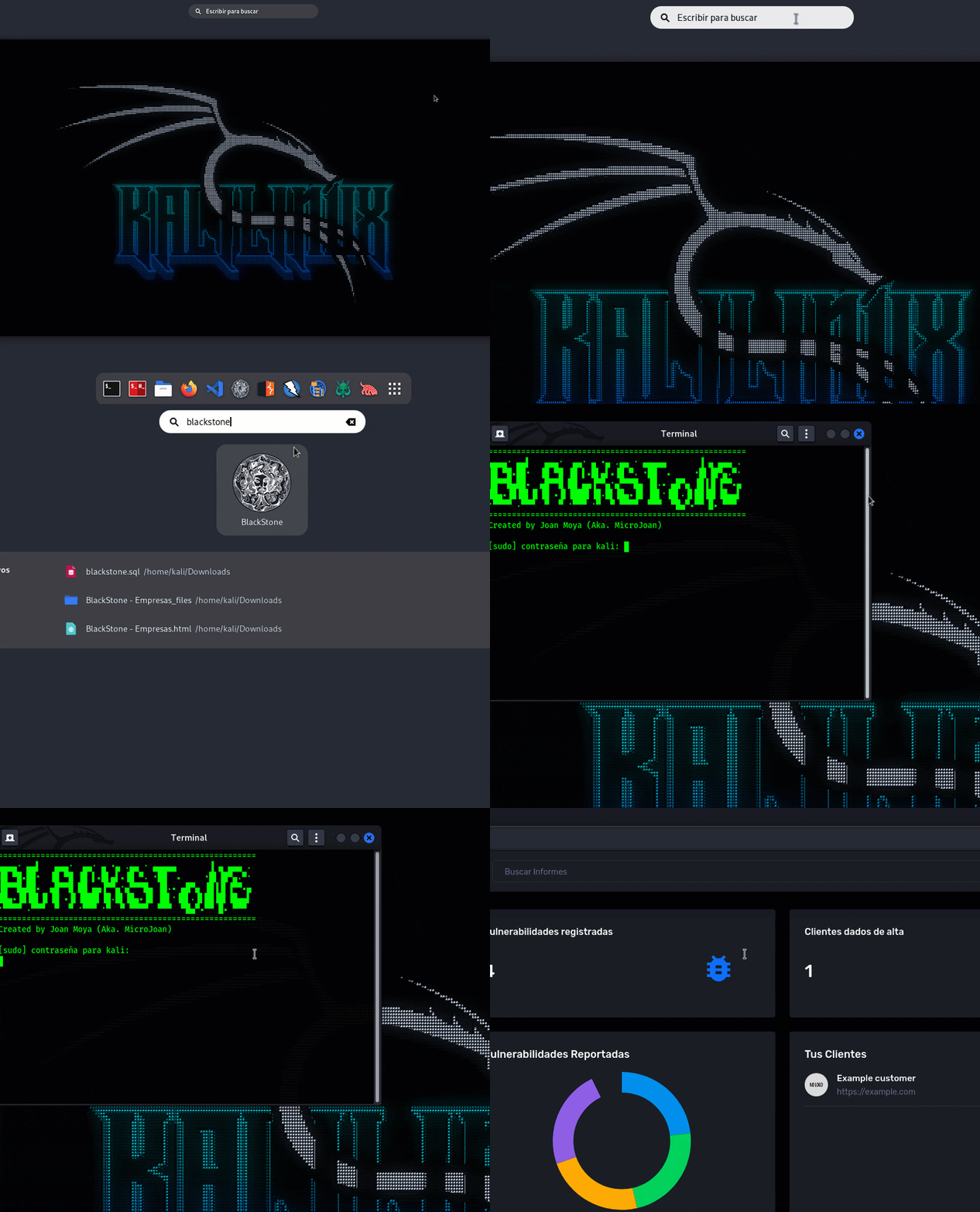
LOGIN

User: blackstone

Password: blackstone

Latest news

  • Own and automated installer for deployment of BlackStone in Kali Linux.
  • Replace Hunter.io results with similar results native to the app.
  • Fixed numerous fields sensitive to stored XSS.
  • Limitation of access to the BlackStone app only to the computer that runs it (no one on your network that detects your port 80 raised will be able to access this app).
  • Insert logo image for each of the clients, instead of automatic logo by favicon (good results were not achieved).
  • Automatic subdomain search in the client file, this functionality is native to the BlackStone code itself).
  • Fixed various Spanish/English translations.
  • System icon integration for BlackStone, the app is added in Kali as a native app with its own launcher.

Use

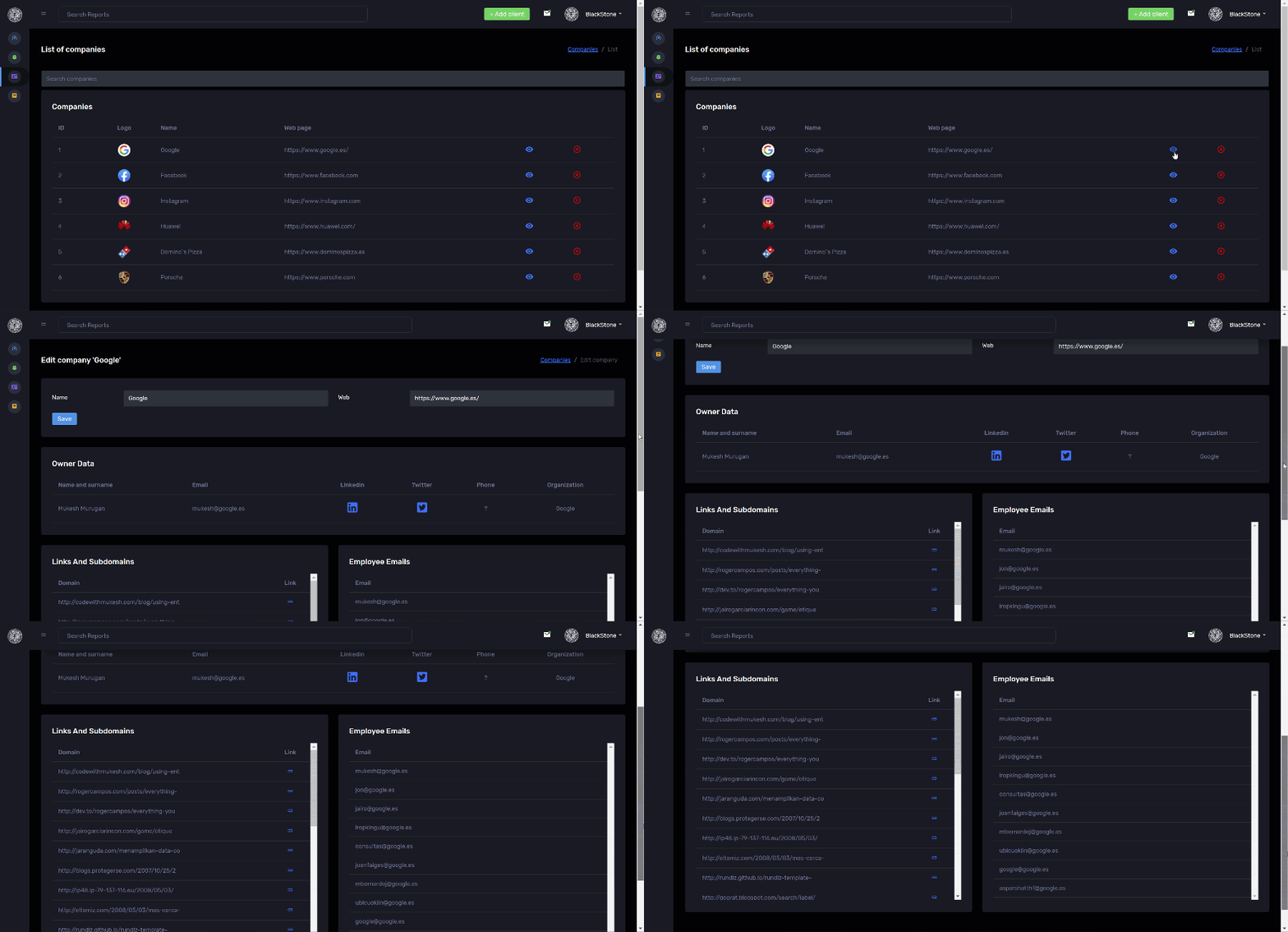
After having vulnerabilities in the database, we will go to the audited client and we will register a client along with their web page, once registered we can go to customer details and we can see the following information:
THE USE OF THIS APPLICATION IS FOR PROFESSIONAL USE, THE AUTHOR IS NOT RESPONSIBLE FOR A MISUSE EMPLOYED

  • Subdomains of the website as well as information of interest found in google
  • Emails of company workers or SMTP servers

Untitled Project

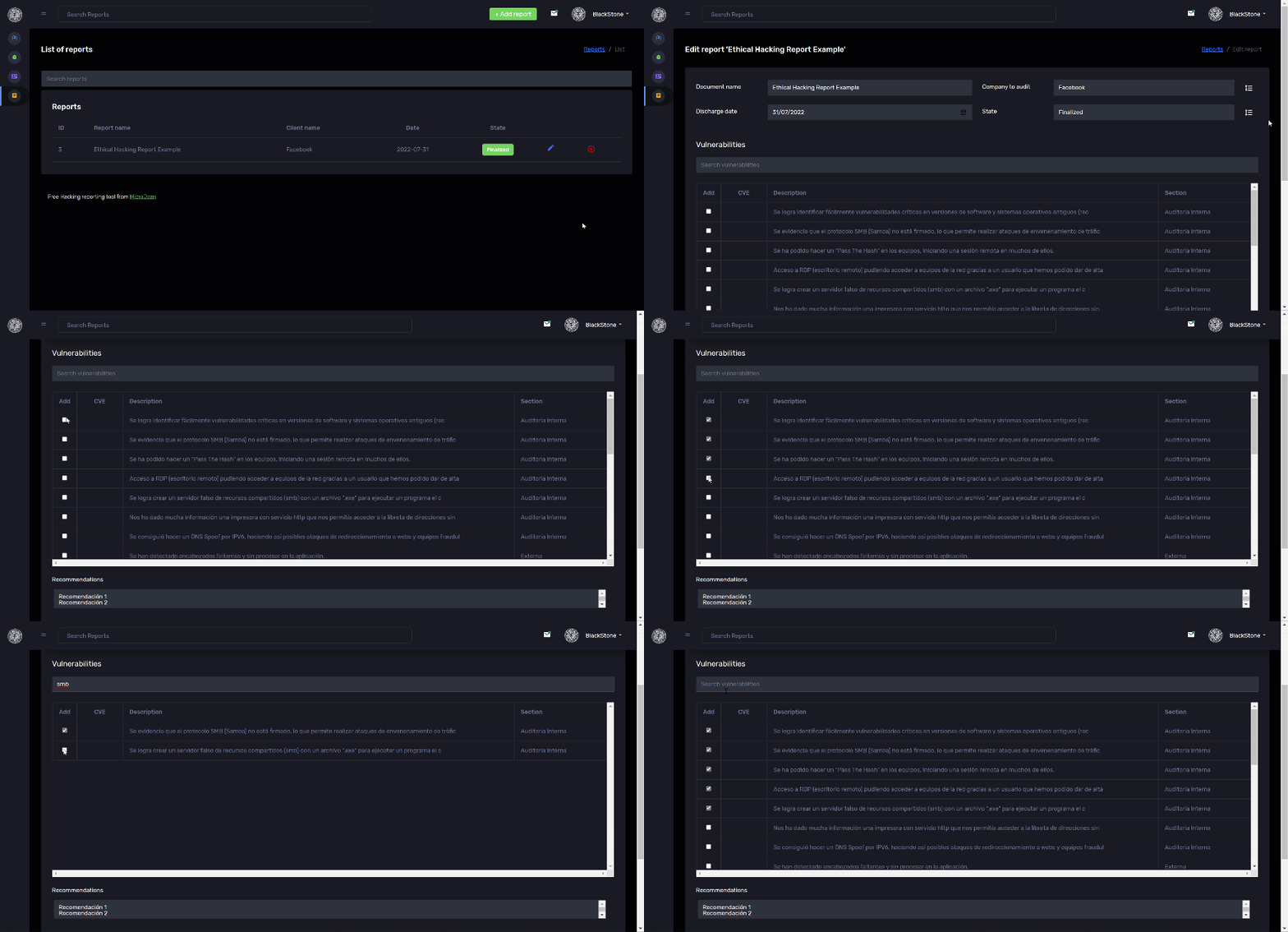
Once we have the company that we are going to audit registered in the database, we will create a report, adding the date, name of the report and the company to which will be audited. When we register the report, we will give it edit and then we will select the vulnerabilities that we want to appear in the report:
Untitled Project

Finally, we will generate the report by clicking on the "overview report" button, and later we will save the page that is generated as ".mht", then we will open it with Word to be able to work on the generated report:


Untitled Project

Support Blackstone

Buy Me A Coffee
Download Tool

Most Popular

View all →

Discover the most used tools by our community.

  • 1

    OsintHunter

    letox4/osinthunter

    🎯 The ultimate OSINT toolkit: investigation graph, confidence scoring, alias families, map, timeline and reports. 49 modules, 400+ sites, no API keys required.

    524
  • 2

    ghostlock-app

    yukonga/ghostlock-app

    GhostLock One-Tap Execution App (CVE-2026-43499)

    478
  • 3

    ARTEX

    baarai/artex

    LLM multi-agent autonomous penetration testing platform with planner/worker agents, asset and exploration graphs, MITM traffic recording, and vulnerability retesting.

    357
  • 4

    redforge

    cybersecurity91/redforge

    Browser-side red team toolkit with 102 offline tools for recon, payload generation, credential attacks, crypto, encoding and engagement reporting.

    317
  • 5

    estorides

    grisuno/estorides

    Aggregates 99+ free OSINT sources in parallel, resolves entities into a knowledge graph, and exports STIX 2.1, MISP, or GraphML with LLM-assisted analysis.

    305
  • 6

    opencti

    opencti-platform/opencti

    Open Cyber Threat Intelligence Platform

    275

Explore all tools

Browse our collection of tools

View all tools →






