
Automates Windows memory forensics and DFIR workflows with MemProcFS: YARA/ClamAV scanning, process anomaly detection, and artifact/log extraction.






MemProcFS-Analyzer.ps1 is a PowerShell script utilized to simplify the usage of MemProcFS and to optimize your memory analysis workflow.
MemProcFS - The Memory Process File System by Ulf Frisk
https://github.com/ufrisk/MemProcFS
Features:
Download the latest version of MemProcFS-Analyzer from the Releases section.
Launch Windows PowerShell (or Windows PowerShell ISE or Visual Studio Code w/ PSVersion: 5.1) as Administrator and open/run MemProcFS-Analyzer.ps1.
File-Browser
Fig 1: Select your Memory Snapshot and select your pagefile.sys (Optional)
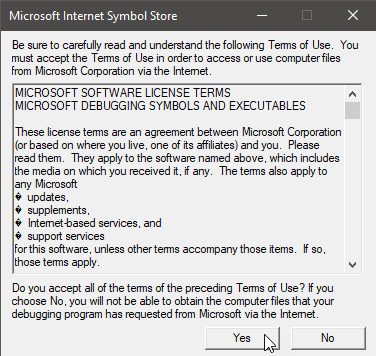
Auto-Install
Fig 2: MemProcFS-Analyzer auto-installs dependencies (First Run)
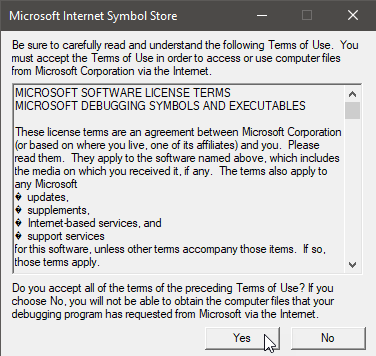
Fig 3: Accept Terms of Use (First Run)
MemProcFS
Fig 4: If you find MemProcFS useful, please become a sponsor at: https://github.com/sponsors/ufrisk
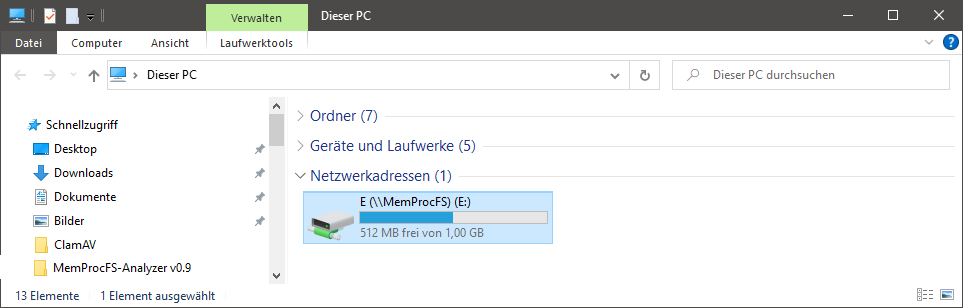
Fig 5: You can investigate the mounted memory dump by exploring drive letter
Auto-Update
Fig 6: MemProcFS-Analyzer checks for updates (Second Run)
Note: It's recommended to uncomment/disable the "Updater" function after installation. Check out the "Main" in the bottom of the script.
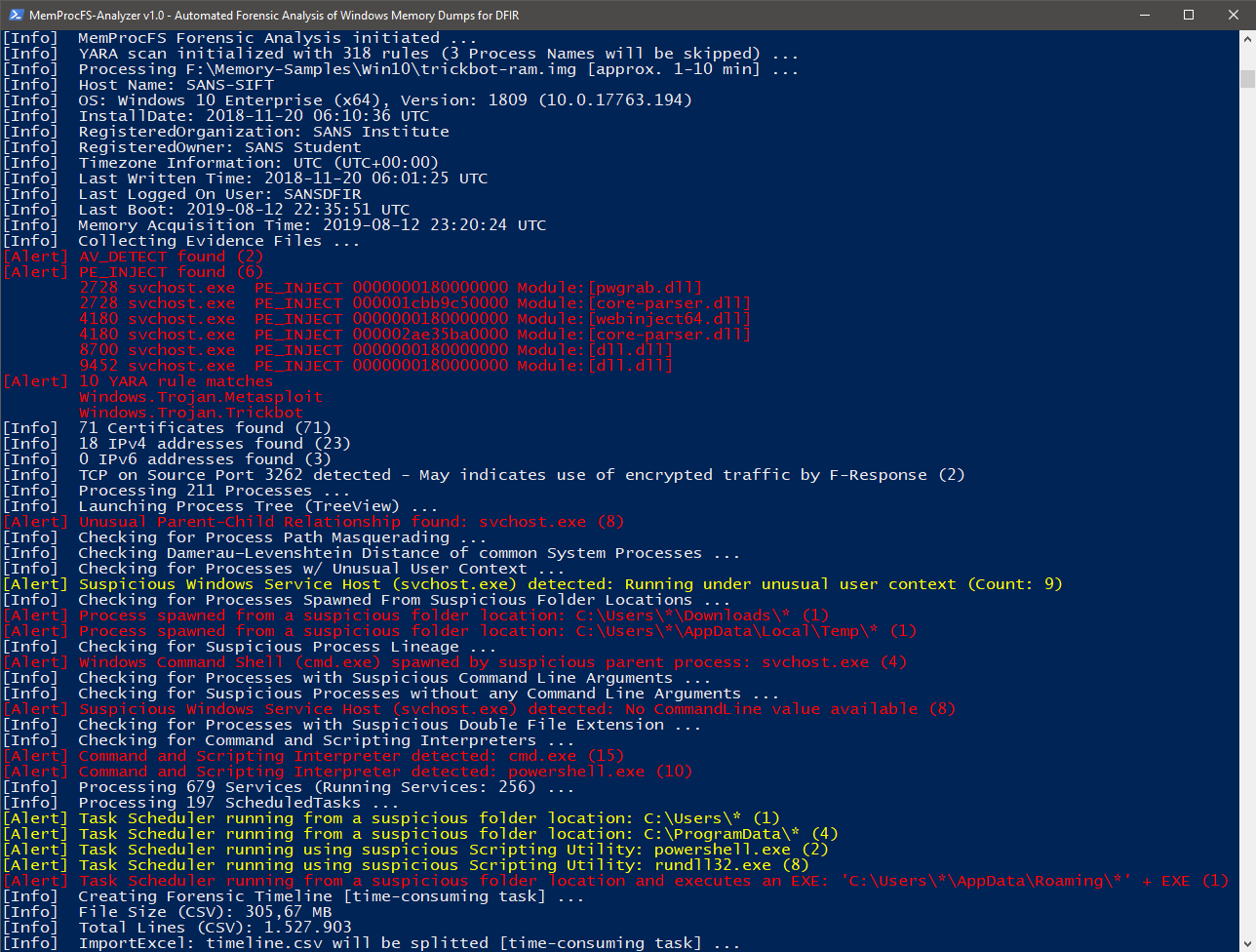
Fig 7: FindEvil feature and additional analytics
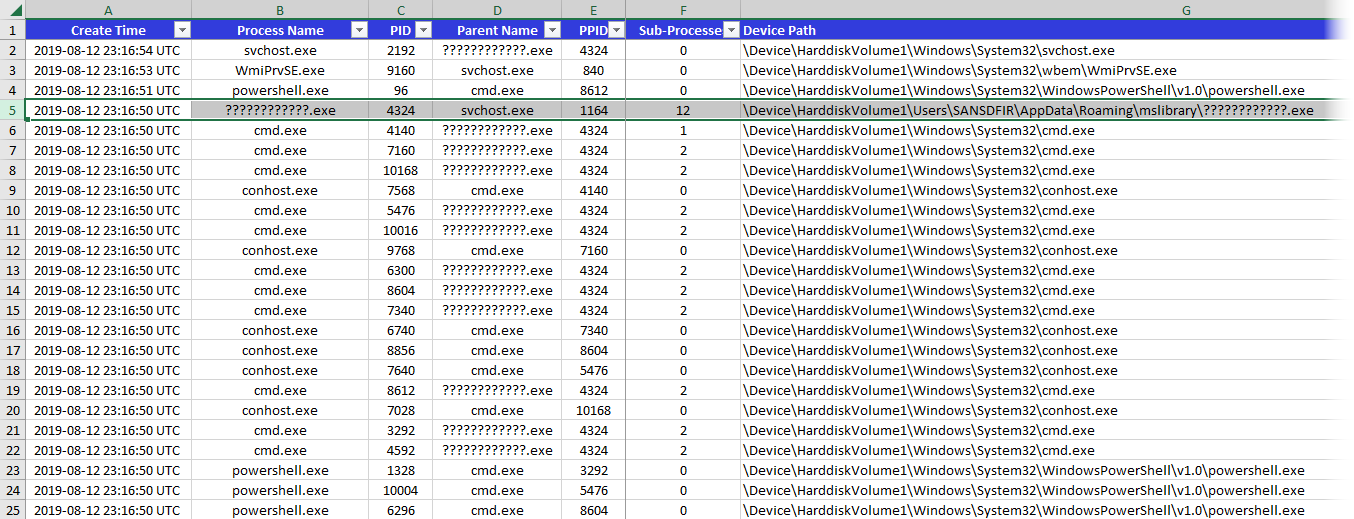
Fig 8: Processes
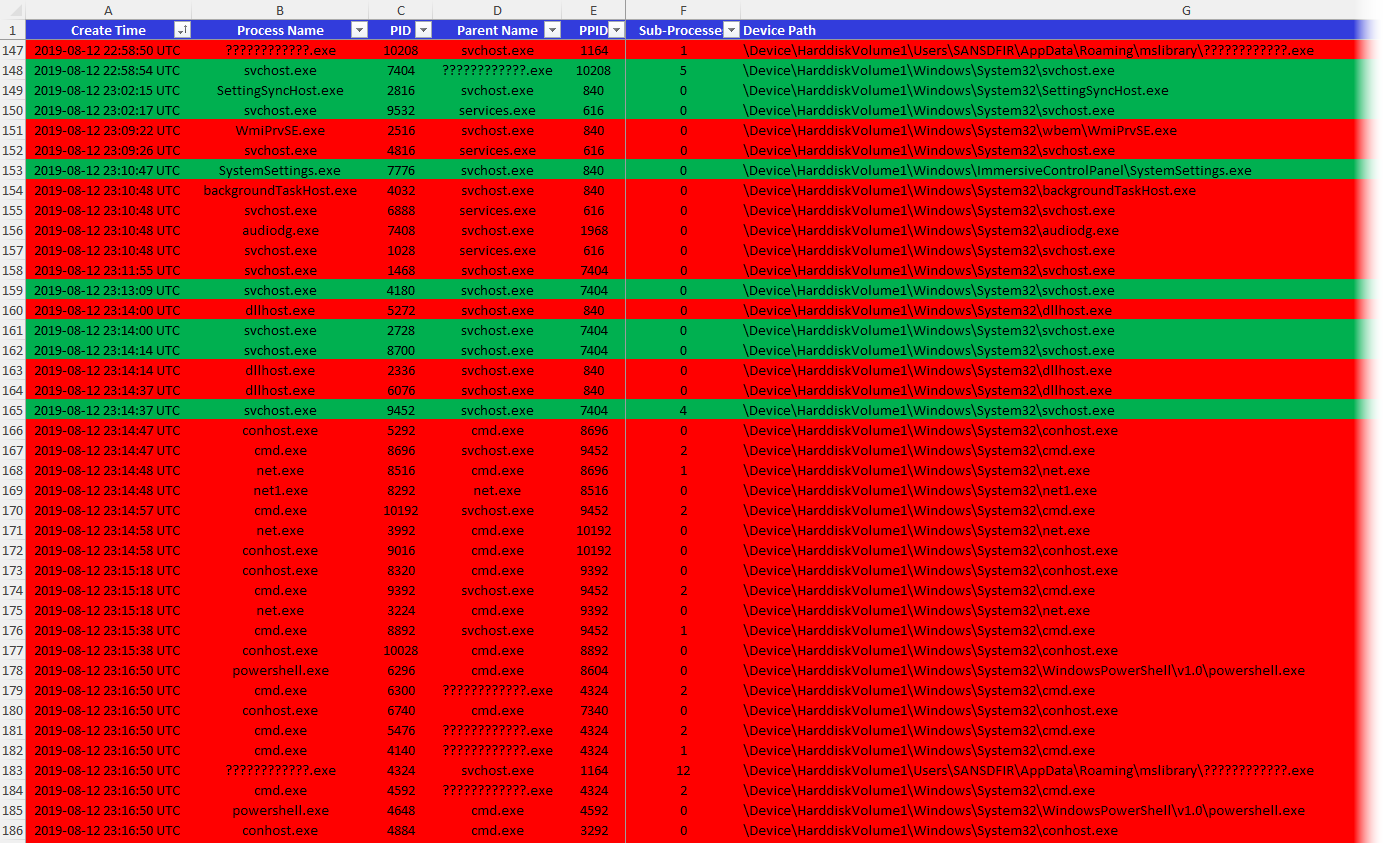
Fig 9: Running and Exited Processes
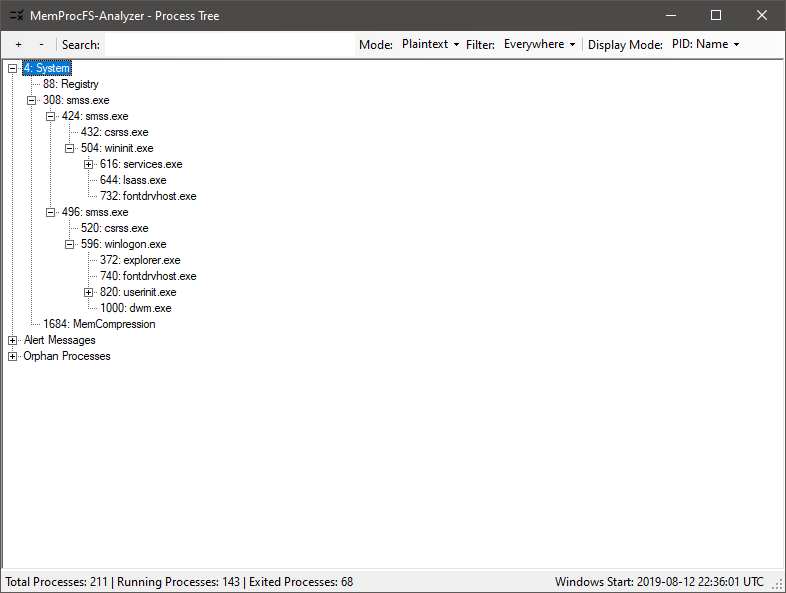
Fig 10: Process Tree (GUI)
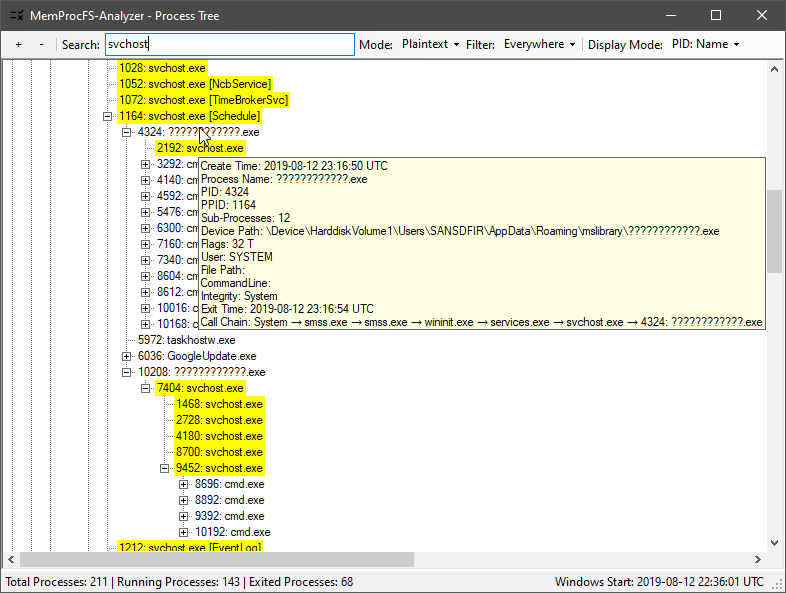
Fig 11: Checking Process Tree (to find anomalies)
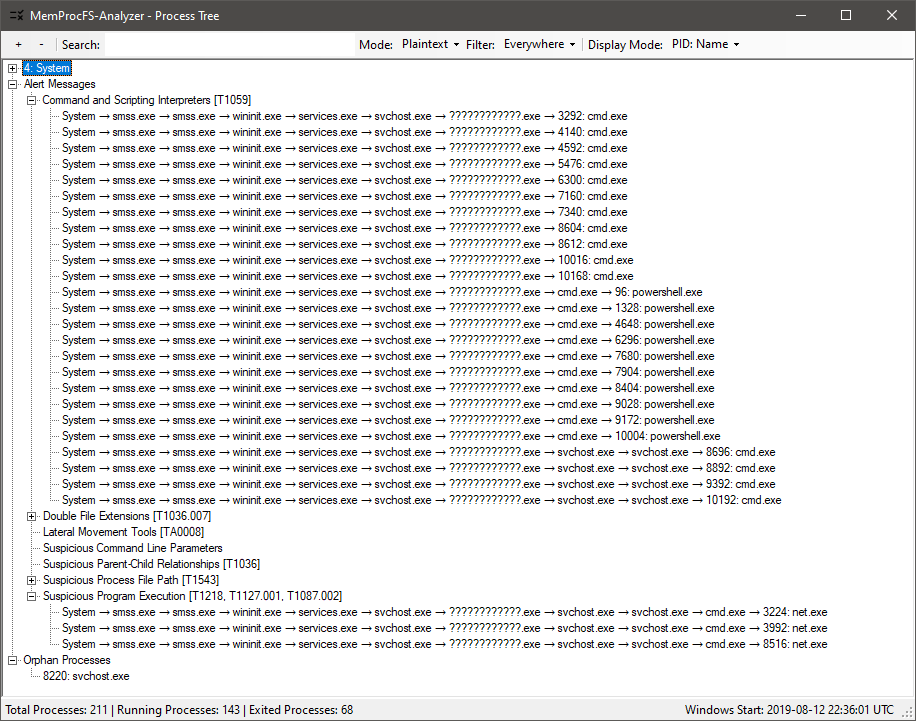
Fig 12: Process Tree: Alert Messages w/ Process Call Chain
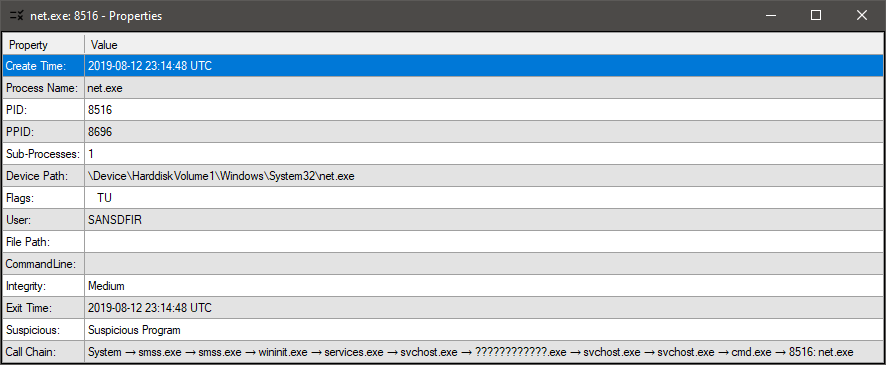
Fig 13: Process Tree: Properties View → Double-Click on a process or alert message
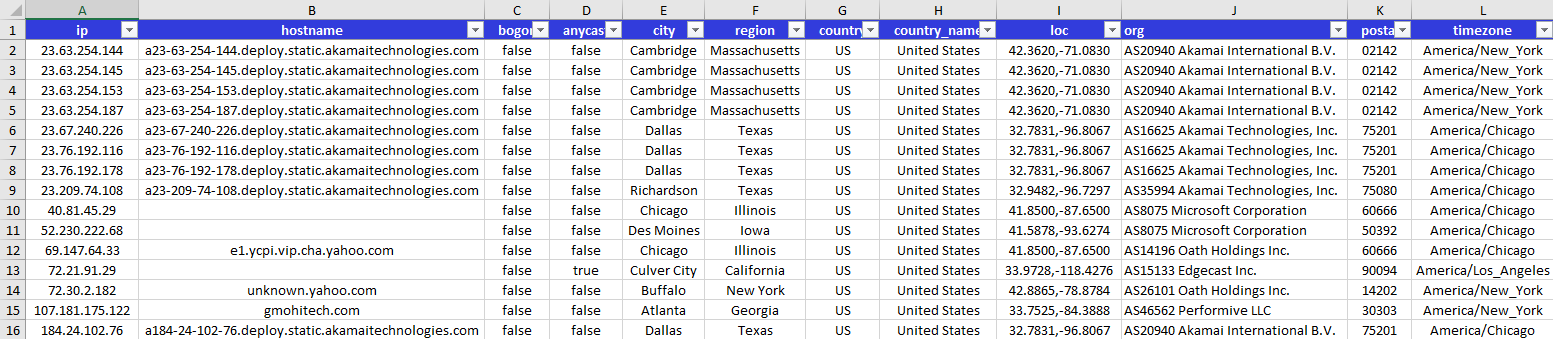
Fig 14: GeoIP w/ IPinfo.io
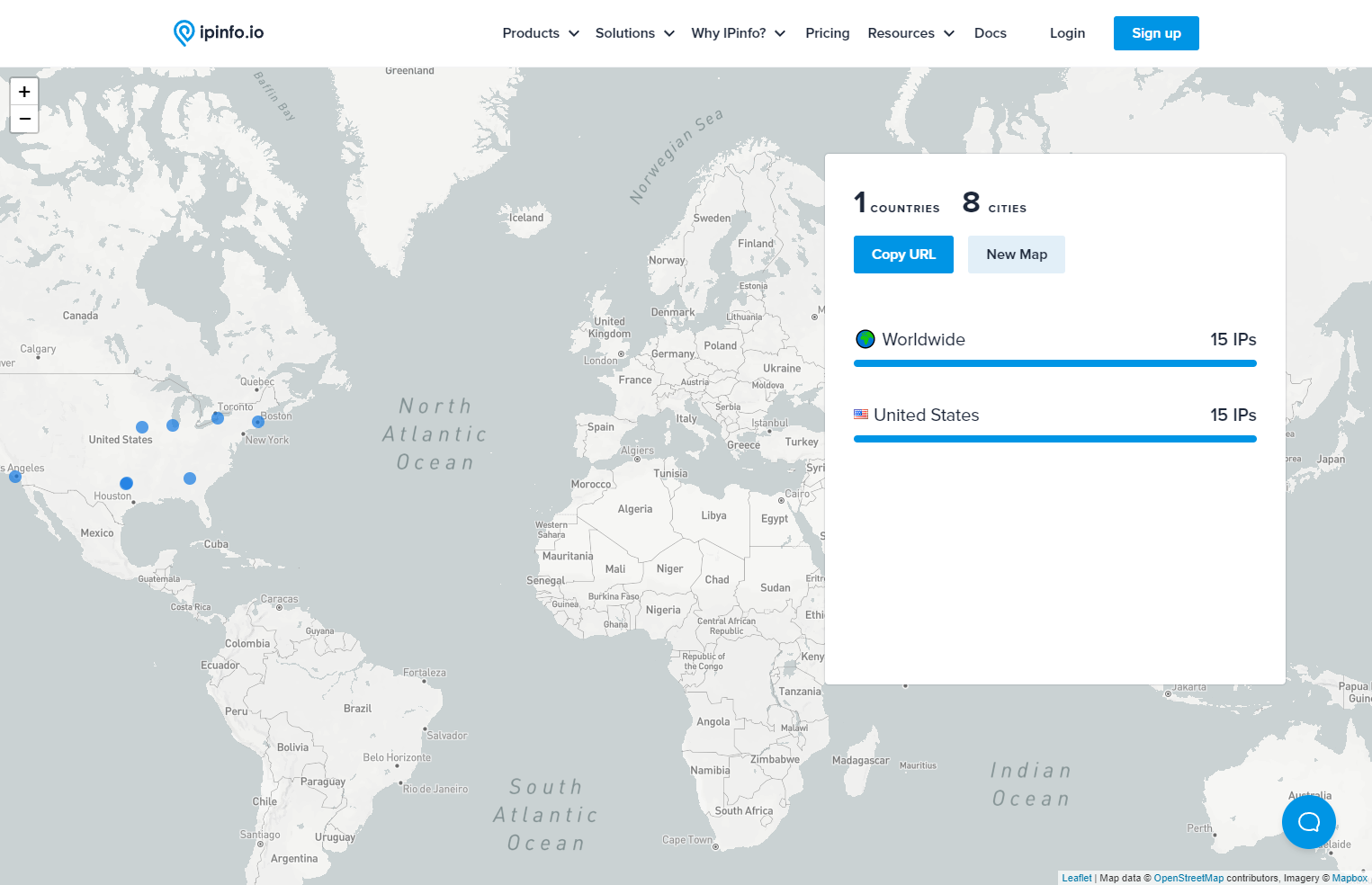
Fig 15: Map IPs w/ IPinfo.io
EVTX
Detections
Fig 16: Processing Windows Event Logs (EVTX)
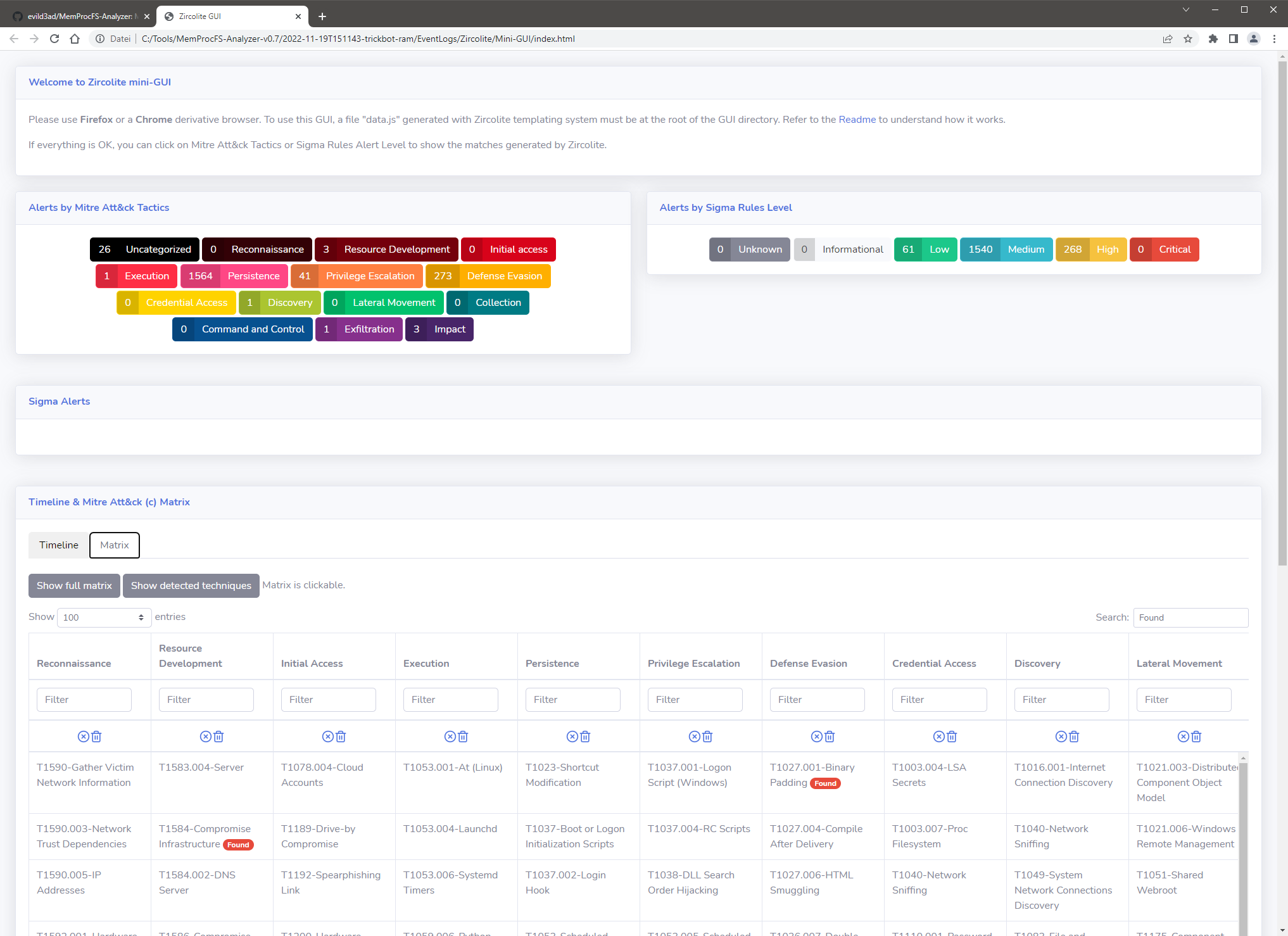
Fig 17: Zircolite - A standalone SIGMA-based detection tool for EVTX (Mini-GUI)

Fig 18: Processing extracted Amcache.hve → XLSX

Fig 19: Processing ShimCache → XLSX
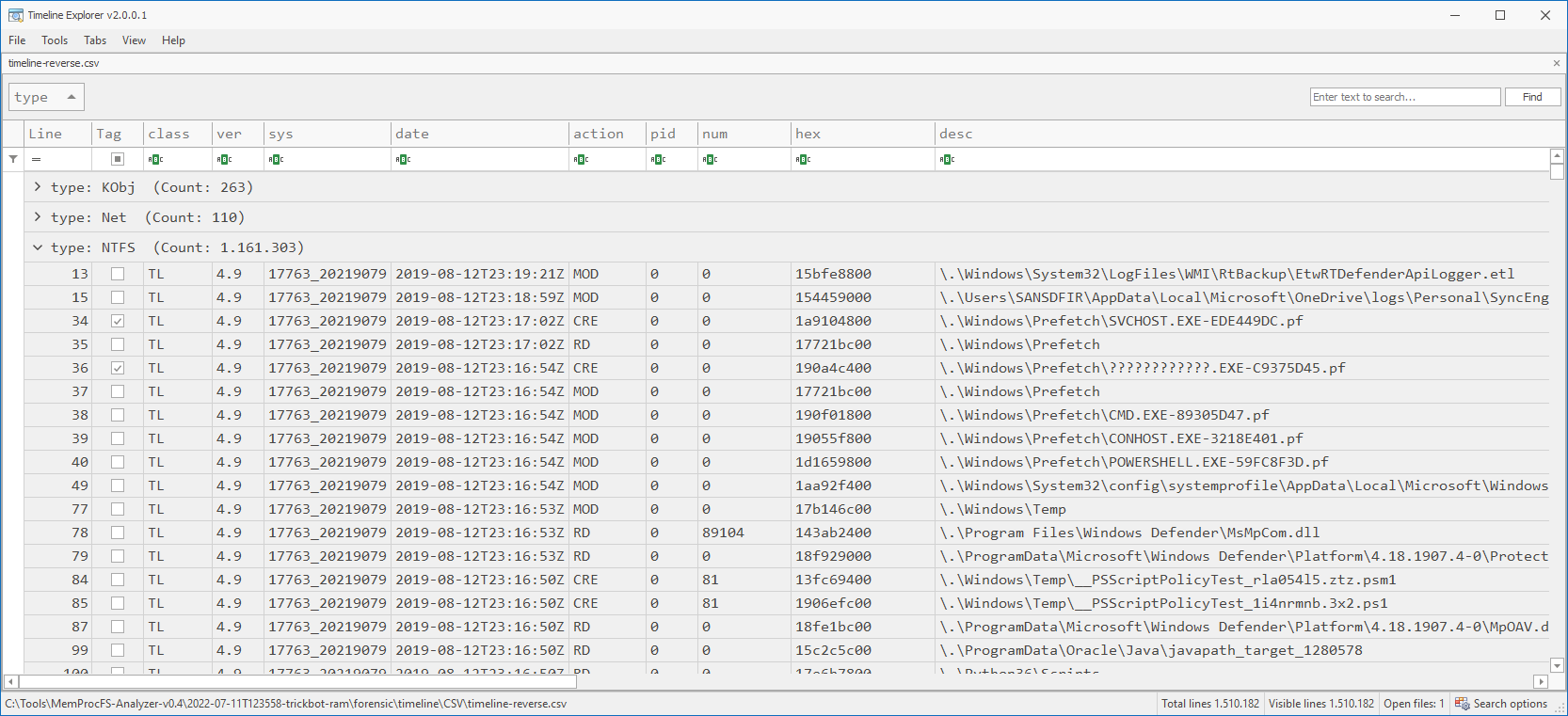
Fig 20: Analyze CSV output w/ Timeline Explorer (TLE)
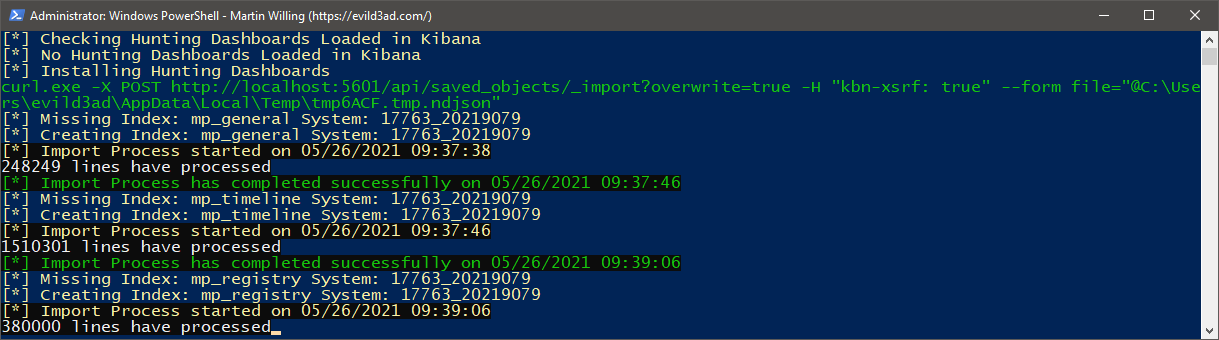
Fig 21: ELK Import
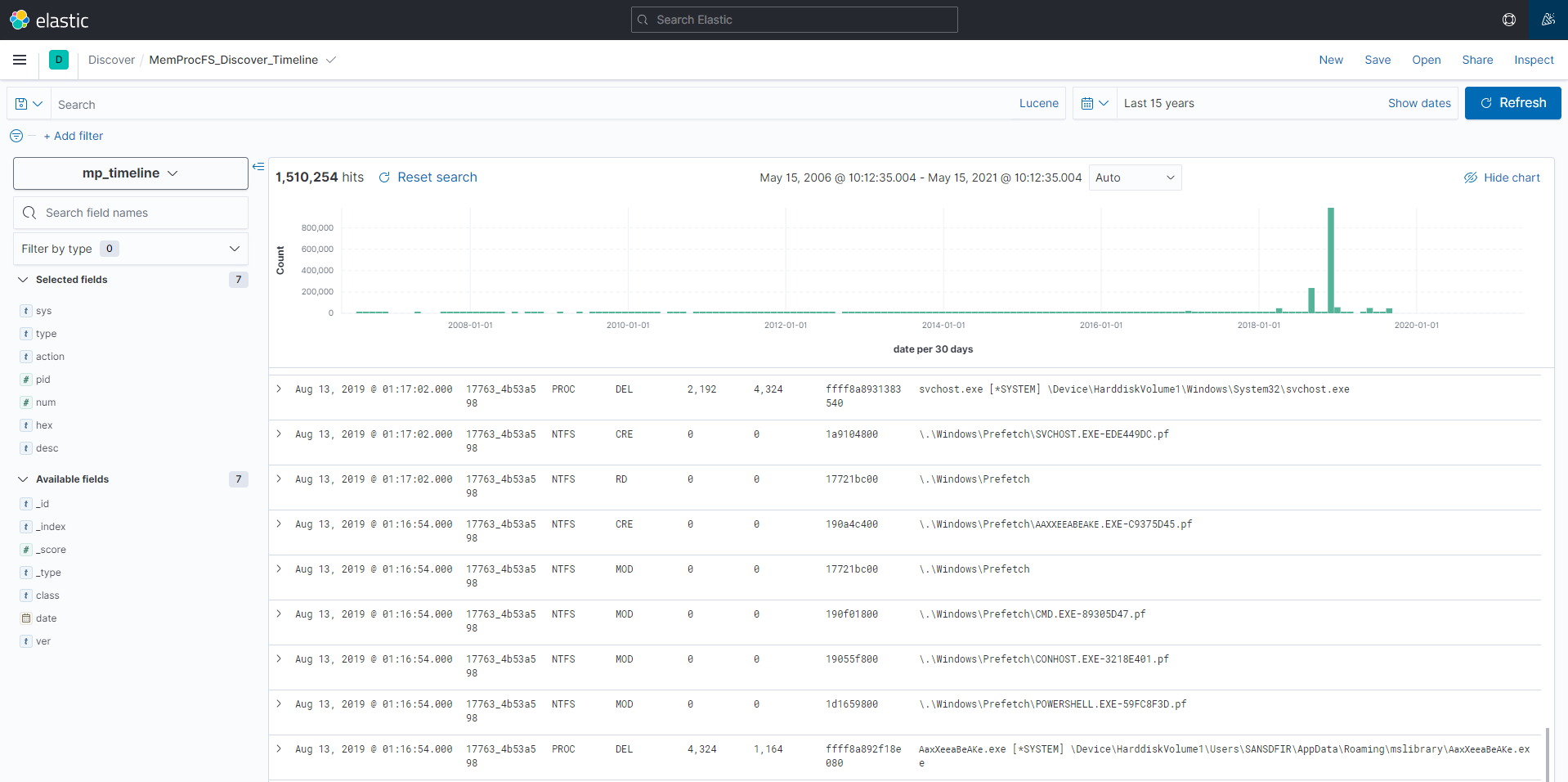
Fig 22: Happy ELK Hunting!
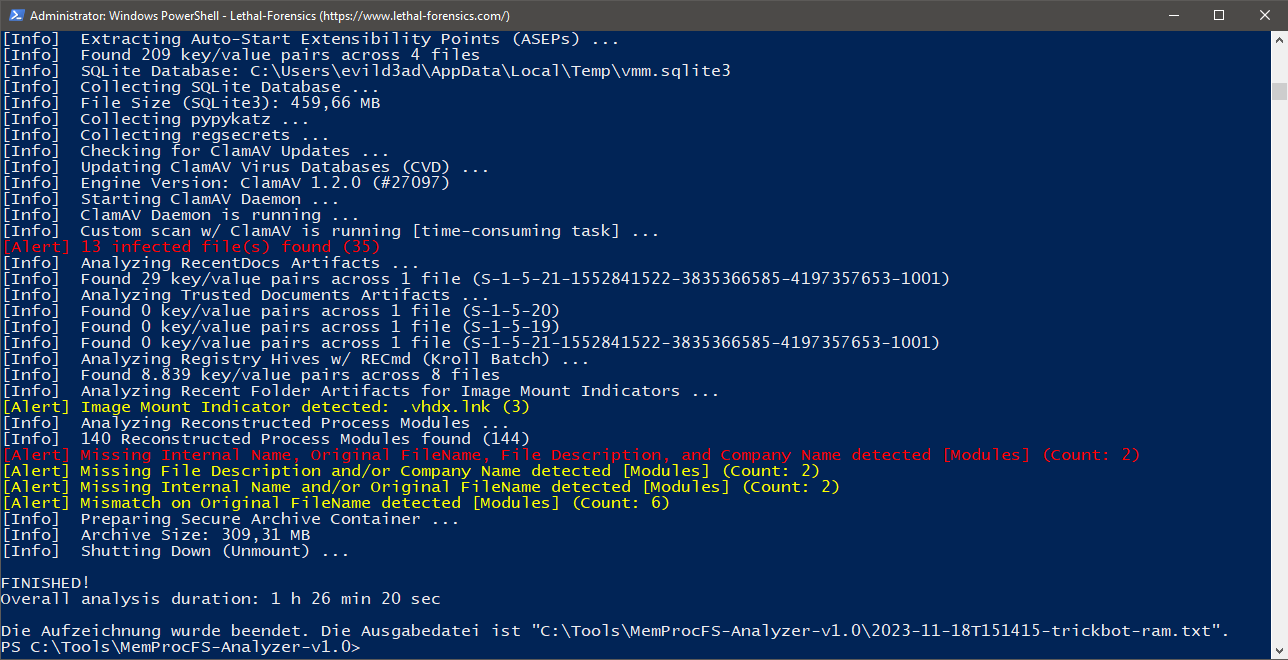
Fig 23: Multi-Threaded ClamAV Scan to help you finding evil! ;-)
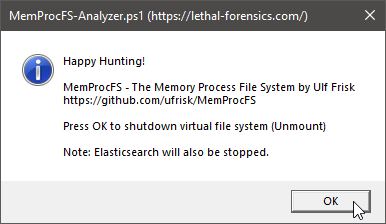
Fig 24: Press OK to shutdown MemProcFS and Elastisearch/Kibana
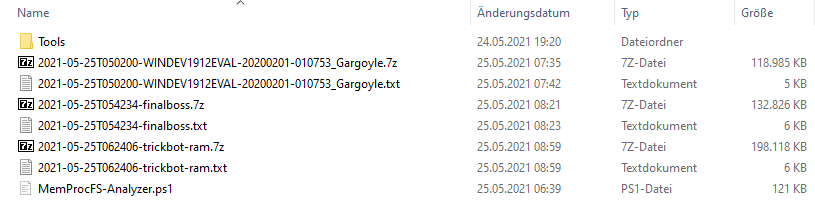
Fig 25: Secure Archive Container (PW: MemProcFS)
Check out Super Easy Memory Forensics by Hiroshi Suzuki and Hisao Nashiwa.
Download and install the latest Dokany Library Bundle → DokanSetup.exe
https://github.com/dokan-dev/dokany/releases/latest
Download and install the latest .NET 9 Desktop Runtime (Requirement for EZTools)
https://dotnet.microsoft.com/en-us/download/dotnet/9.0
Download and install the latest Windows package of ClamAV.
https://www.clamav.net/downloads#otherversions
First Time Set-Up of ClamAV
Launch Windows PowerShell console as Administrator.
cd "C:\Program Files\ClamAV"
copy .\conf_examples\freshclam.conf.sample .\freshclam.conf
copy .\conf_examples\clamd.conf.sample .\clamd.conf
write.exe .\freshclam.conf → Comment or remove the line that says "Example".
write.exe .\clamd.conf → Comment or remove the line that says "Example".
https://docs.clamav.net/manual/Usage/Configuration.html#windows
Optimize ClamAV scan speed performance (30% faster)
Open "C:\Program Files\ClamAV\clamd.conf" with your text editor and search for: "Don't scan files and directories matching regex"
ExcludePath "\\heaps\\"
Notes:
1768.py v.0.0.23 (2025-03-07)
https://blog.didierstevens.com/?s=1768.py
7-Zip 26.00 Standalone Console (2026-02-12)
https://www.7-zip.org/download.html
AmcacheParser v2026.5.0.0 (.NET 9)
https://ericzimmerman.github.io/
AppCompatCacheParser v2026.5.0.0 (.NET 9)
https://ericzimmerman.github.io/
ClamAV - Download → Windows → clamav-1.5.2.win.x64.msi (2026-03-04)
https://www.clamav.net/downloads
Dokany Library Bundle v2.3.1.1000 (2025-09-28)
https://github.com/dokan-dev/dokany/releases/latest → DokanSetup.exe
Elasticsearch 9.3.4 (2026-04-30)
https://www.elastic.co/downloads/elasticsearch
entropy v1.1 (2023-07-28)
https://github.com/merces/entropy
EvtxECmd v2026.5.0.0 (.NET 9)
https://ericzimmerman.github.io/
ImportExcel v7.8.10 (2024-10-21)
https://github.com/dfinke/ImportExcel
IPinfo CLI 3.3.2 (2026-04-28)
https://github.com/ipinfo/cli
jq v1.8.1 (2025-07-01)
https://github.com/stedolan/jq
Kibana 9.3.4 (2026-04-30)
https://www.elastic.co/downloads/kibana
lnk_parser v0.4.3 (2026-02-17)
https://github.com/AbdulRhmanAlfaifi/lnk_parser
MemProcFS v5.17.6 - The Memory Process File System (2026-04-19)
https://github.com/ufrisk/MemProcFS
RECmd v2026.5.0.0 (.NET 9)
https://ericzimmerman.github.io/
SBECmd v2026.5.0.0 (.NET 9)
https://ericzimmerman.github.io/
xsv v0.13.0 (2018-05-12)
https://github.com/BurntSushi/xsv
YARA v4.5.5 (2025-10-30)
https://virustotal.github.io/yara/
Zircolite v3.6.3 (2026-04-06)
https://github.com/wagga40/Zircolite
MemProcFS
Demo of MemProcFS with Elasticsearch
Sponsor MemProcFS Project
MemProcFS-Plugins
ExcludePath "\\handles\\"ExcludePath "\\memmap\\vad-v\\"ExcludePath "\\sys\\pool\\"Create your free IPinfo account [approx. 1-2 min]
https://ipinfo.io/signup?ref=cli
Open "MemProcFS-Analyzer.ps1" with your text editor, search for "Please insert your Access Token here" and copy/paste your access token.
Make sure to comment/uncomment (selectively enable or disable) the functions you want to play with (Elasticsearch and ELKImport are disabled by default). Check out the "Main" in the bottom of the script.
Launch the Automated Installer/Updater for MemProcFS-Analyzer
.\Updater.ps1
Install Python 3.x (and check the box "Add Python 3.x to PATH").
Install dependencies for Zircolite:
cd .\Tools\Zircolite
python -m pip install --upgrade pip
python -m pip install -r requirements.txt
Done! 😃

