Skip to content
KitploitKITPLOIT
ToolsExploitsBlog
Log in
Submit
ToolsExploitsBlog
Submit

Hacking, PenTest, and Cybersecurity Tools for Your Security Arsenal!

Kitploit is a directory of hacking, cybersecurity, and pentesting tools. Discover the latest project updates to find vulnerabilities, analyze systems, automate testing, and strengthen your security.

FeedsContactPrivacy© 2026 Kitploit

Tool Directory

Categories

View all categories
Loading categories
windbg-decompile-ext — WinDbg x64 extension that disassembles live functions and uses an LLM to produce verified pseudocode. | Kitploit
Tools/GitHubGitHub/kernullist/windbg-decompile-ext
Static AnalysisDynamic Analysis (Sandboxing)Code AnalysisReverse EngineeringDebuggersMalware AnalysisBinary AnalysisLearning & EducationAI-Assisted ReversingFirmware AnalysisBinary Exploitation
11211793 months agoReviewed by Kitploit
GitHub
kernullist/windbg-decompile-ext

windbg-decompile-ext

WinDbg x64 extension that disassembles live functions and uses an LLM to produce verified pseudocode.
View Repository

Most Popular

View all →

Discover the most used tools by our community.

Explore all tools

Browse our collection of tools

View all tools →
Share

Windbg Decompile Extension via LLM

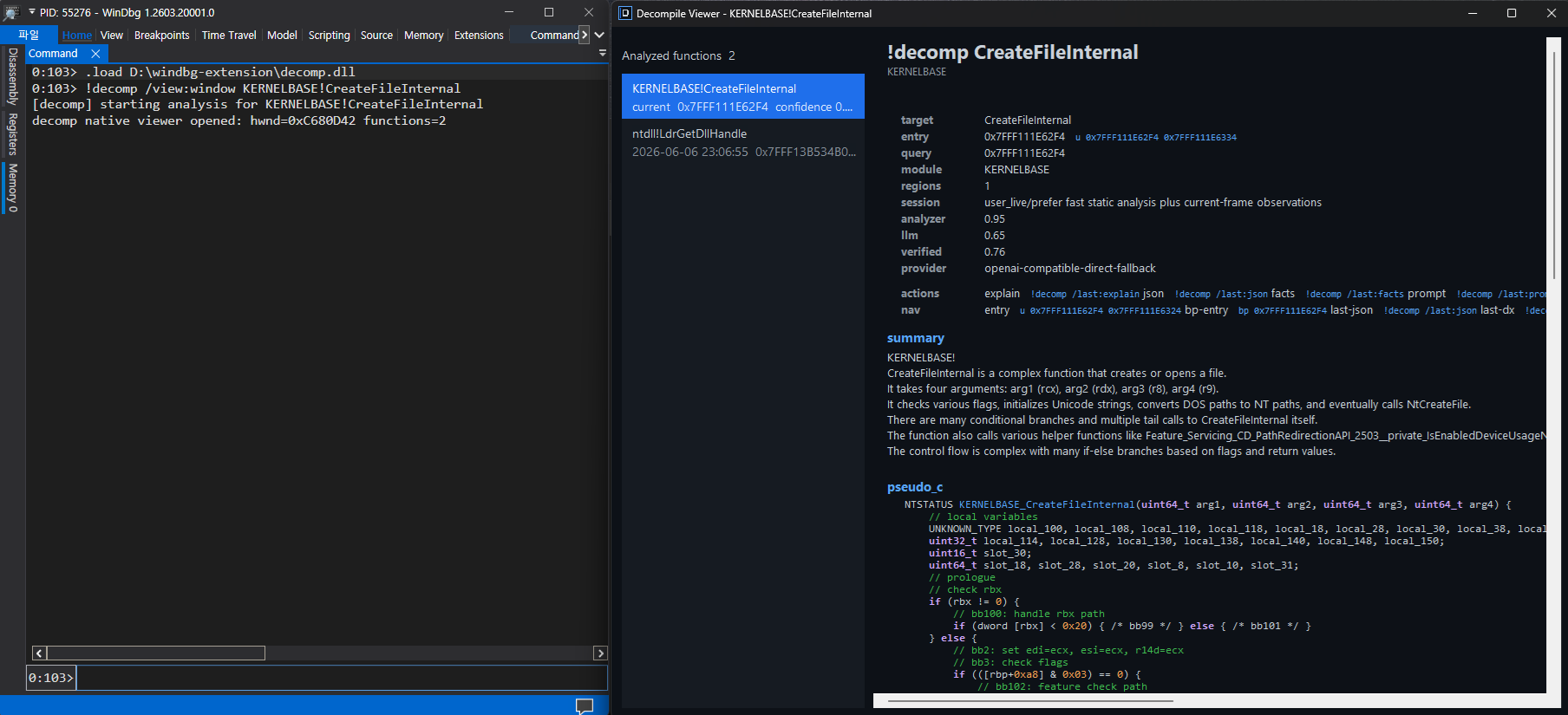
native decompile viewer

screenshot

This project is a Windows x64 WinDbg extension skeleton that resolves a function by name or address, reconstructs a deterministic control-flow view, and asks an LLM directly from the extension to produce pseudocode.

Layout

  • src/extension: WinDbg extension DLL and !decomp command.
  • src/shared: JSON, analyzer, protocol, and verifier code shared by the extension.
  • scripts: build and vendor-copy helpers.
  • third_party/dbgeng: optional vendored dbgeng.h and dbgeng.lib copy.
  • third_party/zydis: vendored stable Zydis source tree used by default when present.

Current Scope

  • x64-only assumptions
  • live-memory analysis through DbgEng
  • Zydis-backed structured disassembly for stable mnemonic/operand recovery
  • symbol-region, unwind, and heuristic function-range recovery
  • SSA-lite style recovery for incoming register arguments, stack-slot locals, merge candidates, and normalized branch conditions
  • low-level IR value facts with def-use hints, canonicalized copy/constant expressions, and dead-definition markers
  • block-level value state facts for converged live-in/live-out reaching definitions across registers and stack locals
  • dominator-backed control-flow region facts for natural loops, if/else candidates, switch candidates, loop induction metadata, and switch range/default metadata
  • x64 ABI facts for shadow/home slots, stack pointer deltas, prolog/epilog recognition, no-return calls, tail calls, thunks, import-wrapper candidates, and recovered register/stack call arguments
  • SIMD/FP-aware Microsoft x64 argument recovery for xmm0 through xmm3, with vector zero-idiom guards to avoid false incoming arguments
  • type recovery hints for pointer-like values, stack locals, field offsets, scaled-index arrays, enum-like compares, bitflag tests, and vtable candidates
  • idiom and library-pattern facts for memory/string helpers, security cookies, stack probes, allocators, aggregate initializers, and RIP-relative global/import loads
  • call-target facts for direct calls, register/memory indirect calls, virtual-call/vtable-offset candidates, return type, parameter model, side effects, memory effects, ownership hints, and confidence
  • OLLVM-style obfuscation facts for control-flow flattening dispatchers, recovered semantic edges, opaque-predicate dead edges, and scalar instruction-substitution idioms
  • deobfuscation readiness facts plus /deobf:on|off control over whether recovered obfuscation facts may guide pseudo-C rewrite
  • evidence graph facts that link high-signal analyzer, PDB, and observed behavior facts back to instruction/block grounding
  • refine-first prompting with an analyzer-generated pseudocode skeleton, graph-aware summaries for CFG regions, conditions, and important blocks, ranked high-signal fact selection, and spread sampling for large fact sets
  • WinDbg DML links for entry/basic-block/evidence/call-target navigation when the output callback supports DML
  • separated result modes for brief, evidence explanation, facts-only, debug prompt, JSON, and data-model style output
  • user correction switches for no-return, type, field, and rename hints
  • session-aware analysis policy facts for live, dump, kernel, and TTD-like sessions
  • observed behavior facts from the current debugger context, including register argument samples, memory hotspots, and TTD query suggestions when available
  • RIP-relative string/global/IAT classification and call-target signature hints for LLM prompting
  • loaded-PDB aware prototype, scoped parameter/local, field, enum, and source-line hints for LLM prompting
  • direct in-process LLM calls from the extension
  • OpenAI-compatible HTTP adapter or deterministic mock fallback
  • verifier pass over LLM output

WinDbg Usage

Load the extension from the build output, then run !decomp against a symbol or an address:

.load C:\path\to\decomp.dll
!decomp /doctor
!decomp module!FunctionName
!decomp 0x7ffb`12345678

Use /doctor when setup looks wrong or before enabling an LLM provider:

!decomp /doctor
!decomp /doctor:net
  • /doctor does not require a target and does not call the provider. It reports config path/load status, provider/model/endpoint summary, auth presence without secrets, timeout/token/chunking settings, DML support, session class/qualifier, processor type, and PDB caveats.
  • /doctor:net is accepted as an explicit network-check request, but currently reports that provider ping is skipped. The extension does not perform a network probe from doctor mode.
  • Secret values such as API keys, bearer tokens, refresh tokens, and URL query strings are not printed.

Targets can be public/private symbols, exported function names, or addresses. If the target resolves to an address inside a function, the extension tries to recover the containing function range from symbols, unwind data, and control-flow heuristics. Put quotes around targets that contain spaces:

!decomp "my module!Function With Spaces"

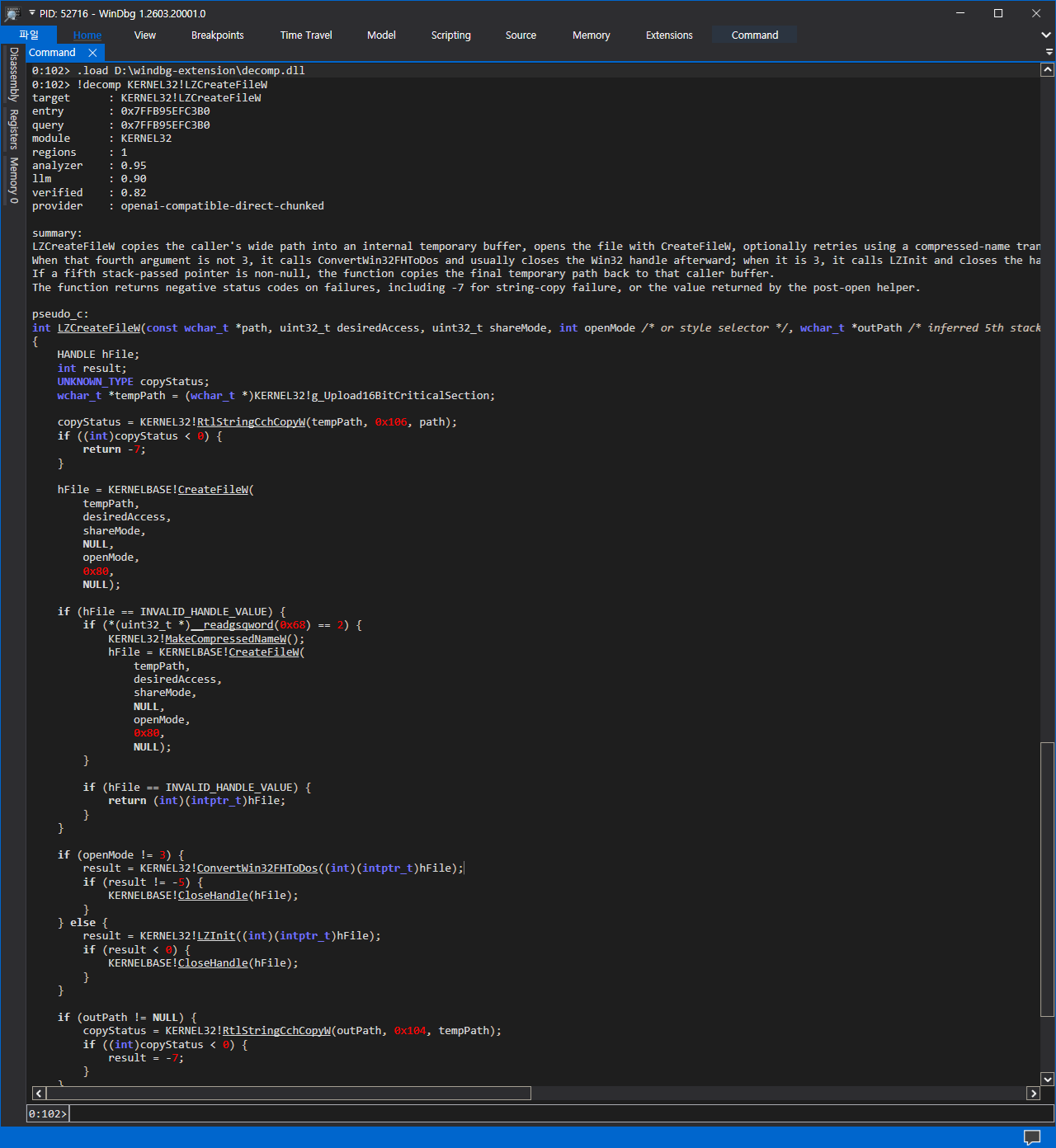
The normal command path performs local analysis, builds analyzer facts, optionally calls the configured LLM endpoint, verifies the response against recovered evidence, and prints pseudo-C plus confidence, warnings, and uncertainty notes:

!decomp ntdll!RtlAllocateHeap
!decomp kernel32!Sleep
!decomp game.exe!CheckIntegrity

Normal, brief, and explain output include a compact progress stream even without /verbose. Long LLM runs show local-analysis completion, chunk progress, retry notices, merge start, verification, and the Ctrl+Break cancellation hint. Machine-readable modes such as /view:json, /view:facts, /view:prompt, and /view:data suppress progress lines and DML helper links so scripts receive only the requested payload.

Use /view:* to choose what you want to see. This keeps the command surface small: one option controls all output modes.

!decomp /view:brief module!HotPath
!decomp /view:explain module!BranchyFunction
!decomp /view:json module!FunctionName
!decomp /view:facts module!FunctionName
!decomp /view:prompt module!FunctionName
!decomp /view:data module!FunctionName
!decomp /view:analyzer module!FunctionName
!decomp /view:plan module!FunctionName
  • brief prints target, confidence, summary, and the first uncertainty or verifier warning.
  • explain adds evidence, control-flow, type-hint, observed-behavior, and call-target sections.
  • json prints machine-readable request and response JSON.
  • facts prints only analyzer facts and disables the LLM path.
  • prompt prints the exact system prompt, user prompt, and prompt facts. It disables the LLM call.
  • data prints a stable JSON snapshot intended for WinDbg JavaScript/NatVis-style automation.
  • analyzer renders the deterministic analyzer-only pseudo-code path without calling the LLM.
  • plan performs local analysis and prints a preflight plan without calling the LLM or updating the result cache. It includes target/module/range counts, PDB availability, session policy, estimated chunking, prompt-size-relevant counts, and practical recommendations.

Use /verbose when a command appears stuck or when you want to see the full progress stream:

!decomp /verbose module!SlowFunction
!decomp /verbose /view:json module!SlowFunction
Download Tool