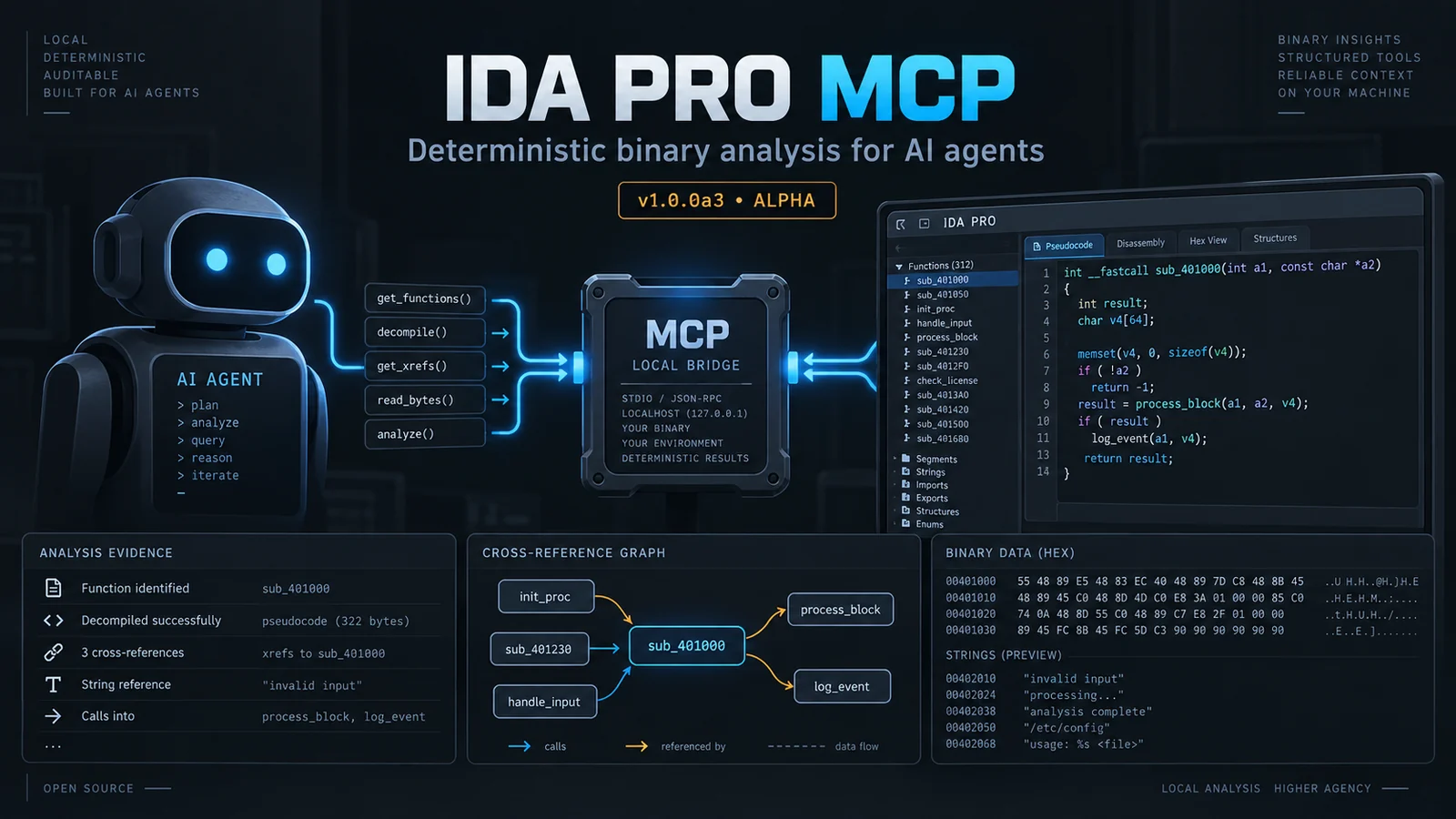

Local-first, deterministic MCP server for IDA Pro/Home: 109 strict-schema reverse-engineering operations, evidence-backed findings, and policy-gated IDB edits.
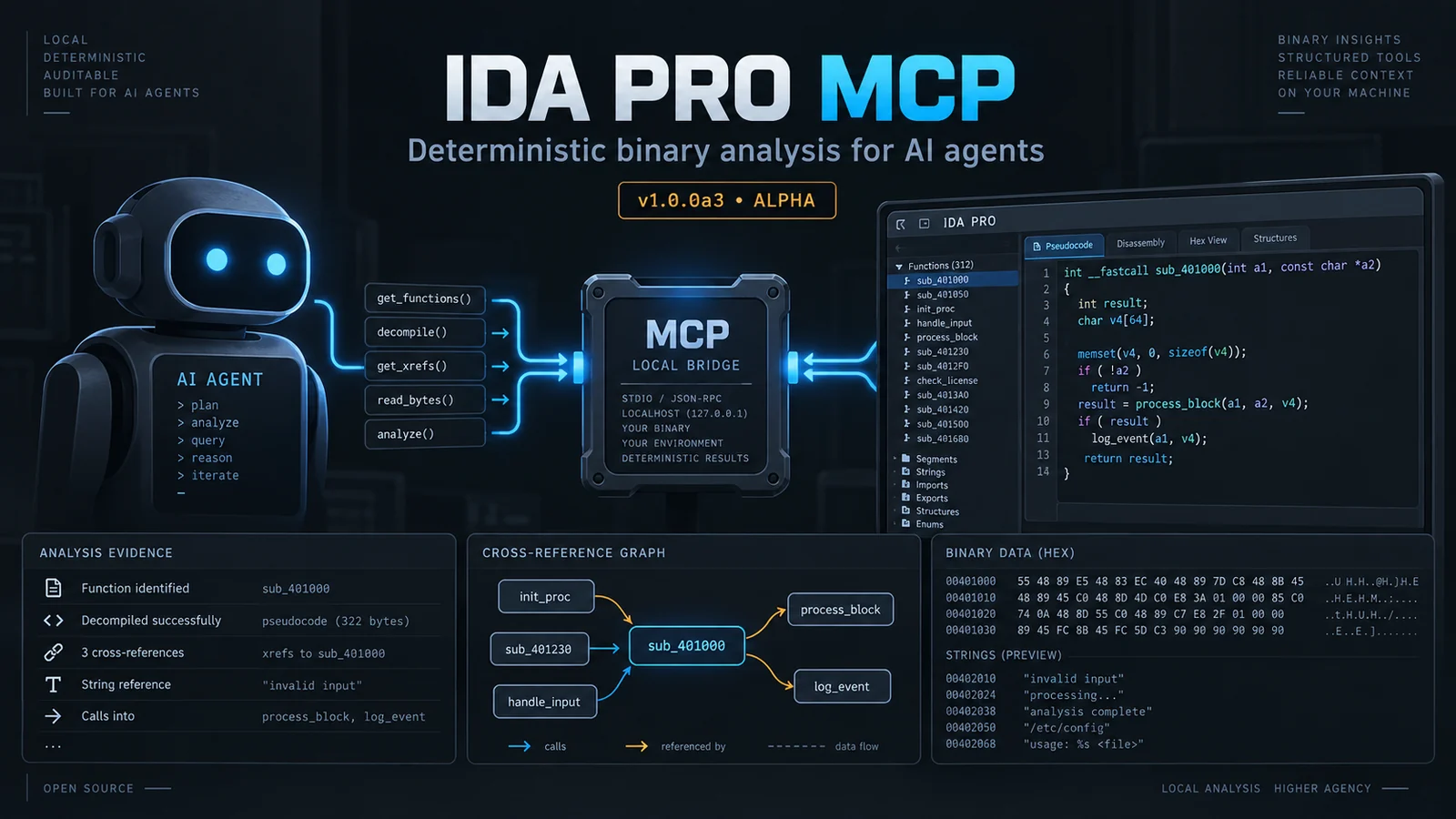
IDA Pro MCP is a local Model Context Protocol server for IDA Pro. It lets an MCP client inspect an IDB, ask IDA for deterministic analysis results, and, when explicitly allowed, write annotations or other changes back to the IDB. The host process runs outside IDA and starts a separate IDA headless process for each session by default.
ida_* operations with
live discovery through tools/list and ida_help.The current version is . This is alpha software. The public operation names, schemas, and workspace format may change before a stable 1.0.0 release. The default client surface contains 109 exact-schema operations. Use live discovery for the complete contract: enumerates every operation with its schema, and returns the exact arguments and example for one operation.
1.0.0a3ida_*tools/listida_help(topic="...")You need:
idat/idat64 executable.
The repository’s live test evidence covers IDA 9.3 and 9.4; 9.2 is the
declared compatibility floor.Normal analysis does not require a language model or an embedding model. The optional semantic-search features use a local model by default and remain disabled when no model is configured.
The default runtime is idat: one headless IDA process per session. The
idalib backend is experimental, requires an IDA 9.3-or-newer installation
with the idapro package activated, and is not needed for a first install.
The installer creates a managed environment under the install root, installs a frozen copy of the checkout into it, and writes client configuration for the supported client locations. From the repository root, run:
python3 install.py
For a known IDA installation, pass it explicitly:
python3 install.py --ida-dir /path/to/ida-pro-9.3
For a non-interactive run:
python3 install.py --yes --no-ida-prompt --ida-dir /path/to/ida-pro-9.3
The installer can also find IDA through IDADIR, IDA_DIR, the IDA
executables on PATH, and common installation directories. --ida-version
selects a version when more than one installation is present. Use
--dry-run to inspect the planned changes first.
The installer does not download an embedding model unless you select or
request one. It may create or update configuration files for every client
location in its built-in client map, including clients that are not installed
on your machine. Check install-report.json in the install root and remove
unused entries if necessary. Existing regular configuration files are backed
up before they are changed; malformed, symlinked, or non-regular files are
refused rather than overwritten.
Restart the MCP client after installation so it reloads its configuration.
Agent harnesses discover the tool surface live: tools/list enumerates every
operation with its schema, and ida_help(topic="...") returns exact arguments
and an example. No static skill files are installed.
The default install root is:
~/.local/share/ida-pro-mcp%LOCALAPPDATA%/ida-pro-mcpSet IDA_PRO_MCP_HOME or pass --install-root to choose another location.
Alpha releases are built by GitHub Actions and published manually as
prereleases. When a release is available, download the bundle.zip or
bundle.tar.gz asset and its SHA256SUMS file from the
releases page. Verify the
checksum, extract the bundle, and run the installer from its top-level
directory:
python3 install.py --yes --no-ida-prompt --ida-dir /path/to/ida-pro-9.3
The release also contains a wheel and source distribution for scripted Python installations. The bundle is the simplest route because it includes the installer and all project files needed to configure an MCP client. Releases are alpha quality; keep the original binary and IDB and read the release notes before upgrading.
The installer writes the server entry for the client configuration paths it knows. It supports Gemini CLI, Antigravity, Antigravity IDE, Antigravity CLI, Claude Code, Codex, Copilot CLI, OpenCode, Claude Desktop, Cursor, VS Code, Windsurf, Cline, and Roo Code. OpenCode and Copilot-family clients use different configuration shapes; let the installer write those files or follow the OpenCode setup guide.
For a client that uses the common JSON format, the entry is equivalent to:
{
  "mcpServers": {
    "ida-pro-mcp": {
      "command": "/path/to/ida-pro-mcp/.venv/bin/python",
      "args": ["-u", "-m", "ida_pro_mcp.host.server"],
      "env": {
        "IDA_PRO_MCP_HOME": "/path/to/ida-pro-mcp",
        "IDADIR": "/path/to/ida-pro-9.3",
        "IDA_MCP_TOOL_SURFACE": "agent"
      }
    }
  }
}
On Windows, use the managed interpreter at
<install-root>/.venv/Scripts/python.exe. The important details are the
managed interpreter, -u -m ida_pro_mcp.host.server, the selected IDA
directory, and IDA_MCP_TOOL_SURFACE=agent. Do not point the client at
install.py; that file is the installer, not the MCP server.
After changing a client configuration, fully restart the client and check that
ida_help appears in its available operations. If the client shows only a
legacy broad tool(action=...) interface, check that the environment selects
the default agent surface rather than
IDA_MCP_TOOL_SURFACE=legacy.
Use an absolute path to a test binary first. Opening a binary normally waits for IDA’s initial analysis to finish; a large binary can take time.
ida_open_binary(binary_path="/absolute/path/to/sample")
ida_session_status()
ida_overview()
ida_list_imports(limit=30)
ida_list_strings(query="http", limit=30)
ida_find(query="main", limit=20)
ida_decompile(address="<address returned by IDA>")
ida_xrefs_to(address="<same address>")
Use ida_help(topic="ida_decompile") whenever you need the exact argument
schema. Public operation schemas are strict: unknown arguments are rejected.
Addresses may be accepted as integers or strings according to the individual
operation contract; use the form shown by ida_help for the operation in
your client.
For a small investigation record, the workspace findings operations are:
ida_write_finding(title="Input reaches parser", address="<address returned by IDA>", kind="finding", status="confirmed", confidence=0.8, evidence=[{"type":"call", "value":"recv", "address":"<evidence address>"}])
ida_analysis_brief()
ida_next_target()
ida_export_findings(format="markdown")
Workspace findings are kept separately from IDB edits. If the active policy
permits the workspace write, ida_write_finding records a finding locally;
otherwise the server returns a policy error. ida_publish_findings(dry_run=true)
previews IDB changes. Publishing, renaming, patching, and other IDB mutations
are policy-gated and require the operation’s documented acknowledgement where
the operation exposes one.
The front page stays task-oriented, but this compact index keeps the public
surface easy to scan. Each name below is prefixed with ida_ when called. The
complete schemas and examples are available live via tools/list and
ida_help(topic="...").
| Group | Operations |
|---|---|
| Session | open_binary, open_background, session_state, session_status, session_health, close_session, session_get, session_list, sso_activate, agent_login, agent_logout, session_switch |
| Discovery | overview, find, semantic_search, reranker_status, function_families, index_functions, index_status, cancel_index, list_functions, list_strings, list_imports, list_types, list_segments, list_sigs, sreg_get, sreg_list, auto_wait, events, registers, search_data_value, search_query_lang, r2_status, r2_bininfo, r2_load_hints, r2_disassemble_hypothesis, r2_vxrefs, fw_detect_vector_table, fw_detect_load_base, fw_detect_mmio, fw_rtos_scan, fw_carve |
| Code | decompile, disassemble, compare_functions, diff_sessions, xrefs_to, callers, callees, read_bytes, get_type, callgraph, emulate |
| Findings |
The server’s baseline policy is assist. A session may tighten the operator’s
baseline policy but cannot relax it. The policy is deterministic; it does not
decide that a risky operation is safe because a client asks for it.
Read-only inspection is the normal starting point. Examples include
ida_overview, ida_find, ida_list_functions, ida_list_strings,
ida_list_imports, ida_decompile, ida_disassemble, ida_xrefs_to,
ida_callers, ida_callees, ida_callgraph, ida_read_bytes, and the
calculation operations. These still consume local files and IDA resources,
and the MCP client receives their results.
The following actions change durable state or execute code and should be treated as high impact:
ida_rename, ida_comment, ida_patch_bytes, function/type/segment/data
changes, signature application, ida_save_idb, snapshots, and undo/restore
operations can change the IDB or related state.ida_publish_findings writes findings into the IDB. Run its dry-run form
first; the non-dry-run form is gated.ida_close_session tears down the live IDA runtime and is destructive from
the session’s point of view.ida_python executes arbitrary Python in the active IDA process. It is
blocked in safe mode and requires an explicit risk acknowledgement under
the normal policy.ida_emulate is useful for controlled checks, but mutating emulator actions
require the corresponding acknowledgement.ida_til_export and ida_til_import access the filesystem and are gated.
Filesystem paths are constrained by the configured memory root where that
guard applies.Do not use --disable-policy as a convenience flag. It sets
IDA_MCP_POLICY_MODE=off and disables all policy gates, including write
acknowledgements and other workflow controls. If a call is denied, read the
operation’s ida_help entry and supply the exact acknowledged argument only
when that operation’s schema supports it.
While IDA is still performing initial analysis, safe mode blocks some
full-binary analysis, indexing, and script operations. It is intended to keep
early-session calls narrow; poll ida_session_status or
ida_session_health rather than bypassing the guard.
The bridge listens on loopback and uses a per-session token. It is not a network service: do not expose or forward the bridge port to an untrusted network. Treat imported scripts, traces, binaries, corpus data, and client requests as untrusted input.
The normal host-to-IDA path is local. The project does not run a built-in LLM service in the analysis path, and local embedding is opt-in. That does not make the whole workflow automatically offline:
llama-server downloads,
optional threat-corpus downloads, and external Rizin/radare2 integrations
can make network requests when enabled.For a local-only setup, use the default local runtime, leave Gemini and other optional downloads disabled, and configure the MCP client and its model according to your organization’s data policy. “Local-only” still requires checking what the client sends to its own model provider.
Pass the installation directory explicitly:
python3 install.py --ida-dir /path/to/ida-pro-9.3
You can also set IDADIR or IDA_DIR. If several installations are found,
use --ida-version 9.3 or --no-ida-prompt to control selection. Confirm
that the selected directory contains a runnable idat or idat64.
Restart the client and inspect its configuration entry. Confirm that its
command uses the managed venv Python and -u -m ida_pro_mcp.host.server, and
that the env block contains the correct IDADIR. Review
install-report.json; the installer records client update failures and keeps
backups next to modified files. OpenCode and Copilot-family configuration
shapes differ from the common JSON example.
The normal ida_open_binary call waits for initial analysis. Check
ida_session_status and ida_session_health, allow more time for a large
binary, and check the per-session logs under the install/data directory. The
background-open operation is available, but it is intended for cases where
you understand its asynchronous behavior and safe-mode restrictions.
This is usually the policy working as configured. Use ida_help to inspect the
operation’s exact schema and its acknowledgement requirement. Do not add
arbitrary arguments: schemas are strict. Review IDA_MCP_POLICY_MODE and the
operator policy file before changing policy. Disabling all policy gates is a
separate, deliberately unsafe choice.
Semantic search is optional and requires an index and a compatible embedding backend. Ordinary listing, search, decompilation, and cross-reference work do not require it. To set up the optional local path, use the installer’s explicit embedder options, for example:
python3 install.py --setup-embedder
The installer can also run --embedder-doctor, use an explicit model path, or
download a selected model and llama-server when requested. Model licenses,
disk use, and network downloads are your responsibility. If the model is
missing, the server should report semantic search as unavailable rather than
pretending that it ran.
Fix the reported JSON, JSONC, or TOML syntax and rerun the installer. It also refuses symlinked and non-regular configuration paths to avoid overwriting an unexpected target. Existing regular files are backed up; the installer’s default rollback behavior can restore those backups if a later phase fails.
Check ida_session_health, the session log, and the bridge log. Confirm that
the client is using the same install root and IDADIR that the installer
recorded. The default idat backend gives each session its own process; do not
switch to experimental idalib while diagnosing a basic installation.
tools/list and
ida_help expose every public operation, schema, and example.For exact operation names, use the generated reference or ask the running
server with ida_help. The older tool(action=...) backend remains available
for compatibility and is selected with IDA_MCP_TOOL_SURFACE=legacy; new
integrations should use the exact-schema ida_* surface.
write_finding, mark_examined, list_findings, search_findings, update_finding, export_findings, publish_findings, import_annotations, analysis_brief, next_target |
| Edit | create_function, change_function, rename, comment, patch_bytes, save_idb, make_code, undefine, rename_local, declare_type, apply_type, add_segment, set_segment_attrs, apply_sig, sreg_set, create_data, create_strlit, undo_begin, undo_end, add_entry, idb_snapshot, idb_restore_snapshot, struct_member_add, struct_member_del, struct_member_rename, struct_member_set_type, enum_member_add, enum_member_rename, enum_member_revalue, til_delete, til_export, til_import, mark_dangerous |
| Calculation | calc_eval, calc_offset, calc_convert, calc_resolve, calc_deref, calc_chain, calc_align, calc_bitops |
| Support | python, continue, help |
| Workflow | batch |

