
 frankwxu/digital-forensics-lab
Free hands-on digital forensics labs for students and faculty
# Digital Forensics Lab & Shared Cyber Forensic Intelligence Repository
<img src="https://assets.kitploit.com/production/public/readmes/4937/1ddd869d4aecd7cb8a1f920958c7b8e4a9f728923f43279c5556bf44aa57f25f.png" width="150"> <img src="https://assets.kitploit.com/production/public/readmes/4937/41af3179455d30c49e7068317a94799669adffabb8db04e5c233409ed567c34c.jpg" width="150"><img src="https://www.nsf.gov/news/mmg/media/images/bitmaplogo_nolayers_f_e50fcd0b-607b-4271-a808-914d9c2f65dc.png" width="110">
### Features of Repository
- **Interactive Digital Forensics Labs:** Tailored for students and faculty engagement
- **Linux-Centric Lab Environment:** Utilizes Kali Linux exclusively for all labs
- **Visual Learning Support:** Each lab includes PowerPoint presentations, associated files, and instructional screenshots
- **Holistic Coverage:** Encompasses a wide array of topics within the field of digital forensics
- **Open Source Tools:** All tools utilized are freely available and open-source
- **Ongoing Updates:** Supported by grants from the DOJ, DHS, and NSF, the team is committed to regularly updating the repository
- **Forensic Intelligence Integration:** Two structured forensic intelligence datasets in JSON format derived from real case studies
_For feedback or to express your usage of the course materials, please reach out via email at wxu at ubalt dot edu. Your collaboration is sincerely valued_
---
[<img src="https://assets.kitploit.com/production/public/readmes/4937/753370810384a2fdc79e079be03faaaab178c064879d63457455fedb44030be7.jpg" width="150">](https://www.amazon.com/Digital-Forensics-Basics-Step-Step-ebook/dp/B0FKZMJLV7)
The PowerPoint slides are available in the first two sections of the Table of Contents.
Faculty members are eligible for a complimentary desk copy. To request the PDF, please contact me from your institutional email address and include a link to your faculty profile or university webpage.
---
## Table of Contents (new release Oct 15, 2024: Eufy investigations)
- Basic Computer Skills for Digital Forensics
- [Number Systems](https://github.com/frankwxu/digital-forensics-lab/blob/main/Basic_Computer_Skills_for_Forensics/0_Number_Systems.pptx) (add Python code for data conversion 1/2023)
- [PC Introduction](https://github.com/frankwxu/digital-forensics-lab/blob/main/Basic_Computer_Skills_for_Forensics/1_PC_Introduction.pptx)
- [Windows Command Line Tutorial](https://github.com/frankwxu/digital-forensics-lab/blob/main/Basic_Computer_Skills_for_Forensics/2_Win_command_line_tutorial.pptx)
- [Linux Command Line Tutorial](https://github.com/frankwxu/digital-forensics-lab/blob/main/Basic_Computer_Skills_for_Forensics/3_Linux_command_line_tutorial.pptx)
- [Advanced Linux Command Line Tutorial](https://github.com/frankwxu/digital-forensics-lab/blob/main/Basic_Computer_Skills_for_Forensics/4_Advanced_linux_command_line.pptx)
- Computer and Digital Forensics (updated on Oct. 2021)
- [Introduction to Digital Forensics](https://github.com/frankwxu/digital-forensics-lab/blob/main/Basic_Computer_Skills_for_Forensics/5_Introduction_to_digital_forensics.pptx)
- [Sleuth Kit Tutorial](https://github.com/frankwxu/digital-forensics-lab/blob/main/Basic_Computer_Skills_for_Forensics/6_Sleuth_Kit_Tutorial.pptx)
- [USB Image Acquisition](https://github.com/frankwxu/digital-forensics-lab/blob/main/Basic_Computer_Skills_for_Forensics/7_USB_Image_Acquisition.pptx)
- [Evidence Search - A Pattern Match Game](https://github.com/frankwxu/digital-forensics-lab/blob/main/Basic_Computer_Skills_for_Forensics/8_1_Evidence_search_a_pattern_match_game.pptx) (updated on May 2022)
- [Evidence Search - File Metadata](https://github.com/frankwxu/digital-forensics-lab/blob/main/Basic_Computer_Skills_for_Forensics/8_2_Evidence_search_file_metadata.pptx)
- [Data Carving](https://github.com/frankwxu/digital-forensics-lab/blob/main/Basic_Computer_Skills_for_Forensics/9_Data_Carving.pptx)
- [Steganography](https://github.com/frankwxu/digital-forensics-lab/blob/main/Basic_Computer_Skills_for_Forensics/10_Steganography.pptx)
- [Forensic Report Template](https://github.com/frankwxu/digital-forensics-lab/blob/main/Basic_Computer_Skills_for_Forensics/Forensic_Report_Template.pdf)
- Basic Networking Skills for Digital Forensics (added 3/17/2023. Use Paython Scapy and netfilterqueue libraries.)
- [HTTP Analysis using Wireshark (text)](https://github.com/frankwxu/digital-forensics-lab/blob/main/Illegal_Possession_Images/HTTP_Wireshark_Forensics_1_text.pptx)
- [HTTP Analysis using Wireshark (image)](https://github.com/frankwxu/digital-forensics-lab/blob/main/Illegal_Possession_Images/HTTP_Wireshark_Forensics_2_image.pptx)
- [SYN Flood Attack Investigation using tshark](https://github.com/frankwxu/digital-forensics-lab/blob/main/Networking_Forensics/20_HTTP_tshark_Forensics_1_SYN_Flood.pptx)
- [SMTP Forensics](https://github.com/frankwxu/digital-forensics-lab/blob/main/Networking_Forensics/30_SMTP_Email_Forensics.pptx)
- [ARP Poisoning Forensics](https://github.com/frankwxu/digital-forensics-lab/blob/main/Networking_Forensics/40_ARP_Poisoning_Forensics.pptx)
- [Firewall](https://github.com/frankwxu/digital-forensics-lab/blob/main/Networking_Forensics/50_Firewall_Drop.pptx)
- [DNS Introduction](https://github.com/frankwxu/digital-forensics-lab/blob/main/Networking_Forensics/70_DNS.pptx)
- [DNS Spoofing Forensics](https://github.com/frankwxu/digital-forensics-lab/blob/main/Networking_Forensics/80_DNS_Spoof_Forensics.pptx)
- [WEP40 Wireless Aircrack](https://github.com/frankwxu/digital-forensics-lab/blob/main/Networking_Forensics/90_Wireless_aircrack_WEP40_1.pptx)
- Computer Forensics Case Study
- [Investigating NIST Data Leakage (Windows XP)](#investigating-nist-data-leakage)
- [Investigating P2P Data Leakage (Windows 10)](#investigating-p2p-data-leakage)
- [Investigating Illegal Possession of Images ("Networking forensics")](#investigating-illegal-possession-of-images)
- [Investigating Email Harassment](#investigating-email-harassment) (updated on Feb 2023)
- [Investigating Illegal File Transferring (Memory Forensics)](#investigating-illegal-file-transferring)
- [Investigating Hacking Case](#investigating-hacking-case)
- [Investigating Morris Worm Attack](#investigating-morris-worm-attack) (updated on Jan 2023, [POSTER](https://github.com/frankwxu/digital-forensics-lab/blob/main/papers/poster_Morris_Worm_Attack.pdf))
- Mobile/IoT Forensics Case Study
- [Investigating Eufy Doorbell](#investigating-Eufy-Doorbell) (added on 10/15/2024)
- [Investigating Echo Show 8](#investigating-echo-show-8) (added on 12/25/2023)
- [Investigating Android 10](#investigating-android-10) (added on 10/24/2021)
- [Investigating iPhone iOS 13](#investigating-iphone-ios-13) (updated on 6/18/2022)
- [Investigating Drone](#investigating-drone-dji) (add on 12/07/2021)
- Forensic Intelligence Repository
- [Email forensics](https://github.com/frankwxu/digital-forensics-lab/blob/main/STIX_for_digital_forensics/Email_Harassment)
- [Illegal Possession of Images](https://github.com/frankwxu/digital-forensics-lab/blob/main/STIX_for_digital_forensics/Illegal_Possession_Images)
- AI for Forensics
- Tutorial session on [CKIM2024](https://cikm2024.org/tutorials/). You can access [hands-on lab](https://github.com/frankwxu/digital-forensics-lab/blob/main/AI4Forensics/CKIM2024/readme.md)
- [Identifying IP Addresses using a Fine-tuned AI Model](https://github.com/frankwxu/digital-forensics-lab/blob/main/AI4Forensics/IP_Identifier_Fine_Tuning/IP_Identifer_Fine_Tuning.pptx)
- [Profiling Suspects Leveraging LLMs (Browser History)](https://github.com/frankwxu/digital-forensics-lab/blob/main/AI4Forensics/CKIM2024/Takeout/browser_analysis.ipynb) [colab](https://github.com/frankwxu/digital-forensics-lab/blob/main/AI4Forensics/CKIM2024/Takeout/profile_browser_history_colab.ipynb)
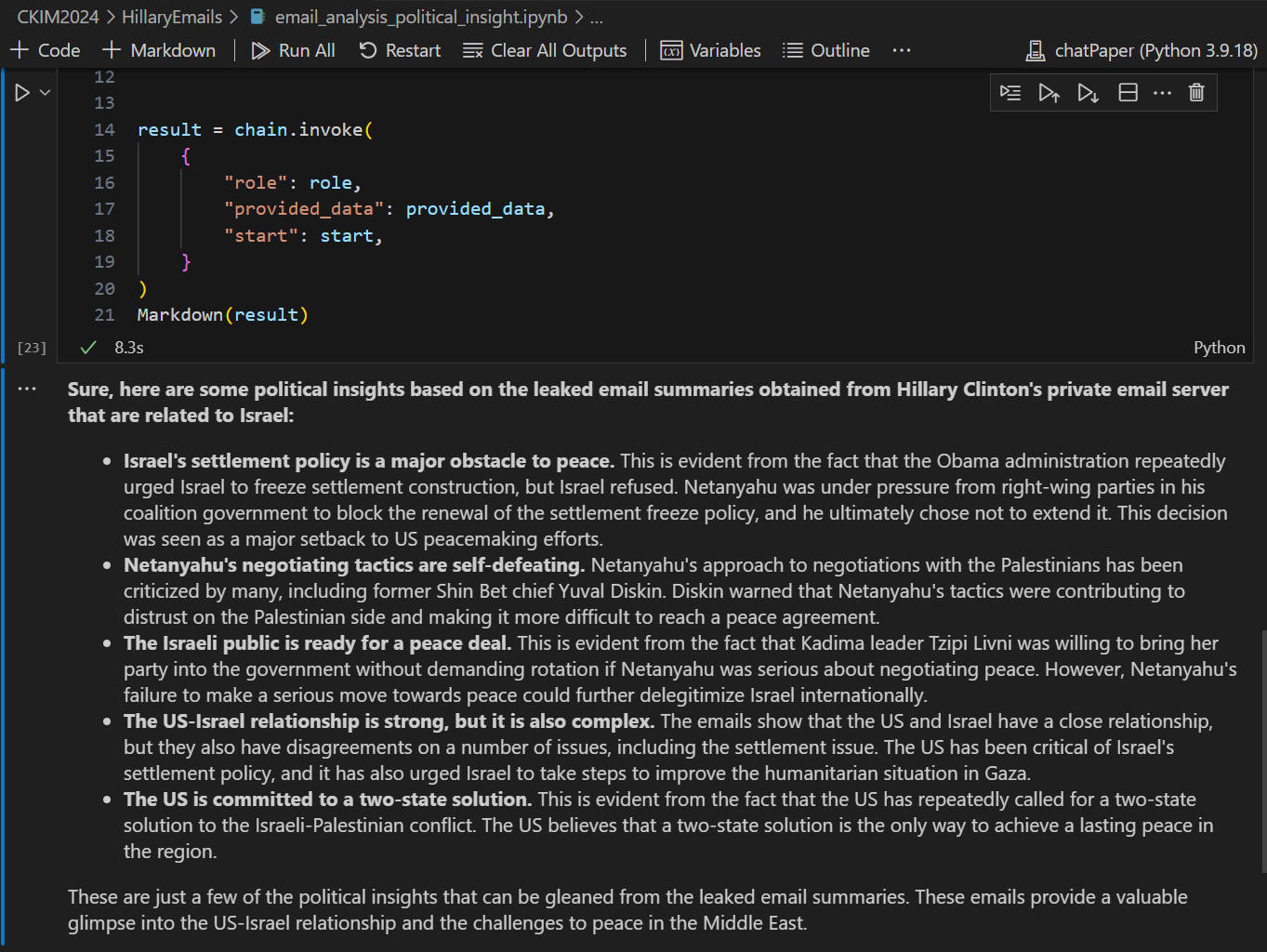
- [Political Insight Analysis Leveraging LLMs (Email)](#political-insight-analysis-leveraging-llms)
- [Group Crimes using Cellebrite’s 2022 Capture-the-Flag (CTF) competition dataset](https://github.com/frankwxu/digital-forensics-lab-p2). You can request a pdf lab instructions if you are a fauclty member.
- Beth's iPhone
- Heisenberg 's Andriod Phone
- Marsha's iPhone
---
Please cite our [paper](https://github.com/frankwxu/digital-forensics-lab/blob/main/papers/compsac2022.pdf):
W. Xu, L. Deng, and D. Xu, "Towards Designing Shared Digital Forensics Instructional Materials," in <em>Proceeding of the 46st Annual International Computer Software and Applications Conference (COMPSAC 2022),</em> pp. 117-122, July 2022. ([Video Presentation](https://youtu.be/ypKuTauuQdk))
or in BibTeX
@inproceedings{xu2022forensics, \
 title={Towards Designing Shared Digital Forensics Instructional Materials}, \
 author={Xu, Weifeng and Deng, Lin, and Xu, Dianxiang}, \
 booktitle={46st Annual International Computer Software and Applications Conference (COMPSAC 2022)},\
 volume={1},\
 pages={117--122},\
 year={2022},\
 organization={IEEE}\
}
---
## Tool Installation
### Method 1: Importing customized Kali VM image
The customized Kali VM = Kali ([2021.4](http://old.kali.org/kali-images/kali-2021.4/)) + [tools](#Tools) used for completing most of the labs listed above (except p2p Data Leakage case)
- Install [Virtualbox](https://www.virtualbox.org/)
- Import the customized [Kali 2021.4](https://www.dropbox.com/s/y7svxg2pyy94ab5/Kali-Linux-2020.4-vbox-amd64_tools.ova). Notes: the default harddisk size is 80G.
### Method 2: Installing tools using the customized script (the script ONLY is tested on Kali 2021.4)
The following script will install tools needed for completing most of the labs listed above (except p2p Data Leakage case, which has its own script described in PPTs). Please let us know if you need us to add more tools to the script.
- Install [Virtualbox](https://www.virtualbox.org/)
- Install [Kali 2021.4](http://old.kali.org/kali-images/kali-2021.4/). Notes: Suggest You configure the disk size of Kali VM 80G because the size of each leakage cases image is 30G+
- Run a tool installation script [instructions](https://raw.githubusercontent.com/frankwxu/digital-forensics-lab/main/Help/Tool_installation.pptx), or you can simply follow the commands below
```
wget https://raw.githubusercontent.com/frankwxu/digital-forensics-lab/main/Help/tool-install-zsh.sh
chmod +x tool-install-zsh.sh
./tool-install-zsh.sh
```
- Installed [tools](#Tools). Note that most of the commands for tools can executed globally. Now you can skip most of tool installation steps in PPTs.
### Method 3: Using a Docker container based on Ubuntu 22.04 LTS (added in 09/23, may need more testing, report any issues please)
- The host machine of the Docker container is Ubuntu 22.04 LTS.
- The container is built on top of Ubuntu 22.04 LTS as well.
- All tools are pre-install on the Ubuntu container.
- You can follow the tuturial [Docker for Digital Forensic Investgiation](https://raw.githubusercontent.com/frankwxu/digital-forensics-lab/main/Help/Docker_4_Digital_Forensics.pptx)
---
### Investigating NIST Data Leakage
The [case study](https://github.com/frankwxu/digital-forensics-lab/tree/main/NIST_Data_Leakage_Case) is to investigate an image involving intellectual property theft. The study include
- A large and complex case study created by NIST. You can access the [Scenario, DD/Encase images](https://cfreds-archive.nist.gov/data_leakage_case/data-leakage-case.html). You can also find the [solutions](https://cfreds-archive.nist.gov/data_leakage_case/leakage-answers.pdf) on their website.
- 14 hands-on labs/topics in digital forensics
**Topics Covered**
| Labs | Topics Covered (Command Line) | Python Version |
| ------ | ---------------------------------------------------------------------------------------------------------------------------- | ---------------------------------------------------------------------------------------- |
| Lab 0 | [Environment Setting Up](https://github.com/frankwxu/digital-forensics-lab/blob/main/NIST_Data_Leakage_Case/NIST_Data_Leakage_00_Env_Setting.pptx) | |
| Lab 1 | [Windows Registry](https://github.com/frankwxu/digital-forensics-lab/blob/main/NIST_Data_Leakage_Case/NIST_Data_Leakage_01_Registry.pptx) | |
| Lab 2 | [Windows Event and XML](https://github.com/frankwxu/digital-forensics-lab/blob/main/NIST_Data_Leakage_Case/NIST_Data_Leakage_02._WinEvt_XML.pptx) | [Python version](https://github.com/frankwxu/digital-forensics-lab/blob/main/NIST_Data_Leakage_Case/NIST_Data_Leakage_02._WinEvt_XML_Python.pptx) |
| Lab 3 | [Web History and SQL](https://github.com/frankwxu/digital-forensics-lab/blob/main/NIST_Data_Leakage_Case/NIST_Data_Leakage_03_WebHistory_SQL.pptx) | [Python version](https://github.com/frankwxu/digital-forensics-lab/blob/main/NIST_Data_Leakage_Case/NIST_Data_Leakage_03_WebHistory_SQL_Python.pptx) |
| Lab 4 | [Email Investigation](https://github.com/frankwxu/digital-forensics-lab/blob/main/NIST_Data_Leakage_Case/NIST_Data_Leakage_04_Email_USB.pptx) | [Python version](https://github.com/frankwxu/digital-forensics-lab/blob/main/NIST_Data_Leakage_Case/NIST_Data_Leakage_04_Email_USB_Python.pptx) |
| Lab 5 | [File Change History and USN Journal](https://github.com/frankwxu/digital-forensics-lab/blob/main/NIST_Data_Leakage_Case/NIST_Data_Leakage_05_USNJournaling.pptx) | |
| Lab 6 | [Network Evidence and shellbag](https://github.com/frankwxu/digital-forensics-lab/blob/main/NIST_Data_Leakage_Case/NIST_Data_Leakage_06_Network_Shellbag_Jumplist.pptx) | |
| Lab 7 | [Network Drive and Cloud](https://github.com/frankwxu/digital-forensics-lab/blob/main/NIST_Data_Leakage_Case/NIST_Data_Leakage_07_NetworkDrive_Cloud.pptx) | |
| Lab 8 | [Master File Table ($MFT) and Log File ($logFile) Analysis](https://github.com/frankwxu/digital-forensics-lab/blob/main/NIST_Data_Leakage_Case/NIST_Data_Leakage_08_CD_%24MFT.pptx) | |
| Lab 9 | [Windows Search History](https://github.com/frankwxu/digital-forensics-lab/blob/main/NIST_Data_Leakage_Case/NIST_Data_Leakage_08_CD_%24MFT.pptx) | |
| Lab 10 | [Windows Volume Shadow Copy Analysis/SQL database carving](https://github.com/frankwxu/digital-forensics-lab/blob/main/NIST_Data_Leakage_Case/NIST_Data_Leakage_10_Vol_Shadow_Copy.pptx) | |
| Lab 11 | [Recycle Bin and Anti-Forensics](https://github.com/frankwxu/digital-forensics-lab/blob/main/NIST_Data_Leakage_Case/NIST_Data_Leakage_11_RecycleBin_AntiForensics.pptx) | |
| Lab 12 | [Data Carving](https://github.com/frankwxu/digital-forensics-lab/blob/main/NIST_Data_Leakage_Case/NIST_Data_Leakage_12_CD-R_Data_Carving.pptx) | |
| Lab 13 | [Crack Windows Passwords](https://github.com/frankwxu/digital-forensics-lab/blob/main/NIST_Data_Leakage_Case/NIST_Data_Leakage_13_Crack_Win10_Login_Password.pptx) | |
---
### Investigating P2P Data Leakage
The [P2P data leakage case study](https://github.com/frankwxu/digital-forensics-lab/tree/main/NIST_Data_Leakage_Case) is to help students to apply various forensic techniques to investigate intellectual property theft involving P2P. The study includes
- A large and complex case involving a uTorrent client. The case is similar to NIST data leakage lab. However, it provides a clearer and more detailed timeline.
- Solid evidence with explanations. Each evidence that is associated with each activity is explained along with the timeline.
- 10 hands-on labs/topics in digital forensics
**Topics Covered**
| Labs | Topics Covered | Size of PPTs |
| ------ | ----------------------------------------------------------------------------------------------------- | ------------ |
| Lab 0 | [Lab Environment Setting Up](https://github.com/frankwxu/digital-forensics-lab/blob/main/P2P_Leakage/Presentation/ID00_Lab_Setup.pptx) | 4M |
| Lab 1 | [Disk Image and Partitions](https://github.com/frankwxu/digital-forensics-lab/blob/main/P2P_Leakage/Presentation/ID01_Disk_Image_and_Partitions.pptx) | 5M |
| Lab 2 | [Windows Registry and File Directory](https://github.com/frankwxu/digital-forensics-lab/blob/main/P2P_Leakage/Presentation/ID02_Registry_and_File_Directory.pptx) | 15M |
| Lab 3 | [MFT Timeline](https://github.com/frankwxu/digital-forensics-lab/blob/main/P2P_Leakage/Presentation/ID03_MFT_Timeline.pptx) | 6M |
| Lab 4 | [USN Journal Timeline](https://github.com/frankwxu/digital-forensics-lab/blob/main/P2P_Leakage/Presentation/ID03_MFT_Timeline.pptx) | 3M |
| Lab 5 | [uTorrent Log File](https://github.com/frankwxu/digital-forensics-lab/blob/main/P2P_Leakage/Presentation/ID05_uTorrent_Log_File.pptx) | 9M |
| Lab 6 | [File Signature](https://github.com/frankwxu/digital-forensics-lab/blob/main/P2P_Leakage/Presentation/ID06_File_Signature.pptx) | 8M |
| Lab 7 | [Emails](https://github.com/frankwxu/digital-forensics-lab/blob/main/P2P_Leakage/Presentation/ID07_Emails.pptx) | 9M |
| Lab 8 | [Web History](https://github.com/frankwxu/digital-forensics-lab/blob/main/P2P_Leakage/Presentation/ID08_Web_History.pptx) | 11M |
| Lab 9 | [Website Analysis](https://github.com/frankwxu/digital-forensics-lab/blob/main/P2P_Leakage/Presentation/ID09_Website_Analysis.pptx) | 2M |
| Lab 10 | [Timeline (Summary)](https://github.com/frankwxu/digital-forensics-lab/blob/main/P2P_Leakage/Presentation/Questions.docx) | 13K |
---
### Investigating Illegal Possession of Images
The [case study](https://github.com/frankwxu/digital-forensics-lab/tree/main/Illegal_Possession_Images) is to investigate the illegal possession of Rhino images. This image was contributed by Dr. Golden G. Richard III, and was originally used in the DFRWS 2005 RODEO CHALLENGE. NIST hosts the [USB DD image](https://cfreds-archive.nist.gov/dfrws/Rhino_Hunt.html). A copy of the image is also available in the repository.
**Topics Covered**
| Labs | Topics Covered | Size of PPTs |
| ----- | --------------------------------------------------------------------------------------------------------------------------------------------- | ------------ |
| Lab 1 | [Review HTTP Analysis using Wireshark (text)](https://github.com/frankwxu/digital-forensics-lab/blob/main/Illegal_Possession_Images/HTTP_Wireshark_Forensics_1_text.pptx) | 3M |
| Lab 2 | [Rhion Possession Investigation 1: File recovering](https://github.com/frankwxu/digital-forensics-lab/blob/main/Illegal_Possession_Images/Rhion_Possession_1_File_Recovering.pptx) | 9M |
| Lab 3 | [Rhion Possession Investigation 2: Steganography](https://github.com/frankwxu/digital-forensics-lab/blob/main/Illegal_Possession_Images/Rhion_Possession_2_Steganography.pptx) | 4M |
| Lab 4 | [Rhion Possession Investigation 3: Extract Evidence from FTP Traffic](https://github.com/frankwxu/digital-forensics-lab/blob/main/Illegal_Possession_Images/Rhion_Possession_3_FTP_Traffic_crackzip.pptx) | 3M |
| Lab 5 | [Rhion Possession Investigation 4: Extract Evidence from HTTP Traffic](https://github.com/frankwxu/digital-forensics-lab/blob/main/Illegal_Possession_Images/Rhion_Possession_4_HTTP_Traffic.pptx) | 5M |
---
### Investigating Email Harassment
The [case study](https://github.com/frankwxu/digital-forensics-lab/tree/main/Email_Harassment) is to investigate the harassment email sent by a student to a faculty member. The case is hosted by digitalcorpora.org. You can access the [senario description](https://digitalcorpora.org/corpora/scenarios/nitroba-university-harassment-scenario) and [network traffic](http://downloads.digitalcorpora.org/corpora/scenarios/2008-nitroba/nitroba.pcap) from their website. The repository only provides lab instructions.
**Topics Covered**
| Labs | Topics Covered | Size of PPTs |
| ----- | ---------------------------------------------------------------------------------------------------------------- | ------------ |
| Lab 0 | [Investigating Harassment Email using Wireshark](https://github.com/frankwxu/digital-forensics-lab/blob/main/Email_Harassment/0_Investigate_Harassment_Email_Wireshark.pptx) | 3M |
| Lab 1 | [t-shark Forensic Introduction](https://github.com/frankwxu/digital-forensics-lab/blob/main/Email_Harassment/1_tshark_forensics_Introduction.pptx) | 7M |
| Lab 2 | [Investigating Harassment Email using t-shark](https://github.com/frankwxu/digital-forensics-lab/blob/main/2_Investigate_Harassment_Email_TShark.pptx) | 2M |
---
### Investigating Illegal File Transferring
The [case study](https://github.com/frankwxu/digital-forensics-lab/tree/main/Illegal_File_Transferring_Memory_Forensics) aims to examine computer memory to reconstruct a timeline of unauthorized data transfers. The scenario involves the illicit transfer of sensitive files from a server to a USB device.
**Topics Covered**
| Labs | Topics Covered | Size of PPTs |
| ------ | -------------------------------------------------------------- | ------------ |
| Lab 0 | [Memory Forensics](https://github.com/frankwxu/digital-forensics-lab/blob/main/Illegal_File_Transferring_Memory_Forensics) | 11M |
| part 1 | Understand the Suspect and Accounts | |
| part 2 | Understand the Suspect’s PC | |
| part 3 | Network Forensics | |
| part 4 | Investigate Command History | |
| part 5 | Investigate Suspect’s USB | |
| part 6 | Investigate Internet Explorer History | |
| part 7 | Investigate File Explorer History | |
| part 8 | Timeline Analysis | |
---
### Investigating Hacking Case
The [case study](https://github.com/frankwxu/digital-forensics-lab/tree/main/NIST_Hacking_Case), including a disk image provided by [NIST](https://cfreds-archive.nist.gov/Hacking_Case.html) is to investigate a hacker who intercepts internet traffic within range of Wireless Access Points.
**Topics Covered**
| Labs | Topics Covered | Size of PPTs |
| ----- | --------------------------------------------------------- | ------------ |
| Lab 0 | [Hacking Case](https://github.com/frankwxu/digital-forensics-lab/blob/main/NIST_Hacking_Case/NIST_Hacking_Case.pptx) | 8M |
---
### Investigating Morris Worm Attack
The case study is an investigation of the [Morris Worm Attacking](https://seedsecuritylabs.org/Labs_20.04/Networking/Morris_Worm/). We are using the VM provided by [SeedLab](https://seedsecuritylabs.org/labsetup.html). The goal of the lab is to find all evidence related to Morris Worm attacking.
**Topics Covered**
| Labs | Topics Covered | Size of PPTs |
| ----- | ---------------------------------------------------------------------- | ------------ |
| Lab 0 | [Morris Worm Attack](https://github.com/frankwxu/digital-forensics-lab/blob/main/Morris_Worm/Morris_Attack.pptx) | 7M |
| Lab 1 | [Investigating Morris Worm Attack](https://github.com/frankwxu/digital-forensics-lab/blob/main/Morris_Worm/Morris_Forensics.pptx) | 2M |
---
### Investigating Eufy Doorbell
This case study examines the forensic analysis of a Eufy doorbell and HomeBase system using advanced extraction techniques, including the chip-off method. The process starts with disassembly, chip-off, image acquisition, and concludes with analysis. Key directories, such as those containing camera footage, SQLite databases, and various logs, are analyzed to extract evidence. This approach helps reconstruct timelines, identify evidence of user interactions and system activity, and provides valuable insights for security investigations. Note that this study focuses on HomeBase 2, but the latest version is HomeBase 3.
**eMMC Images**
- [Door Bell eMMC Image](https://drive.google.com/file/d/1H2pHr2IsgaJrRvuJSIa5Cujz5orWR4dy/view?usp=sharing)
**Topics Covered**
| Labs | Topics Covered |
| ----- | ----------------------------------------------------------------------------------------------------- |
| Lab 0 | [Doorbell Introduction](https://github.com/frankwxu/digital-forensics-lab/blob/main/Eufy_Doorbell/PPTs/0_Eufy_Doorbell_Introduction.pptx) |
| Lab 1 | [Doorbell Scenario Simulation](https://github.com/frankwxu/digital-forensics-lab/blob/main/Eufy_Doorbell/PPTs/0_Eufy_Doorbell_Introduction.pptx) |
| Lab 2 | [Doorbell Teardown Chip-off Image Acquisition](https://github.com/frankwxu/digital-forensics-lab/blob/main/Eufy_Doorbell/PPTs/0_Eufy_Doorbell_Introduction.pptx) |
| Lab 3 | [Doorbell Image Analysis and Mounting](https://github.com/frankwxu/digital-forensics-lab/blob/main/Eufy_Doorbell/PPTs/0_Eufy_Doorbell_Introduction.pptx) |
| Lab 4 | [Doorbell Evidence Extraction](https://github.com/frankwxu/digital-forensics-lab/blob/main/Eufy_Doorbell/PPTs/0_Eufy_Doorbell_Introduction.pptx) |
| Lab 5 | [Doorbell p2p Communication Log](https://github.com/frankwxu/digital-forensics-lab/blob/main/Eufy_Doorbell/PPTs/0_Eufy_Doorbell_Introduction.pptx) |
| Lab 6 | [Doorbell Daily(Sec) Logo](https://github.com/frankwxu/digital-forensics-lab/blob/main/Eufy_Doorbell/PPTs/0_Eufy_Doorbell_Introduction.pptxx) |
| Lab 7 | [Doorbell Analysing Camera Directory](https://github.com/frankwxu/digital-forensics-lab/blob/main/Eufy_Doorbell/PPTs/0_Eufy_Doorbell_Introduction.pptx) |
| Lab 8 | [Doorbell Analysing sqliteDirectory](https://github.com/frankwxu/digital-forensics-lab/blob/main/Eufy_Doorbell/PPTs/0_Eufy_Doorbell_Introduction.pptx) |
---
### Investigating Echo Show 8
The case study outlines the use of the chip-off technique to extract evidence from an Amazon Echo Show device. Different types of evidence are produced and inserted into the Echo Show 8 (2nd generation). The investigative process includes the utilization of a reverse engineering approach to retrieve the implanted evidence from the embedded MultiMediaCard (eMMC) of the Echo Show device.
**eMMC Images**
- [Echo Show eMMC Image](https://miya.teracloud.jp/share/11d1e631cf6f8456)
- [Echo Show Userdata Partition Image](https://miya.teracloud.jp/share/11d15342aae11912)
**Topics Covered**
| Labs | Topics Covered | Lab Data |
| --------- | ------------------------------------------------------------------------------------------------------------------ | --------------------------------------- |
| Lab 0 | [Echo Show Introduction](https://github.com/frankwxu/digital-forensics-lab/blob/main/Echo_Device/ppts/0_Echo_Show_Introduction.pptx) | |
| Lab 1 | [Echo Show Evidence Planting](https://github.com/frankwxu/digital-forensics-lab/blob/main/Echo_Device/ppts/1_Echo_Show_Evidence_Planting.pptx) | |
| Lab 2 | [Device Teardown and eMMC Chip-off](https://github.com/frankwxu/digital-forensics-lab/blob/main/Echo_Device/ppts/2_Device_Teardown_and_eMMC_Chip-off.pptx) | |
| Lab 3 | [Image Acquisition and Mounting](https://github.com/frankwxu/digital-forensics-lab/blob/main/Echo_Device/ppts/3_Image_Acquisition_and_Mounting.pptx) | |
| Lab 4.1.1 | [Specifications: Device and OS Info](https://github.com/frankwxu/digital-forensics-lab/blob/main/Echo_Device/ppts/4_1_1_Specifications%20_Device_and_OS_Info.pptx) | [link](https://github.com/frankwxu/digital-forensics-lab/blob/main/Echo_Device/lab_data/Lab_4_1_1) |
| Lab 4.1.2 | [Specifications: User info](https://github.com/frankwxu/digital-forensics-lab/blob/main/Echo_Device/ppts/4_1_2_Specifications%20User_info.pptx) | [link](https://github.com/frankwxu/digital-forensics-lab/blob/main/Echo_Device/lab_data/Lab_4_1_2) |
| Lab 4.1.3 | [Specifications: Network Connectivity Info](https://github.com/frankwxu/digital-forensics-lab/blob/main/Echo_Device/ppts/4_1_3_Specifications_Network_Connectivity_Info.pptx) | [link](https://github.com/frankwxu/digital-forensics-lab/blob/main/Echo_Device/lab_data/Lab_4_1_3) |
| Lab 4.2.1 | [Web Activity](https://github.com/frankwxu/digital-forensics-lab/blob/main/Echo_Device/ppts/4_2_1_Web_Activity.pptx) | [link](https://github.com/frankwxu/digital-forensics-lab/blob/main/Echo_Device/lab_data/Lab_4_2_1) |
| Lab 4.2.2 | [Phone Communication](https://github.com/frankwxu/digital-forensics-lab/blob/main/Echo_Device/ppts/4_2_2_Phone_Communication.pptx) | [link](https://github.com/frankwxu/digital-forensics-lab/blob/main/Echo_Device/lab_data/Lab_4_2_2) |
| Lab 4.3.1 | [Multimedia: Photos and related Data](https://github.com/frankwxu/digital-forensics-lab/blob/main/Echo_Device/ppts/4_3_1_Multimedia_Photos_and_Related_Data.pptx) | [link](https://github.com/frankwxu/digital-forensics-lab/blob/main/Echo_Device/lab_data/Lab_4_3_1) |
| Lab 4.3.2 | [Multimedia: Videos and related Data](https://github.com/frankwxu/digital-forensics-lab/blob/main/Echo_Device/ppts/4_3_2_Multimedia_Videos_and_Related_Data.pptx) | [link](https://github.com/frankwxu/digital-forensics-lab/blob/main/Echo_Device/lab_data/Lab_4_3_3) |
| Lab 4.3.3 | [Multimedia: Audio and related Data](https://github.com/frankwxu/digital-forensics-lab/blob/main/Echo_Device/ppts/4_3_3_Multimedia_Audio_and_Related_Data.pptx) | [link](https://github.com/frankwxu/digital-forensics-lab/blob/main/Echo_Device/lab_data/Lab_4_3_3) |
---
---
[Read more](https://github.com/frankwxu/digital-forensics-lab)
