Hopline

Bitcoin investigation tools that run in your browser: nothing to install and no server of their own. Paste an address or a transaction ID, follow the money, label what you find and write a report you can hand over. Hopline asks a public block explorer API (mempool.space, with Blockstream.info as its backup, or your own server) and keeps your work on your machine.
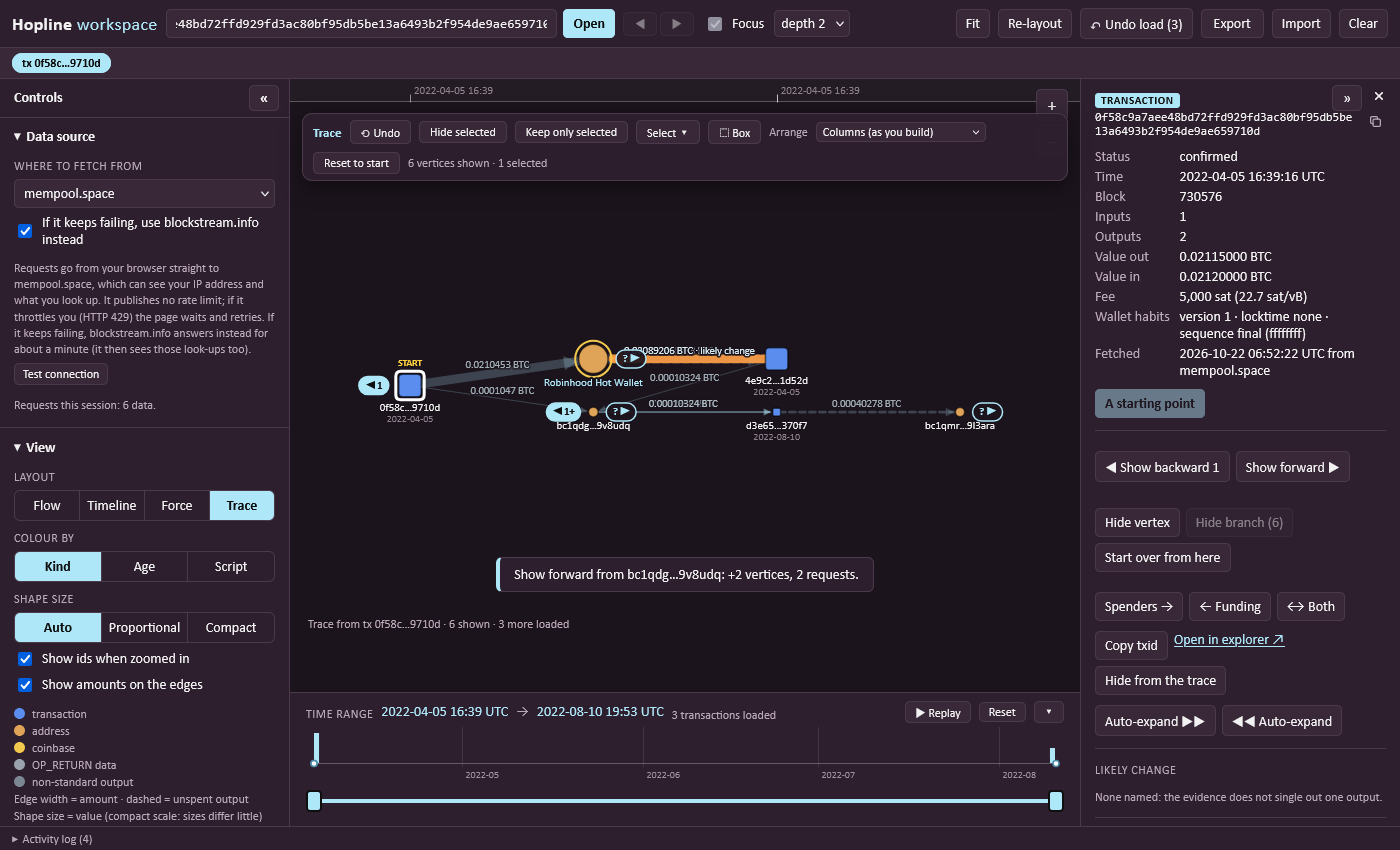
Try it: https://forensicworks.github.io/hopline/. Paste an address or a transaction ID, or press Try a sample wallet.
What you get
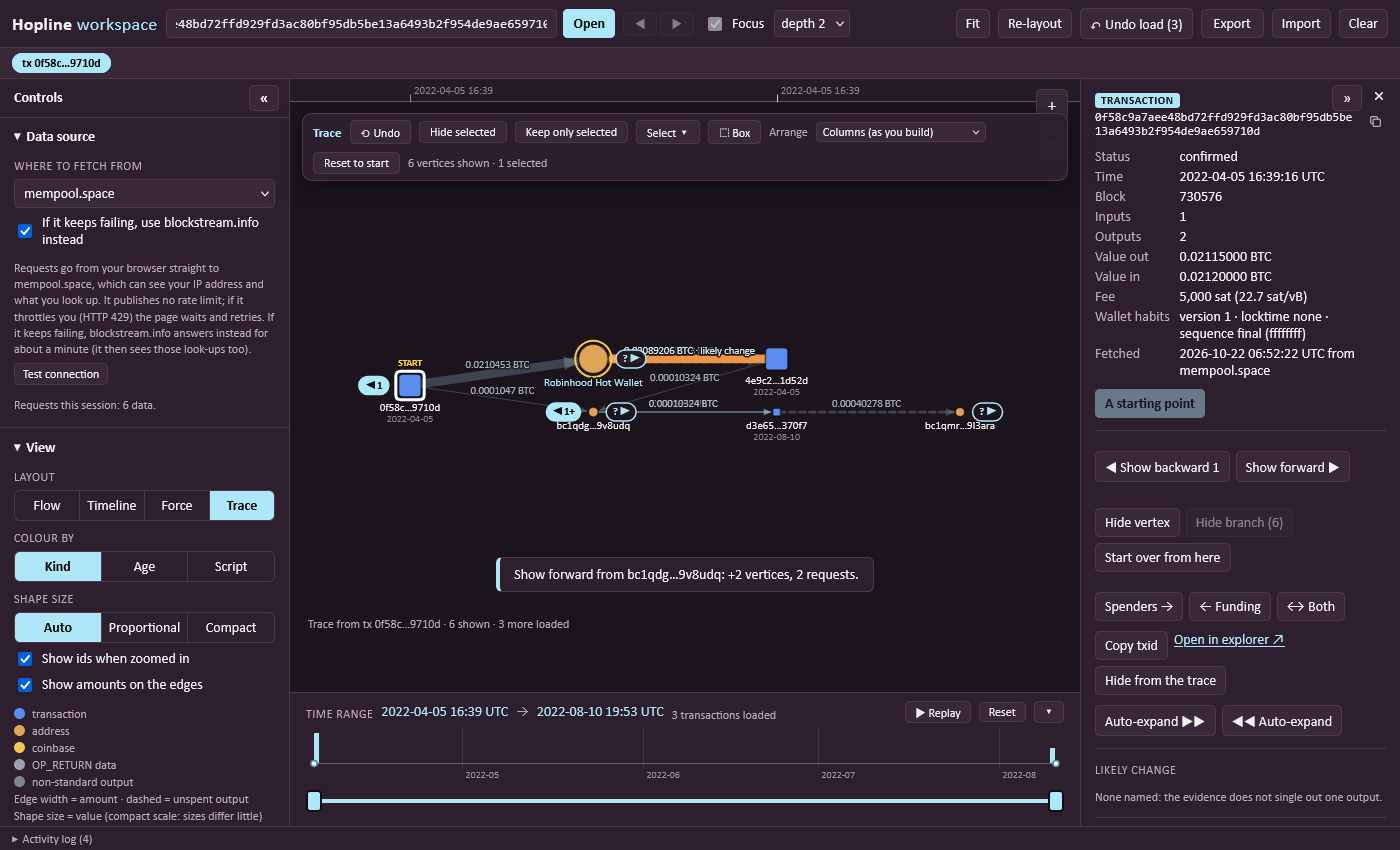
- Workspace - a graph of transactions and wallets. Start from one wallet or transaction in the Trace layout and click ▶ or ◀ to follow the money one step at a time; what is already on screen stays where it is. Group, hide and filter, replay it through time, undo.
- Wallet overview - one address as a ledger: balance, totals, every transaction with its inputs and outputs, the wallets it dealt with most (the chart and that list follow the currency you choose), the whole group of wallets spent with it (Follow further widens it round after round, with a clear stop), and an Export menu (CSV, a workspace file, a verifiable report).
- Names - a built-in list of exchanges and services, the OFAC and UK sanctions lists, the Ransomwhere ransomware payment addresses, the mining pools' reward addresses and a chosen part of the GraphSense tag packs (all built in and dated, with their sources in sources.md; the sanctions lists are on unless you switch them off, the others when you switch them on), label lists you import and your own labels, tags and notes; an outside look-up (Arkham, on request, one wallet at a time) is one of several sources behind one contract, kept on the wallet and named in the report. A name is somebody's claim, not proof.
- Analysis, with reasons - consolidations, batch payments, CoinJoin-like transactions, peel chains, round amounts (a number somebody chose, a lead and not proof of who), swap memos (an OP_RETURN that asks THORChain to swap the payment into another chain, with the address it is to be paid out to, or that carries a cross-chain service's request ID, with a link to look it up: what the sender wrote, a lead to follow there), the likely change output and addresses spent together. All of it is heuristic: it shows its reasons, and none of it is proof.
- Routes, hand-offs and open ends - for a named wallet, whether and how money ran between it and the start of your trace, found by following each coin to the transaction that spent it (never by matching addresses, which would join unrelated money), lit on the canvas and listed step by step (the shortest, with a button that looks for up to four more and lists them shortest first); where the trail meets an exchange or other service (a deposit or a withdrawal), or passes a wallet that a sanctions or ransomware list names, as a table to copy, download as CSV, put in the report and read with
tools/hopline-cli.js; where it is still open, so you can continue from there; and a search that loads from both ends until two wallets meet or it runs out (from a service wallet's side it follows the deposits or withdrawals nearest in time to the other end first, and leaves out those that cannot fit the times of the route). Wallets spent together with a named one get the name (a list's, or a label you gave) suggested, never applied by itself.
- Investigation report - one self-contained HTML file with the findings, the transactions, where and when each was fetched, and hashes that
tools/verify_report.py can check.
- Amounts in a currency - seven currencies, at each transaction's own time or at today's price.
- An assistant (optional) - the evidence as text for any AI assistant, or a model on this computer (Ollama, LM Studio, llama.cpp), with every id in its answer checked against the evidence. It stays on your computer unless you switch on the Claude option, which is off by default, shows you the exact text, and asks before every send, because it sends the evidence to Anthropic. See docs/interface.md.
Privacy
- Everything runs in your browser. The only network requests go to the data source you choose (and mempool.space for prices), which can see your IP address and what you look up. Selecting a single wallet reads its balance (one request with that address; switch it off under Expansion limits). A copy you run yourself loads no fonts, analytics or CDNs.
- Nothing is stored on a server. Your session stays in this browser; on the live site it starts switched off, so tick Keep this session in this browser if you want it kept.
- The copy at https://hopline.pages.dev counts visits by page and feature name only, as an image request: no addresses, transaction IDs, labels or notes, no cookies, and nothing for browsers that send Do Not Track. The GitHub Pages copy and copies you run yourself send nothing. More in Publishing a copy.
- On the live site your own Esplora server must use
https and allow cross-origin requests, and Tor is not offered. A copy you run yourself has both. See Data sources and limits.
Run it yourself
Open index.html straight from the folder, or run python tools/serve.py and open http://127.0.0.1:8000/index.html. Prefer that to python -m http.server: the standard server lets the browser keep old copies of scripts, so after an update a page can come up blank until you press Ctrl+F5.
Documentation
The full documentation is in the wiki:
In the repository: docs/interface.md (the command-line tool and the assistant) and ROADMAP.md (what is planned).
Status and contributing
Hopline is in active development, and the live site runs the latest master. Contributions are welcome: see CONTRIBUTING.md. To report a security problem, see SECURITY.md.
Credits and licence
 forensicworks/hopline

