 fboldewin/atmmalscan
Command-line DFIR tool for scanning Windows ATM systems to detect malware traces in process memory and disk, with automated memory dump creation for forensic analysis.


ATMMalScan is a commandline tool for Windows operating systems version 7 and higher, which helps to search for malware traces on an ATM during the DFIR process. This tool examines the running processes of a system, as well as the hard disk, depending on the specified file path. To scan a system, a user with standard rights is sufficient. However, ATMMalScan provides the best results with administrator privileges.
Currently ATMMalScan does not support codepages that require Unicode, this means Windows operating systems that are set to e.g. Cyrillic or Chinese characters, no representative result can be guaranteed.
Make sure at least Visual C++ Redistributable for Visual Studio 2015 has been installed on the ATM, you like to scan.
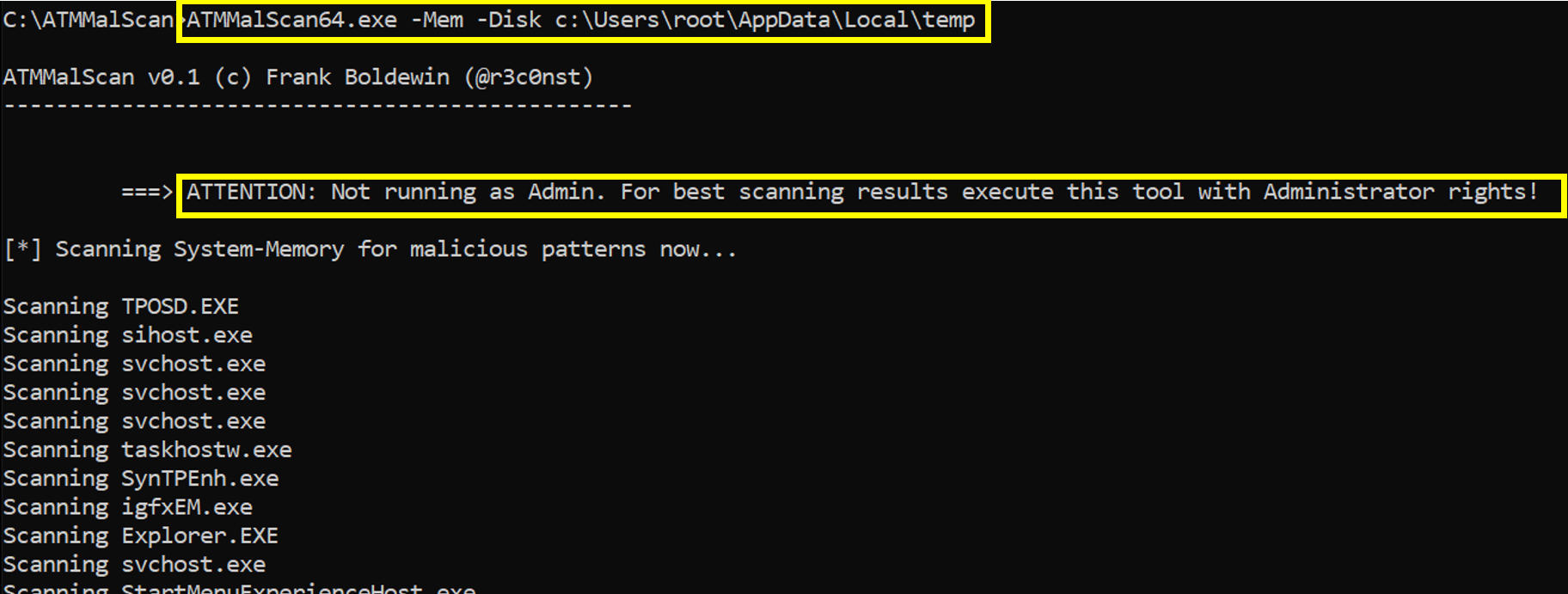
Step1 => Scan process memory and disk. ===> Check if Admin privileges are available on the device for best results!
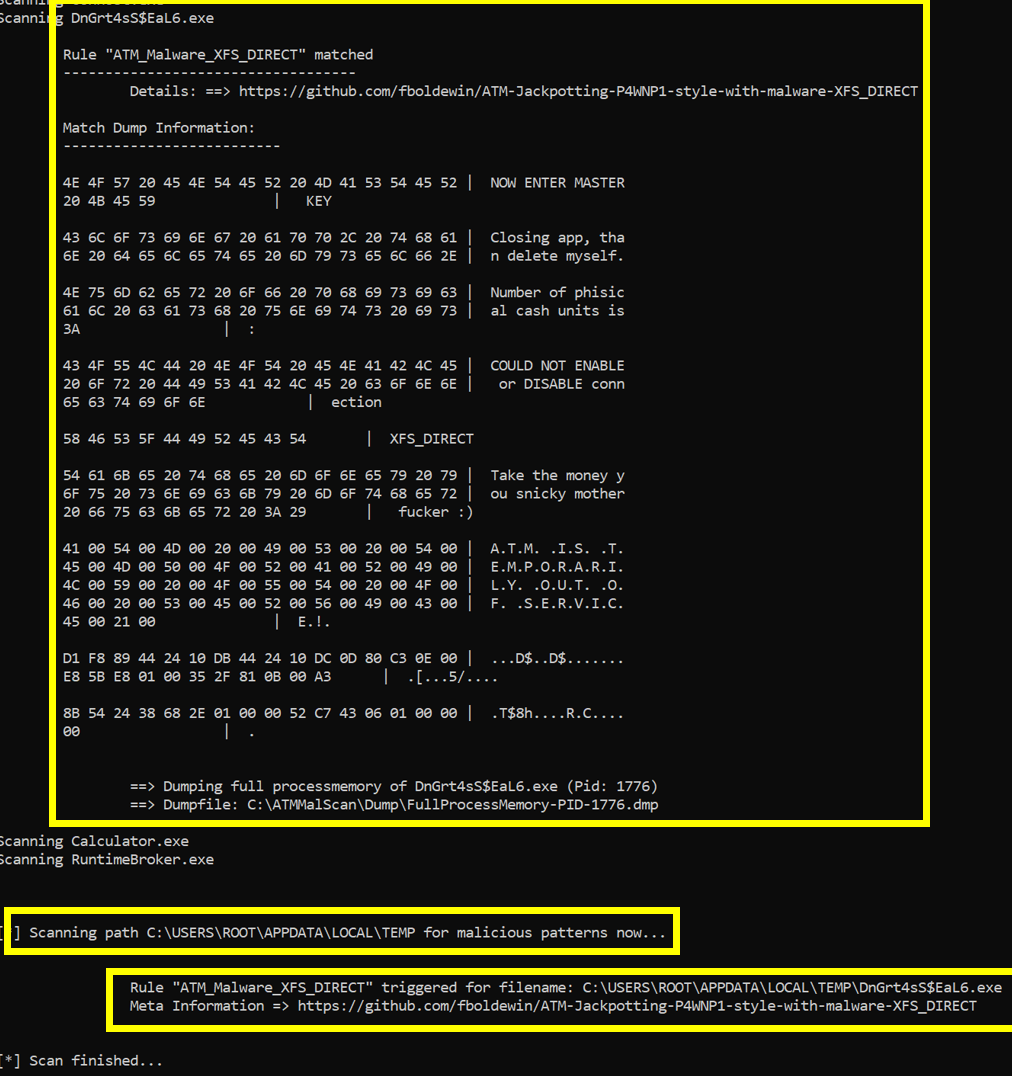
Step2 => ATMMalScan detected a Malware called XFS_DIRECT in a process, gives details about the thread and its rules matches.
Further a full processmemory dump has been saved to disk, to catch the malicious process,
its modules, as well as its stack and heap pages.
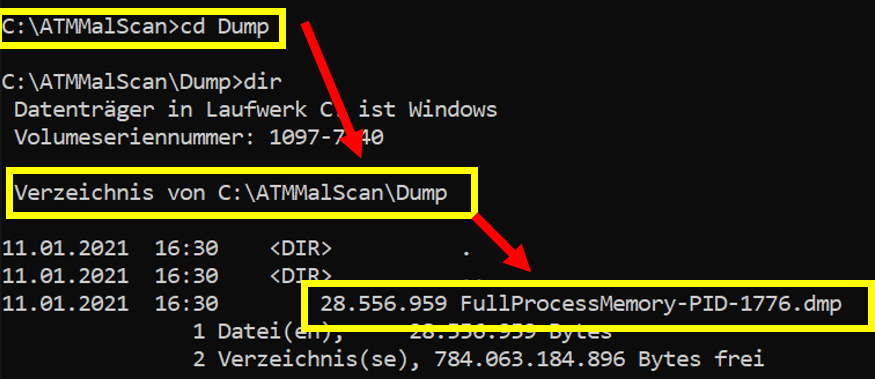
Step3 => Dump can be found here => .\Dump
Step4 => Open dumpfile with Windbg and extract the ATM malware to disk using ".writemem"
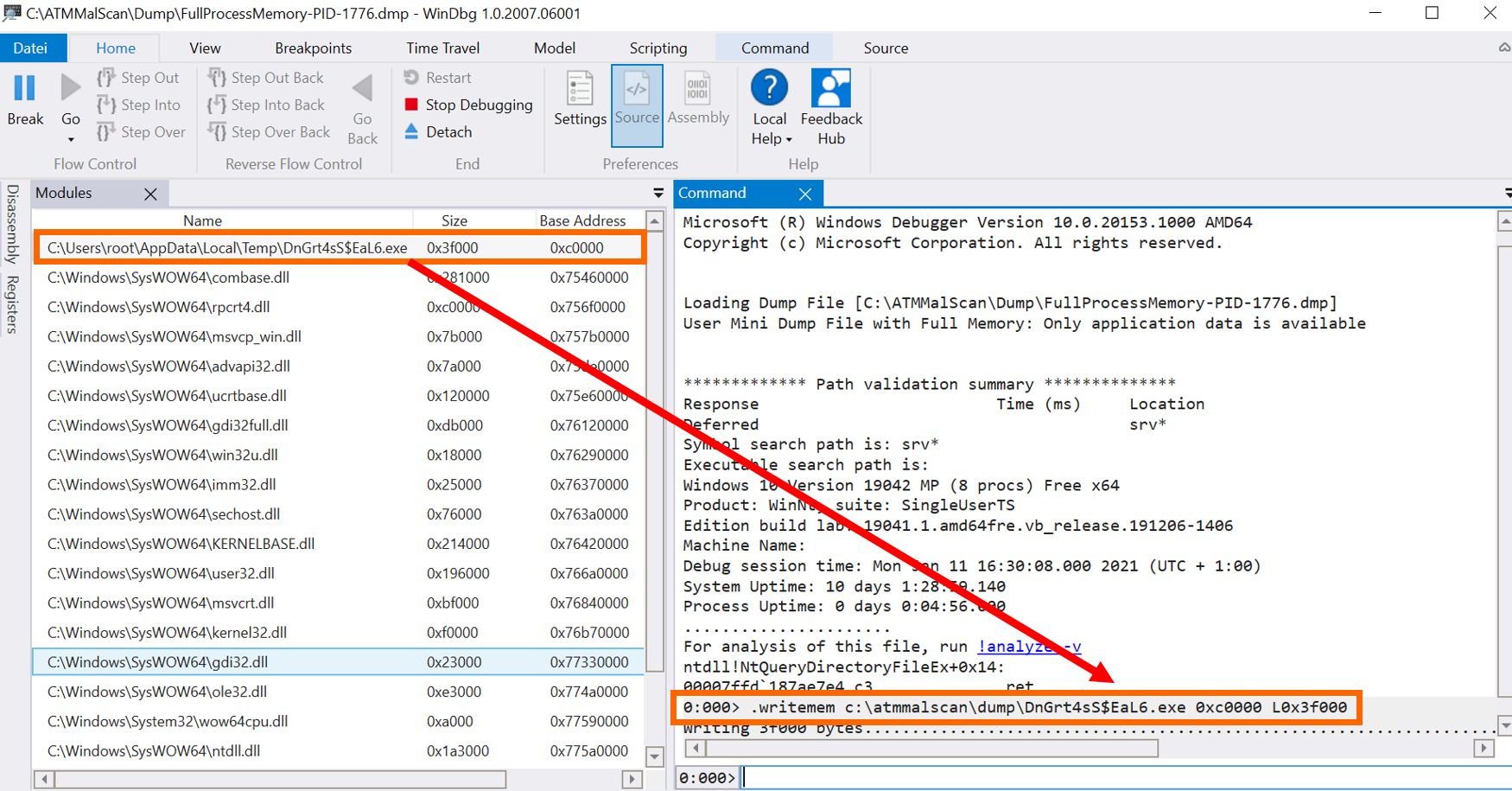
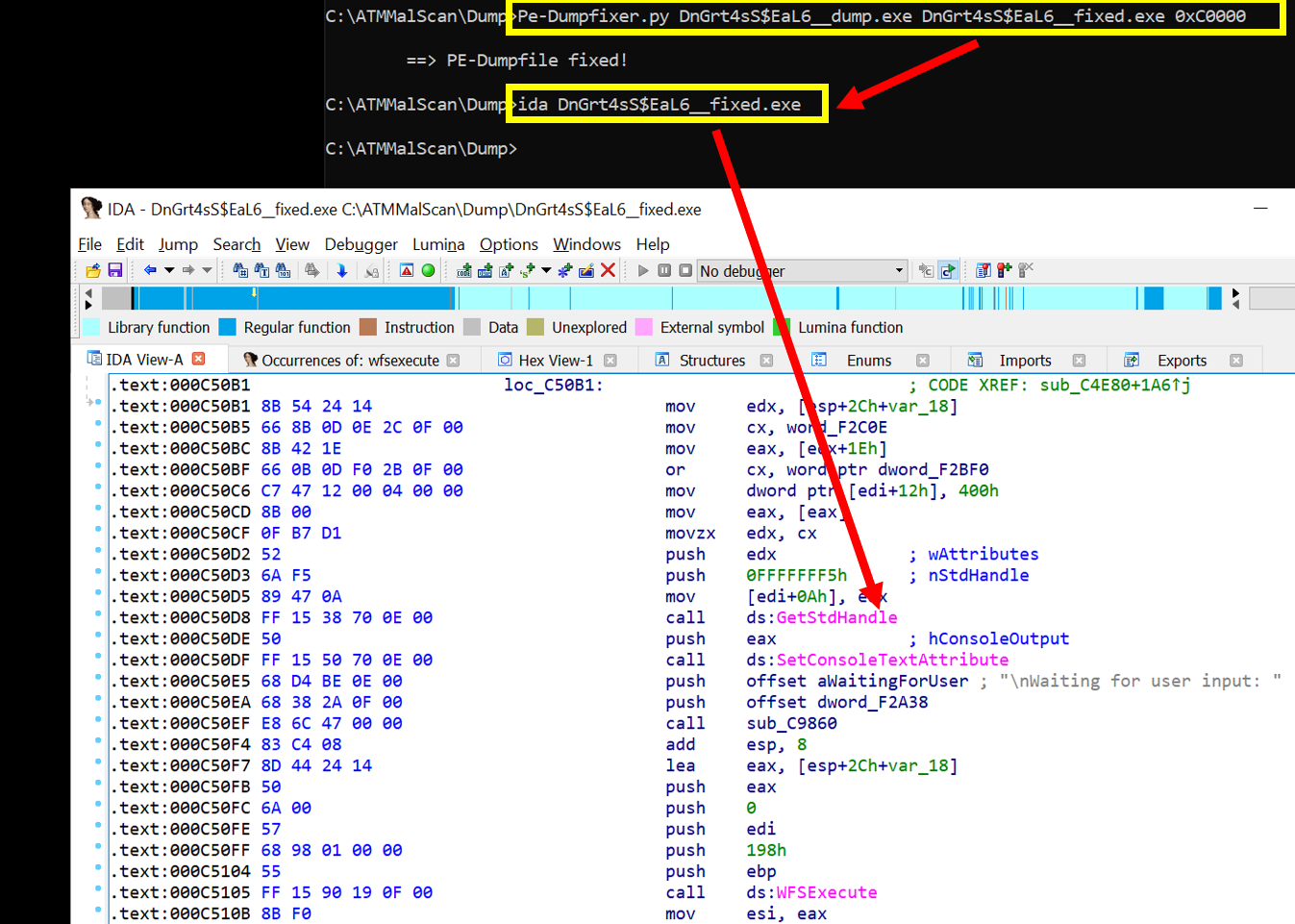
Step5 => Repair the dumped PE with one of your favorite PE-Fixers and start analysing the malware in detail.