
Skip to content
KitploitKITPLOIT
ToolsExploitsBlog
Log in
Submit
ToolsExploitsBlog
Submit

Hacking, PenTest, and Cybersecurity Tools for Your Security Arsenal!

Kitploit is a directory of hacking, cybersecurity, and pentesting tools. Discover the latest project updates to find vulnerabilities, analyze systems, automate testing, and strengthen your security.

··Feeds·Contact·Privacy·© 2026 Kitploit

Tool Directory

Categories

View all categories
Loading categories
CyberPipe — An easy to use PowerShell script to collect memory and disk forensics for DFIR investigations. | Kitploit
Tools/GitHubGitHub/dwmetz/cyberpipe
Disk ForensicsMemory ForensicsForensicsDigital ForensicsIncident Response
GitHubdwmetz/cyberpipe

CyberPipe

An easy to use PowerShell script to collect memory and disk forensics for DFIR investigations.

View Repository
343505710 months agoReviewed by Kitploit

Most Popular

View all →

Discover the most used tools by our community.

Explore all tools

Browse our collection of tools

View all tools →
Share

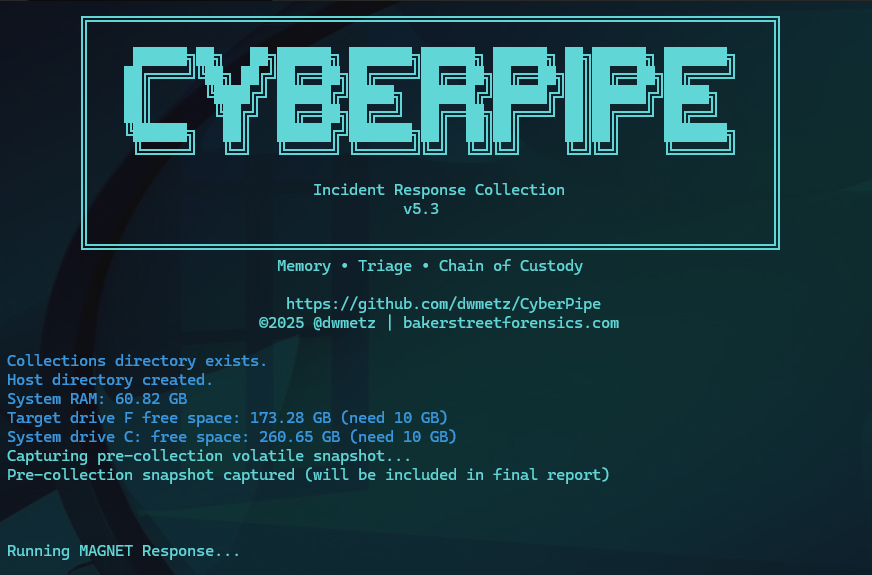
CyberPipe v5.3

(formerly CSIRT-Collect)
An easy to use PowerShell script to collect memory and disk forensics for DFIR investigations.
Functions:

  • 🐏 Capture a memory image with MAGNET DumpIt (supports x86, x64, and ARM64) or MAGNET RAM Capture for legacy systems.
  • 💻 Collect triage data using MAGNET Response CLI, with selectable profiles or custom options.
  • 🔐 Detect full disk encryption using MAGNET Encrypted Disk Detector.
  • 🔑 Recover BitLocker Recovery Keys from all encrypted volumes.
  • 💾 Store collected data, logs, and memory images to a USB device or a defined network location.
  • 📈 Real-time progress monitoring during collection.
  • 📄 Comprehensive reporting with pre-collection volatile data and integrity hashes.

Collection profiles include:

  • QuickTriage - Volatile + System Files (no RAM) - completes in ~2 minutes
  • Volatile - Only volatile data (network connections, registry, running processes)
  • RAMOnly - Memory dump only
  • RAMPage - RAM + Pagefile
  • RAMSystem - RAM + Critical System Files
  • Default (Full Triage) - RAM + Pagefile + Volatile + System Artifacts

Prerequisites:

  • MAGNET Response
  • MAGNET Encrypted Disk Detector
Network Collections:

CyberPipe supports saving output directly to a network share using the -Net parameter. Simply specify the UNC path (e.g., \\server\share) and the script will automatically map the network drive and perform the collection. This is ideal for automated DFIR workflows triggered by EDR or SOC alerts.

.\CyberPipe.ps1 -Net "\\server\share"

New in 5.3:

Critical PS 5.1 Exit Code Fix
  • Fixed: False failures in Windows PowerShell 5.1 after successful Magnet Response collection
  • Root cause: PS 5.1 bug where $process.ExitCode not reliably populated after WaitForExit()
  • Solution: Implemented dual validation:
    • Process exit code check with object refresh
    • File collection verification (more reliable success indicator)
    • Smart error handling: continues if files collected successfully despite non-zero exit code
Improved Reliability
  • Enhanced validation logic checks for actual collected artifacts vs. relying solely on exit codes
  • Graceful handling of PowerShell version-specific quirks
  • Better error messages distinguish between genuine failures and PS 5.1 reporting issues

Usage Examples:

  • Run full triage (default collection profile) to local USB drive: (RAM, Pagefile, Volatile, System Files)

    .\CyberPipe.ps1 
    
  • Run RAM & Operating System Files (triage light) capture:

    .\CyberPipe.ps1 -CollectionProfile RAMSystem
    
  • Run memory-only capture:

    .\CyberPipe.ps1 -CollectionProfile RAMOnly
    
  • Run RAM & Pagefile capture:

    .\CyberPipe.ps1 -CollectionProfile RAMPage
    
  • Run RAM & Operating System Files (triage light) capture:

    .\CyberPipe.ps1 -CollectionProfile RAMSystem
    
  • Run volatile-only capture:

    .\CyberPipe.ps1 -CollectionProfile Volatile
    
  • Run quick triage (fast collection):

    .\CyberPipe.ps1 -CollectionProfile QuickTriage
    
  • Run full triage with compression:

    .\CyberPipe.ps1 -Compress
    
  • Run collection to network share:

    .\CyberPipe.ps1 -Net "\\server\share"
    
  • Run network collection with specific profile:

    .\CyberPipe.ps1 -Net "\\server\share" -CollectionProfile QuickTriage
    
  • Run network collection with compression:

    .\CyberPipe.ps1 -Net "\\server\share" -Compress
    
  • You can modify or create custom profiles by specifying CLI arguments supported by MAGNET Response.

Tool Directory Structure:
  • USB Collections: The Tools directory should be located alongside the script:

    E:\Triage\CyberPipe\CyberPipe.ps1
    E:\Triage\CyberPipe\Tools\
    
  • Network Collections: The Tools directory should be placed in the root of the network share:

    \\Server\share\Tools\
    
Prior version (KAPE support):

If you previously used CyberPipe with KAPE (prior to v5), the older workflow remains available in CyberPipe.v4.01.ps1.

Note: CyberPipe was previously known as CSIRT-Collect. The project was renamed starting with version 4.0.

For more information visit Baker Street Forensics

Download Tool