 david942j/seccomp-tools
Provide powerful tools for seccomp analysis



Powerful tools for seccomp analysis.
This project is aimed primarily (but not exclusively) at analyzing seccomp sandboxes in CTF pwn challenges. Some features are CTF-specific, but they're just as useful for analyzing real-world seccomp filters.
Available on RubyGems.org!
$ gem install seccomp-tools
If compilation fails, try:
sudo apt install gcc ruby-dev make
then install seccomp-tools again.
$ seccomp-tools --help
# Usage: seccomp-tools [--version] [--help] <command> [<options>]
#
# List of commands:
#
# 	asm	Seccomp bpf assembler.
# 	audit	Assess a seccomp filter for weaknesses and escape routes.
# 	completion	Print a shell completion script.
# 	disasm	Disassemble seccomp bpf.
# 	dump	Automatically dump seccomp bpf from executable(s).
# 	emu	Emulate seccomp rules.
# 	explain	Summarize a seccomp filter as a per-action policy.
#
# See 'seccomp-tools <command> --help' to read about a specific subcommand.

$ seccomp-tools dump --help
# dump - Automatically dump seccomp bpf from executable(s).
# NOTE: This command is only available on Linux.
#
# Usage: seccomp-tools dump [EXEC] [options]
#     -c, --sh-exec <command>          Executes the given command (via sh) and dumps its seccomp.
#                                      Use this to pass arguments or pipe things to the executable.
#                                      e.g. use `-c "./bin > /dev/null"` to keep the program output out of the result.
#                                      Takes precedence over the positional argument.
#     -l, --limit LIMIT                Dump only the first LIMIT installed filters.
#                                      Only meaningful when the input is an executable or --pid. Default: 1
#                                      An executable is killed once it reaches LIMIT.
#     -p, --pid PID                    Dump the seccomp filters installed on an existing process.
#                                      You must have CAP_SYS_ADMIN (e.g. be root) to use this option.
#     -t, --timeout SEC                Timeout (seconds) for the execution. Default: no timeout
#                                      This option is ignored when --pid is given.
#     -f, --format FORMAT              Output format. FORMAT can only be one of <disasm|raw|inspect>.
#                                      Default: disasm
#     -o, --output FILE                Write output to FILE instead of stdout.
#                                      If multiple seccomp syscalls have been invoked (see --limit),
#                                      results are written to FILE, FILE_1, FILE_2, etc.
#                                      For example, with "--output out.bpf" the output files are out.bpf, out_1.bpf, ...
Dumps the seccomp BPF from an executable, using the ptrace syscall.
NOTE: the target executable is actually run, so be careful with untrusted binaries.
$ file spec/binary/twctf-2016-diary
# spec/binary/twctf-2016-diary: ELF 64-bit LSB executable, x86-64, version 1 (SYSV), dynamically linked, interpreter /lib64/ld-linux-x86-64.so.2, for GNU/Linux 2.6.24, BuildID[sha1]=3648e29153ac0259a0b7c3e25537a5334f50107f, not stripped

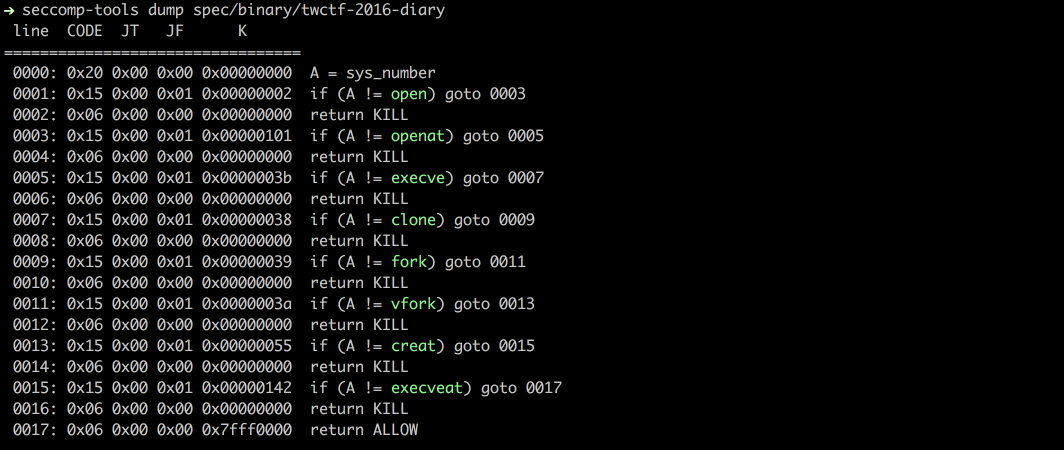
$ seccomp-tools dump spec/binary/twctf-2016-diary
#  line  CODE  JT   JF      K
# =================================
#  0000: 0x20 0x00 0x00 0x00000000  A = sys_number
#  0001: 0x15 0x00 0x01 0x00000002  if (A != open) goto 0003
#  0002: 0x06 0x00 0x00 0x00000000  return KILL
#  0003: 0x15 0x00 0x01 0x00000101  if (A != openat) goto 0005
#  0004: 0x06 0x00 0x00 0x00000000  return KILL
#  0005: 0x15 0x00 0x01 0x0000003b  if (A != execve) goto 0007
#  0006: 0x06 0x00 0x00 0x00000000  return KILL
#  0007: 0x15 0x00 0x01 0x00000038  if (A != clone) goto 0009
#  0008: 0x06 0x00 0x00 0x00000000  return KILL
#  0009: 0x15 0x00 0x01 0x00000039  if (A != fork) goto 0011
#  0010: 0x06 0x00 0x00 0x00000000  return KILL
#  0011: 0x15 0x00 0x01 0x0000003a  if (A != vfork) goto 0013
#  0012: 0x06 0x00 0x00 0x00000000  return KILL
#  0013: 0x15 0x00 0x01 0x00000055  if (A != creat) goto 0015
#  0014: 0x06 0x00 0x00 0x00000000  return KILL
#  0015: 0x15 0x00 0x01 0x00000142  if (A != execveat) goto 0017
#  0016: 0x06 0x00 0x00 0x00000000  return KILL
#  0017: 0x06 0x00 0x00 0x7fff0000  return ALLOW

$ seccomp-tools dump spec/binary/twctf-2016-diary -f inspect
# "\x20\x00\x00\x00\x00\x00\x00\x00\x15\x00\x00\x01\x02\x00\x00\x00\x06\x00\x00\x00\x00\x00\x00\x00\x15\x00\x00\x01\x01\x01\x00\x00\x06\x00\x00\x00\x00\x00\x00\x00\x15\x00\x00\x01\x3B\x00\x00\x00\x06\x00\x00\x00\x00\x00\x00\x00\x15\x00\x00\x01\x38\x00\x00\x00\x06\x00\x00\x00\x00\x00\x00\x00\x15\x00\x00\x01\x39\x00\x00\x00\x06\x00\x00\x00\x00\x00\x00\x00\x15\x00\x00\x01\x3A\x00\x00\x00\x06\x00\x00\x00\x00\x00\x00\x00\x15\x00\x00\x01\x55\x00\x00\x00\x06\x00\x00\x00\x00\x00\x00\x00\x15\x00\x00\x01\x42\x01\x00\x00\x06\x00\x00\x00\x00\x00\x00\x00\x06\x00\x00\x00\x00\x00\xFF\x7F"

$ seccomp-tools dump spec/binary/twctf-2016-diary -f raw | xxd
# 00000000: 2000 0000 0000 0000 1500 0001 0200 0000   ...............
# 00000010: 0600 0000 0000 0000 1500 0001 0101 0000  ................
# 00000020: 0600 0000 0000 0000 1500 0001 3b00 0000  ............;...
# 00000030: 0600 0000 0000 0000 1500 0001 3800 0000  ............8...
# 00000040: 0600 0000 0000 0000 1500 0001 3900 0000  ............9...
# 00000050: 0600 0000 0000 0000 1500 0001 3a00 0000  ............:...
# 00000060: 0600 0000 0000 0000 1500 0001 5500 0000  ............U...
# 00000070: 0600 0000 0000 0000 1500 0001 4201 0000  ............B...
# 00000080: 0600 0000 0000 0000 0600 0000 0000 ff7f  ................
Disassembles raw seccomp BPF into a readable format.
$ xxd spec/data/twctf-2016-diary.bpf | head -n 3
# 00000000: 2000 0000 0000 0000 1500 0001 0200 0000   ...............
# 00000010: 0600 0000 0000 0000 1500 0001 0101 0000  ................
# 00000020: 0600 0000 0000 0000 1500 0001 3b00 0000  ............;...







