
AbuseBox
Know your mail server is blacklisted before your users do.
Self-hosted monitoring for the IPs and domains you run: 24 DNS blacklists, SSL and domain expiry, SPF/DKIM/DMARC and uptime, with an alert when something changes.
Website | Quick start | Changelog





Quick start
git clone https://github.com/bekkaze/abusebox.git && cd abusebox
docker compose up -d
Open http://localhost:3000 and sign in as admin with the password from docker compose exec backend cat /app/data/initial_admin_password, then change it in Settings. More options under Installation.
Why AbuseBox
- Results you can trust. Before trusting a blacklist, AbuseBox checks it against its test addresses (RFC 5782). A list that refuses your resolver shows No answer, not a false "clean". Try it: through Google DNS, Spamhaus says "not listed" for everything.
- Every listing explained. Spamhaus SBL (a spam source) and PBL (an end-user range) are not the same problem. Each listing comes with its meaning and a severity, so you know what to fix first.
- Mail-server health in one place. 24 blacklists, AbuseIPDB, SSL and domain expiry, SPF/DKIM/DMARC grades, DMARC reports and uptime.
- Ranked by what actually matters. Every asset gets a risk score out of 100, weighted by the severity each blacklist's own return codes decode to, so one critical listing outranks three cosmetic ones. The score shows its working: every factor, what it contributed, and out of what.
- Tells you what changed. Scheduled checks, an activity log, and alerts by email, Slack, Discord or webhook when something is listed, delisted, goes down or is about to expire.
- Yours. Self-hosted, MIT licensed, no telemetry, no paid tier.
If AbuseBox saves you a bounce, a star helps other mail operators find it.
Features
Monitoring
- Add IPs and domains as assets (one by one, a list of up to 300, or a whole /24) and choose which checks run on each
- Scheduled re-checks on a global or per-asset interval, plus a "check due assets now" button
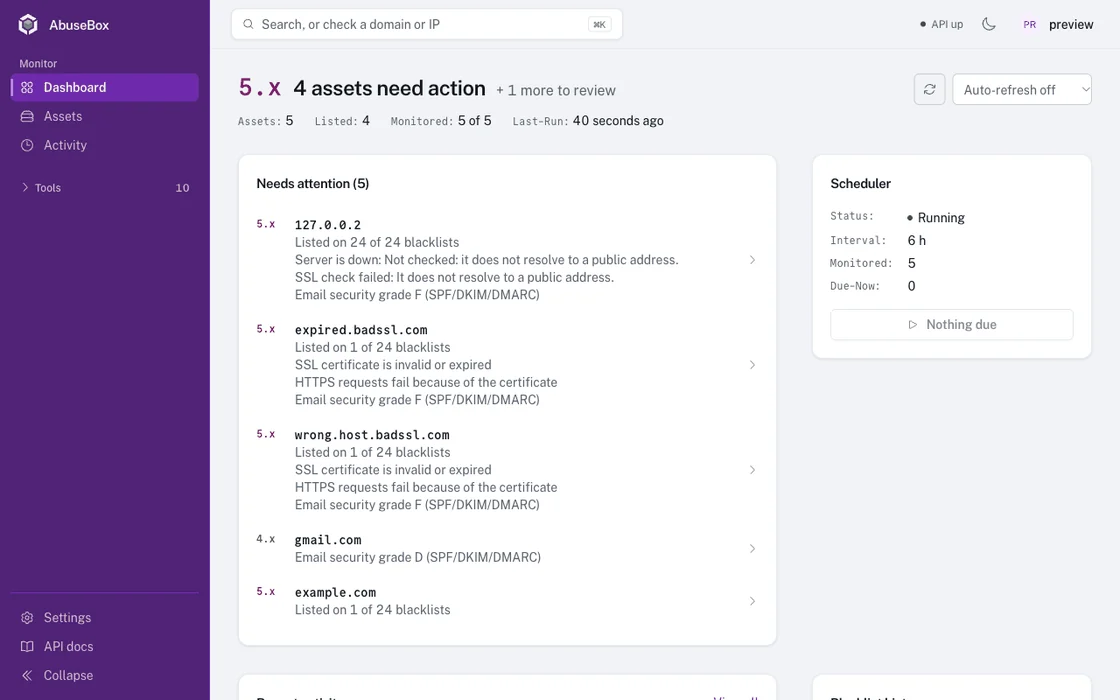
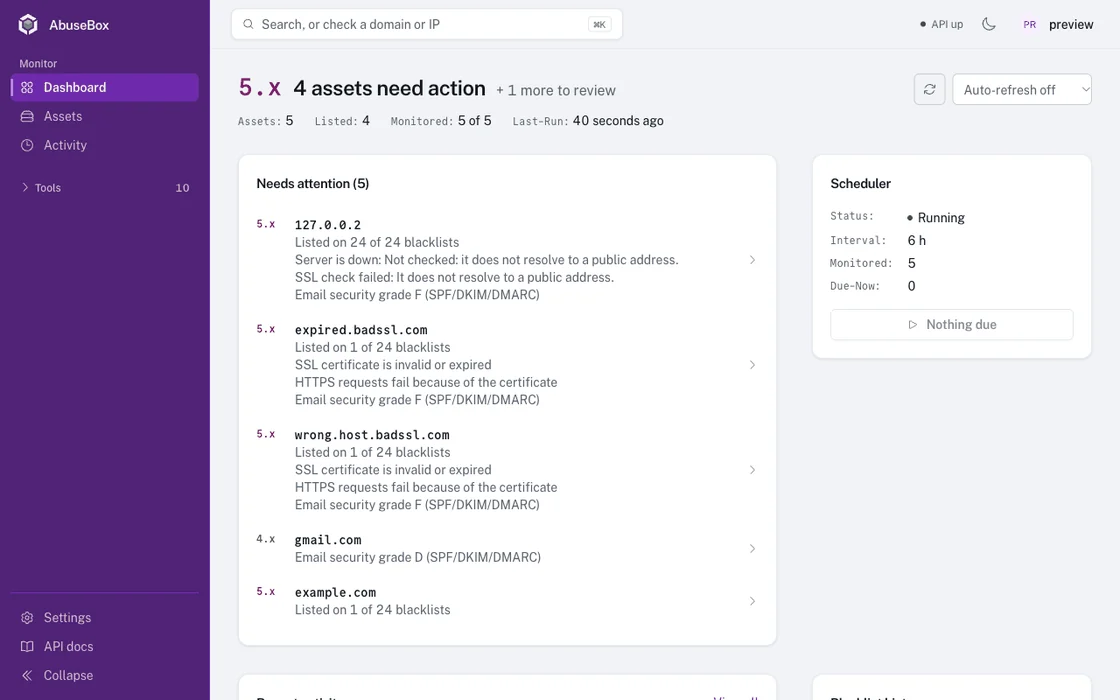
- A dashboard that opens on what needs action, ordered by a 0-100 risk score built from each asset's own findings
- A risk score per asset with its factors broken out: blacklists, reachability, certificate, domain, email authentication and reputation
- An activity log of every change, check history with what changed between checks, and blacklist history charts
- Alerts by email, Slack, Discord or webhook for new listings, removals, outages, recoveries and expiry warnings
Checks
- Blacklists: 24 DNS blacklists, each listing decoded with its meaning and a severity, and each list verified against its test addresses
- AbuseIPDB: abuse confidence score, reports, ISP and country (free API key)
- SSL: validity, issuer, expiry, covered names, and whether the TLS version and cipher are still acceptable
- WHOIS: registrar, dates, name servers and abuse contact, over IPv6 or IPv4
- DNS: A, AAAA, MX, TXT, CNAME, NS, SOA and PTR records
- SPF / DKIM / DMARC: graded A to F, with custom DKIM selectors, plus DMARC aggregate report parsing. A mail server's own hostname is handled: its SPF is read where it is published, and the DMARC policy and DKIM key it is covered by are found on the domain it belongs to
- Server status: DNS resolution, ports 80 and 443, HTTP status and response time
- Bulk and subnet checks: up to 300 targets at once, or every address in a /24
Day to day
- Delist tracking with links to each blacklist's removal page
- Table or card view, with search, filters, sorting and paging all done on the server, so page one is the top of the real order however many assets you have
- An owner per asset, searchable alongside hostname, type and description
- Bulk actions and CSV export
- Command palette (Ctrl/Cmd + K), light and dark themes, a mobile layout
- Multiple users with admin roles, optional history retention, and a REST API with Swagger docs
- A public quick-check page (rate limited) that needs no account; everything else requires sign-in
Installation
Docker (recommended)
git clone https://github.com/bekkaze/abusebox.git
cd abusebox
cp backend/.env.example .env    # optional: alerts, API keys, admin account
docker compose up -d            # pulls the prebuilt images (add --build to build from source)
Open http://localhost:3000 and you're ready to go.
First sign-in: the user is admin, and the first start generates a random password. Read it with docker compose exec backend cat /app/data/initial_admin_password; the backend log names the file but no longer prints the password itself, so a log you share with someone does not hand them the account. Change it in Settings right after signing in; the saved copy is deleted when you do. To choose it yourself, set DEFAULT_ADMIN_PASSWORD in .env before the first start. If the data path is not writable the account is not created at all, and the log says so rather than putting the password in it.
The UI answers on any hostname, so you can open it from another machine right away. Put it behind your own HTTPS reverse proxy before exposing it to a network you don't trust.
Manual Setup
Click to expand
Prerequisites: Python 3.11+, Node.js 20.19+, Yarn
Backend:
cd backend
cp .env.example .env
pip install -r requirements.txt
uvicorn app.main:app --host 127.0.0.1 --port 8100 --reload
The first start generates an admin password and saves it next to the database, as initial_admin_password. This terminal names the exact path.
Frontend (new terminal):
cd frontend
cp .env.example .env
yarn install
yarn dev
Open http://localhost:3000.
frontend/.env configures the dev server: VITE_BASE_URL is the backend it proxies /api to (default http://localhost:8100), and VITE_ALLOWED_HOSTS is the hostnames it answers to (default localhost,127.0.0.1). The Docker image does not use either; it serves the built UI with nginx and proxies /api to BACKEND_URL.
Unraid
Templates for Unraid's Community Applications live in templates/unraid/. AbuseBox runs as two containers, so install both:
 bekkaze/abusebox

