Open reverse engineering — PE/ELF/Mach-O, x86/x64/AArch64, graphs, pseudocode. Rust engine, no network. Desktop · CLI · browser.

A local-first reverse-engineering tool for PE, ELF and Mach-O.


PSB-C · SIGNED · ATTESTED · SBOM · NO-TELEMETRY · LOCAL-FIRST · AUDIT:NONE · DISCLOSURE:OK (what these mean)
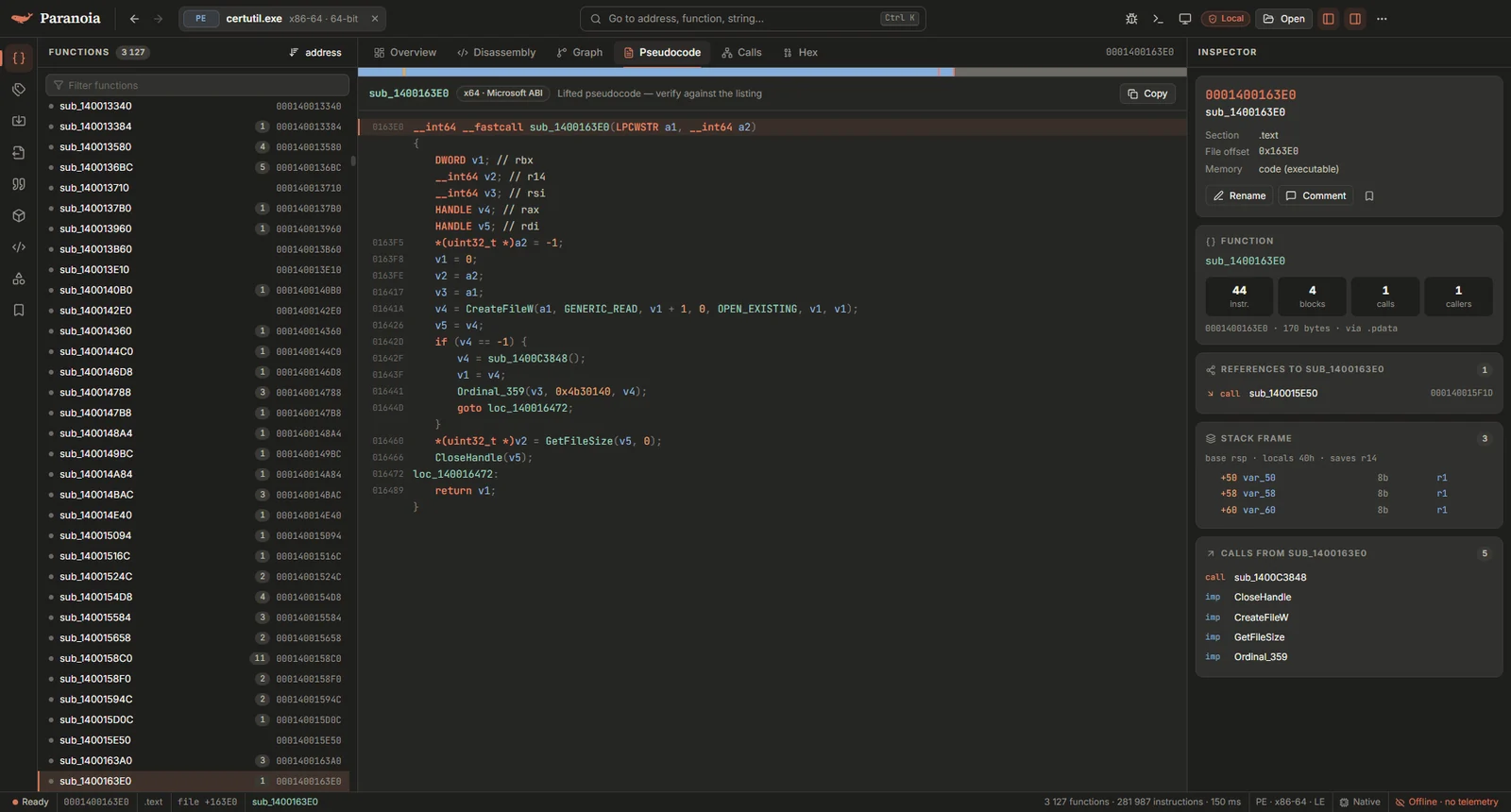
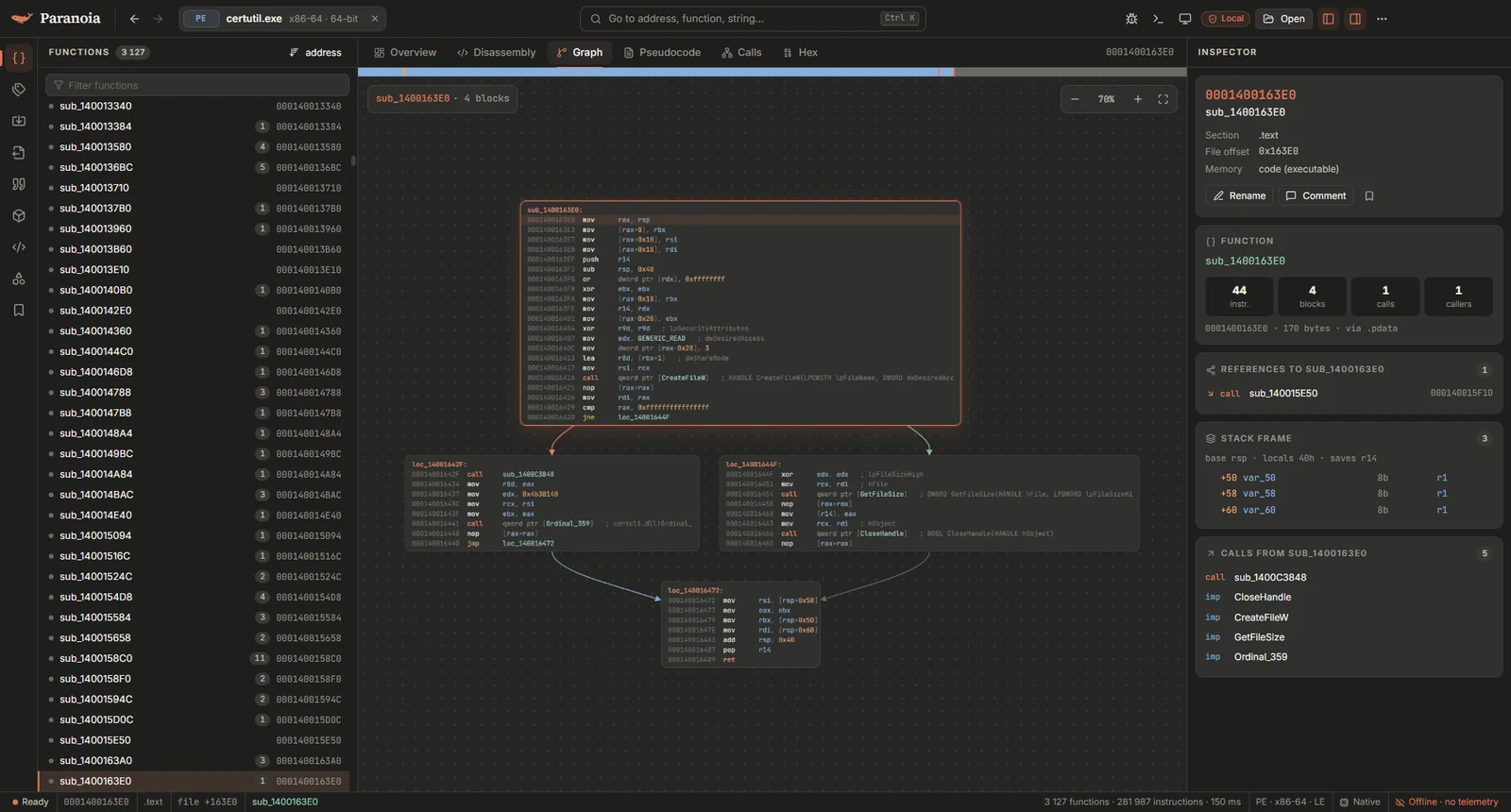
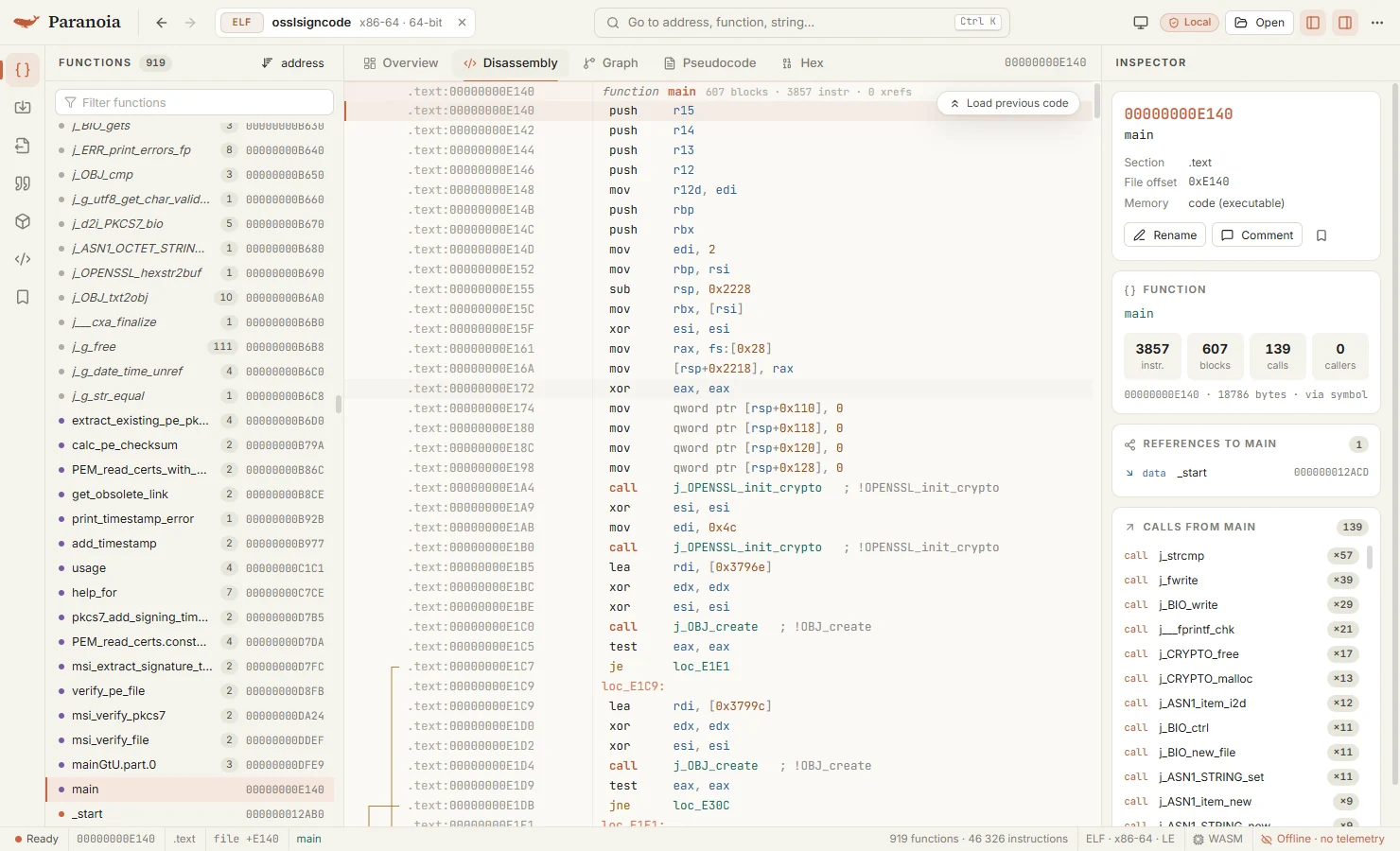
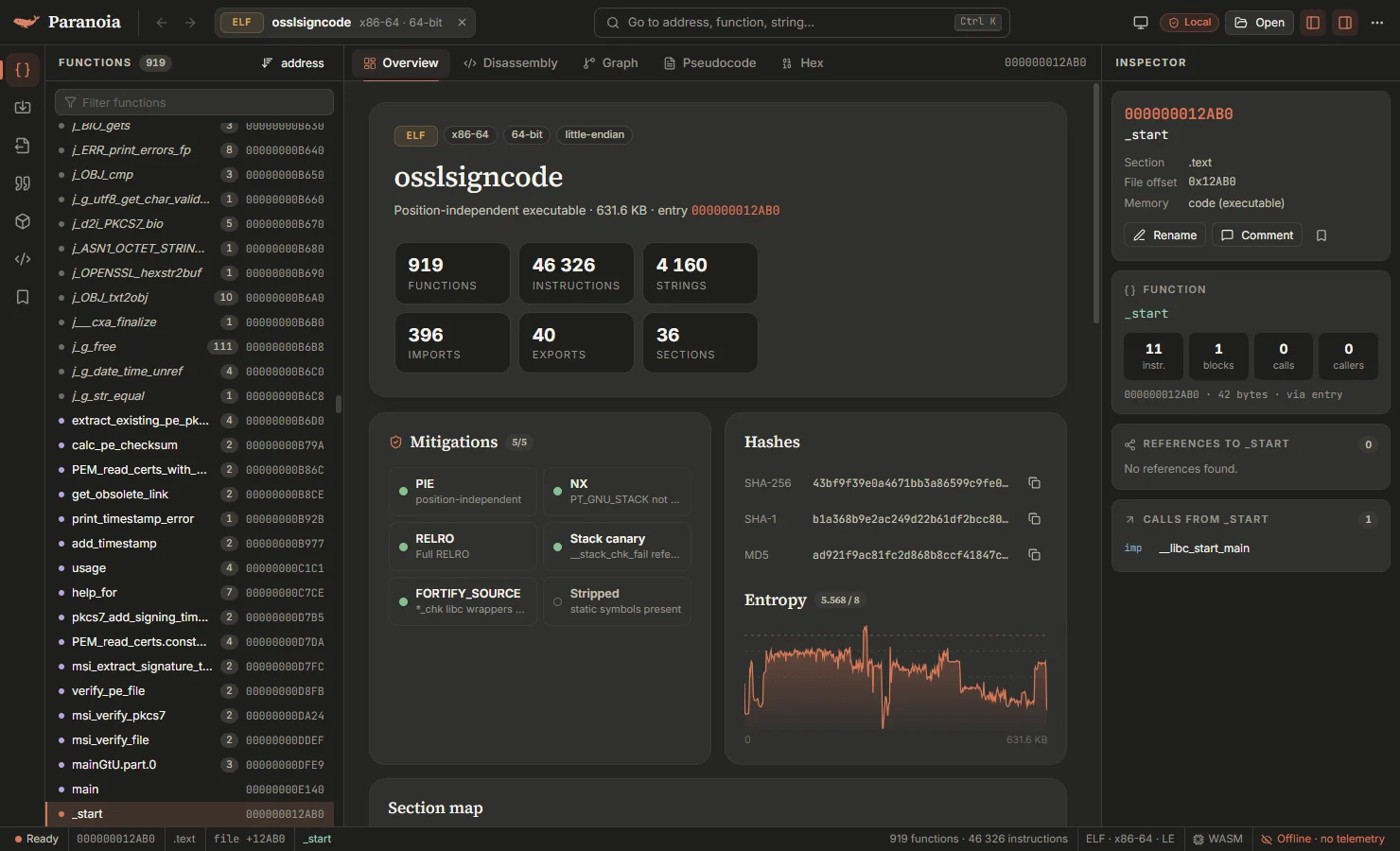
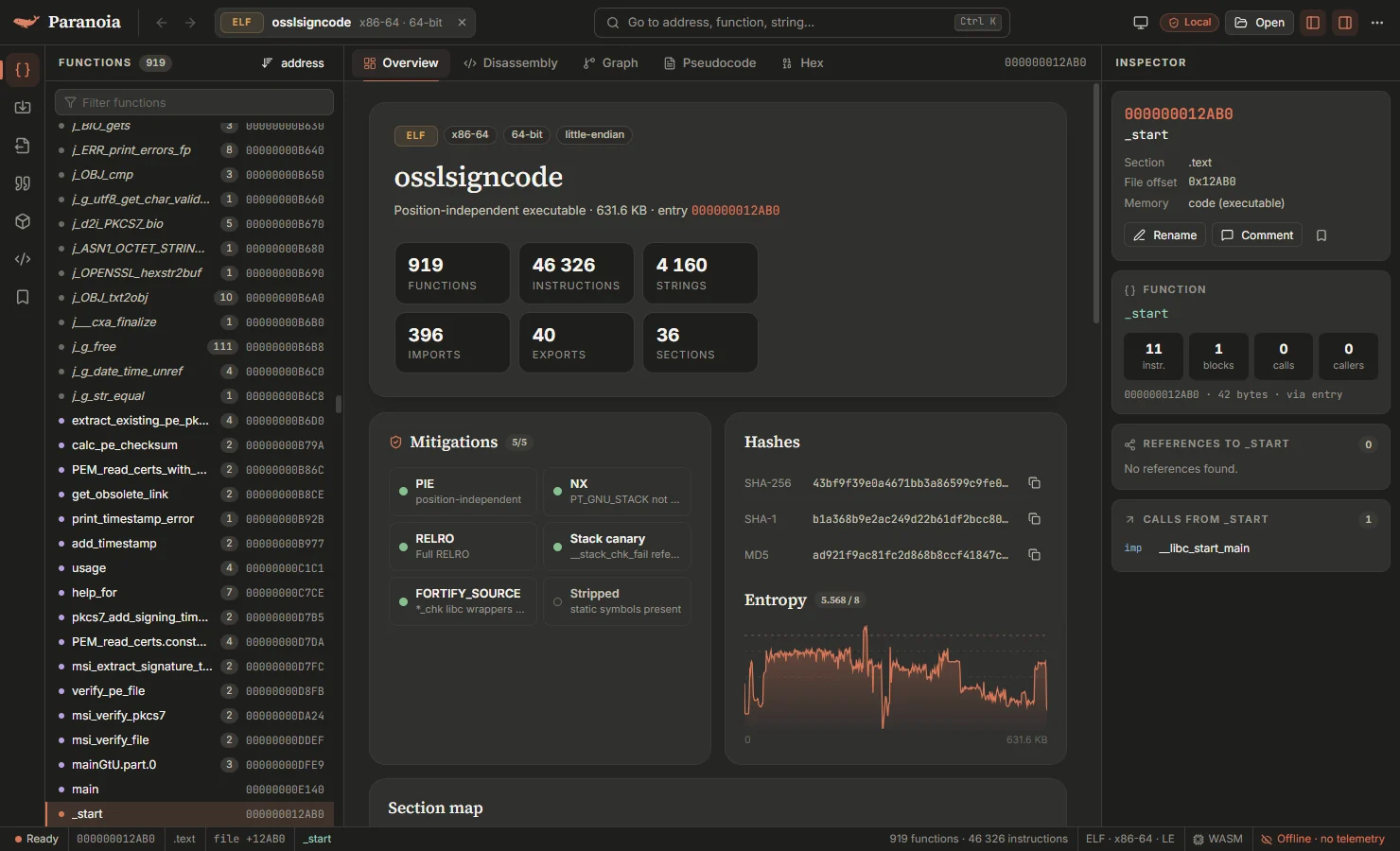
Paranoia does disassembly, control-flow graphs, decompilation, debugging and scripting, with keys and scripting names that IDA users will recognise. It runs entirely on your machine: no account, no telemetry, no update checks. The engine is written in Rust and the same engine is used by the desktop app, the command-line tool, a browser build (WebAssembly) and an MCP server for AI agents.
.pdata, .NET detection), ELF (PIE, PLT/GOT, symbol versions), Mach-O (universal binaries, bind opcodes, chained fixups, export trie).switch, struct member access (Y on a variable) and types that follow calls. AArch64 is experimental..sig and .pat).idc and idautils work for common calls), JavaScript, plugins, and a headless batch mode.paranoia mcp for agents such as Claude Code, which can hide the sample's strings from the model and keep a log of everything the agent was shown. See docs/MCP.md.Speed, measured on a Core i5-12450H with a release build: notepad.exe is analysed in 45 ms, shell32.dll (7.7 MB, 24 449 functions) in about a second.
The roadmap has the full list.
Download the installer or the portable build from Releases. Since the executables aren't signed, SmartScreen may warn on first start. You can check the download against the signed checksums:
Get-FileHash .\Paranoia-<version>-portable.exe -Algorithm SHA256 # compare with SHA256SUMS
cosign verify-blob SHA256SUMS --bundle SHA256SUMS.sigstore.json \
  --certificate-identity-regexp '^https://github\.com/Altumptic/paranoia/\.github/workflows/ci\.yml@refs/tags/v' \
  --certificate-oidc-issuer https://token.actions.githubusercontent.com
gh attestation verify Paranoia-<version>-portable.exe --repo Altumptic/paranoia
More in docs/VERIFY.md.
The app makes no network connections. The only exception is the AI assistant, and only after you point it at a server. Your names, comments and recent files are stored in %APPDATA%\Paranoia and nowhere else.
The renderer is sandboxed, the engine runs in its own process and only opens files you chose, and starting the debugger or a Python script asks for confirmation first. The debugger runs the program you're analysing, so use a VM for malware. There has been no independent audit.
Details: docs/SECURITY-DESIGN.md. To report a vulnerability, see SECURITY.md.
| Key | Action | Key | Action |
|---|---|---|---|
Ctrl O | Open file | Space | Listing / graph |
Ctrl K, G | Go to address or name | Tab, F5 | Pseudocode |
Esc, Alt ← | Back | Alt → | Forward |
Enter | Follow operand | X | Cross references |
N | Rename | ; | Comment |
Y | Type a variable | Alt M, Ctrl M | Bookmark, list bookmarks |
P | Create function | Ctrl Z, Ctrl Y | Undo, redo |
C D A U | Code, data, string, undefine | Ctrl ` | Script console |
H R B M | Hex/decimal, char, binary, enum | 1–6 | Switch view |
Alt B Alt T Alt I | Search bytes, text, immediate | Ctrl B, Ctrl J | Sidebar, inspector |
F2 F9 F7 F8 F4 | Breakpoint, run, step into, step over, run to cursor |
paranoia info sample.exe
paranoia functions sample.exe
paranoia disasm sample.exe --at main -n 40
paranoia pseudo sample.exe main
paranoia xrefs sample.exe CreateFileW
paranoia strings --referenced sample.exe --json
paranoia script sample.exe analyse.py      # run a Python script without the app
paranoia sigapply app.exe libc.sig         # IDA .sig or .pat signatures
paranoia mcp --root ./samples              # MCP server for AI agents
You need Rust 1.82+ and Node.js 20+.
cargo build --release -p paranoia-engine -p paranoia-cli
cargo test --workspace

cd apps/desktop
npm ci
npm run app:dev     # app with hot reload
npm run dist        # Windows installer and portable exe in apps/desktop/out/