 almet/signal-without-smartphone
Desktop application to register a Signal account and link Signal Desktop without requiring a smartphone, using Signal's cryptographic protocols for secure device provisioning.


A Desktop application to register an account with Signal and link it with Signal Desktop, all without requiring a smartphone.
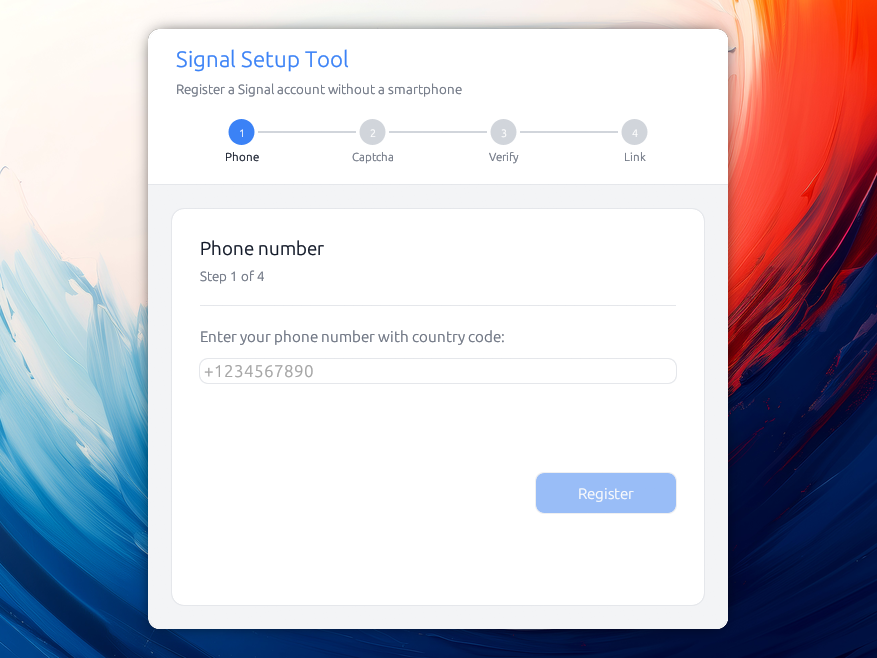
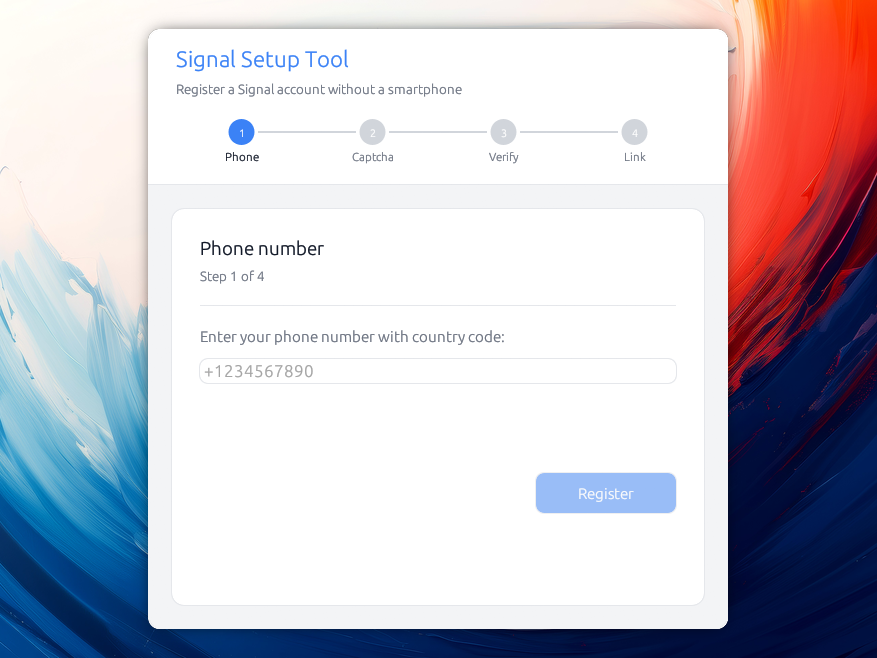
This utility avoids the need of a smartphone, but still requires a way to receive SMS messages during the setup phase. Signal recently introduced numberless accounts, but that still requires Android and Google Play services. Chances are high that they will offer alternative payment options in the future.
Grab the latest release!
There are multiple reasons why this tool might be interesting to you:
The security of your signal conversations is as low as the security of the devices on which it is installed:
If your device is lost or stolen when it’s not locked with your passcode, of course someone could read the messages on it. Likewise, law enforcement entities are known to use forensic tools to break into seized devices, making it possible to read anything on the device, including your messages.
Some people don't have a smartphone, and they should be able to use Signal :-)
The tool registers as the account's primary device and links Signal Desktop as a secondary one. Signal allows five linked devices per account, and this tool can help link them all. That's helpful in situations where you want to share a signal account with a colleague, for instance.
As of now, Signal Desktop requires a phone number and a smartphone to set up an account. This might change in the future but until then, you can use this.
"I assume your question is in regards to sort of like phone number signup that exists on Signal today. That is something we are looking at hopefully for later on this year adding a way to sign up without phone numbers. [...]"
— Ehren Kret, Signal CTO, Jul 20 2026
Download the file for your system from the releases page:
.dmg and drag Signal Setup into Applications.AppImage: Make it executable (chmod +x Signal_Setup-*.AppImage) and run it. A plain signal-setup-linux-* binary is also published if you prefer.The releases are not signed with a paid developer certificate ($99 USD per year for macOS, even more for Windows), and as a result the system warns you after install:
macOS shows "cannot be opened because it is from an unidentified
developer." Right-click the app and choose Open, then confirm. You only
need to do this once. If it reports the app is "damaged," clear the download
quarantine flag: xattr -dr com.apple.quarantine "/Applications/Signal Setup.app".
Windows SmartScreen shows "Windows protected your PC." Click More info, then Run anyway.
cargo build --release
./target/release/signal-setup
The project is a Cargo workspace with two crates: signal-setup-core (the
Signal registration and device-linking logic) and signal-setup (the desktop
GUI that depends on it). Building the workspace produces the signal-setup
binary above.
On Linux only, a few system libraries are useful for GPU/display:
# Ubuntu / Debian
sudo apt install libxcb-render0-dev libxcb-shape0-dev libxcb-xfixes0-dev \
libxkbcommon-dev libssl-dev protobuf-compiler

# Fedora
sudo dnf install libxcb-devel libxkbcommon-devel openssl-devel protobuf-compiler

# Arch
sudo pacman -S libxcb libxkbcommon openssl protobuf
Every account can be exported from its "Manage" screen as a key file:
signal-account-<number>.json. It holds everything needed to act as the account's primary
device, encrypted with a passphrase of your choosing.
Keep it as a backup, you will be able to import it into another machine!
Key files also cary the master key, which is useful for re-registering a number without waiting for the lock to expire.
You can run the tool against Signal's staging environment instead of production, which is useful for development and testing without risking your real account:
./target/release/signal-setup --staging
To complete the device-linking step, you'll need a Signal Desktop instance also connected to the staging server. Building Signal Desktop from source does this by default:
git clone https://github.com/signalapp/Signal-Desktop.git
cd Signal-Desktop
pnpm install
pnpm start
Set SIGNAL_SETUP_DEBUG=1 to print every answer of Signal's verification API
(status and body) to the terminal, which is the first thing to look at when a
registration does not go through.
A --demo flag is also available for fully offline testing with fake data (no
server needed). In demo mode, the verification code 000000 simulates an
account eligible for device transfer and 111111 a registration-locked
number.
There are other tools able to do this, such as the awesome signal-cli by AsamK, but unfortunately they don't provide a graphical user interface. A previous version of this tool was using it under the hood, but needed users to have a JVM installed in order to run things.
Instead — and because I thought it would be easier — I used the occasion to take a deep dive into Signal's crypto.
Here is a high level of how things work (this application registers as the primary signal device, and then links Signal Desktop as a secondary device).
Here is the flow:
%%{init: {'theme':'default', 'themeVariables': {'background':'#ffffff'}}}%%
sequenceDiagram
    actor User
    participant App as App
    participant Server as Signal Server
    participant Desktop as Signal Desktop
    participant Store as Disk + Keyring

    Note over App: Step 0: Welcome (if saved accounts)

    rect rgb(235,245,255)
    Note over User,Server: Phase 1: Request verification code
    User->>App: Step 1: enter phone (+1234567890)
    App->>Server: POST /v1/verification/session
    Server-->>App: session.id (+ captcha_required?)
    alt Captcha required
        Note over App: Step 2 shown
        User->>App: solve captcha, paste it
        App->>Server: POST .../session/{id}/code (sms)
    else No captcha
        App->>Server: POST .../session/{id}/code (sms)
    end
    Server-->>User: SMS verification code
    end
