
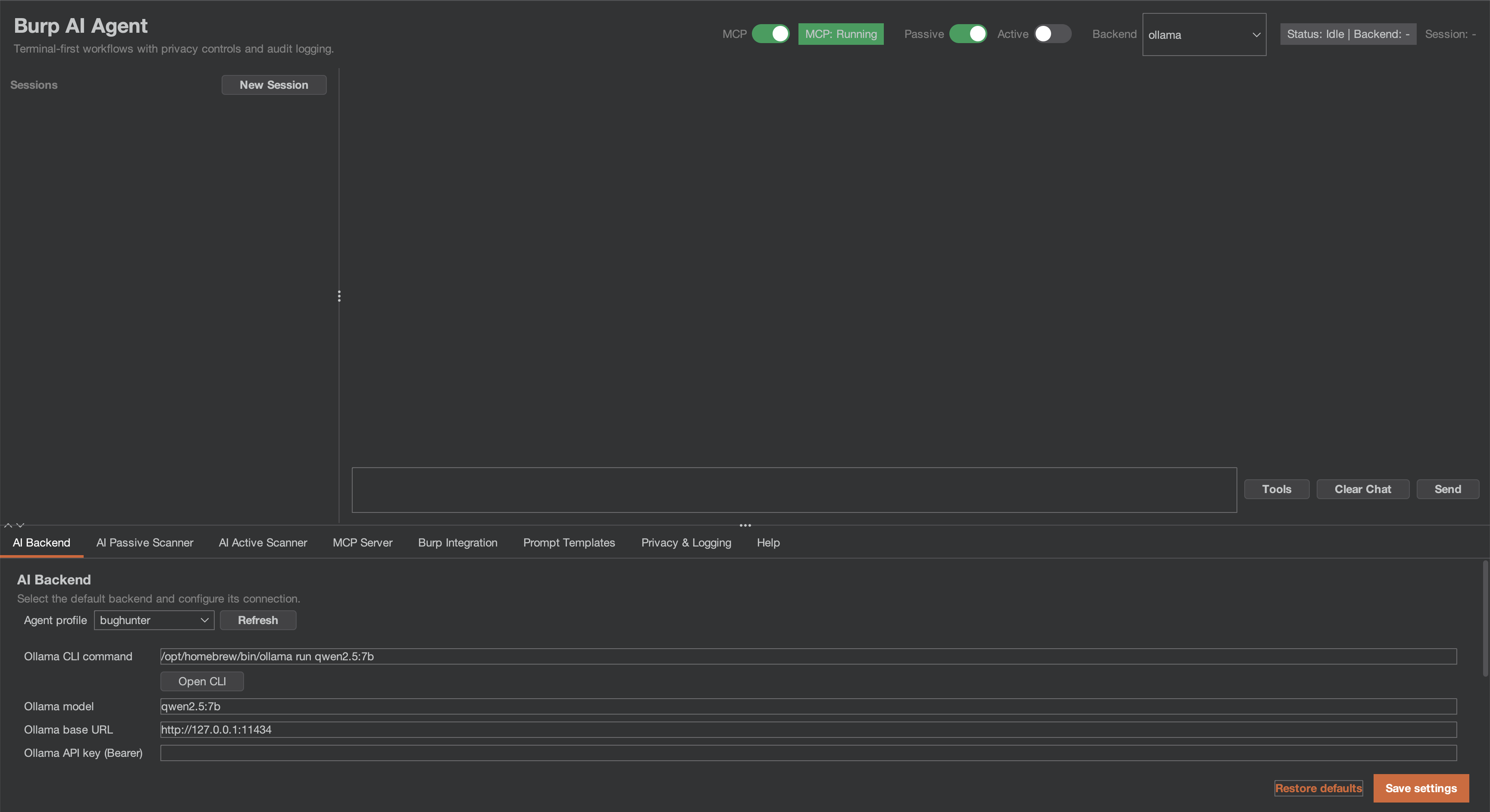
burp-ai-agent v0.9.2
Burp Suite extension that adds built-in MCP tooling, AI-assisted analysis, privacy controls, passive and active scanning and more
Custom AI Agent
The bridge between Burp Suite and modern AI.
A note on the name: This extension is published as Custom AI Agent (formerly Burp AI Agent). It was renamed to comply with PortSwigger's BApp Store naming requirements and to avoid confusion with Burp Suite's built-in Burp AI provider. The GitHub repository (
github.com/six2dez/burp-ai-agent), the documentation site (burp-ai-agent.six2dez.com), and the configuration directory (~/.burp-ai-agent/) keep theburp-ai-agentidentifier for continuity.
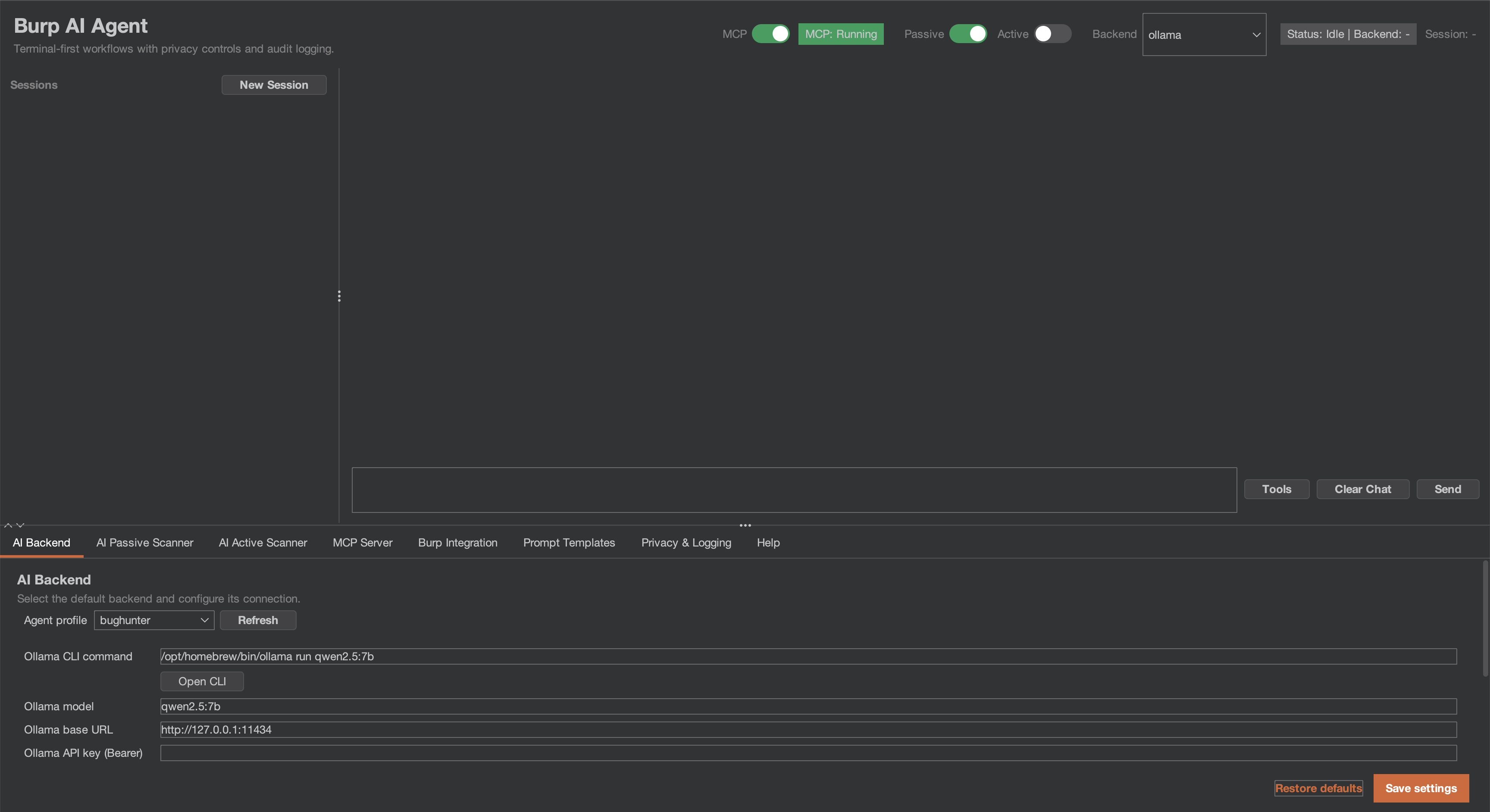
Custom AI Agent is an extension for Burp Suite that integrates AI into your security workflow. Use local models or cloud providers, connect external AI agents via MCP, and let passive/active scanners find vulnerabilities while you focus on manual testing.
[!IMPORTANT] If you are running 1.0.0 or earlier, read the security advisories and upgrade to the latest release, 1.1.0. Audit files written with Audit logging on may hold the MCP token and full prompts, and right-click "send to AI" context could bypass the privacy mode; both advisories say which credentials to rotate. No CVE or GHSA identifier has been issued for any of them.
What's new in v1.1.0
Two builds from one repository, built for the BApp Store resubmission. Full detail in CHANGELOG.md.
- Two builds. The BApp Store build (
./gradlew bappJar) has the 8 extension-native MCP tools, Burp AI and the six HTTP backends. The GitHub full build (./gradlew fullJar) has all 59 MCP tools, the five CLI backends, the external MCP client and the opt-in auto-queue. Both are on Releases, each with a.sha256. Load only one at a time; Which Build? compares them. - The BApp Store build's AI gate. The BApp Store build runs on Burp Community and Burp Professional; it sends AI requests only while Burp's "Use AI" setting is enabled for the extension, and with it off it loads and refuses every AI request.
- Passive scans send nothing to the target. Passive findings the AI Active Scanner can test are listed as suggested targets in its queue dialog, in both builds, and you queue them by hand: nothing is sent to a target before you confirm.
- Clean unload. Unloading leaves no thread, timer or MCP listener of the extension running and starts no new request to an AI provider.
- Issue details are HTML-encoded. Payloads, values taken from the target and AI text show as literal text in Burp's issue view and reports.
- The AI scanners start OFF at every load, in both builds; switching one on lasts until Burp unloads the extension.
What's new in v1.0.1
A correctness and privacy hotfix for 1.0.0. Full detail in CHANGELOG.md and SECURITY.md.
- Non-ASCII prompts work on every HTTP backend (#84, #85, #86, #88). Request bodies are sent as UTF-8 bytes; before, non-ASCII characters were corrupted and target text could change the JSON structure of the request.
- Privacy: right-click context, scanner settings, audit logging and chat links now honour the privacy mode and the hashes-only audit default; chat links open only after a confirmation.
- Scanner safety: state-changing requests are replayed only at DANGEROUS; the Burp Scanner AI checks respect the scan's resource pool and the AI passive switch.
- Reliability: NVIDIA NIM and Perplexity work again, follow-up chat messages keep their context, and redaction no longer drops content on slow or busy machines.
- Bundled libraries: Netty 4.1.138, Jackson 2.22.3.
What's new in v1.0.0
First stable release, and a security-correctness milestone. An external review of 0.9.2 on
2026-08-05 confirmed two exploitable defects by running the shipped code; this release fixes both
plus the wider class of issues the same review surfaced. Full detail in CHANGELOG.md.
Fixed, and disclosed:
- SEC-04 (critical) — MCP access-control checks did not run on resolved routes. With external access enabled the listener accepted unauthenticated tool calls; in local mode the Origin/Host/User-Agent checks and the security response headers were inert on matched routes. The decision now runs ahead of routing. → rotate your MCP token
- PRIV-05 (high) — session cookies reached AI backends unredacted in STRICT and BALANCED. The
passive scanner emitted cookies as bare
name=value, dropping the prefix redaction keyed on, and only a cookie literally namedsessionwas caught. → rotate affected cookies
Hardened:
- Model-emitted tool calls now need your approval (SEC-06) — a tool call parsed out of model output does not reach Burp until you decide. Tiers fail closed: an unrecognised tool name confirms every time, never runs silently. See Privacy and Security Notes.
- The MCP token is no longer disclosed during a port takeover (SEC-07) — a local process squatting the MCP port and echoing the identity header could previously harvest a token granting full MCP tool access. The takeover client now presents an HMAC proof of possession instead, and under TLS it pins the server certificate to its own keystore.
SsrfGuardclassifies alternate IP notations (SEC-07) —http://2852039166/(decimal for169.254.169.254) no longer sidesteps the private/link-local warning by notation alone, and classification now performs no name resolution at all.- Shell arguments are quoted by allowlist (QUAL-06) — closing a settings-import-to-command-execution
path for values carrying metacharacters without whitespace (
foo;id,$(cmd)). - EDT confinement and scheduler robustness — tool execution, backend HTTP and MCP
stop()moved off the Swing event dispatch thread; recurring tasks guarded against death-by-exception.
Verified: test suite grown from 660 to 1131 tests across 158 classes, project line coverage 34% → 58%, and the detekt baseline shrunk 1096 → 1040 rather than grown.