
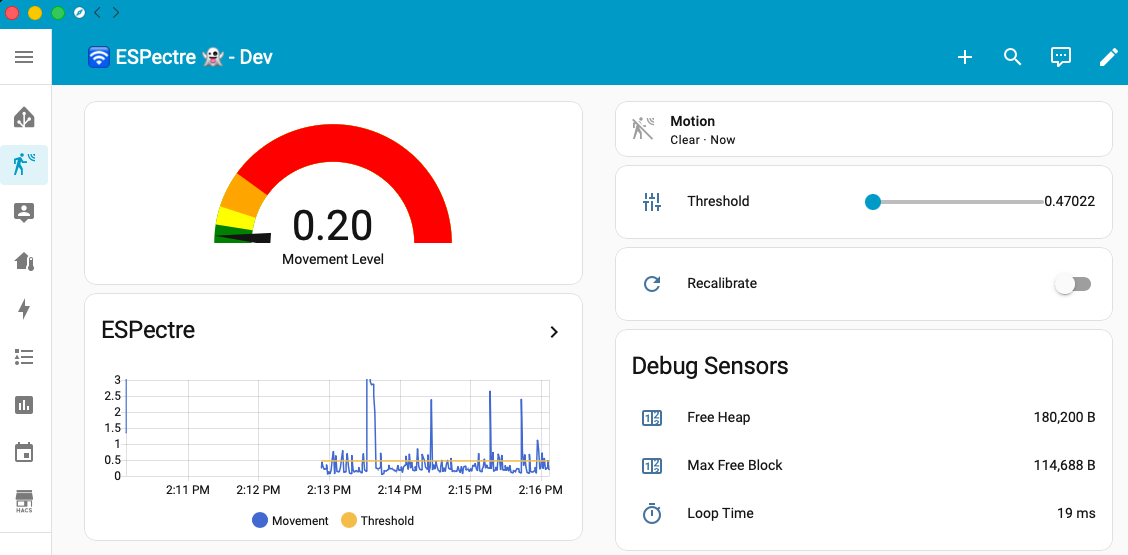
espectre snapshot-dev
ESPectre - Motion detection system based on Wi-Fi spectre analysis (CSI), with Home Assistant integration.



ESPectre 
Turn an ESP32 into a private, local Wi-Fi motion sensor.
When someone moves through a room, they change the way Wi-Fi signals travel through it. ESPectre reads those changes and reports motion in real time. No camera, no microphone, no wearable, and no dedicated radar hardware: just a supported ESP32 and the Wi-Fi network already in the room.
ESPectre is an open-source platform that brings together ready-to-flash firmware, an embeddable C++ SDK, a MicroPython implementation, browser tools, a host CLI, an open dataset, open model weights, and the research workflow used to build and validate the detectors.
Flash from your browser · See the live tools · Read the documentation · Explore the SDK
Applications and integrations
Use ESPectre to turn on lights or a display when someone walks in, adjust heating when a room is in use, or send an alert when there is movement where nobody should be. It works with Home Assistant (through ESPHome or MQTT), appears as a standard Matter occupancy sensor, offers a local HTTP API, and can be built into your own ESP32 firmware with the C++ SDK.
Everything runs on the device: it measures the Wi-Fi channel (channel state information, or CSI) and reports motion and a movement score. Nothing needs to go to the cloud. One board covers one area, so plan on one board per room.
ESPectre detects changes in the radio environment. It does not identify people, count them, prove that a room is empty, or replace a safety-certified security, medical, or emergency system.
Supported hardware
- ESP32-C6, ESP32-C5, ESP32-C3, ESP32-S3, ESP32-S2, and classic ESP32
- a normal Wi-Fi 4 (802.11n) network on 2.4 GHz
Choose a firmware path
| Path | Best for | Start here |
|---|---|---|
| Native | Standalone sensors, MQTT integrations, including Home Assistant MQTT Discovery, and custom applications | Native frontend |
| ESPHome | Home Assistant users who want native entities, ESPHome provisioning, and Device Builder updates | ESPHome frontend |
| Matter | Matter controllers with occupancy-sensor support; controller validation is still limited | Matter frontend |
| Micro-ESPectre | Lightweight sensing in MicroPython with local, read-only Direct HTTP monitoring | Micro-ESPectre README |
Quick start
The quickest way needs only a browser. Use desktop Chrome 151 or later; Edge can flash, but Device settings and Monitor may not work in it.
- Open Flash in desktop Chrome or Edge.
- Connect a supported ESP32 over USB, then choose a firmware and release channel.
- Complete on-screen Wi-Fi provisioning, or commission Matter with a supported controller.
- Optionally, open Device settings to pin a preferred access point or set up MQTT.
- Open Monitor to watch motion, tune detection, and inspect the device.
To find your devices on the network, use Find devices in the browser tools or ./espectre devices. See the discovery reference for requirements and limits.

Matter status: Matter support is still being tested with the different controller ecosystems. A controller that supports occupancy sensors may not have been tested with ESPectre yet. See Matter controller compatibility for the current matrix.
Local setup
To build and flash from this repository, start with the setup guide. To see all available commands, run:
./espectre --help
Documentation
| Topic | What it covers | Guides |
|---|---|---|
| Install and operate | Device setup, CLI workflows, and troubleshooting | Setup guide, CLI reference, Troubleshooting guide |
| Understand and integrate | Runtime architecture, CSI acquisition, API, discovery, algorithms, and the C++ SDK | Architecture overview, CSI guide, API reference, Discovery reference, Algorithms reference, SDK guide |
| Research and direction | Roadmap, architecture decisions, and release history | Roadmap, ADR index, Changelog |
| Frontend reference | Guides for each firmware: ESPHome, Native, Matter, and Micro-ESPectre | ESPHome, Native, Matter, Micro |
| Contributing | Contributions, release procedures, and project discussions | Contributing guide, Release guide, GitHub Discussions |