mrexodia/ida-pro-mcp
KI-gestützter Reverse-Engineering-Assistent, der IDA Pro über MCP mit Sprachmodellen verbindet.
[!IMPORTANT] Ich empfehle stattdessen die Verwendung des offiziellen Hex-Rays IDA MCP Servers!
Weitere Informationen finden sich im Ankündigungs-Blogbeitrag.
Einfacher MCP Server, um Vibe-Reversing in IDA Pro zu ermöglichen.
https://github.com/user-attachments/assets/6ebeaa92-a9db-43fa-b756-eececce2aca0
Die Binärdateien und der Prompt für das Video sind im Repository mcp-reversing-dataset verfügbar.
idapyswitch, um auf die neueste Python-Version zu wechselnida-pro-mcp --config aus, um die JSON-Konfiguration für deinen Client zu erhalten.Hinweis: Dies erfordert, dass idalib global aktiviert und uv installiert ist:```bash
uv run "C:\Program Files\IDA Professional 9.3\idalib\python\py-activate-idalib.py"
uv run "/Applications/IDA Professional 9.3.app/Contents/MacOS/idalib/python/py-activate-idalib.py"
uv run "/path/to/idapro-9.3/idalib/python/py-activate-idalib.py"
## Installation (Claude Code)

Um das neueste IDA Pro MCP in Claude Code zu installieren:```bash
claude plugin marketplace add mrexodia/claude-marketplace
claude plugin uninstall ida-pro-mcp@mrexodia
claude plugin install ida-pro-mcp@mrexodia
Um das neueste IDA Pro MCP in Codex zu installieren:```bash codex plugin marketplace add mrexodia/codex-marketplace codex plugin remove ida-pro-mcp@mrexodia codex plugin add ida-pro-mcp@mrexodia
## Installation (Kimi Code)

Um das neueste IDA Pro MCP in Kimi Code zu installieren, führe diesen Slash-Befehl im Chat aus:```
/plugins install https://github.com/mrexodia/ida-pro-mcp/tree/main
/reload
Dies installiert den idalib MCP-Server und die idapython-Skill. Plugins werden nach
$KIMI_CODE_HOME/plugins/managed/ kopiert, daher muss uv in deinem PATH sein. Die erste Sitzung nach
der Installation ist langsamer, weil uv die Abhängigkeiten auflöst, bevor der Server antwortet.
Hinweis: Das MCP-Plugin wird nicht mehr empfohlen und wird irgendwann veraltet sein. Verwende stattdessen idalib-mcp.
Wenn du den MCP-Server manuell über die IDA-GUI konfigurieren möchtest:```sh pip uninstall ida-pro-mcp pip install https://github.com/mrexodia/ida-pro-mcp/archive/refs/heads/main.zip
Konfigurieren Sie die MCP-Server und installieren Sie das IDA-Plugin:```
ida-pro-mcp --install
Wichtig: Stellen Sie sicher, dass Sie IDA und Ihren MCP-Client vollständig neu starten, damit die Installation wirksam wird. Einige Clients (wie Claude) laufen im Hintergrund und müssen über das Tray-Symbol beendet werden.
LLMs neigen zu Halluzinationen und Sie müssen bei Ihrem Prompting präzise sein. Beim Reverse Engineering ist die Konvertierung zwischen Ganzzahlen und Bytes besonders problematisch. Nachfolgend finden Sie ein minimales Beispiel-Prompt; zögern Sie nicht, eine Diskussion zu starten oder ein Issue zu eröffnen, wenn Sie mit einem anderen Prompt gute Ergebnisse erzielen:```md Your task is to analyze a crackme in IDA Pro. You can use the MCP tools to retrieve information. In general use the following strategy:
int_convert MCP tool if needed!Dieser Prompt war nur das erste Experiment, bitte teilt es, wenn ihr Wege gefunden habt, die Ausgabe zu verbessern!
Ein weiterer Prompt von [@can1357](https://github.com/can1357):```md
Your task is to create a complete and comprehensive reverse engineering analysis. Reference AGENTS.md to understand the project goals and ensure the analysis serves our purposes.
Use the following systematic methodology:
1. **Decompilation Analysis**
- Thoroughly inspect the decompiler output
- Add detailed comments documenting your findings
- Focus on understanding the actual functionality and purpose of each component (do not rely on old, incorrect comments)
2. **Improve Readability in the Database**
- Rename variables to sensible, descriptive names
- Correct variable and argument types where necessary (especially pointers and array types)
- Update function names to be descriptive of their actual purpose
3. **Deep Dive When Needed**
- If more details are necessary, examine the disassembly and add comments with findings
- Document any low-level behaviors that aren't clear from the decompilation alone
- Use sub-agents to perform detailed analysis
4. **Important Constraints**
- NEVER convert number bases yourself - use the int_convert MCP tool if needed
- Use MCP tools to retrieve information as necessary
- Derive all conclusions from actual analysis, not assumptions
5. **Documentation**
- Produce comprehensive RE/*.md files with your findings
- Document the steps taken and methodology used
- When asked by the user, ensure accuracy over previous analysis file
- Organize findings in a way that serves the project goals outlined in AGENTS.md or CLAUDE.md
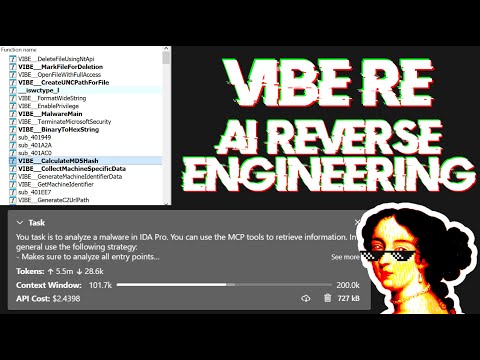
Live-Stream, in dem über Prompting diskutiert und eine reale Malware-Analyse gezeigt wird:
Large Language Models (LLMs) sind leistungsstarke Werkzeuge, aber sie können manchmal mit komplexen mathematischen Berechnungen Schwierigkeiten haben oder „Halluzinationen“ aufweisen (Fakten erfinden). Stellen Sie sicher, dass Sie dem LLM mitteilen, das int_convert MCP-Tool zu verwenden, und möglicherweise benötigen Sie auch math-mcp für bestimmte Operationen.