
 google/artemis
Natural-language Android automation agent that drives real devices via ADB, captures Logcat and screenshots, and exposes an MCP server for AI IDEs and CI test pipelines.


Let AI assistants and test suites use real phones like a human.
English • 中文文档 • Workflow Showcase • Quick Start • MCP for IDEs • Benchmarks • Discord Community





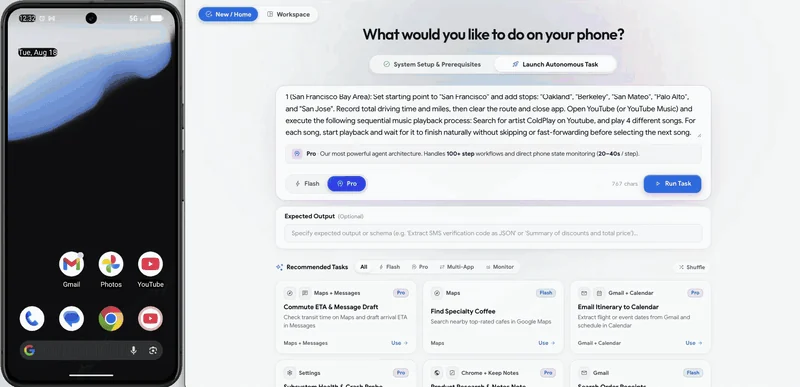
Live Demo: Setup driving routes and calculate total durations in Google Maps, then open YouTube to play a Coldplay song.
Antigravity uses ARTEMIS through MCP to turn a test request into a plan, device execution, and a diagnostic report:
|
1. Prompt Input (Task Dispatch) Describe your test scenario and target metrics in Antigravity 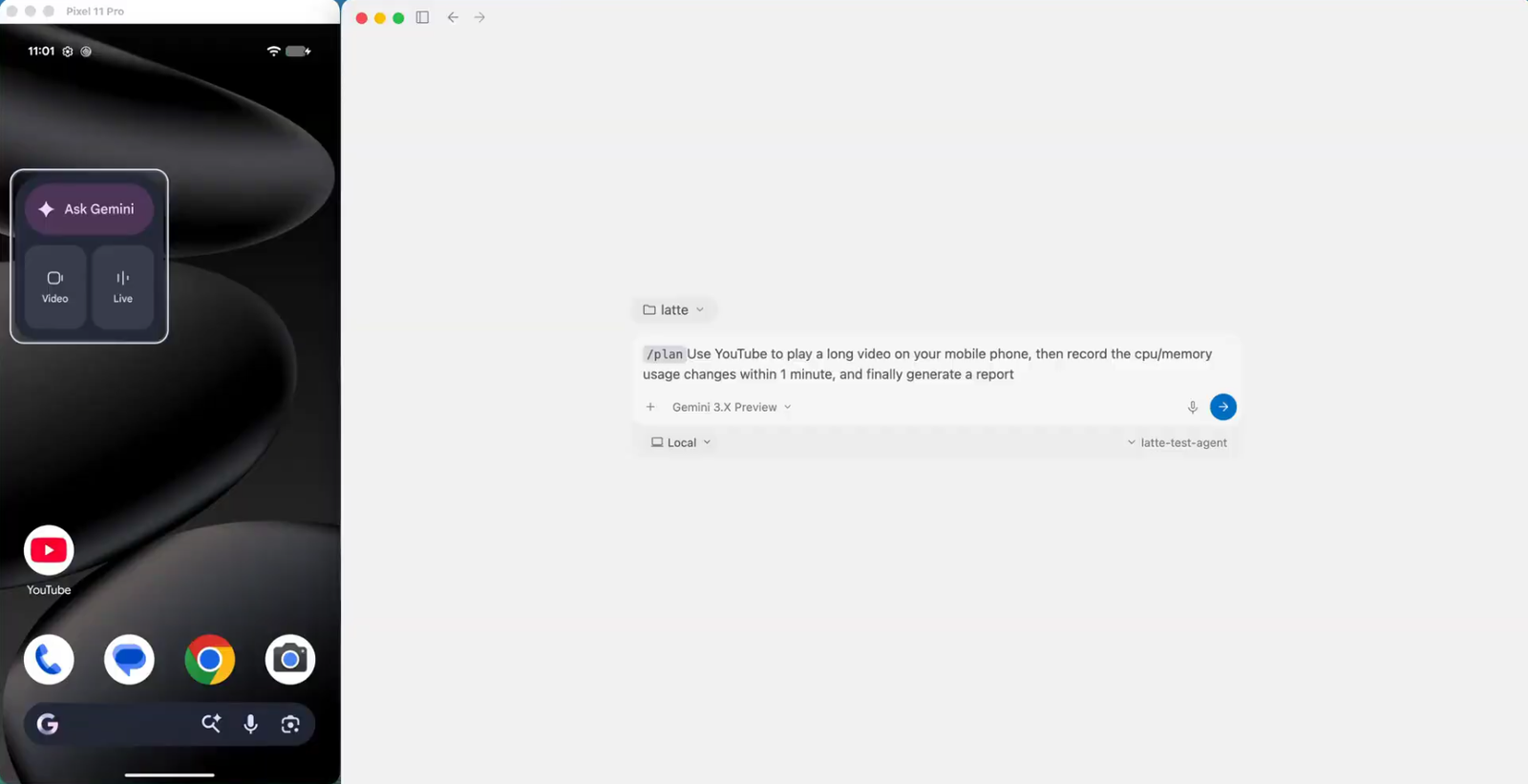
|
2. Test Plan Generation Formulates a step-by-step test plan & architecture for review 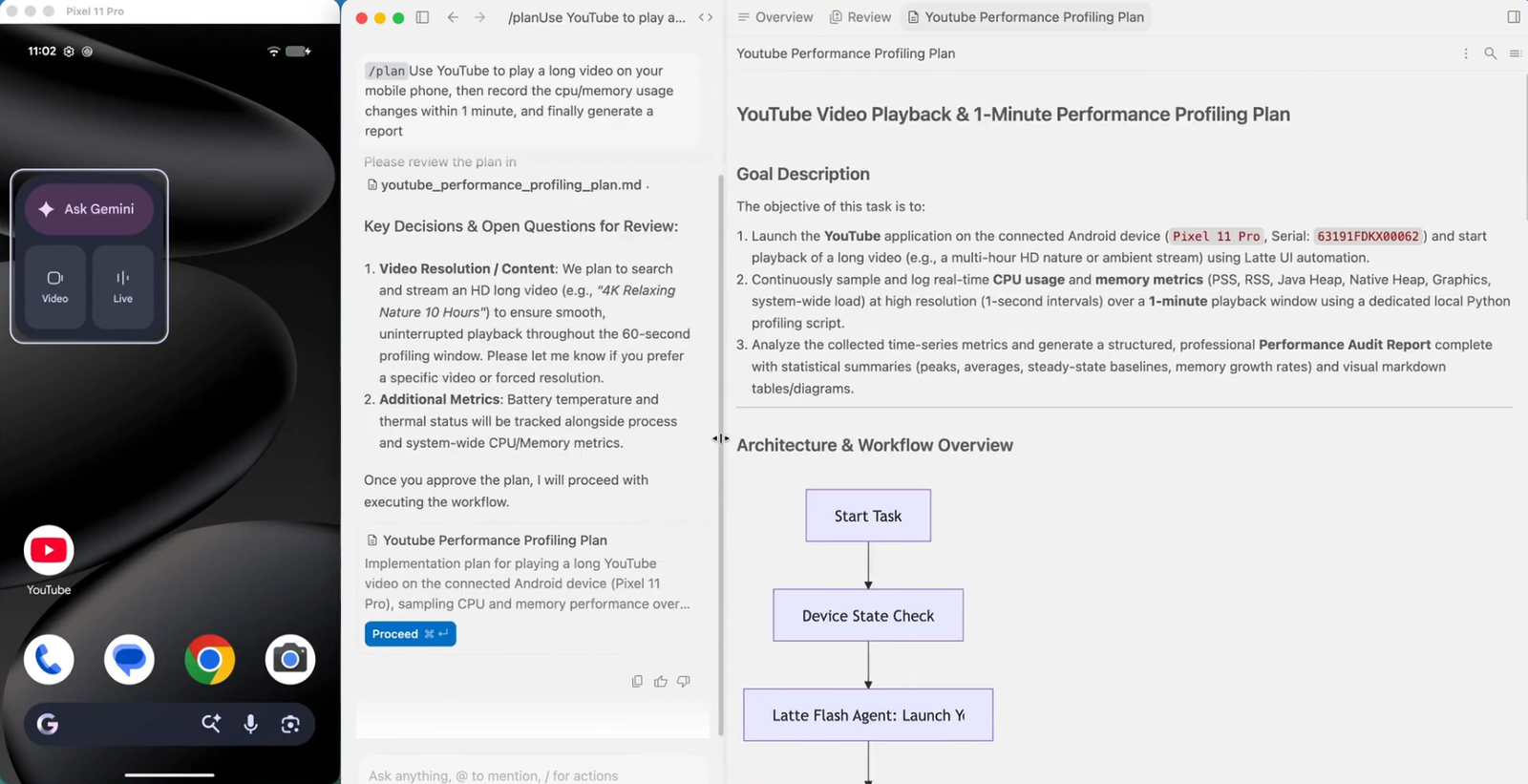
|
|
3. Autonomous Test Execution Drives real device, navigates UI, and profiles performance 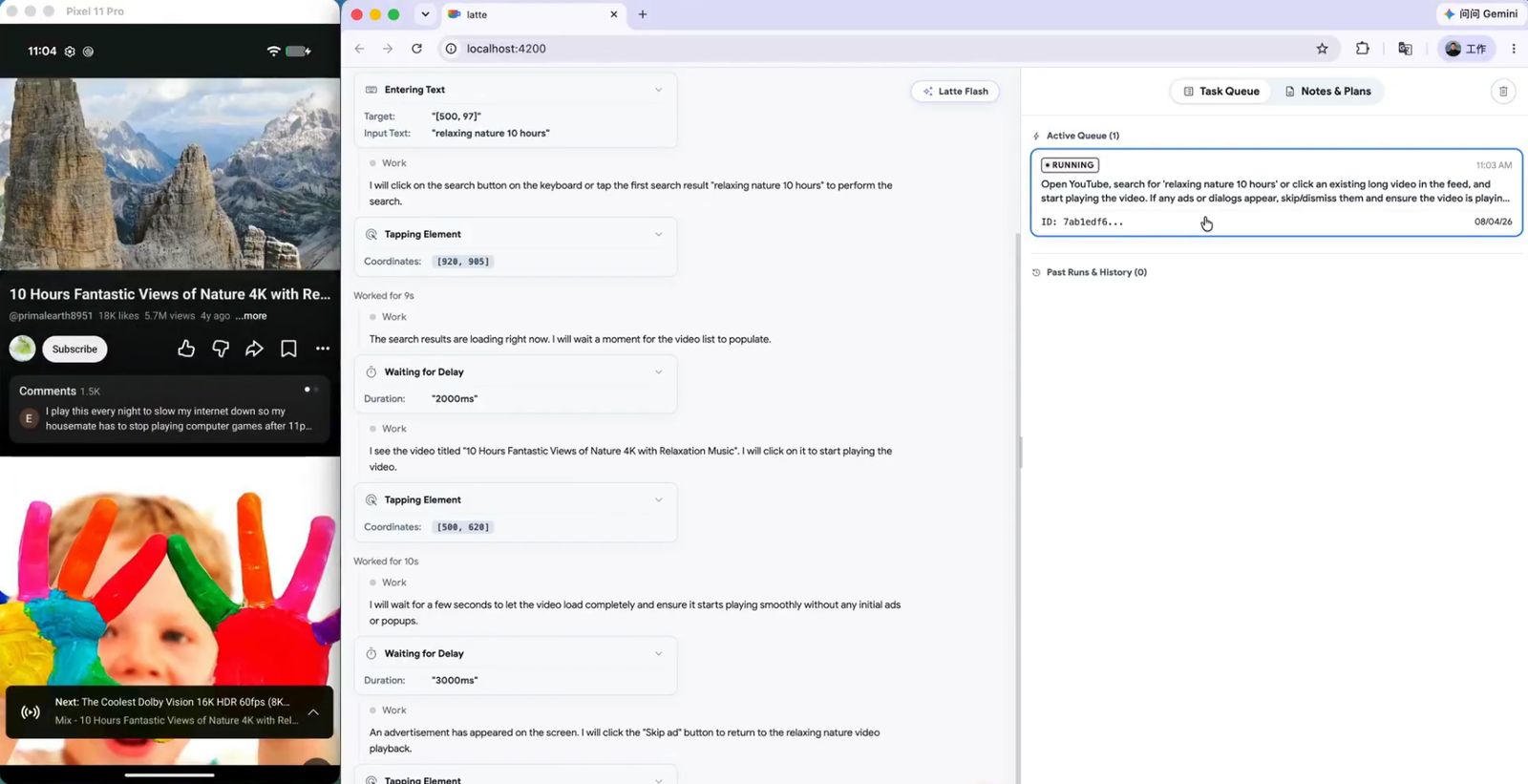
|
4. Final Report Delivers structured audit findings, metric tables, and raw datasets 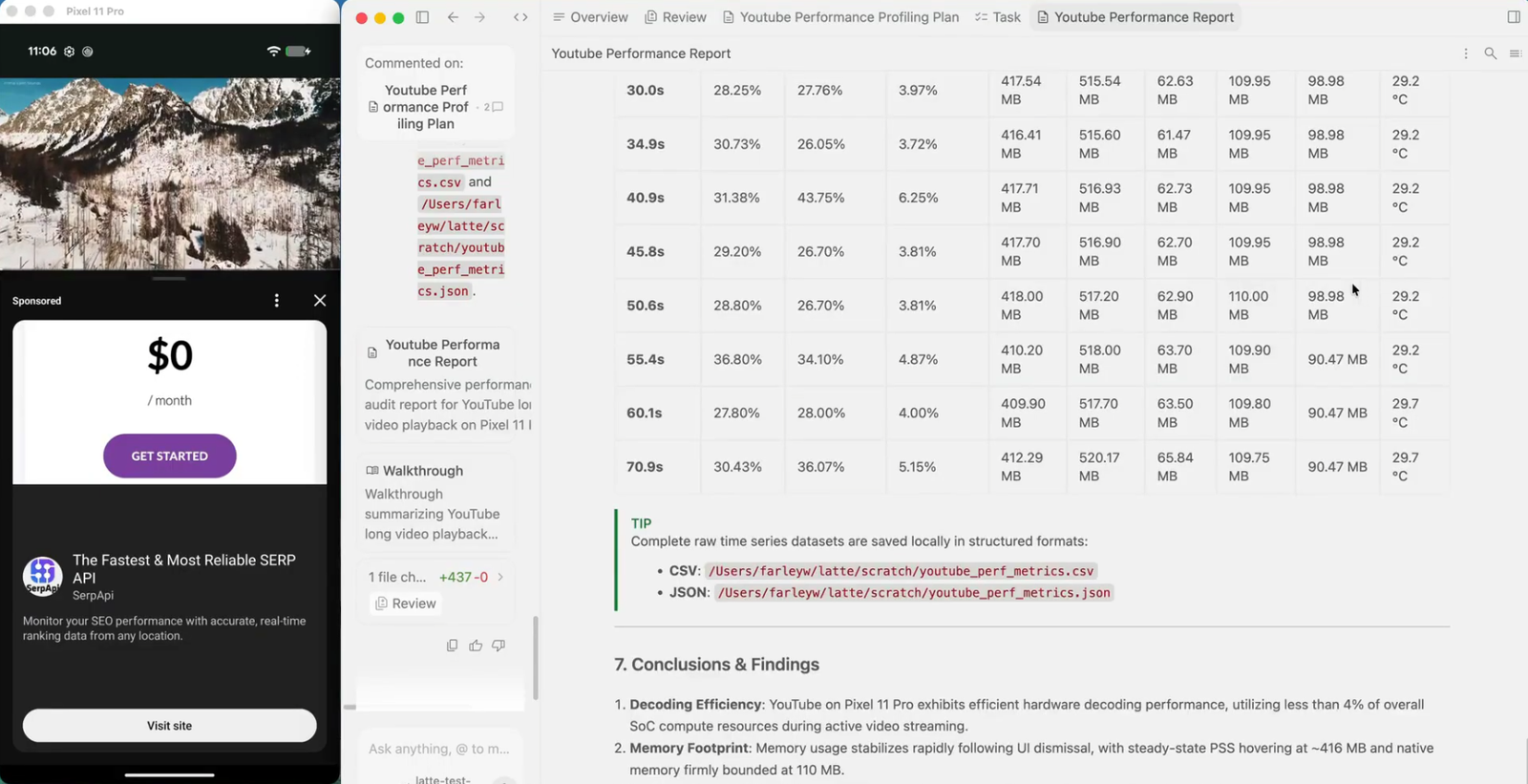
|
Ensure an Android device (with USB Debugging enabled) or emulator is connected. The one-click startup script will automatically:
uv) dependencies.rules.md) into your AI IDEs (Antigravity, Cursor, Claude Code, Codex, Windsurf, VS Code, Cline/Roo, OpenClaw).# 1. Clone repo & navigate to directory
git clone https://github.com/google/artemis.git && cd artemis
# 2. One-click launch
./start.sh
# 1. Clone repo & navigate to directory
git clone https://github.com/google/artemis.git
cd artemis

# 2. One-click launch
.\start.bat
PowerShell does not search the current directory for executable scripts by default, so use
.\start.batwithout a trailing\. In Command Prompt (CMD), usestart.batinstead.
Tip: Opens
http://localhost:8000in your default browser with a device connection wizard, live screen mirroring, prompt sandbox, and execution replays. You can also run directly from CLI:uv run artemis run "Open Settings, find Battery and tell me current level" --profile flash.
ARTEMIS includes a native Model Context Protocol (MCP) server. Connect your real phone directly into AI IDEs:
Running ./start.sh (macOS/Linux) or .\start.bat (Windows PowerShell) will prompt you to configure global MCP and testing rules for detected IDEs (or you can install/update anytime later manually using the commands below):
# Auto-install MCP server & global rules for Antigravity / Jetski:
uv run artemis mcp --install antigravity

# Or install for all supported AI IDEs (including Codex):
uv run artemis mcp --install all
Tip: You can also configure MCP interactively during first-time setup via
uv run artemis init. Pro Tip: If you want to use theartemiscommand globally withoutuv runin any directory, runuv tool install -e .once in the project root.
If you prefer to configure manually, run uv run artemis mcp --generate-config <client> (for example, codex or antigravity) to output the appropriate TOML or JSON snippet. Replace /path/to/artemis with your actual repo path and point command to your .venv Python executable:
~/.codex/config.toml):[mcp_servers.artemis]
command = "/path/to/artemis/.venv/bin/python"
args = ["-m", "mcp_server"]
cwd = "/path/to/artemis"
