 eskatos/creadur-rat-gradle
Apache RAT (Release Audit Tool) Gradle Plugin


Dieses Plugin ermöglicht die Ausführung des Apache RAT-Release-Audit-Tools, das sich auf Lizenzen konzentriert.
In Ihrer build.gradle(.kts)-Datei:
plugins {
    id("org.nosphere.apache.rat") version "0.8.1"
}
Das Plugin registriert eine Aufgabe namens rat, die Sie in Ihrer build.gradle(.kts)-Datei konfigurieren können:
tasks.rat {

    // Use the default RAT license header matchers, defaults to `true`
    addDefaultMatchers.set(false)

    // Add custom substring license header matchers
    substringMatcher("family", "category", "pattern-1", "pattern-2")

    // Declare approved license families, if used, any non-declared family won't be approved
    approvedLicense("MIT")

    // Input directory, defaults to '.'
    inputDir.set("some/path")

    // List of Gradle exclude directives, defaults to ['**/.gradle/**']
    excludes.add("**/build/**")

    // RatTask 0.5.0+ implements PatternFilterable
    exclude { it.file in configurations.someConf.files }

    // Rat excludes file, one directive per line
    excludeFile.set(layout.projectDirectory.file(".rat-excludes.txt"))

    // XML, TXT and HTML reports directory, defaults to 'build/reports/rat'
    reportDir.set(file("some/other/path"))

    // Custom XSL stylesheet for the HTML report
    stylesheet.set(file("custom/rat-html-stylesheet.xsl"))

    // Fail the build on rat errors, defaults to true
    failOnError.set(false)
}
rat {

    // Input directory, defaults to '.'
    inputDir.set(file("some/path"))

    // List of Gradle exclude directives, defaults to ['**/.gradle/**']
    excludes.add("**/build/**")

    // Rat excludes file, one directive per line
    excludeFile.set(layout.projectDirectory.file(".rat-excludes.txt"))

    // XML, TXT and HTML reports directory, defaults to 'build/reports/rat'
    reportDir.set(file("some/other/path"))

    // Custom XSL stylesheet for the HTML report
    stylesheet.set(file("custom/rat-html-stylesheet.xsl"))

    // Fail the build on rat errors, defaults to true
    failOnError.set(false)

    // Prints the list of files with unapproved licences to the console, defaults to false
    verbose.set(true)
}
Sie können die Aufgabe rat durch Aufruf von Gradle ausführen:
gradle rat
Wenn das Projekt eine check-Aufgabe hat, wird die rat-Aufgabe automatisch als abhängig von dieser registriert.
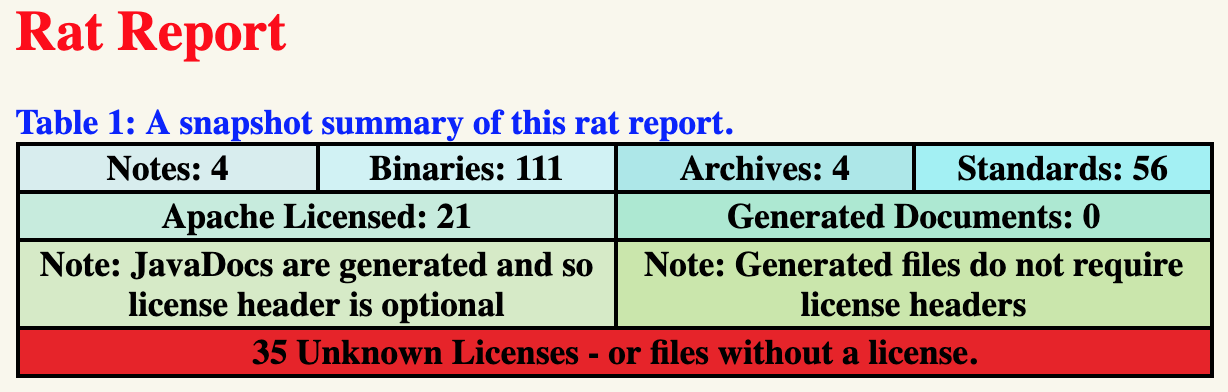
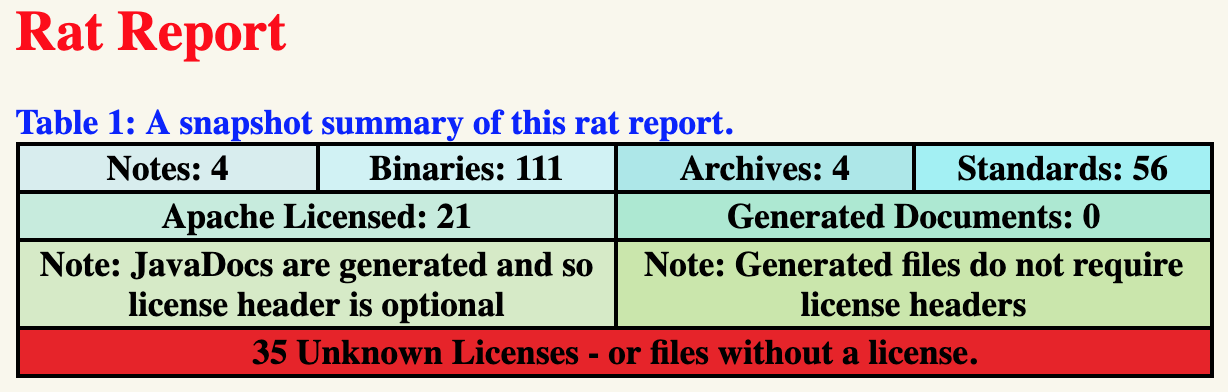
Wenn eine Rat-Überprüfung fehlschlägt, wird eine klickbare URL des HTML-Berichts ausgegeben:
FAILURE: Build failed with an exception.

* What went wrong:
Execution failed for task ':rat'.
> Apache Rat audit failure - 35 unapproved licenses
    See file:///path/to/build/reports/rat/index.html
| Plugin | Min Java | Min Gradle | Max Gradle | Configuration Cache | Build Cache |
|---|---|---|---|---|---|
0.8.1 | 1.8 | 6.0 | 8.x | 🟢 | 🟢 |
0.8.0 | 1.8 | 6.0 | 8.x | 🟡 | 🟢 |
0.7.1 | 1.8 | 6.0 | 7.x | 🟡 | 🟢 |
0.7.0 | 1.8 | 6.0 | 7.x | 🟡 | 🟢 |
0.6.0 | 1.6 | 4.7 | 6.x | 🟡 | 🟢 |
0.5.3 | 1.6 | 4.7 | 6.x | 🔴 | 🟢 |
0.5.2 | 1.6 | 4.7 | 6.x | 🔴 | 🟢 |
0.5.1 | 1.6 | 4.7 | 5.x | 🔴 | 🟢 |
0.5.0 | 1.6 | 4.7 | 5.x | 🔴 | 🟢 |
0.4.0 | 1.6 | 4.7 | 5.x | 🔴 | 🟢 |
0.3.1 | 1.6 | 2.14 | 4.x | 🔴 | 🟢 |
0.3.0 | 1.6 | 2.14 | 4.x | 🔴 | 🟢 |
0.2.0 | 1.6 | 2.14 | 4.x | 🔴 | 🟢 |
0.1.0 | 1.6 | 2.14 | 4.x | 🔴 | 🟢 |
