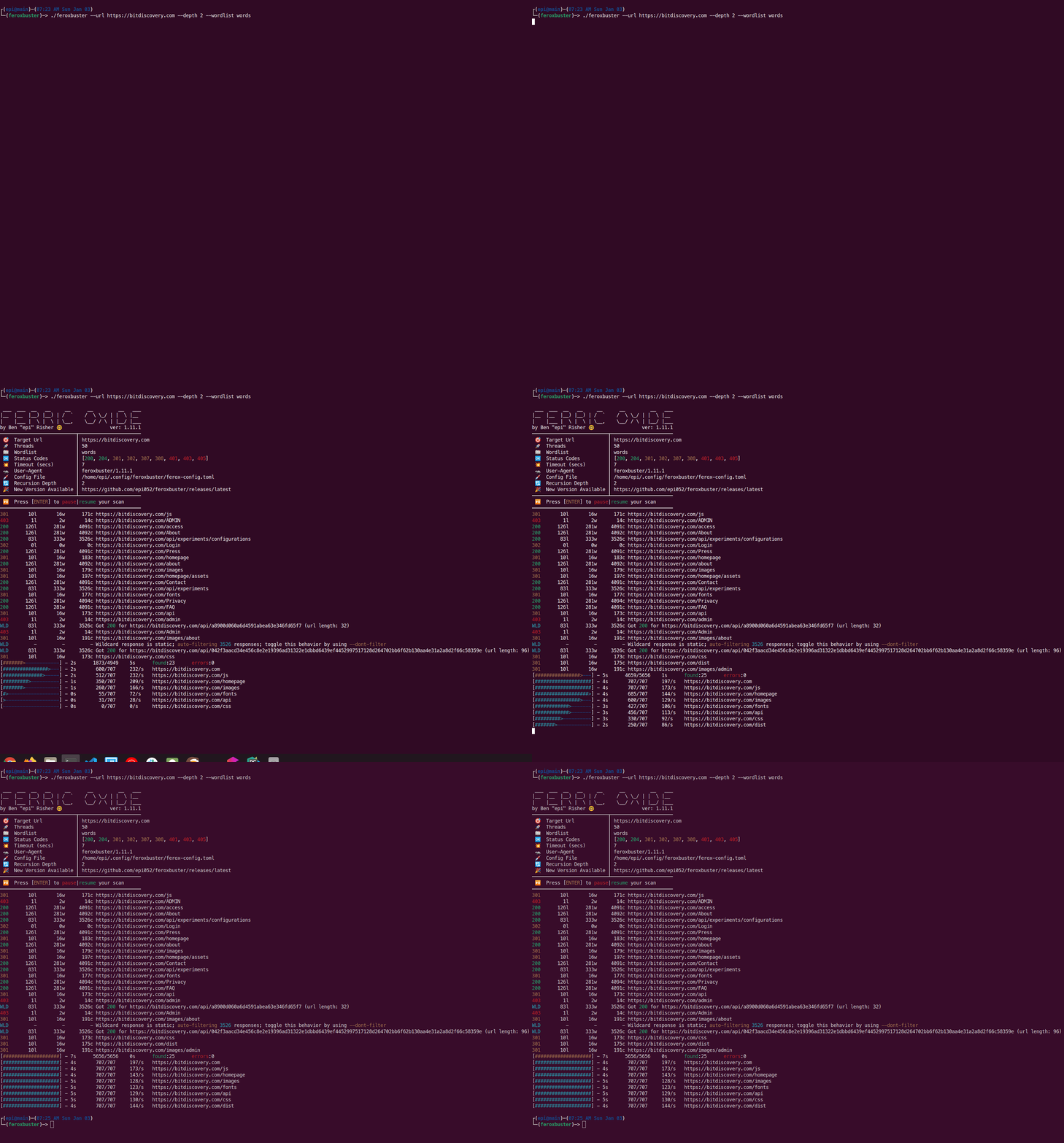

 epi052/feroxbuster
Ein schnelles, einfaches, rekursives Content-Discovery-Tool, geschrieben in Rust.
[!WARNING] Security Notice – Domain Impersonation
The domain feroxbuster.com is NOT affiliated with this project, its maintainers, or any official feroxbuster releases.
Official feroxbuster downloads are distributed ONLY through:
- https://github.com/epi052/feroxbuster (open source)
- https://www.feroxbuster.pro (commercial)
- package repositories listed in this README
- package repositories listed in the installation docs
We do not distribute software from feroxbuster.com, and we cannot vouch for the authenticity or safety of files hosted there. If you downloaded feroxbuster from any other domain, we strongly recommend deleting it and reinstalling from an official source.








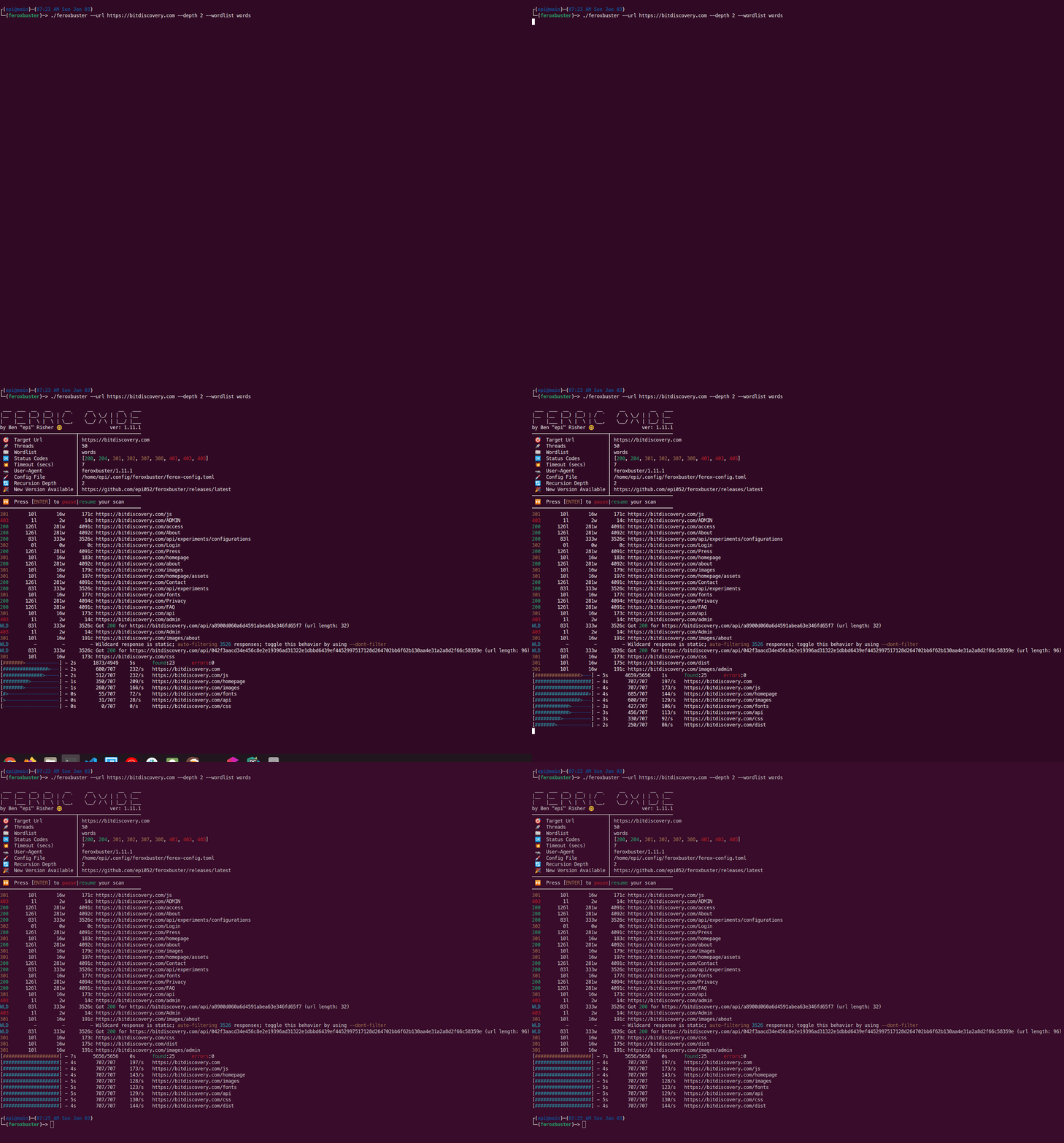




[!TIP] Documentation has moved! — Instead of having a 1300 line
README.md(sorry...), feroxbuster's documentation has moved to GitHub Pages. The move to hosting documentation on Pages should make it a LOT easier to find the information you're looking for, whatever that may be. Please check it out for anything you need beyond a quick-start.
Ferox is short for Ferric Oxide. Ferric Oxide, simply put, is rust. The name rustbuster was taken, so I decided on a variation.
feroxbuster is a tool designed to perform Forced Browsing.
Forced browsing is an attack where the aim is to enumerate and access resources that are not referenced by the web application, but are still accessible by an attacker.
feroxbuster uses brute force combined with a wordlist to search for unlinked content in target directories. These
resources may store sensitive information about web applications and operational systems, such as source code,
credentials, internal network addressing, etc...
This attack is also known as Predictable Resource Location, File Enumeration, Directory Enumeration, and Resource Enumeration.
This section will cover the minimum amount of information to get up and running with feroxbuster. Please refer the the documentation, as it's much more comprehensive.
There are quite a few other installation methods, but these snippets should cover the majority of users.
If you're using kali, this is the preferred install method. Installing from the repos adds a ferox-config.toml in /etc/feroxbuster/, adds command completion for bash, fish, and zsh, includes a man page entry, and installs feroxbuster itself.
sudo apt update && sudo apt install -y feroxbuster
Install to a particular directory
curl -sL https://raw.githubusercontent.com/epi052/feroxbuster/main/install-nix.sh | bash -s $HOME/.local/bin
Install to current working directory
curl -sL https://raw.githubusercontent.com/epi052/feroxbuster/main/install-nix.sh | bash
brew install feroxbuster
Invoke-WebRequest https://github.com/epi052/feroxbuster/releases/latest/download/x86_64-windows-feroxbuster.exe.zip -OutFile feroxbuster.zip
Expand-Archive .\feroxbuster.zip
.\feroxbuster\feroxbuster.exe -V
winget install epi052.feroxbuster
choco install feroxbuster
Please refer the the documentation.
./feroxbuster --update
Here are a few brief examples to get you started. Please note, feroxbuster can do a lot more than what's listed below. As a result, there are many more examples, with demonstration gifs that highlight specific features, in the documentation.
Options that take multiple values are very flexible. Consider the following ways of specifying extensions:
./feroxbuster -u http://127.1 -x pdf -x js,html -x php txt json,docx
The command above adds .pdf, .js, .html, .php, .txt, .json, and .docx to each url
All of the methods above (multiple flags, space separated, comma separated, etc...) are valid and interchangeable. The same goes for urls, headers, status codes, queries, and size filters.
./feroxbuster -u http://127.1 -H Accept:application/json "Authorization: Bearer {token}"
./feroxbuster -u http://[::1] --no-recursion -vv
