 bishopfox/bfinject
Dylib-Injektion für iOS 11.0 - 11.1.2 mit LiberiOS- und Electra-Jailbreaks

Einfache Dylib-Injektion für gejailbreakte 64-Bit-iOS-11.0–11.1.2-Geräte. Kompatibel mit den Electra- und LiberiOS-Jailbreaks.
bfinject lädt beliebige Dylibs in laufende App-Store-Apps. Es verfügt über integrierte Unterstützung zum Entschlüsseln von App-Store-Apps und wird mit iSpy und Cycript gebündelt.
bfinject ist ein Wrapper, der dafür sorgt, dass deine Dylibs vor der Injektion mit bfinject4realz korrekt codesigniert werden. Es ist vollständig eigenständig und benötigt weder jailbreakd, QiLin noch Ähnliches. Es funktioniert einfach.
Hinweis: bfinject funktioniert unter Electra nicht, wenn „Tweaks“ aktiviert ist. Starte das Gerät neu und führe Electra ohne Tweaks erneut aus, um bfinject verwenden zu können. Wenn du Fehler mit „thread_create“ siehst, ist das das Problem.
Hinweis: bfdecrypt ist als eigenständiges Dylib hier verfügbar: https://github.com/BishopFox/bfdecrypt/
wget jedoch kein SSL unterstützt.ssh root@your-device-ip # (the password is 'alpine')
mkdir bfinject
cd bfinject
wget http://<your_server>/bfinject.tar
tar xvf bfinject.tar
wget jedoch kein SSL unterstützt.ssh root@your-device-ip # (the password is 'alpine')
export PATH=$PATH:/jb/usr/bin:/jb/bin:/jb/sbin:/jb/usr/sbin:/jb/usr/local/bin:
cd /jb
mkdir bfinject
cd bfinject
wget http://<your_server>/bfinject.tar
tar xvf bfinject.tar
bash bfinject ein, um Hilfe zu erhaltenbash voranzustellen, sonst funktioniert es nicht. Sandbox, yadda yadda.-bash-3.2# bash bfinject
Syntax: bfinject [-p PID | -P appname] [-l /path/to/yourdylib | -L feature]
For example:
bfinject -P Reddit.app -l /path/to/evil.dylib # Injects evil.dylib into the Reddit app
or
bfinject -p 1234 -L cycript # Inject Cycript into PID
or
bfinject -p 4566 -l /path/to/evil.dylib # Injects the .dylib of your choice into PID
Anstatt die PID mit -p anzugeben, kann bfinject die korrekte PID anhand des App-Namens suchen. Gib einfach „-P identifier“ ein, wobei „identifier“ eine Zeichenfolge ist, die für deine App eindeutig ist, z. B. „fing.app“.
Verfügbare Funktionen: cycript - Cycript injizieren und ausführen decrypt - Eine entschlüsselte Kopie der Ziel-App erstellen test - Ein einfaches .dylib injizieren, um einen Eintrag im Konsolenprotokoll zu erzeugen ispy - iSpy injizieren. Öffne http://<DEVICE_IP>:31337/
Bevor du etwas Komplexeres unternimmst, teste, ob es funktioniert. bfinject verfügt über integrierte Selbsttests. Hier ist ein Beispiel mit der Reddit-App als Ziel:
Cs-iPhone:~ root# bash bfinject -P Reddit -L test
[+] Electra detected.
[+] Injecting into '/var/containers/Bundle/Application/55C94FAA-A282-4FDC-967D-6A012D01087E/Reddit.app/Reddit'
[+] Getting Team ID from target application...
[+] Thinning dylib into non-fat arm64 image
[+] Signing injectable .dylib with Team ID 2TDUX39LX8 and platform entitlements...
[bfinject4realz] Calling task_for_pid() for PID 486.
[bfinject4realz] Calling thread_create() on PID 486
[bfinject4realz] Looking for ROP gadget... found at 0x1019a2ba0
[bfinject4realz] Fake stack frame at 0x12ac5c000
[bfinject4realz] Calling _pthread_set_self() at 0x182bfb814...
[bfinject4realz] Returned from '_pthread_set_self'
[bfinject4realz] Calling dlopen() at 0x1829bb460...
[bfinject4realz] Returned from 'dlopen'
[bfinject4realz] Success! Library was loaded at 0x1c016e1c0
[+] So long and thanks for all the fish.
Auf dem Gerätebildschirm solltest du Folgendes sehen:
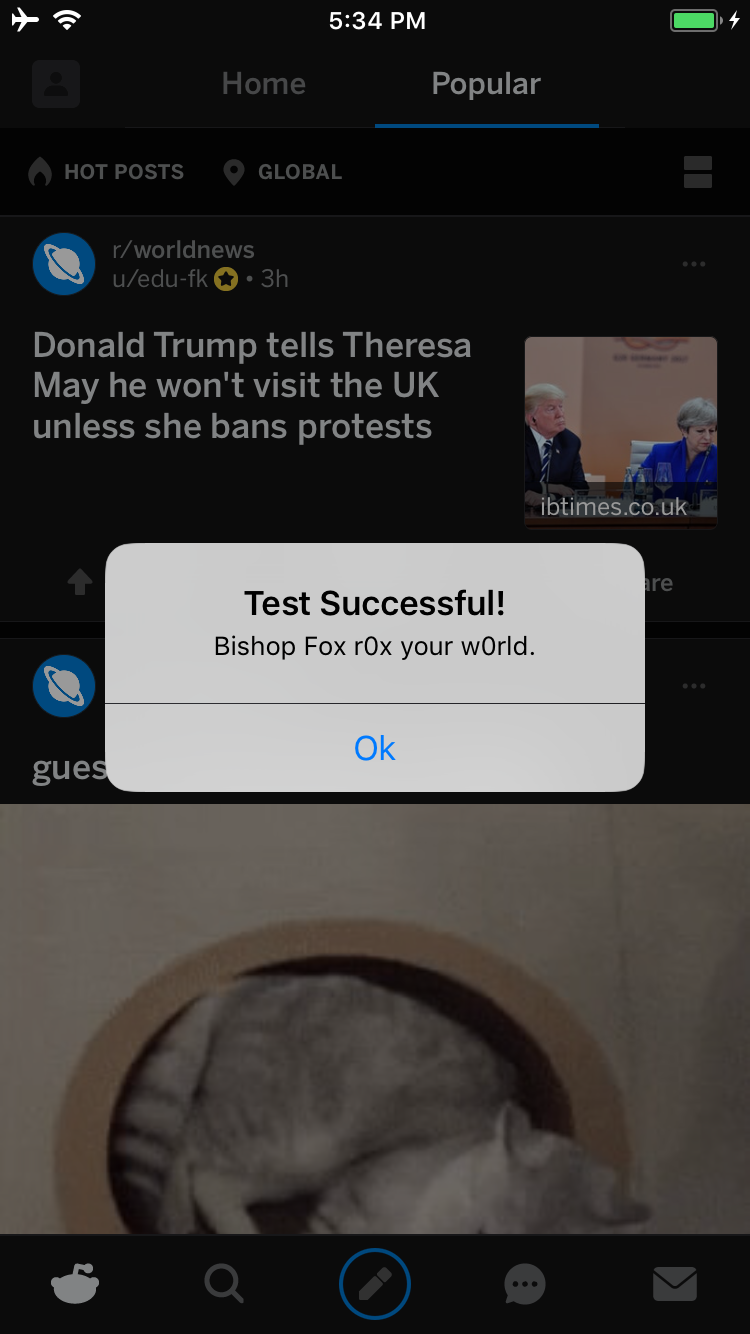
Wenn nicht, ist etwas defekt ;)
Hier ist ein Beispiel zum Entschlüsseln der Reddit-App auf einem mit Electra gejailbreakten iPhone:
Cs-iPhone:~ root# bash bfinject -P Reddit -L decrypt
[+] Electra detected.
[+] Injecting into '/var/containers/Bundle/Application/BCEBDD64-6738-45CE-9B3C-C6F933EA0793/Reddit.app/Reddit'
[+] Getting Team ID from target application...
[+] Thinning dylib into non-fat arm64 image
[+] Signing injectable .dylib with Team ID 2TDUX39LX8 and platform entitlements...
[bfinject4realz] Calling task_for_pid() for PID 3218.
[bfinject4realz] Calling thread_create() on PID 3218
[bfinject4realz] Looking for ROP gadget... found at 0x1016a5110
[bfinject4realz] Fake stack frame at 0x10a06c000
[bfinject4realz] Calling _pthread_set_self() at 0x181303814...
[bfinject4realz] Returned from '_pthread_set_self'
[bfinject4realz] Calling dlopen() at 0x1810c3460...
[bfinject4realz] Returned from 'dlopen'
[bfinject4realz] Success! Library was loaded at 0x1c03e1100
[+] So long and thanks for all the fish.
Du siehst diesen Bildschirm auf deinem Gerät:
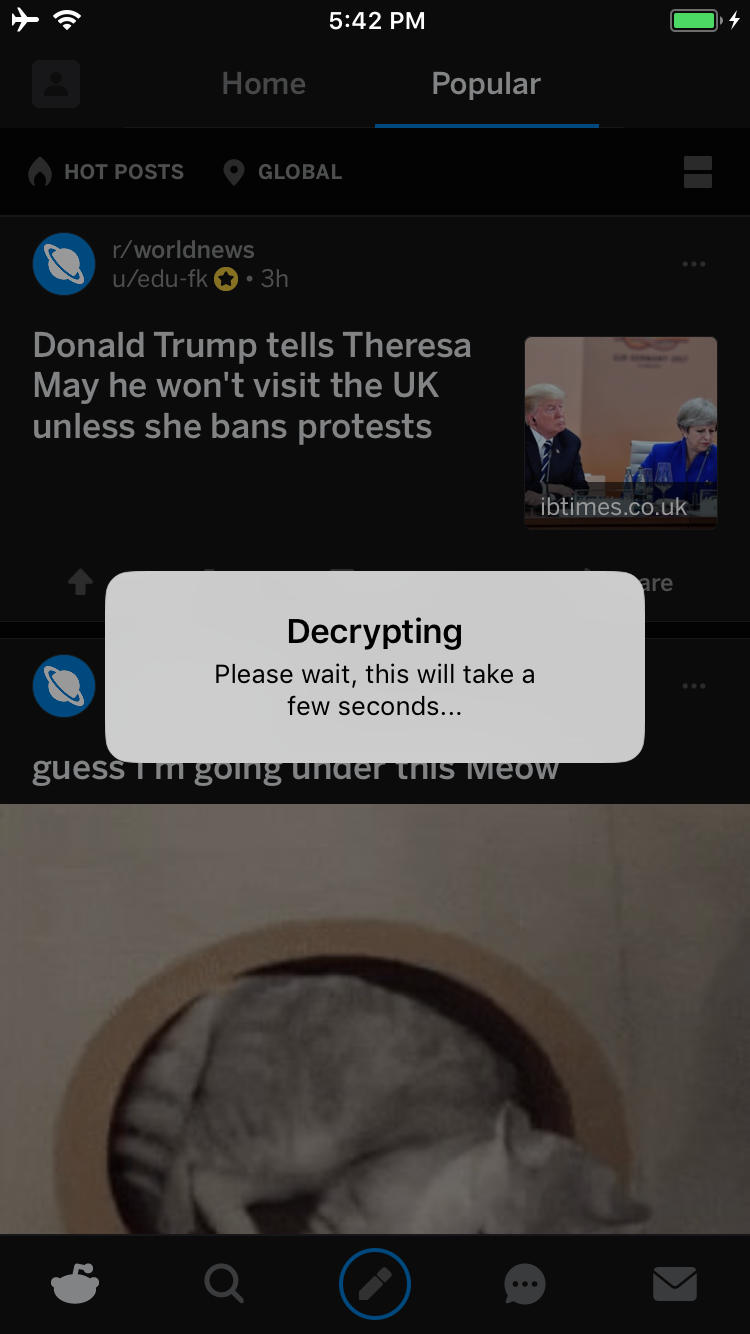
Sobald der Vorgang abgeschlossen ist, wird eine UI-Warnung angezeigt, die fragt, ob du einen Dienst starten möchtest, von dem aus du dein entschlüsseltes IPA herunterladen kannst:
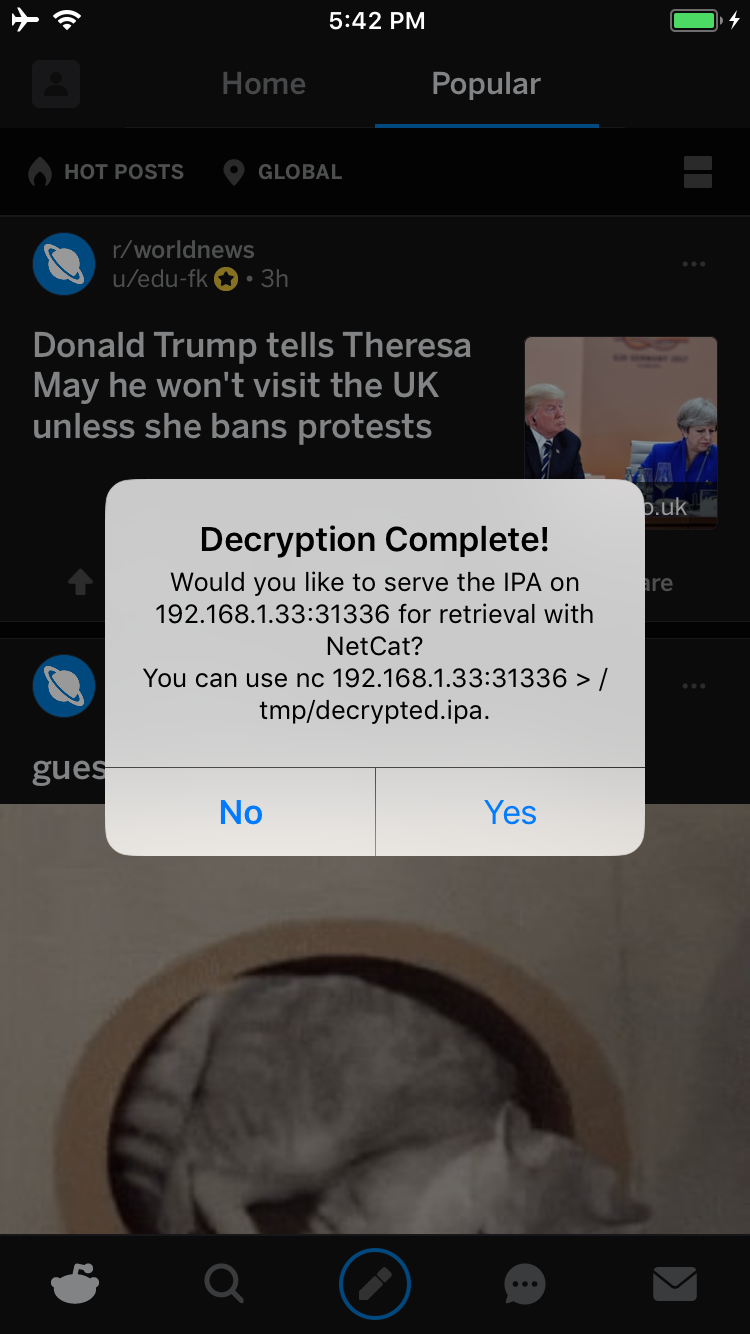
Wenn du auf Yes tippst, wird ein Dienst auf Port 31336 deines Geräts gestartet. Verbinde dich damit und du erhältst eine rohe Kopie des IPA, die wie folgt mit netcat heruntergeladen werden kann:
carl@calisto-3 /tmp $ nc 192.168.1.33 31336 > decrypted.ipa
carl@calisto-3 /tmp $ ls -l decrypted.ipa
-rw-r--r--  1 carl  wheel  14649063 Jan 25 16:57 decrypted.ipa
carl@calisto-3 /tmp $ file decrypted.ipa
decrypted.ipa: iOS App Zip archive data, at least v2.0 to extract
Alternativ kannst du das Konsolenprotokoll des Geräts prüfen; es zeigt dir, wo das entschlüsselte IPA gespeichert ist. Zum Beispiel:
[dumpdecrypted] Wrote /var/mobile/Containers/Data/Application/6E6A5887-8B58-4FC5-A2F3-7870EDB5E8D1/Documents/decrypted-app.ipa
Du kannst das Dateisystem auch wie folgt nach dem IPA durchsuchen:
find /var/mobile/Containers/Data/Application/ -name decrypted-app.ipa
