 0xusmanismail/lure
Local Linux binary analysis tool. Zero cloud. Zero root. See exactly what a binary does before you run it.

Local Linux binary analysis. Zero cloud. Zero root. Zero cost.
⚠️ Early development (v0.2). Core features (inspect, run,
diff) work end to end on x86_64 Linux. This is a young project —
expect rough edges, limited error handling on unusual inputs, and
missing features. Bug reports, feedback, and contributions are very
welcome.
Lure runs an untrusted Linux binary inside an isolated sandbox (Linux namespaces + strace) and tells you exactly what it did — which files it touched, what network connections it tried, what processes it spawned — then gives you a plain verdict: CLEAN, SUSPICIOUS, or DANGEROUS.
Everything happens on your machine. Nothing is uploaded anywhere.
git clone https://github.com/0xusmanismail/lure.git
cd lure
pip install -e . --break-system-packages
The --break-system-packages flag is required on Arch Linux and on
recent Debian/Ubuntu releases, which restrict installing into the
system Python environment by default (PEP 668). You can alternatively
run ./setup.sh to install (and reinstall) everything automatically.
Requires strace and unshare. On Arch: sudo pacman -S strace
(unshare is part of util-linux, installed by default). On
Debian/Ubuntu/Kali: sudo apt install strace. On Fedora:
sudo dnf install strace.
lure run applies a 512 MB memory limit and a 64-process limit to
every guest binary via a per-run cgroup v2, on top of the namespace
and seccomp isolation described above. This protects the host from a
guest that fork-bombs or allocates unbounded memory.
On Arch Linux (and most non-systemd-managed setups), /sys/fs/cgroup
is not writable by unprivileged users by default, so these limits are
skipped — lure run still works normally, just without them, and
prints a note saying so. To enable them, delegate a cgroup to your
user once:
sudo mkdir -p /sys/fs/cgroup/lure
sudo chown $USER /sys/fs/cgroup/lure
This is entirely optional. Lure always runs with or without it — this just adds an extra layer of host protection against runaway guest processes.
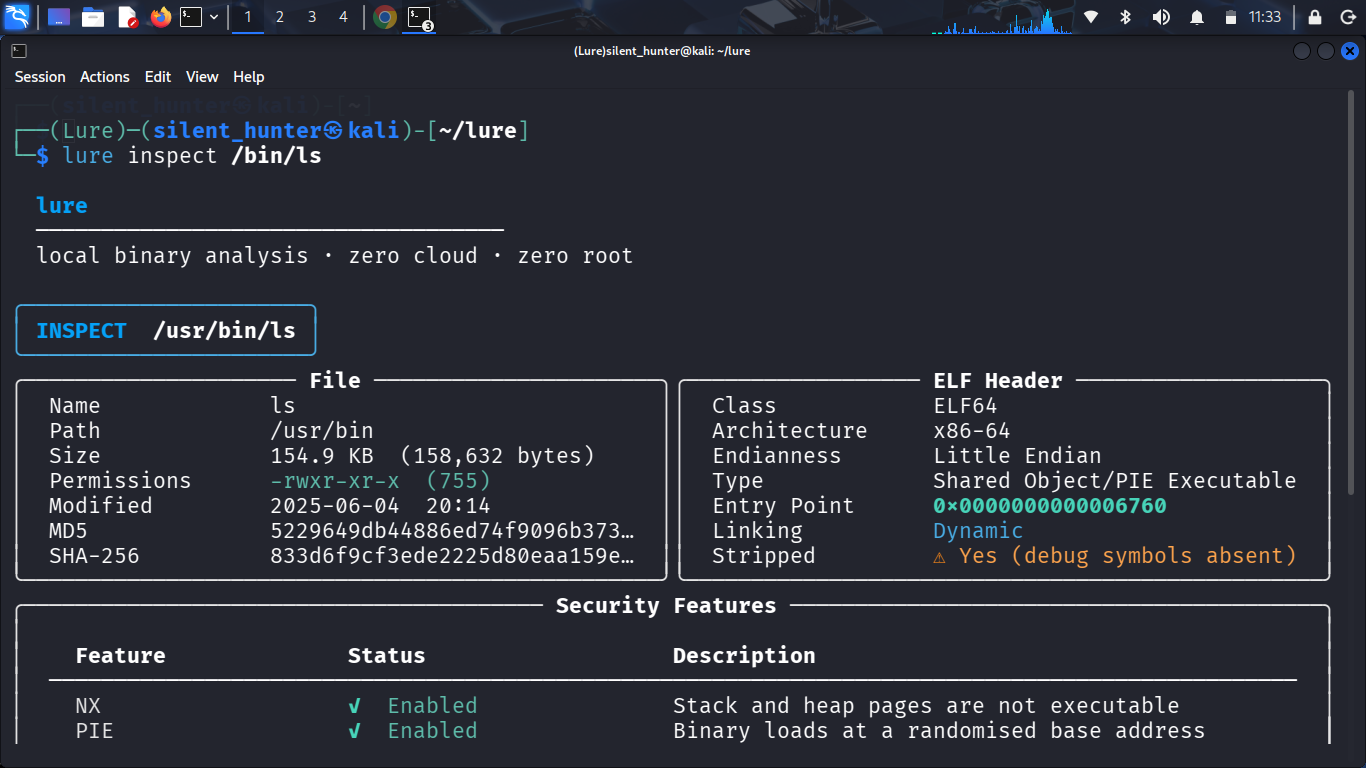
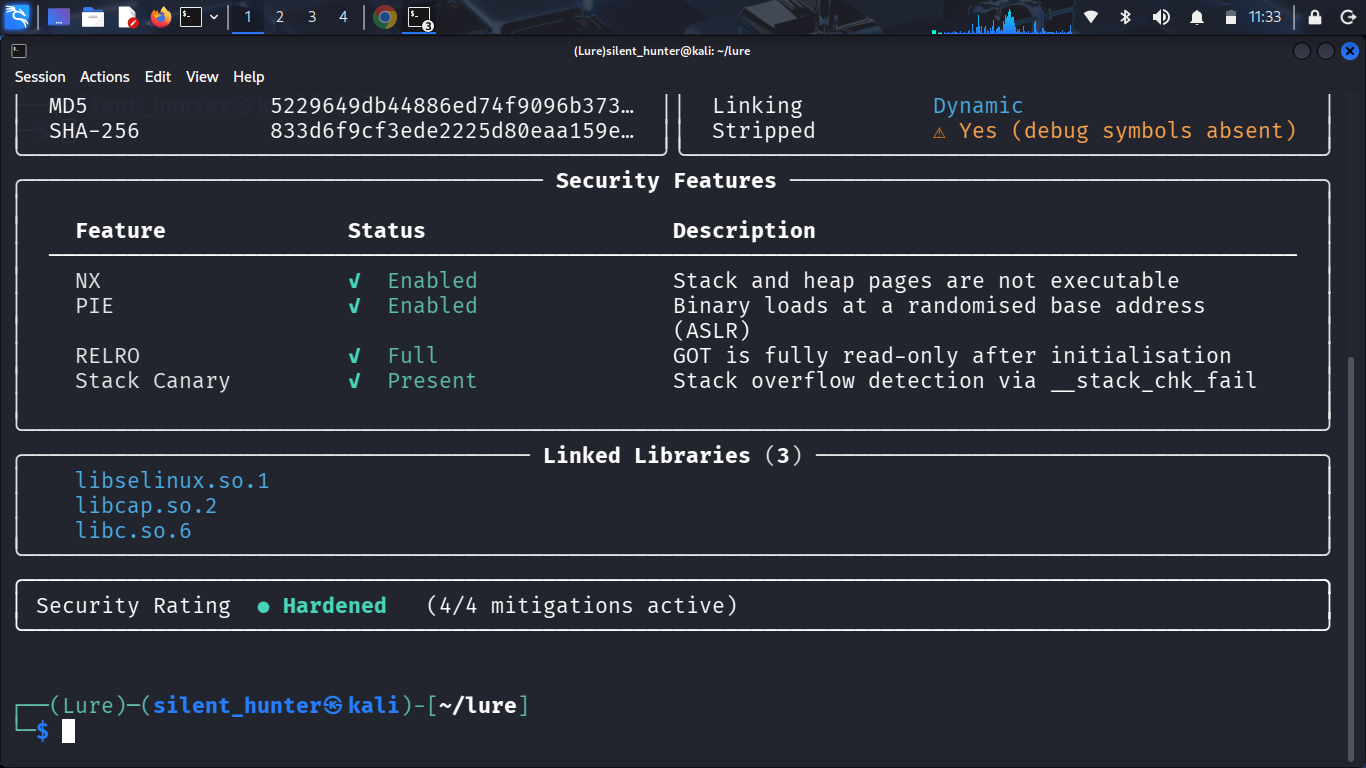
lure inspect /bin/ls
Reads ELF headers, architecture, security mitigations (NX, PIE, RELRO, stack canary), linked libraries, file hashes, and packer detection — without executing a single byte of code.
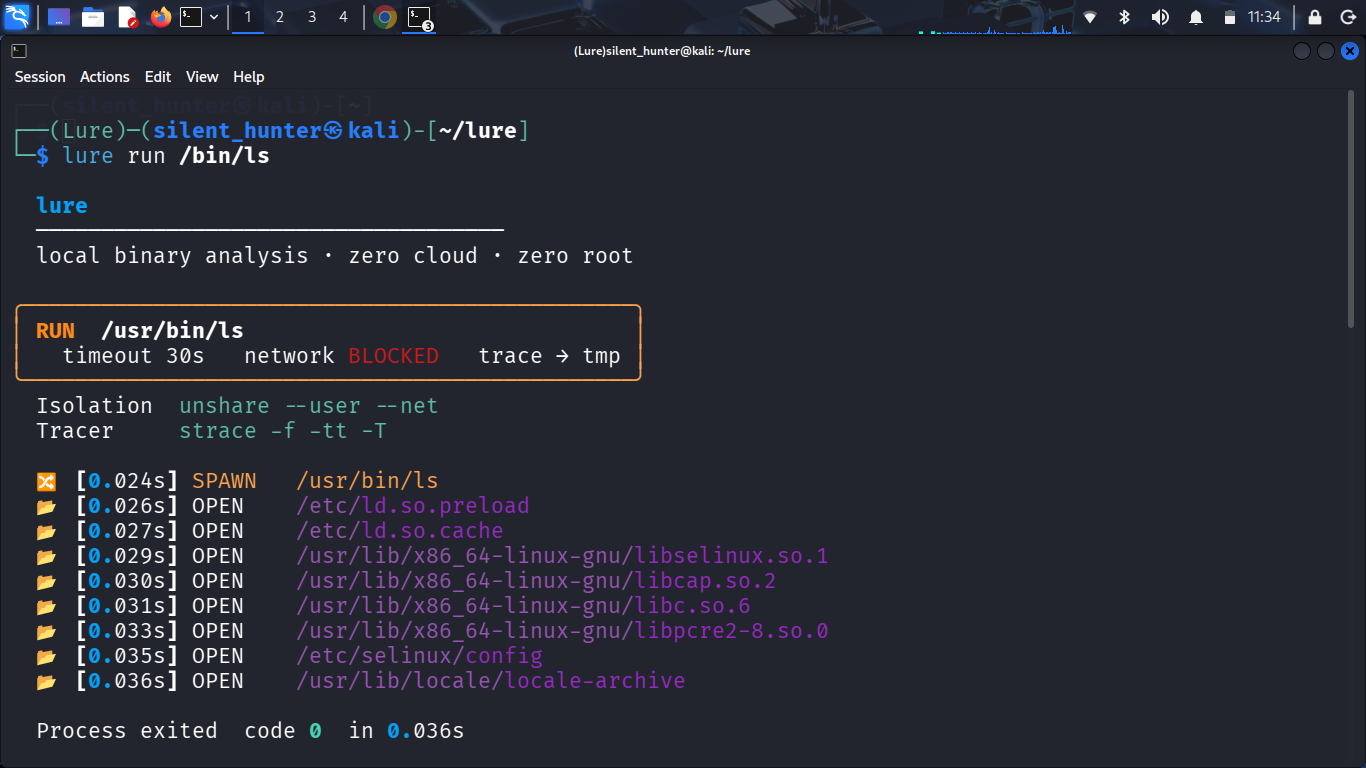
lure run /bin/ls
Live feed of file access, network attempts, and spawned processes during execution, followed by a full report: execution summary, files accessed, network activity, process tree, syscall breakdown, and a CLEAN / SUSPICIOUS / DANGEROUS verdict.
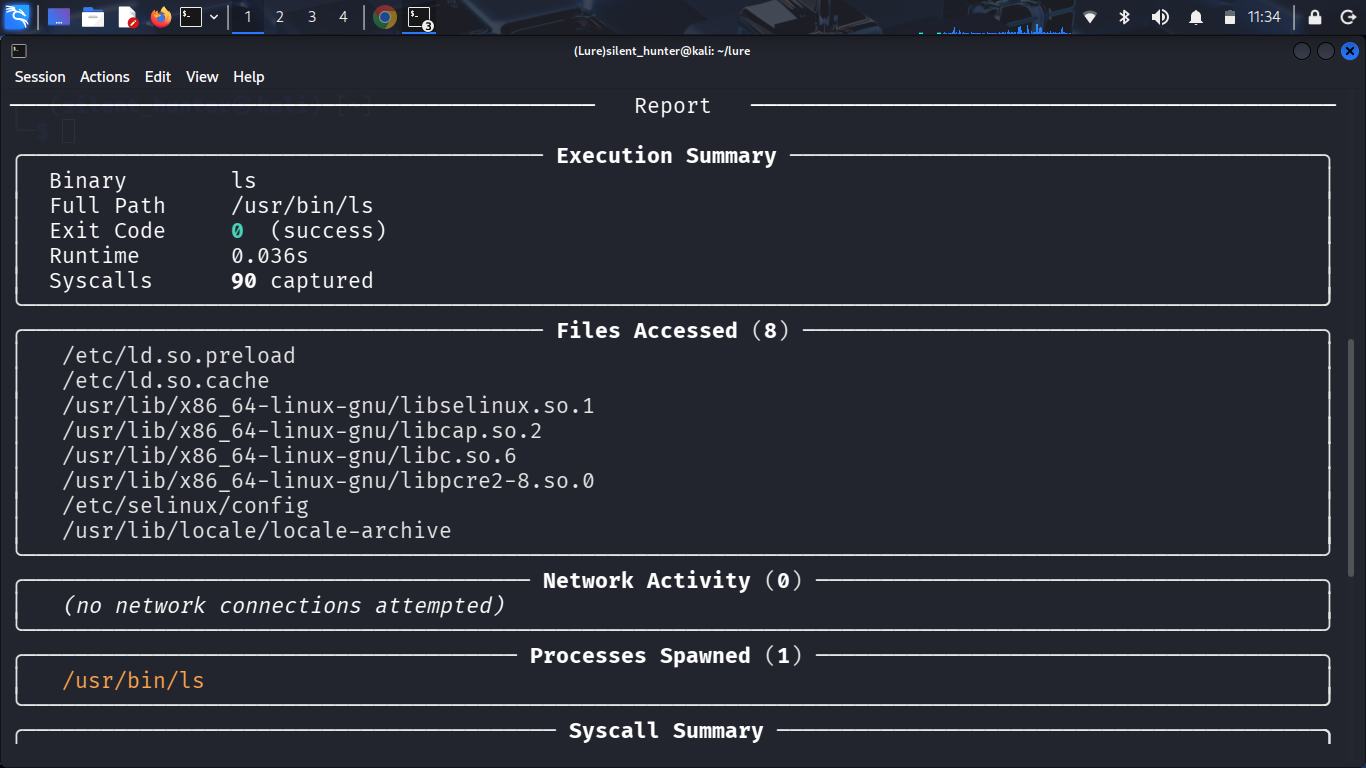
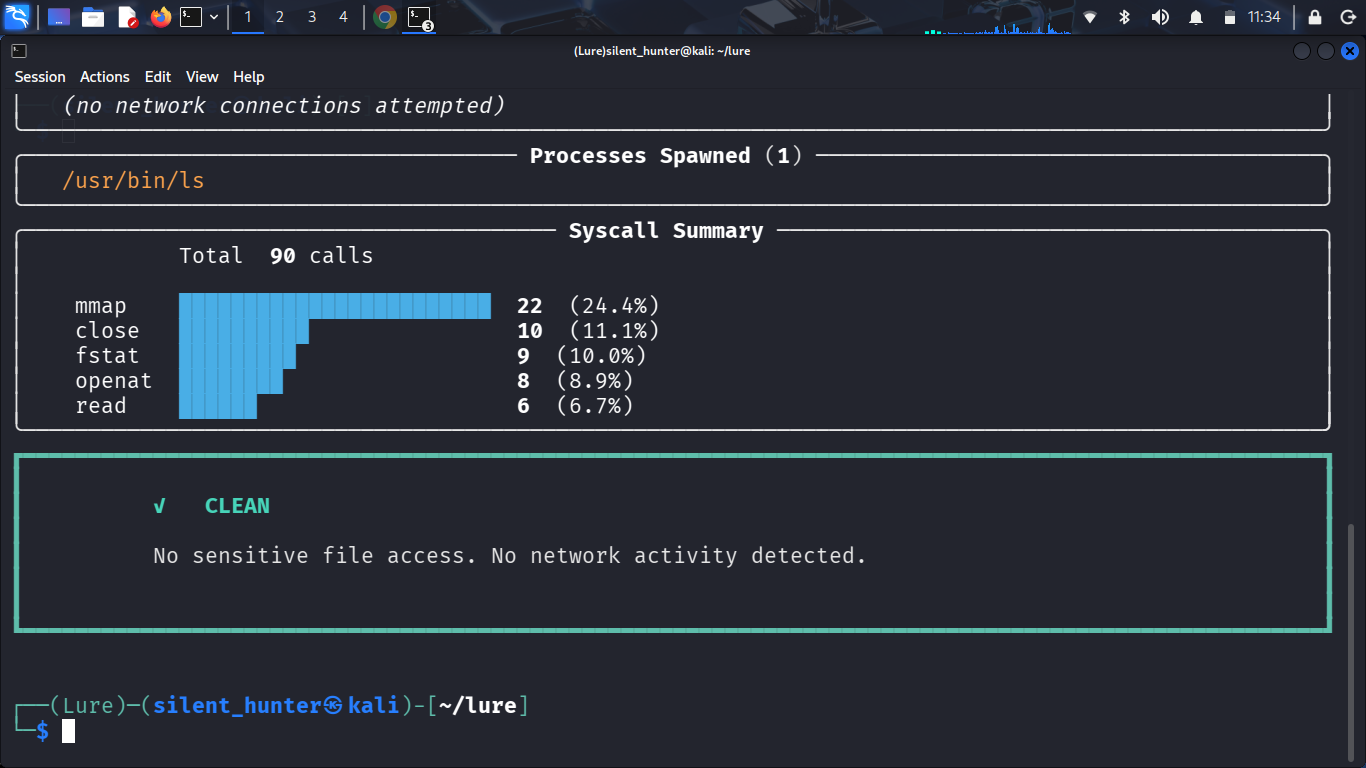
lure run --save /bin/ls
Saves the full report to ~/.lure/reports/ as both a plain-text
.txt file and a structured .json file.
lure diff ~/.lure/reports/a.json ~/.lure/reports/b.json
Shows new/removed files, new network connections, verdict changes, and the syscall count delta between two saved runs.
This is a v0.2 release built and tested on Arch Linux (x86_64).
Working now:
unshare + strace.txt + .json)lure diff)Planned:
pip install -e .)Issues and pull requests are welcome — this project is actively developed.
MIT — see LICENSE
