New releaseAug 14, 2026
pdtm v0.1.4
ProjectDiscoverys Open-Source-Tool-Manager

ProjectDiscovery's Open Source Tool Manager




Funktionen • Installation • Verwendung • pdtm ausführen • Discord beitreten
pdtm ist ein einfaches und benutzerfreundliches, auf Golang basierendes Tool zur Verwaltung von Open-Source-Projekten von ProjectDiscovery.
Installation
pdtm erfordert go1.26.10, um erfolgreich installiert werden zu können. Führen Sie den folgenden Befehl aus, um die neueste Version zu installieren:
- Installation mit go install -
go install -v github.com/projectdiscovery/pdtm/cmd/pdtm@latest
- Installation durch Herunterladen der Binärdatei von https://github.com/projectdiscovery/pdtm/releases
|
Verwendung:
pdtm is a simple and easy-to-use golang based tool for managing open source projects from ProjectDiscovery

Usage:
  ./pdtm [flags]

Flags:
CONFIG:
   -config string            cli flag configuration file (default "$HOME/.config/pdtm/config.yaml")
   -bp, -binary-path string  custom location to download project binary (default "$HOME/.pdtm/go/bin")

INSTALL:
   -i, -install string[]   install single or multiple project by name (comma separated)
   -ia, -install-all       install all the projects
   -ip, -install-path      append path to PATH environment variables
   -igp, -install-go-path  append GOBIN/GOPATH to PATH environment variables

UPDATE:
   -u, -update string[]         update single or multiple project by name (comma separated)
   -ua, -update-all             update all the projects
   -up, -self-update            update pdtm to latest version
   -duc, -disable-update-check  disable automatic pdtm update check

REMOVE:
   -r, -remove string[]  remove single or multiple project by name (comma separated)
   -ra, -remove-all      remove all the projects
   -rp, -remove-path     remove path from PATH environment variables

DEBUG:
   -sp, -show-path          show the current binary path then exit
   -version                 show version of the project
   -v, -verbose             show verbose output
   -nc, -no-color           disable output content coloring (ANSI escape codes)
   -disable-changelog, -dc  disable release changelog in output
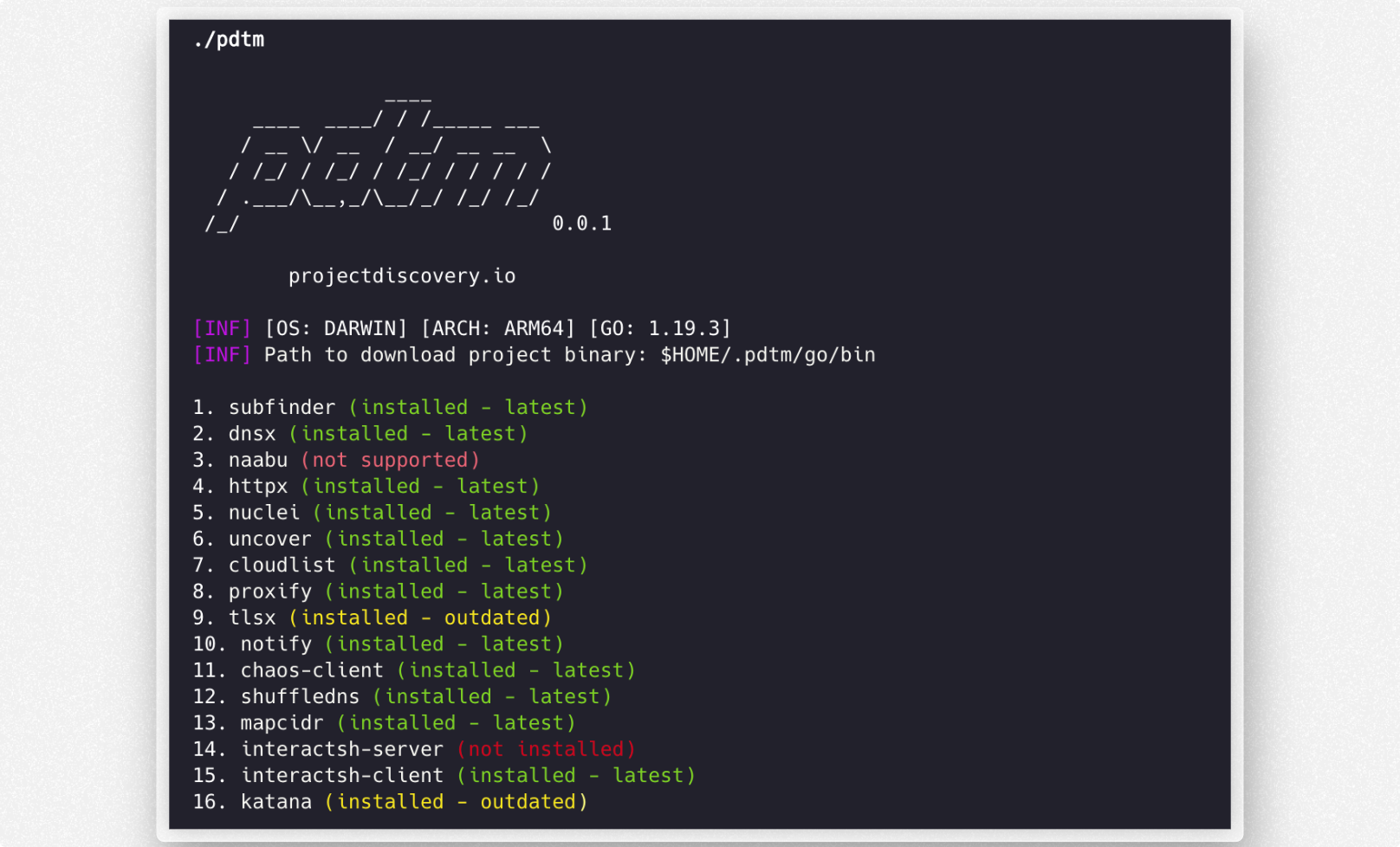
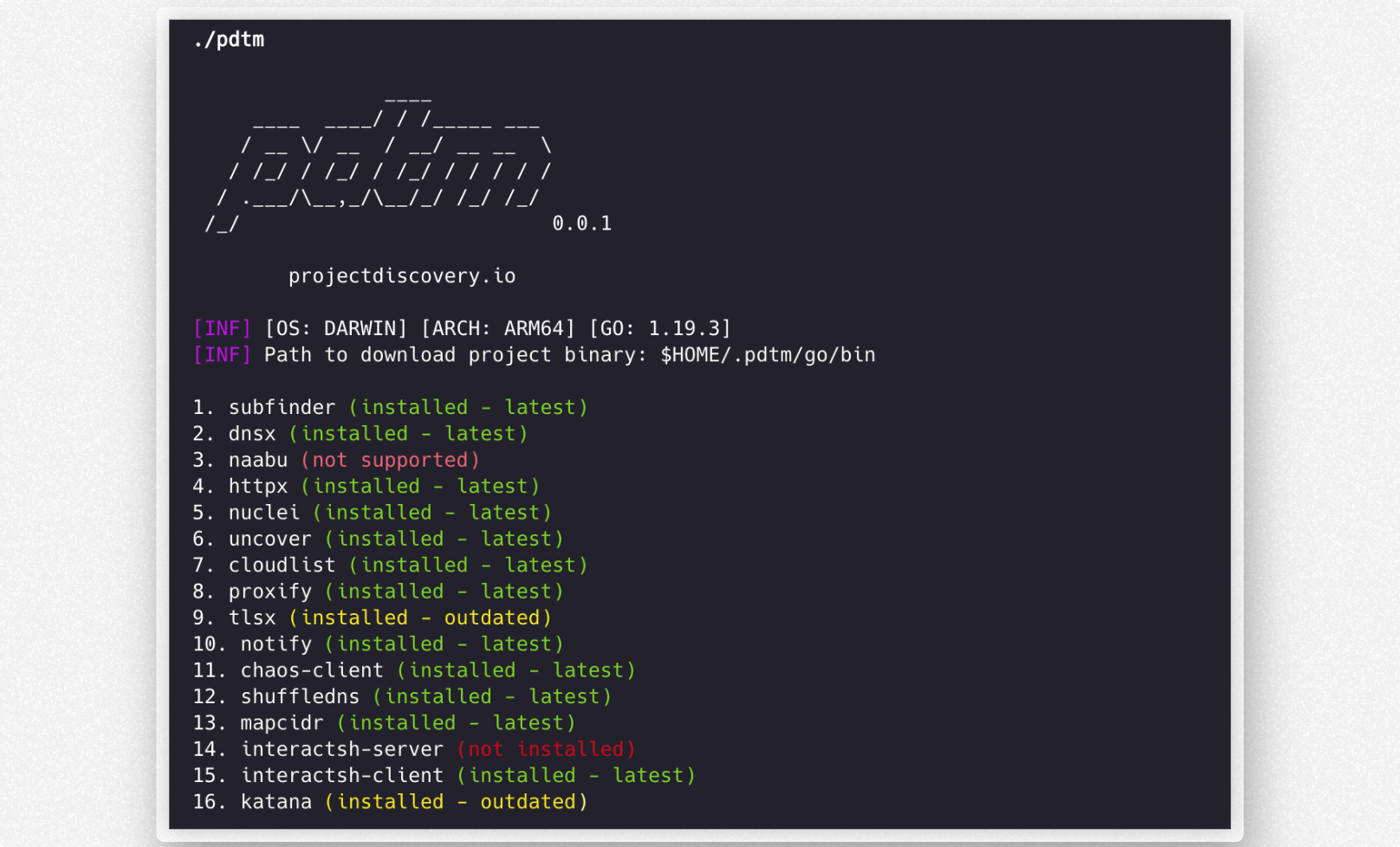
pdtm ausführen
$ pdtm -install-all
                ____
     ____  ____/ / /_____ ___
    / __ \/ __  / __/ __ __  \
   / /_/ / /_/ / /_/ / / / / /
  / .___/\__,_/\__/_/ /_/ /_/
 /_/                          v0.0.1

      projectdiscovery.io

[INF] Installed httpx v1.1.1
[INF] Installed nuclei v2.6.3
[INF] Installed naabu v2.6.3
[INF] Installed dnsx v2.6.3
Todo
- Unterstützung für Go-Setup + Projektinstallation aus dem Quellcode
- Unterstützung für die Installation aus dem Quellcode als Fallback-Option
pdtm wird mit ❤️ vom projectdiscovery-Team erstellt und unter der MIT License vertrieben.