cdncheck v1.2.49
Ein Dienstprogramm zur Erkennung verschiedener Technologien für eine bestimmte IP-Adresse.
cdncheck





Funktionen • Installation • Verwendung • Discord beitreten
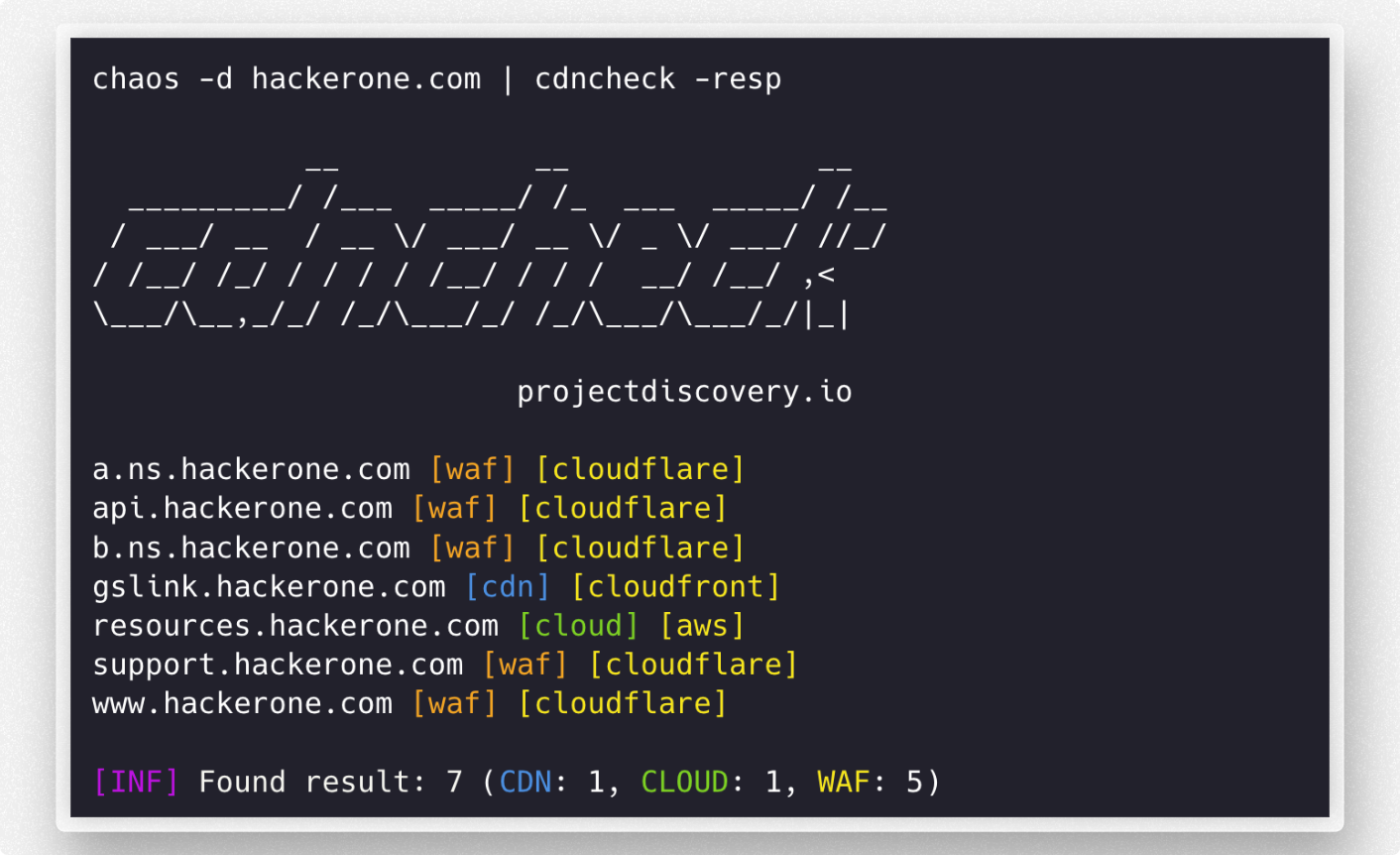
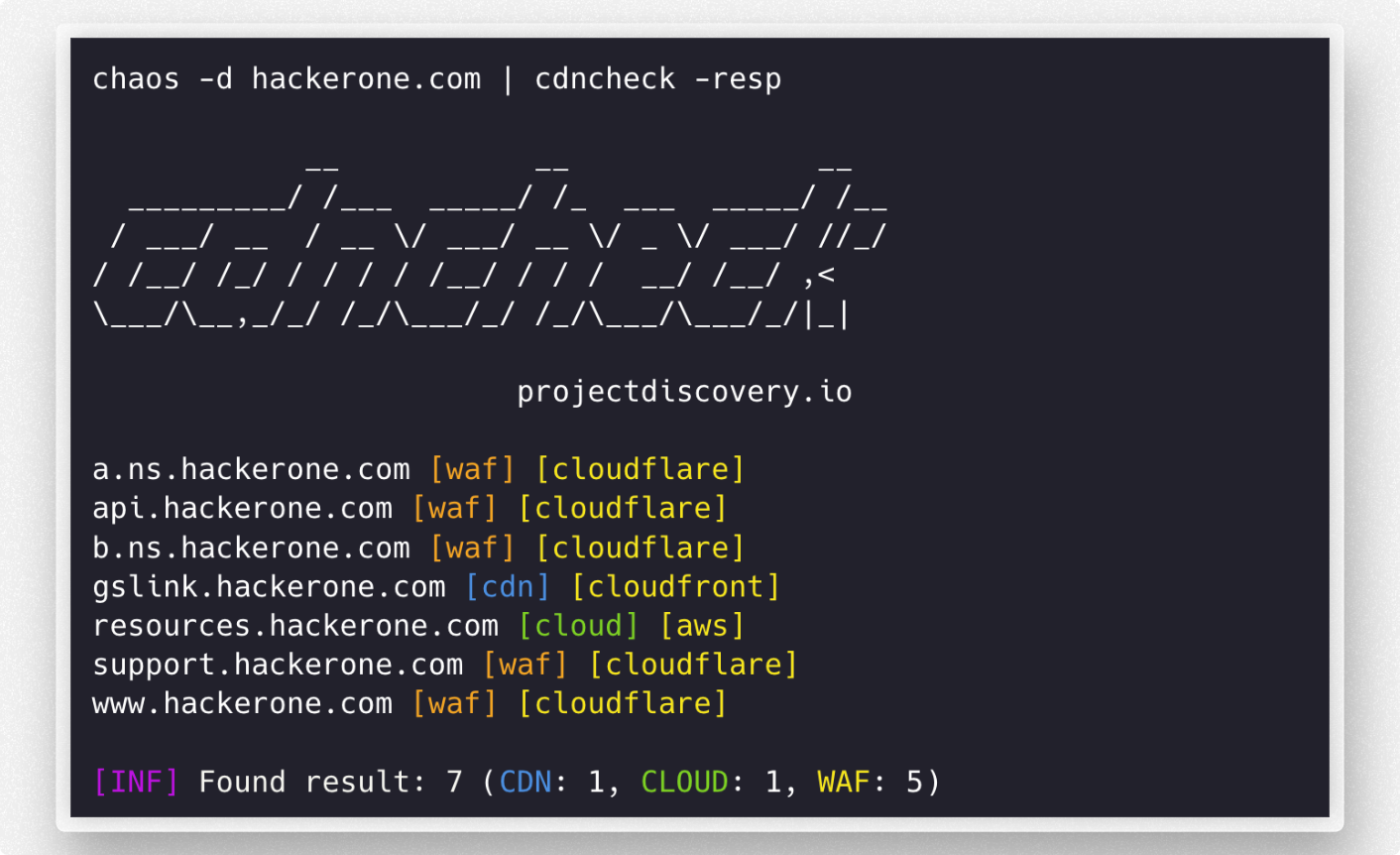
cdncheck ist ein Tool zur Identifizierung der Technologie, die mit DNS-/IP-Netzwerkadressen verbunden ist.
Funktionen
- CDN-, CLOUD- und WAF-Erkennung
- Einfach als Bibliothek nutzbar
- Leicht erweiterbare Provider
- Unterstützung für IP- und DNS-Eingaben
- Text- und JSONL-Ausgabe
- Filter für die Ausgabe
Installation
cdncheck erfordert go1.26.10 für eine erfolgreiche Installation. Führen Sie den folgenden Befehl aus, um die neueste Version zu installieren:
go install -v github.com/projectdiscovery/cdncheck/cmd/cdncheck@latest
Verwendung
cdncheck -h
Dies zeigt die Hilfe für das Tool an. Hier sind alle unterstützten Schalter.
Usage:
  ./cdncheck [flags]

Flags:
INPUT:
   -i, -input string[]  list of ip / dns to process

DETECTION:
   -cdn    display only cdn in cli output
   -cloud  display only cloud in cli output
   -waf    display only waf in cli output

MATCHER:
   -mcdn, -match-cdn string[]      match host with specified cdn provider (cloudfront, fastly, google, leaseweb)
   -mcloud, -match-cloud string[]  match host with specified cloud provider (aws, google, oracle)
   -mwaf, -match-waf string[]      match host with specified waf provider (cloudflare, incapsula, sucuri, akamai)

FILTER:
   -fcdn, -filter-cdn string[]      filter host with specified cdn provider (cloudfront, fastly, google, leaseweb)
   -fcloud, -filter-cloud string[]  filter host with specified cloud provider (aws, google, oracle)
   -fwaf, -filter-waf string[]      filter host with specified waf provider (cloudflare, incapsula, sucuri, akamai)

OUTPUT:
   -resp               display technology name in cli output
   -o, -output string  write output in plain format to file
   -v, -verbose        display verbose output
   -j, -jsonl          write output in json(line) format
   -nc, -no-color      disable colors in cli output
   -version            display version of the project
   -silent             only display results in output

CONFIG:
   -r, -resolver string[]  list of resolvers to use (file or comma separated)
   -e, -exclude            exclude detected ip from output
   -retry int              maximum number of retries for dns resolution (must be at least 1) (default 2)

UPDATE:
   -up, -update                 update cdncheck to latest version
   -duc, -disable-update-check  disable automatic cdncheck update check
Wie füge ich neue Anbieter hinzu?
Die Datei provider.yaml enthält eine Liste von CDN-, WAF- und Cloud-Anbietern. Die Liste enthält URLs, ASNs und CIDRs, die dann mit dem Programm generate-index in eine endgültige Datei sources_data.json kompiliert werden.
Beispiel einer Datei provider.yaml –
cdn:
  # asn contains the ASN numbers for providers
  asn:
    leaseweb:
      - AS60626

  # urls contains a list of URLs for CDN providers
  urls:
    cloudfront:
      - https://d7uri8nf7uskq.cloudfront.net/tools/list-cloudfront-ips
    fastly:
      - https://api.fastly.com/public-ip-list

  # cidr contains the CIDR ranges for providers
  cidr:
    akamai:
      - "23.235.32.0/20"
      - "43.249.72.0/22"
      - "103.244.50.0/24"
      - "103.245.222.0/23"
      - "103.245.224.0/24"
      - "104.156.80.0/20"
Neue Provider, die von einer URL, einer ASN oder einer Liste statischer CIDR gescrapt werden können, lassen sich durch die folgenden einfachen Schritte zur Datei provider.yaml hinzufügen:
- Forke das GitHub-Repository, das die Datei
cmd/generate-index/provider.yamlenthält. - Klone dein geforktes Repository auf deinen lokalen Rechner und navigiere in das Verzeichnis
cmd/generate-index. - Öffne die Datei
provider.yamlund suche den Abschnitt für den Typ des Providers, den du hinzufügen möchtest (CDN, WAF oder Cloud). - Füge die Informationen des neuen Providers dem entsprechenden Abschnitt in der Datei
provider.yamlhinzu. - Committe deine Änderungen mit einer aussagekräftigen Commit-Nachricht.
- Pushe deine Änderungen in dein geforktes Repository auf GitHub.
- Öffne einen Pull Request mit deinen Änderungen gegen das ursprüngliche Repository.
Andere Provider
Ergänzungen auf Basis von CNAME und Wappalyzer können in der Datei other.go vorgenommen werden. Füge einfach die Werte zu den Variablen hinzu, und schon kann es losgehen.
// cdnCnameDomains contains a map of CNAME to domains to cdns
var cdnCnameDomains = map[string]string{
	"cloudfront.net":         "amazon",
	"amazonaws.com":          "amazon",
    ...
}

// cdnWappalyzerTechnologies contains a map of wappalyzer technologies to cdns
var cdnWappalyzerTechnologies = map[string]string{
	"imperva":    "imperva",
	"incapsula":  "incapsula",
	...
}
cdncheck als Bibliothek
Hilfsbibliothek, die prüft, ob eine gegebene IP auf Cloud / CDN / WAF läuft.
Die Bibliothek kann verwendet werden, indem github.com/projectdiscovery/cdncheck importiert wird. Hier folgt ein einfaches Beispiel:
package main

import (
	"fmt"
	"net"
	"github.com/projectdiscovery/cdncheck"
)

func main() {
	client := cdncheck.New()
	ip := net.ParseIP("173.245.48.12")

	// checks if an IP is contained in the cdn denylist
	matched, val, err := client.CheckCDN(ip)
	if err != nil {
		panic(err)
	}

	if matched {
		fmt.Printf("%v is a %v\n", ip, val)
	} else {
		fmt.Printf("%v is not a CDN\n", ip)
	}

	// checks if an IP is contained in the cloud denylist
	matched, val, err = client.CheckCloud(ip)
	if err != nil {
		panic(err)
	}

	if matched {
		fmt.Printf("%v is a %v\n", ip, val)
	} else {
		fmt.Printf("%v is not a Cloud\n", ip)
	}

	// checks if an IP is contained in the waf denylist
	matched, val, err = client.CheckWAF(ip)
	if err != nil {
		panic(err)
	}

	if matched {
		fmt.Printf("%v WAF is %v\n", ip, val)
	} else {
		fmt.Printf("%v is not a WAF\n", ip)
	}
}
cdncheck wird mit ❤️ vom projectdiscovery-Team erstellt und unter der MIT License vertrieben.