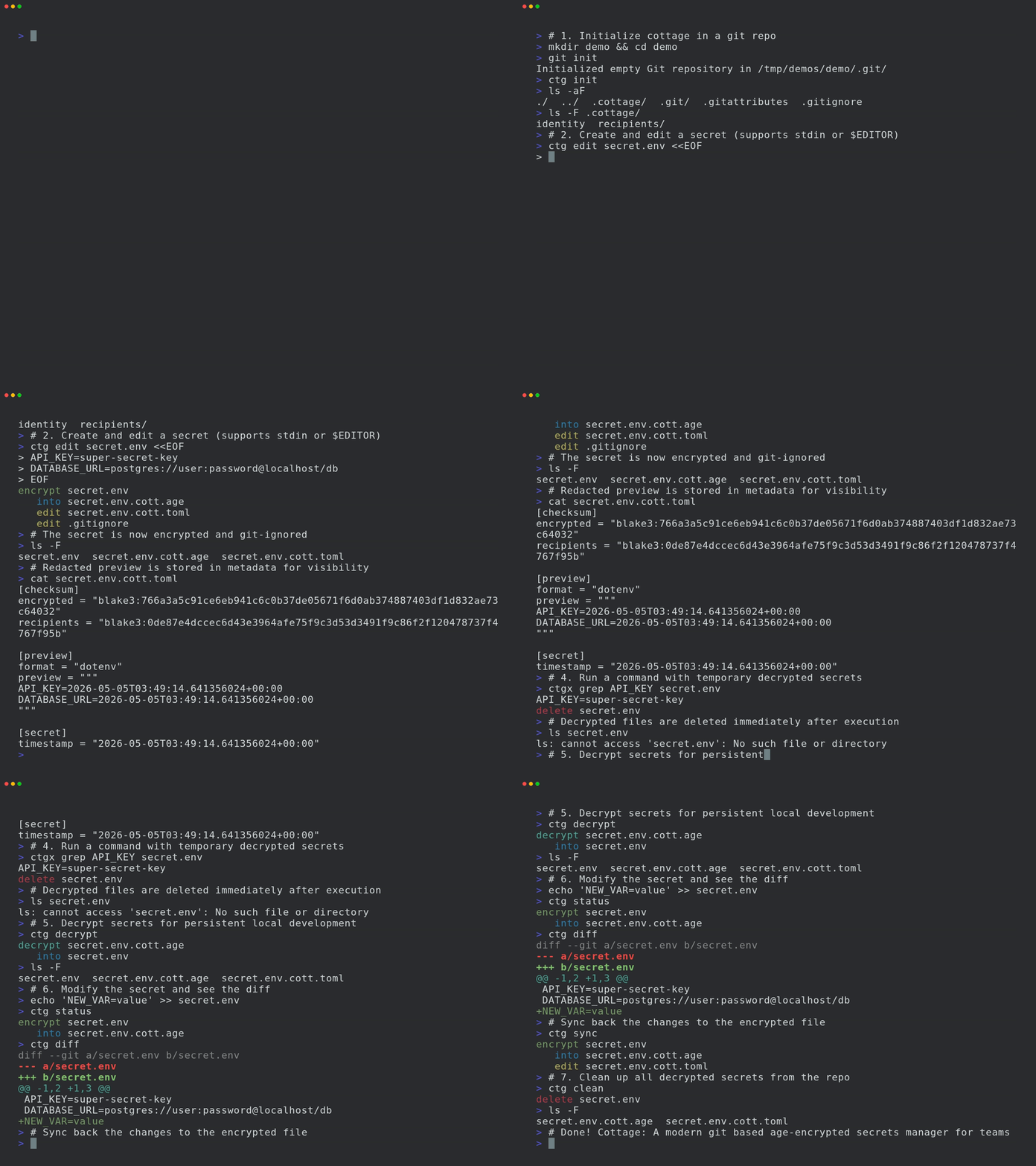

مدير أسرار حديث قائم على git ومشفر باستخدام age للفرق.
<p align="center">
<picture>
<source media="(prefers-color-scheme: dark)" srcset="https://s13.gifyu.com/images/b7mxd.webp">
<source media="(prefers-color-scheme: light)" srcset="https://s13.gifyu.com/images/b7mxl.webp">
<img alt="شعار cottage" width="600" src="https://assets.kitploit.com/production/public/readmes/7490/2c8e4c6f8fa352cb9dcf2d8f22c3d84926c09a69fca9a6632d008c61b5417c28.webp">
</picture>
</p>
[](https://github.com/sayanarijit/cottage/actions/workflows/cottage-verify.yml)
[](https://github.com/sayanarijit/cottage/actions/workflows/cottage-rotate.yml)
[](https://crates.io/crates/cottage)
[](https://pypi.org/project/cottage/)
[](https://www.npmjs.com/package/@sayanarijit/cottage)
[](https://hub.docker.com/r/sayanarijit/cottage)
**cott*age*** هي أداة GitOps تتيح للفرق إدارة الأسرار [المشفّرة بـ age](https://age-encryption.org/) داخل مستودعات git.
توفّر سير عمل بسيطًا لتشفير/فك تشفير الأسرار، وإدارة المستلمين، وإبقاء
الأسرار خارج المستودع مع السماح بمشاركتها بسهولة عبر أنظمة التحكم بالإصدارات (VCS). كما
تُنشئ cottage معاينات محجوبة للأسرار المشفّرة لتحسين الرؤية، وتدعم سير عمل فك التشفير
الدائم والمؤقت على حد سواء، مع ضمان عدم إيداع الأسرار أبدًا
بنص صريح.

1. [الميزات](#features)
2. [التثبيت](#installation)
3. [تكاملات المحررات](#editor-integrations)
1. [إضافة VS Code](#vs-code-extension)
2. [إضافة Cursor وEclipse](#cursor-and-eclipse-extension)
3. [إضافة Vim](#vim-plugin)
4. [تكاملات وكلاء الذكاء الاصطناعي](#ai-agent-integrations)
5. [البدء السريع](#quick-start)
6. [GitOps](#gitops)
7. [خطافات Git](#git-hooks)
8. [بادئات المسارات](#path-prefixes)
9. [التحكم في الوصول](#access-control)
1. [القواعد](#rules)
2. [التحقق](#verification)
10. [أي مزوّد كمنبع أعلى](#any-provider-as-upstream)
1. [إضافات نموذجية](#example-plugins)
11. [المزامنة مع أي جهاز](#sync-with-any-device)
12. [معرفة المزيد](#learn-more)
13. [استكشاف الأخطاء وإصلاحها](#troubleshooting)
14. [المقارنة](#comparison)
1. [age مقابل التشفير الآخر](#age-vs-other-encryption)
2. [cottage مقابل SOPS](#cottage-vs-sops)
3. [cottage مقابل dotenvx](#cottage-vs-dotenvx)
4. [cottage مقابل agebox](#cottage-vs-agebox)
## الميزات
- **آمن ضد الكشف**: يستخدم نظام الأنواع في Rust لضمان عدم تسبب الأخطاء في كشف الأسرار عن طريق الخطأ.
- **ملائم للفريق**: شارك المفاتيح العامة (المستلمين) في المستودع، واحتفظ بالمفاتيح الخاصة (الهويات) محليًا.
- **التحكم في الوصول**: قواعد سماح/رفض بسيطة للتحكم في الأسرار التي تُشفَّر ولمن.
- **يدير .gitignore**: يحدّث `.gitignore` تلقائيًا لإبقاء الأسرار غير المشفرة خارج المستودع.
- **معاينات**: يولّد معاينات مؤقتة الطابع ومنقّحة للأسرار المشفرة لتحسين الرؤية.
- **فروقات غنية**: يحافظ على نظافة `git diff` وقابليته للمراجعة، بينما يعرض `ctg diff` فروقات الأسرار المعدّلة محليًا مع نظيراتها المشفرة المتتبَّعة.
- **التحقق من المجموع الاختباري**: يمنع التلاعب بالتحقق من تطابق الأسرار المشفرة وقوائم المستلمين مع البيانات الوصفية.
- **خطافات Git**: إعداد خطافات git بسهولة للتحقق من الأسرار/تشفيرها تلقائيًا قبل الالتزام وفك تشفيرها بعد السحب.
- **بادئات المسارات**: تخزين الأسرار المشفرة والبيانات الوصفية اختياريًا تحت أدلة مخصصة، بدلًا من جوار الملفات المفكوكة التشفير.
- **سير عمل الأسرار الدائمة**: يُبقي `ctg decrypt/sync` الأسرار المفكوكة التشفير على القرص.
- **دورة حياة تنظيف ذكية**: يفك `ctg run` (الاختصار `ctgx`) و`ctg edit` تشفير الأسرار قبل العملية، ويُبقيها على القرص إن كانت موجودة مسبقًا أو ينظّفها تلقائيًا بعد ذلك إن لم تكن كذلك.
- **تنظيف عند الإكمال**: تضمن `ctg encrypt --clean` و`ctg run --clean` و`ctg edit --clean` تنظيف الملفات المفكوكة التشفير من القرص حتى لو كانت موجودة مسبقًا.
- **سير عمل حقن البيئة**: يحقن `ctg env` الأسرار المفكوكة التشفير كمتغيرات بيئة لتشغيل أمر، دون كتابتها على القرص إطلاقًا.
- **تمرير الأسرار الآمن عبر الأنابيب**: يفك `ctg cat` التشفير في الذاكرة ويطبع إلى stdout للتمرير المباشر عبر stdin إلى أدوات أخرى. ويشفّر `ctg tee` مدخلات stdin إلى PATH دون كتابة نص صريح على القرص. ويعيد `ctg rotate` تشفير الأسرار الموجودة للمستلمين الحاليين، أيضًا دون كتابة نص صريح على القرص.
- **التنظيف**: يحذف `ctg clean` جميع الأسرار المفكوكة التشفير من المستودع المحلي ليتيح لك تشغيل وكلاء الذكاء الاصطناعي بقلق أقل قليلًا.
- **يدعم jj والأدلة غير التابعة لـ git**: يحوّل `ctg init` أي دليل إلى مخزن أسرار.
- **المزامنة مع أي مزوّد**: يتيح لك تهيئة أي مزوّد لديه API كمنبع أعلى، والبدء في استخدام `ctg pull/diff/push` مثل `git pull/diff/push`.
- **المزامنة مع أي جهاز**: يمكن مزامنة الأسرار المشفرة بـ cottage والمدارة في مستودع git عبر الأجهزة باستخدام [Cottage Sync](https://cottage-sync.github.io).
## التثبيت
[نزّل الملف التنفيذي مباشرةً](https://github.com/sayanarijit/cottage/releases)
أو ثبّت من سجل حزم:
```bash
# rust: cargo-binstall/cargo
cargo binstall --locked cottage
cargo install --locked cottage
# python: pip/uv/uvx
pip install cottage
uv pip install cottage
uvx --from cottage ctg --version
# node: yarn/pnpm/npx
yarn global add @sayanarijit/cottage
pnpm add -g @sayanarijit/cottage
npx -p @sayanarijit/cottage ctg --version
```
متوفر أيضًا كصور Docker:
```bash
# Docker
docker run --rm -v $PWD:/app sayanarijit/cottage --version
# Podman
podman run --rm -v $PWD:/app quay.io/sayanarijit/cottage --version
```
أو نزّل أحدث إصدار من [GitHub](https://github.com/sayanarijit/cottage/releases).
## تكاملات المحررات
### إضافة VS Code
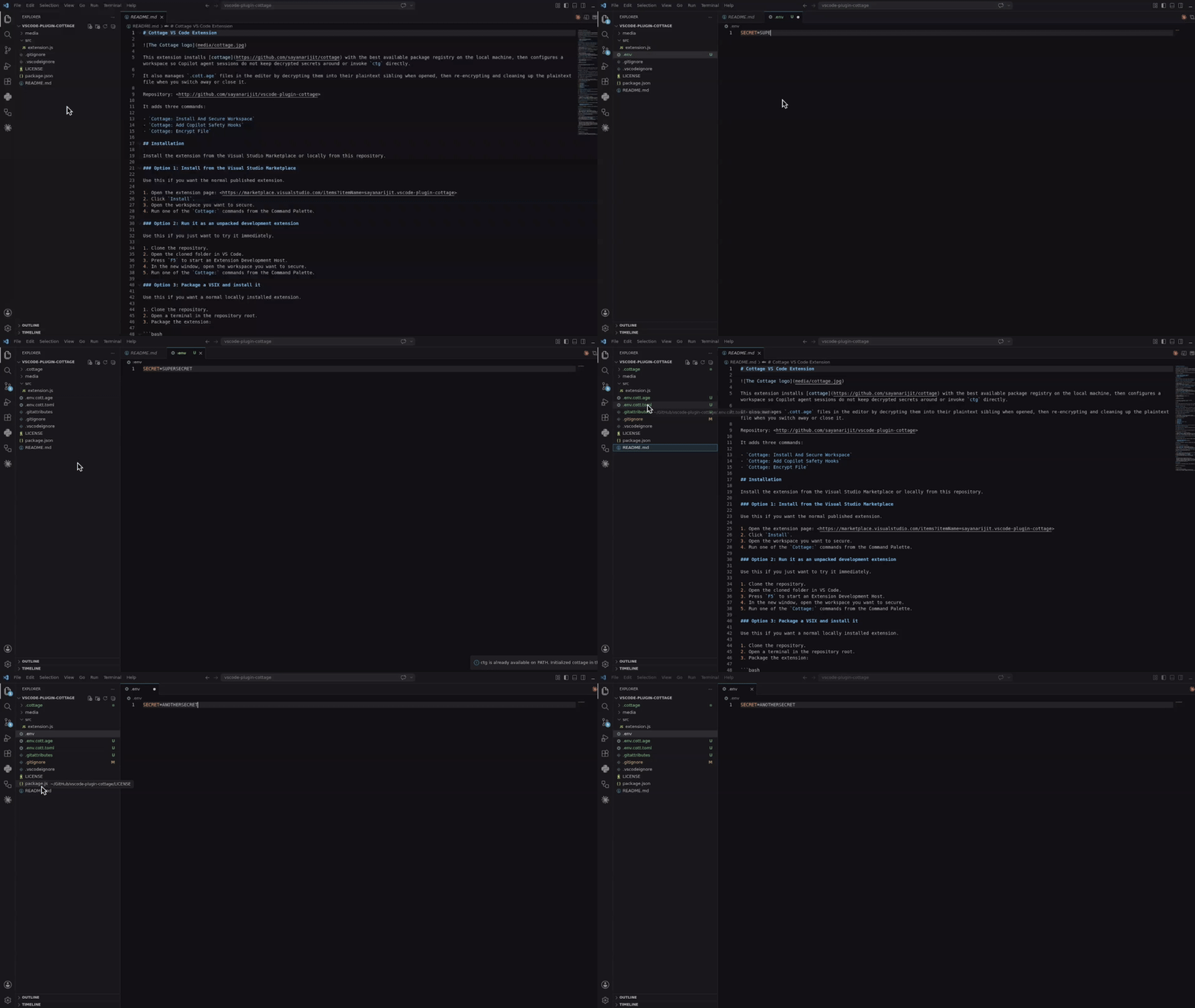
استخدم [إضافة Cottage لـ VS Code](https://github.com/sayanarijit/vscode-plugin-cottage) لتثبيت `ctg`، وإضافة خطافات أمان Copilot، وتشفير الملفات من Explorer، وفتح ملفات `.cott.age` عبر سير عمل المحرر.
[](https://marketplace.visualstudio.com/items?itemName=sayanarijit.vscode-plugin-cottage)
ثبّتها من [Visual Studio Marketplace](https://marketplace.visualstudio.com/items?itemName=sayanarijit.vscode-plugin-cottage)، أو ابنِها وثبّتها محليًا من [`vscode-plugin-cottage`](https://github.com/sayanarijit/vscode-plugin-cottage).
### إضافة Cursor وEclipse
نزّل [ملف VSX](https://open-vsx.org/extension/sayanarijit/vscode-plugin-cottage) وثبّته في Cursor أو Eclipse IDE. تعمل بشكل مشابه لإضافة VS Code.
### إضافة Vim
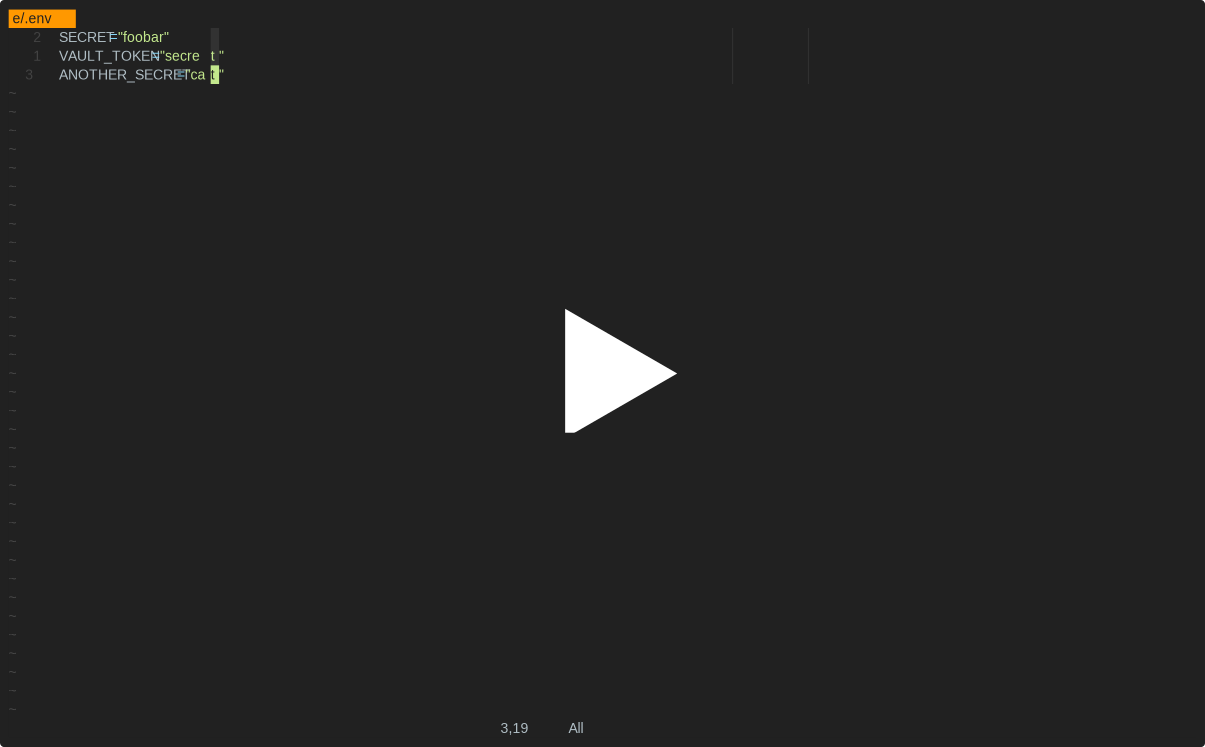
استخدم إضافة [cottage.vim](https://github.com/sayanarijit/cottage.vim) لتشفير/فك تشفير الأسرار من Vim أو Neovim.
[](https://asciinema.org/a/1264076)
## تكاملات وكلاء الذكاء الاصطناعي
جميع التكاملات أدناه تمنع وكلاء الذكاء الاصطناعي من تشغيل `ctg`/`ctgx` مباشرةً ومن عرض أو تعديل الملفات السرية: أي شيء داخل `.cottage/`، وأي ملف `*.cott.*` (كتل `*.cott.age` المشفرة ومعاينات `*.cott.toml` المنقّحة)، وأي ملف مفكوك التشفير لا يزال له نظير `*.cott.age` على القرص.
- [.agents](https://github.com/sayanarijit/cottage/blob/main/.agents) لـ Antigravity (`agy`)
- [.claude](https://github.com/sayanarijit/cottage/blob/main/.claude) لـ Claude Code
- [.codex](https://github.com/sayanarijit/cottage/blob/main/.codex) لـ Codex
- [.cursor](https://github.com/sayanarijit/cottage/blob/main/.cursor) لـ Cursor
- [.github](https://github.com/sayanarijit/cottage/blob/main/.github) لـ GitHub Copilot
## البدء السريع
تهيئة المشروع:
```bash
mkdir project && cd project
git init # Optional, cottage works better with git but it's not required
ctg init # Sets up the .cottage directory and necessary files
tree -a
# .
# ├ .cottage/ <- Auto-generated by `ctg init`
# │ └ recipients/ <- This is where your team keeps the public keys of all the recipients.
# │ └ sayanarijit <- Your public key. Commit it. To use an existing public key, just copy that key here.
# ├ .git/...
# └ .gitattributes <- Added `*.cott.age binary linguist-generated filter=cottage-encrypted -diff` to avoid polluting git diff
# Your private key is stored safely in `~/.config/cottage/identity/<dirname>/<timestamp>.key`.
# You can run `ctg clean --all` anytime to clean up everything cottage ever did.
```
أنشئ سرًا أو حرّره:
```bash
# `ctg edit` decrypts the file before opening in $EDITOR and re-encrypts upon save.
# If the decrypted file was not present on disk before running `ctg edit`, it is cleaned up afterwards.
# If it was already present, it is kept on disk.
ctg edit secret.yml
# Use `--clean` with `ctg edit` or `ctg encrypt` to ensure decrypted files are deleted even if present before
ctg edit secret.yml --clean # Opens in $EDITOR, encrypts on save, and cleans up
ctg encrypt secret.yml --clean # Encrypts secret.yml and cleans up
# encrypt secret.yml
# into secret.yml.cott.age
# edit secret.yml.cott.toml
# edit .gitignore
# delete secret.yml
```
نفّذ أمرًا باستخدام الأسرار المفكوك تشفيرها:
```bash
cat secret.yml
# cat: secret.yml: No such file or directory
# `ctg run` (or shortcut `ctgx`) decrypts secrets before running the command.
# If the decrypted files were not present on disk beforehand, they are automatically cleaned up after the command finishes.
# If they were already present beforehand, they are kept on disk.
ctg run -- kubectl apply -f secret.yml # decrypts secret.yml.cott.age to secret.yml and runs the command
ctg run -- kubectl apply -f secret.yml.cott.age # also replaces the path argument with the decrypted file path
ctg run -- kubectl apply -f . # decrypts all .cott.age files in . and runs the command
ctg run -- ./deploy.sh # decrypts all .cott.age files in repo and runs the command
cat secret.yml
# cat: secret.yml: No such file or directory
# Use `--clean` to ensure decrypted files are cleaned up even if they were present before
ctg run --clean ./deploy.sh
```
أو استخدم الاختصار:
```bash
ctgx -- ./deploy.sh
ctgx --clean -- ./deploy.sh
```
اقرأ ومرّر سرًّا مفكوك التشفير دون كتابته إلى القرص:
```bash
ctg cat secret.yml.cott.age
ctg cat secret.yml | kubectl apply -f -
ctg cat .env.prod | docker run --rm --env-file /dev/stdin my-image:latest
```
تشفير المحتوى من stdin دون كتابة الملف المفكوك إلى القرص:
```bash
echo hello | ctg tee secret.txt
pbpaste | ctg tee secret.yml.cott.age
```
أعد تشفير الأسرار للمستلمين المحدّثين دون كتابة ملفات مفكوكة التشفير إلى القرص:
```bash
ctg rotate # all secrets in the project
ctg rotate secret.yml.cott.age
```
نفّذ أمرًا مع حقن الأسرار كمتغيرات بيئة، دون الكتابة إلى القرص على الإطلاق:
```bash
ctg env -- ./deploy.sh # Export secrets from .env.cott.age (default) without writing them to disk, then run deploy.sh
ctg env -F .env.prod.cott.age -- ./deploy.sh # exports from .env.prod.cott.age instead of .env.cott.age
ctg env -F secrets.json.cott.age -- printenv COTTAGE_SECRET # Also supports non-dotenv files.
```
## GitOps
لمشاركة أسرارك مع أعضاء الفريق، ما عليك سوى الدفع إلى مستودع git.
```bash
git add .
git commit -m "Add secret.yml"
git push origin main
```
اطلب من زملائك في الفريق إضافة مفاتيحهم العامة إلى `.cottage/recipients` ودفع التغييرات. بعد ذلك يمكنك سحب الأسرار وإعادة تشفيرها لهم.
```bash
git pull origin main
ctg decrypt --skip-verify-recipients # Decrypt missing secrets for re-encryption
ctg encrypt # Re-encrypt all secrets
# encrypt secret.yml
# into secret.yml.cott.age
# edit secret.yml.cott.toml
ctg clean # optional
# delete secret.yml
# review changes, commit and push
git add .
git commit -m "Add new recipient to secrets"
git push origin main
```
الآن يمكن لأعضاء فريقك سحب أحدث التغييرات وفك تشفير الأسرار بأنفسهم.
## خطافات Git
يمكنك استخدام [prek](https://github.com/j178/prek) أو [pre-commit](https://pre-commit.com/) لإعداد خطافات git للتحقق من الأسرار/تشفيرها تلقائيًا قبل الالتزام وفك تشفيرها بعد الخروج.
راجع [مثال إعدادات prek هنا](https://github.com/sayanarijit/cottage/blob/main/examples/prek.toml).
بعد إضافة ملف `prek.toml`، شغّل:
```bash
prek install
prek install --hook-type post-checkout
prek install --hook-type post-merge
prek install --hook-type post-rewrite
```
## بادئات المسار
بشكل افتراضي، توجد `secret.yml.cott.age` و`secret.yml.cott.toml` بجوار `secret.yml`.
للاحتفاظ بهما في أدلة مخصصة، صرّح عن `path.prefix` في `cottage.toml`:
```toml
[path.prefix]
encrypted = "./.cottage/secrets"
metadata = "./.cottage/secrets"
```
`ctg` ثم يقرأ الأسرار المشفرة والبيانات الوصفية من `{prefix}/{decrypted_path}.cott.age` و `{prefix}/{decrypted_path}.cott.toml`.
يتم إنشاء هذه الدلائل تلقائيًا إذا تم الإعلان عنها.
```bash
# Find stray secrets and/or metadata and move them to the prefixed path
ctg prefix sync [path]
# Move them back to the unprefixed relative paths, before removing the declaration from cottage.toml
ctg prefix revert
```
## التحكم في الوصول
### القواعد
في ملف البيانات الوصفية، يمكنك تحديد المستلمين الذين يجب تشفير السر لهم.
يتيح لك ذلك امتلاك أسرار مختلفة لبيئات مختلفة (مثل بيئة الاختبار مقابل بيئة الإنتاج) وتشفيرها فقط للمستلمين المعنيين.
```toml
# secret.yml.cott.toml
[secret]
allow = ["sayanarijit"] # Only encrypt for sayanarijit
```
```toml
# secret.yml.cott.toml
[secret]
deny = ["sayanarijit"] # Encrypt for everyone except sayanarijit
```
```toml
# secret.yml.cott.toml
[secret]
allow = ["env/staging/*"] # Supports glob patterns, only encrypt for recipients in env/staging
deny = ["env/staging/badservice"] # Encrypt for everyone in env/staging except badservice
```
تكون قواعد الرفض لها الأولوية على قواعد السماح.
راجع [مواصفات البيانات الوصفية](https://github.com/sayanarijit/cottage/blob/main/SPECIFICATION.md#secretmetadata) لمزيد من التفاصيل.
### التحقق
يمكنك تشغيل `ctg verify` في CI للتحقق من تطابق الأسرار المشفرة وقوائم المستلمين مع قواعد البيانات الوصفية، لمنع التلاعب.
```yaml
# .github/workflows/cottage-verify.yml
name: Cottage Verify
on: [push, pull_request]
permissions:
contents: read
jobs:
verify-secrets:
runs-on: ubuntu-latest
steps:
- uses: actions/checkout@v7
- name: Verify secrets
run: docker run --rm -v "${{ github.workspace }}:/app" ghcr.io/sayanarijit/cottage verify
```
## أي مزوّد كـ Upstream
مع cottage، يمكنك مزامنة الأسرار مع أي مزوّد يمتلك واجهة برمجية (API)، وليس git فقط.
للقيام بذلك، أنشئ ملفًا باسم `cottage.toml` في جذر المشروع وقم بتهيئة إعدادات upstream.
راجع [مثال `cottage.toml` هنا](https://github.com/sayanarijit/cottage/blob/main/cottage.toml) و[تهيئة upstream الخاصة بالأسرار هنا](https://github.com/sayanarijit/cottage/blob/main/examples/secrets/secret.json.cott.toml).
راجع [مثالًا على تنفيذ إضافة هنا](https://github.com/sayanarijit/cottage/blob/main/examples/plugins/cottage-plugin-vault-in-kubernetes.py).
سير العمل مشابه لـ git، لكن بدلًا من `git pull` و`git push`، تشغّل `ctg pull` و`ctg push` لمزامنة الأسرار مع upstream المهيأ.
مثال:
```bash
# Pull latest changes into local encrypted secrets
# Similar to `git pull origin`
ctg pull myvault
# Compare diff with local decrypted secrets
ctg diff
# Sync local decrypted secrets with local encrypted secrets
ctg sync
# Push changes from local encrypted secrets to upstream
# Similar to `git push origin main`
ctg push myvault
```
راجع [مواصفات إعدادات المنبع](https://github.com/sayanarijit/cottage/blob/main/SPECIFICATION.md#upstreamconfig) لمزيد من التفاصيل.
### إضافات نموذجية
يدعم Cottage عدة مزوّدي إضافات لمزامنة أسرارك. تتوفر نصوص إضافات جاهزة للاستخدام في دليل [examples/plugins](https://github.com/sayanarijit/cottage/blob/main/examples/plugins):
- [1Password](https://github.com/sayanarijit/cottage/blob/main/examples/plugins/cottage-plugin-onepassword.py)
- [AWS Secrets Manager](https://github.com/sayanarijit/cottage/blob/main/examples/plugins/cottage-plugin-aws-secretsmanager.py)
- [Azure Key Vault](https://github.com/sayanarijit/cottage/blob/main/examples/plugins/cottage-plugin-azure-keyvault.py)
- [Bitwarden](https://github.com/sayanarijit/cottage/blob/main/examples/plugins/cottage-plugin-bitwarden.py)
- [Dashlane](https://github.com/sayanarijit/cottage/blob/main/examples/plugins/cottage-plugin-dashlane.py)
- [Doppler](https://github.com/sayanarijit/cottage/blob/main/examples/plugins/cottage-plugin-doppler.py)
- [ejson](https://github.com/sayanarijit/cottage/blob/main/examples/plugins/cottage-plugin-ejson.py)
- [GitHub Secrets](https://github.com/sayanarijit/cottage/blob/main/examples/plugins/cottage-plugin-github-secrets.py)
- [Google Cloud Secret Manager](https://github.com/sayanarijit/cottage/blob/main/examples/plugins/cottage-plugin-gcp-secretmanager.py)
- [HashiCorp Vault](https://github.com/sayanarijit/cottage/blob/main/examples/plugins/cottage-plugin-vault.py) (راجع أيضًا [Vault في Kubernetes](https://github.com/sayanarijit/cottage/blob/main/examples/plugins/cottage-plugin-vault-in-kubernetes.py))
- [Keeper Security](https://github.com/sayanarijit/cottage/blob/main/examples/plugins/cottage-plugin-keeper.py)
- [KeePass (Passhole)](https://github.com/sayanarijit/cottage/blob/main/examples/plugins/cottage-plugin-passhole.py)
- [LastPass](https://github.com/sayanarijit/cottage/blob/main/examples/plugins/cottage-plugin-lastpass.py)
- [pass (password-store)](https://github.com/sayanarijit/cottage/blob/main/examples/plugins/cottage-plugin-pass.py)
- [Proton Pass](https://github.com/sayanarijit/cottage/blob/main/examples/plugins/cottage-plugin-protonpass.py)
- [System Keyring](https://github.com/sayanarijit/cottage/blob/main/examples/plugins/cottage-plugin-keyring.py)
- [Zoho Vault](https://github.com/sayanarijit/cottage/blob/main/examples/plugins/cottage-plugin-zoho-vault.py)
## المزامنة مع أي جهاز
استخدم [Cottage Sync](https://cottage-sync.github.io) لمزامنة أسرارك عبر أجهزتك والتصفح دون الحاجة إلى CLI.
## اعرف المزيد
راجع دليل [examples](https://github.com/sayanarijit/cottage/blob/main/examples) لمزيد من أمثلة الاستخدام.
## استكشاف الأخطاء وإصلاحها
```bash
# See debug logs with -v, -vv or -vvv
ctg run -vvv -- ./deploy.sh
```
## المقارنة
### age مقابل التشفير الآخر
يستخدم [age](https://age-encryption.org) خوارزمية حديثة وبسيطة مُحسّنة لتشفير الملفات الآمن، مع التركيز على سهولة الاستخدام وتقليل سطح الهجوم إلى الحد الأدنى. كما أنه [يدعم مفاتيح SSH RSA وEd25519](https://words.filippo.io/using-ed25519-keys-for-encryption/)، رغم أنه يُوصى باستخدام مفاتيح مختلفة لأغراض ونطاقات منفصلة.
### cottage مقابل SOPS
على الرغم من أن [SOPS](https://getsops.io/) وcottage يتشاركان في العديد من الميزات المتداخلة، فإن cottage يتمتع بالمزايا التالية:
- إدارة تلقائية لملف .gitignore لضمان عدم إيداع الأسرار غير المشفرة في git أبدًا.
- كون الأسرار المشفرة ملفات .age مشفرة بـ age خالصة، يتيح ذلك قابلية أفضل للتشغيل البيني مع منظومة أوسع من الأدوات.
- فروقات أنظف - على عكس SOPS، الذي يولّد فروقات لكل قيمة من كل سر، حتى لو كان التغيير الفعلي مجرد إضافة/إزالة مستلم، فإن cottage يولّد فرقًا واحدًا فقط لكل ملف، مع الإشارة صراحةً إلى التغيير في checksum المستلمين.
### cottage مقابل dotenvx
يستعير cottage واجهة `ctg env` من [dotenvx](https://dotenvx.com).
- يدعم أي نوع من الملفات، وليس ملفات dotenv فقط.
- يدير أسرارًا متعددة في مستودع واحد.
- قواعد التحكم في الوصول لتشفير الأسرار لمستلمين محددين.
- فروقات أنظف - انظر [cottage مقابل SOPS](#cottage-vs-sops).
### cottage مقابل agebox
[agebox](https://github.com/slok/agebox) مشابه جدًا لـ cottage في الفلسفة الأساسية لكنه يفتقر إلى العديد من [الميزات](#features).






